
HiFuture EVENT
HiFuture EVENT Bluetooth Speaker User Manual
Model: EVENT | Brand: HiFuture
Sarrera
Thank you for choosing the HiFuture EVENT Bluetooth Speaker. This powerful and portable speaker is designed to deliver exceptional audio quality with vibrant RGB lighting, making it perfect for any event or gathering. This manual provides detailed instructions to help you set up, operate, and maintain your speaker for optimal performance.
Produktua amaituview

1. irudia: Aurrealdea view of the HiFuture EVENT Bluetooth Speaker, showcasing its sleek black design and dynamic RGB light ring.

Figure 2: An illustrative diagram highlighting the main features of the HiFuture EVENT speaker, including dual DSP, multiple audio inputs, dual-directional sound system, 50W woofer + 30W tweeter, RGB lights, TWS connection option, bass boost function, and power bank functionality.

3. irudia: hurbileko planoa view of the speaker's internal components, specifically pointing out the 50W Woofer and 30W Tweeter, which contribute to its powerful 80W sound output.

Figure 4: An internal diagram demonstrating the speaker's optimized acoustic design for deep and impactful bass, including the bass port and vibration suppression features.
Ezaugarri nagusiak
- Audio irteera indartsua: Equipped with a 50W woofer and 30W tweeter for a total of 80W RMS output, with a maximum peak power of 180 Watts, delivering rich and clear stereo sound.
- Bluetooth konexioa: Seamless wireless connection to your devices.
- RGB argiztapen dinamikoa: Enhance your listening experience with vibrant, rhythm-synced RGB lights.
- Dual DSP & Multiple Audio Inputs: Advanced Digital Signal Processing for optimized sound and versatile connectivity options.
- True Wireless Stereo (TWS) Support: Connect two EVENT speakers for an immersive stereo sound experience.
- Baxuaren indartze funtzioa: Dedicated feature to amplify low frequencies for deeper bass.
- Power Bankaren funtzionaltasuna: Use the speaker to charge your other devices on the go.
- Diseinu eramangarria: Durable acrylic material and table-mount type for easy placement and transport, designed for parties and various events.
Konfigurazio Gida
1. Kutxatik ateratzea eta hasierako kargatzea
- Kontu handiz atera bozgorailua eta osagarri guztiak paketetik.
- Inspect the speaker for any signs of damage.
- Before first use, fully charge the speaker using the provided charging cable. The battery life is approximately 4 hours on a full charge.
2. Piztu/Itzaltzea
- To power on, press and hold the Power button (location typically on the back or top panel) for a few seconds until you hear an audible prompt or see the indicator lights illuminate.
- Itzaltzeko, sakatu eta eutsi berriro pizteko botoia bozgorailua itzali arte.
Funtzionamendu-argibideak
1. Bluetooth parekatzea
- Ensure the speaker is powered on and in Bluetooth pairing mode (usually indicated by a blinking LED light). If not, press the Bluetooth button to activate pairing mode.
- Zure gailuan (telefono adimenduna, tableta, ordenagailua), joan Bluetooth ezarpenetara eta gaitu Bluetooth.
- Bilatu available devices. You should see "HiFuture EVENT" in the list.
- Select "HiFuture EVENT" to connect. Once connected, the speaker will provide an audible confirmation, and the LED light will become solid.
- Orain zure gailuko audioa bozgorailuaren bidez erreproduzitu dezakezu.
2. Benetako haririk gabeko estereoa (TWS) parekatzea
To pair two HiFuture EVENT speakers for a stereo experience:
- Ziurtatu bi bozgorailuak piztuta daudela eta ez daudela beste Bluetooth gailu batera konektatuta.
- On one speaker (this will be the primary speaker), press and hold the TWS button (refer to your speaker's button layout if unsure).
- Lehen mailako bozgorailuak bigarren mailako bozgorailua bilatuko du. Konektatuta dagoenean, bi bozgorailuek baieztapen entzungarria emango dute.
- Orain, konektatu zure gailua bozgorailu nagusira Bluetooth bidez, "Bluetooth parekatzea" atalean azaltzen den bezala. Audioa estereoan erreproduzituko da bi bozgorailuetatik.
3. Kontrolak eta funtzioak
- Bolumen kontrola: Use the volume buttons (+/-) on the speaker or your connected device.
- Erreproduzitu/Pausatu: Sakatu Erreproduzitu/Pausatu botoia behin audioa erreproduzitzeko edo pausatzeko.
- Saltatu pistak: Double-press the Next Track button to skip forward, or the Previous Track button to skip backward.
- RGB argiztapenaren kontrola: Press the Light button to cycle through different lighting modes or turn the lights off.
- Baxu Boost: Press the Bass Boost button to activate or deactivate the enhanced bass mode.
- Power Bank funtzioa: Connect your device to the speaker's USB output port to charge it.

Figure 5: The HiFuture EVENT speaker displaying its vibrant RGB lighting, which can be controlled to match your mood or music.
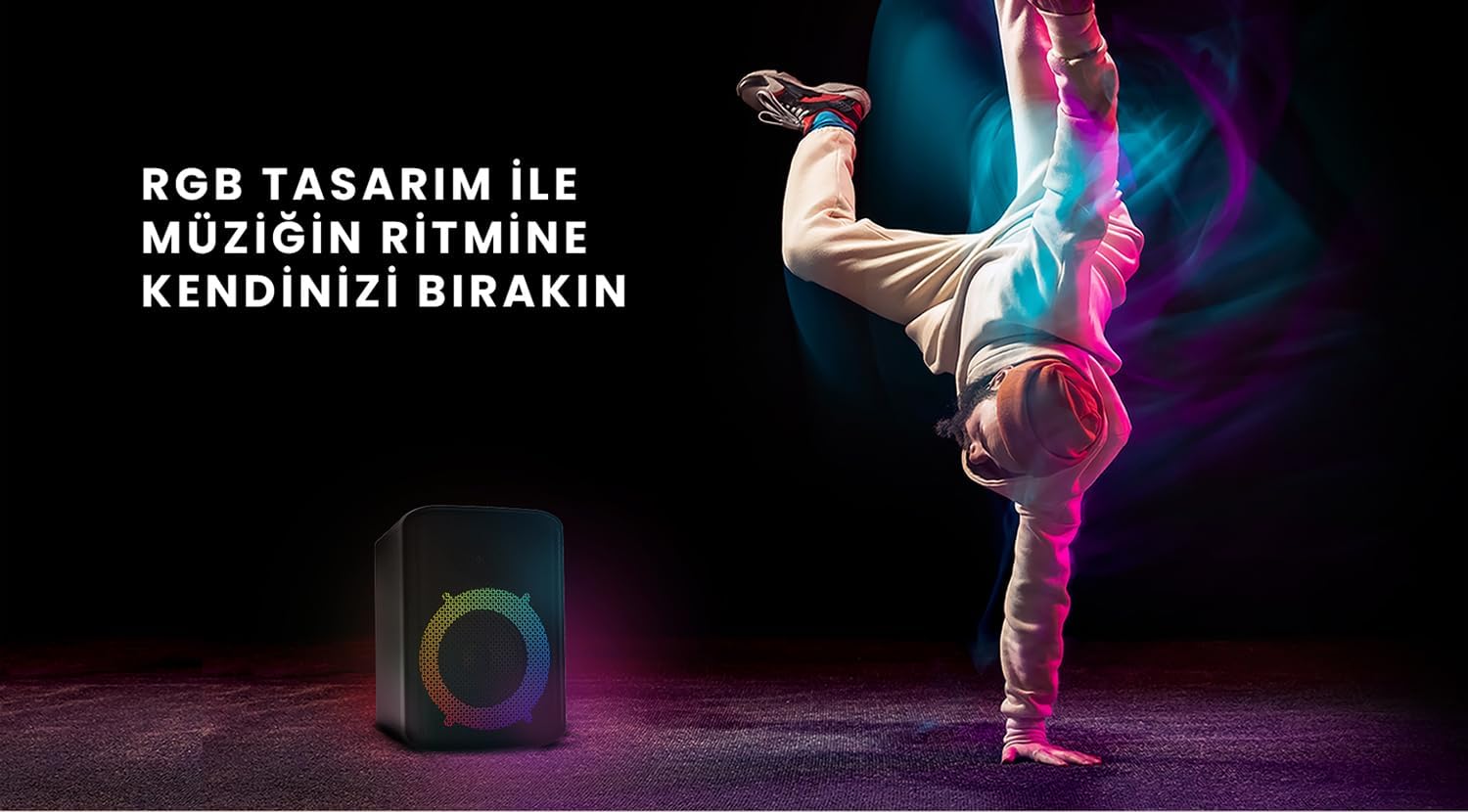
Figure 6: The HiFuture EVENT speaker in a dynamic setting, emphasizing how its RGB lighting enhances the atmosphere for parties and events.
Mantentzea
- Garbiketa: Erabili zapi leun eta lehor bat bozgorailuen gainazala garbitzeko. Ez erabili garbitzaile edo disolbatzaile urratzailerik.
- Biltegiratzea: Gorde bozgorailua leku fresko eta lehor batean, eguzki-argitik eta muturreko tenperaturetatik babestuta.
- Bateria zaintzea: Bateriaren iraupena luzatzeko, saihestu bateria maiz erabat deskargatzea. Kargatu aldizka, denbora luzez erabiltzen ez baduzu ere.
- Uraren erresistentzia: While designed for portability, avoid exposing the speaker to excessive moisture or submerging it in water unless explicitly stated as waterproof.
Arazoak konpontzea
| Arazoa | Irtenbide posiblea |
|---|---|
| Bozgorailuak ez du pizten. | Ziurtatu bozgorailua guztiz kargatuta dagoela. Konektatu energia-iturri batera eta saiatu berriro. |
| Ezin da Bluetooth bidez parekatu. |
|
| Soinurik ez edo bolumen baxua. |
|
| RGB argiak ez dira funtzionatzen. | Press the Light button to cycle through modes or turn them on. Ensure the speaker is powered on. |
Zehaztapenak
| Ezaugarri | Xehetasuna |
|---|---|
| Marka | HiEtorkizuna |
| Eredua | GERTAERA |
| Bozgorailuen irteerako potentzia maximoa | 180 Watts (Peak), 80W RMS (50W Woofer + 30W Tweeter) |
| Konektibitate Teknologia | Bluetootha |
| Audio irteera modua | Estereoa |
| Muntatze Mota | Mahai-muntaia |
| Materiala | Akrilikoa |
| Hizlari mota | Multimedia |
| Gailu bateragarriak | Bluetooth-enabled devices (e.g., smartphones, tablets) |
| Kolorea | Beltza |
| Bateriaren iraupena | Gehienez 4 ordu |
Bermea eta Laguntza
The HiFuture EVENT Bluetooth Speaker comes with a standard manufacturer's warranty. Please refer to the warranty card included in your product packaging for specific terms and conditions. For technical support, troubleshooting assistance, or warranty claims, please contact HiFuture customer service through their official webproduktua erosi duzun gunea edo dendaria.
Ask a question about this manual
Ask about setup, troubleshooting, compatibility, parts, safety, or missing instructions. Manuals+ will review the question and use this page’s manual context to help answer it.