
1. Sarrera
The eppfun AK8675B Pro is a versatile Bluetooth 5.2 audio adapter designed to function as both a transmitter (TX) and a receiver (RX). It features advanced Qualcomm QCC3040 chip technology, supporting various aptX codecs including aptX-Adaptive, aptX HD, and aptX Low Latency, ensuring high-quality audio with minimal delay. This device allows you to wirelessly stream audio from non-Bluetooth devices (like TVs or PCs) to Bluetooth headphones/speakers, or from Bluetooth-enabled devices (like smartphones) to wired audio systems.
2. Paketearen edukia
Egiaztatu behean zerrendatutako elementu guztiak zure paketean sartuta daudela:
- eppfun AK8675B Pro Bluetooth Transmitter/Receiver
- USB-C kargatzeko kablea
- 3.5 mm-ko AUX audio kablea
- Optical Fiber Audio Cable
- Erabiltzailearen eskuliburua (dokumentu hau)

Image: Contents of the eppfun AK8675B Pro package, including the device, various cables, and the user manual.
3. Produktua amaitu daview eta Kontrolak
Familiarize yourself with the device's components and controls:

Image: Diagram of the eppfun AK8675B Pro device with key interfaces and buttons labeled.
- A: Pizteko botoia - Press and hold to turn the device on or off.
- B: RX/TX Mode Switching - Slide switch to select Transmitter (TX) or Receiver (RX) mode.
- C: Pairing Button - Press to initiate Bluetooth pairing mode.
- D: AUX 3.5mm Interface - For connecting audio devices via a 3.5mm audio cable.
- E: Volume Adjusting - Buttons to increase or decrease audio volume.
- F: One Click Mute, Double Click Audio Decoding Switch - Single press for mute/unmute; double press to cycle through audio decoding options.
- G: USB Charging - USB-C port for charging the device.
- H: Optical Interface - For connecting audio devices via an optical fiber cable.
4. Setup and Operation Modes
The AK8675B Pro operates in two primary modes: Transmitter (TX) and Receiver (RX). Select the appropriate mode using the RX/TX mode switching slider (B).

Image: Comparison of Transmitter and Receiver modes, showing usage time, compatible codecs, and simultaneous linking capabilities.
4.1. Igorlearen modua (TX)
In TX mode, the device transmits audio from a non-Bluetooth source (e.g., TV, PC) to Bluetooth-enabled headphones or speakers.
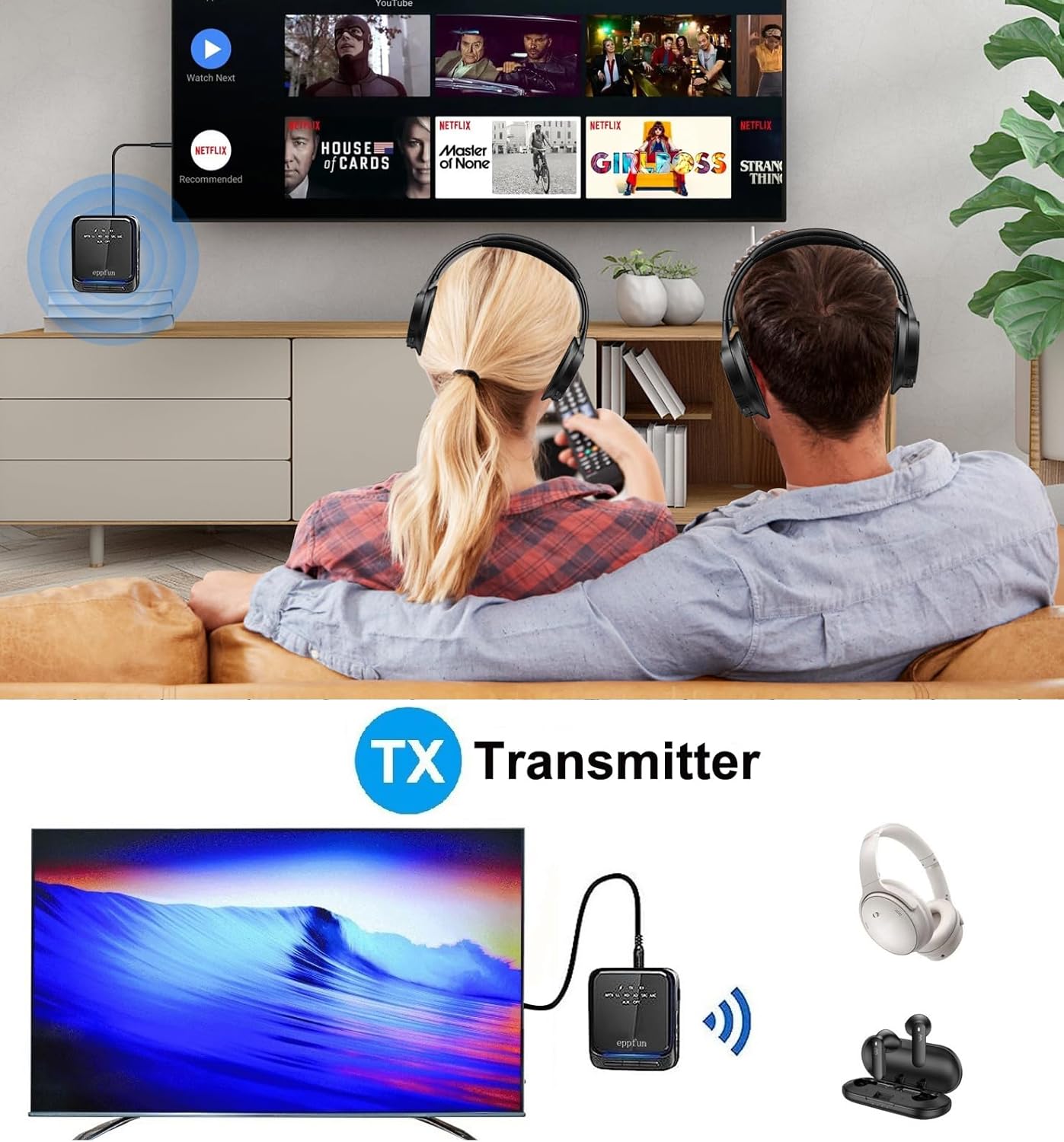
Image: An illustration of the eppfun AK8675B Pro connected to a TV, transmitting audio wirelessly to two pairs of Bluetooth headphones.
- Slide the mode switch (B) to TX.
- Connect the AK8675B Pro to your audio source (e.g., TV, PC) using either the 3.5mm AUX cable (D) or the Optical Fiber cable (H).
- Turn on the AK8675B Pro by pressing and holding the Power Button (A).
- Jarri zure Bluetooth entzungailuak edo bozgorailuak parekatze moduan.
- Press the Pairing Button (C) on the AK8675B Pro to initiate pairing. The LED indicator will show pairing status.
- Once connected, audio from your source will stream wirelessly to your Bluetooth device(s).
TX Mode Features:
- Codec bateragarriak: aptX, aptX-Adaptive, aptX LL (Low Latency), aptX HD, SBC.
- Lanaldia: Gutxi gorabehera 12 ordu karga osoarekin.
- Konexio bikoitza: Supports connecting two Bluetooth headphones/earbuds simultaneously with aptX LL technology.
4.2. Hartzaile modua (RX)
In RX mode, the device receives audio wirelessly from a Bluetooth-enabled source (e.g., smartphone, tablet) and outputs it to a wired audio system (e.g., wired headphones, speakers).

Image: An illustration of the eppfun AK8675B Pro connected to wired speakers, receiving audio wirelessly from a smartphone.
- Slide the mode switch (B) to RX.
- Connect the AK8675B Pro to your wired audio output device (e.g., speakers, wired headphones) using the 3.5mm AUX cable (D).
- Turn on the AK8675B Pro by pressing and holding the Power Button (A).
- Gaitu Bluetooth-a zure telefonoan edo beste Bluetooth audio iturri batean eta bilatu eskuragarri dauden gailuak.
- Select "eppfun AK8675B Pro" from the list of available Bluetooth devices to pair. The LED indicator will confirm connection.
- Once connected, audio from your Bluetooth source will play through your wired audio system.
RX Mode Features:
- Codec bateragarriak: aptX, aptX-Adaptive, aptX HD, SBC, AAC.
- Lanaldia: Gutxi gorabehera 20 ordu karga osoarekin.
5. Gailua kargatzea
To charge the eppfun AK8675B Pro:
- Connect the supplied USB-C cable to the USB Charging port (G) on the device.
- Connect the other end of the USB-C cable to a standard USB power adapter (not included) or a computer's USB port.
- The LED indicator will show the charging status. A full charge typically takes about 2 hours.
Note: The device cannot be used while it is charging.
6. Mantentzea
To ensure the longevity and optimal performance of your eppfun AK8675B Pro:
- Mantendu gailua lehor. Saihestu hezetasunaren, euriaren edo likidoen eraginpean egotea.
- Garbitu gailua zapi leun eta lehor batekin. Ez erabili produktu kimiko gogorrik edo garbitzaile urratzailerik.
- Gorde gailua leku fresko eta lehor batean erabiltzen ez duzunean.
- Saihestu muturreko tenperaturak.
- Ez saiatu gailua desmuntatzen edo aldatzen, horrek bermea baliogabetuko baitu eta kalteak eragin ditzakeelako.
7. Arazoak
If you encounter issues with your AK8675B Pro, refer to the following common solutions:
- Gailua ez da pizten:
- Ziurtatu gailua guztiz kargatuta dagoela. Konektatu energia-iturri batera USB-C kablea erabiliz.
- Press and hold the Power Button (A) for a few seconds.
- Ezin da Bluetooth gailu batekin parekatu:
- Ensure the AK8675B Pro is in the correct mode (TX for transmitting, RX for receiving).
- Make sure both devices are in pairing mode and within the 10-meter communication range.
- Clear previous pairing records on both the AK8675B Pro and your Bluetooth device, then attempt to pair again.
- Restart both the AK8675B Pro and your Bluetooth device.
- No audio output/input:
- Check all cable connections (3.5mm AUX or Optical Fiber) to ensure they are secure and in the correct ports.
- Verify that the volume on both the AK8675B Pro (E) and the connected audio device is not muted or set too low.
- Ensure the correct audio input/output is selected on your source device (e.g., TV audio settings).
- Confirm that the AK8675B Pro is successfully paired and connected to the desired Bluetooth device.
- Audio delay or poor quality:
- Ensure both the AK8675B Pro and your connected Bluetooth device support aptX Low Latency (aptX LL) for minimal delay, especially in TX mode.
- Reduce the distance between the AK8675B Pro and the connected Bluetooth device, and remove any obstacles.
- Egiaztatu beste haririk gabeko gailu batzuek interferentziarik izan dezaketen.
8. Zehaztapenak
| Ezaugarri | Zehaztapena |
|---|---|
| Ereduaren izena | AK8675B Pro |
| Bluetooth bertsioa | 5.2 |
| Bluetooth Chipset-a | Qualcomm QCC3040 |
| Supported Codecs (TX) | aptX, aptX-Adaptive, aptX LL, aptX HD, SBC |
| Supported Codecs (RX) | aptX, aptX-Adaptive, aptX HD, SBC, AAC |
| Maiztasun Banda | 2.402GHz - 2.480GHz |
| Komunikazio Distantzia | Gehienez 10 metro (33 oin) |
| TX modua lan denbora | Gutxi gorabehera. 12 ordu |
| RX modua lan-ordua | Gutxi gorabehera. 20 ordu |
| Kargatzeko Denbora | Gutxi gorabehera. 2 ordu |
| Kargatzeko ataka | USB-C |
| Audio Sarrera/Irteera | 3.5mm AUX, Optical TOSLINK |
| Bateria mota | Litio-ioizko bateria (barne) |
| Produktuaren neurriak | 75 mm x 66 mm x 18 mm (gutxi gorabehera) |
| Produktuaren pisua | 60.5 g (gutxi gorabehera) |
9. Bermea eta Laguntza
eppfun products are designed for reliability and performance. For warranty information and technical support, please refer to the official eppfun webwebgunera edo jarri harremanetan zure saltzailearekin. Gorde erosketa-agiria erosketaren frogagiri gisa berme-erreklamazioetarako.