
1. Sarrera
This manual provides instructions for the proper setup, operation, and maintenance of your Tera 3106-2 1D USB Wired Barcode Scanner. Please read this manual thoroughly before using the device to ensure optimal performance and longevity.
2. Produktua amaitu daview
The Tera 3106-2 is a high-speed, accurate 1D barcode scanner designed for various applications including retail, small businesses, libraries, and warehouses. It features a plug-and-play USB connection and supports multiple customization options.

2.1. irudia: The Tera 3106-2 scanner is designed to be eye-safe, operating without a visible laser.
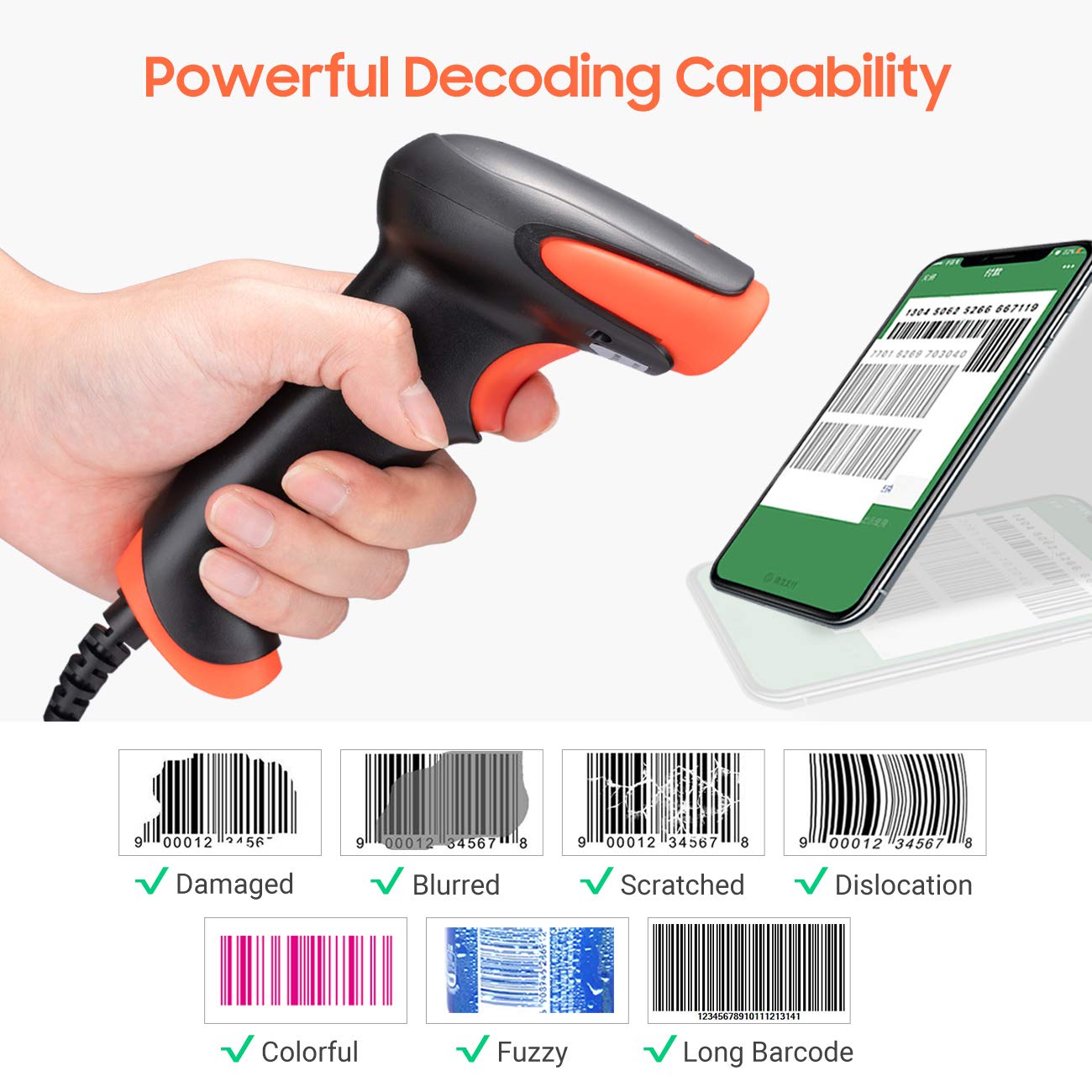
2.2. irudia: The scanner offers powerful decoding capabilities, accurately reading damaged, blurred, scratched, dislocated, colorful, fuzzy, and long 1D barcodes.
3. Paketearen edukia
- Tera 3106-2 Barcode Scanner x1
- Erabiltzailearen eskuliburua x1
4. Konfigurazioa
The Tera 3106-2 barcode scanner is designed for simple plug-and-play operation. No additional drivers or software installation is required for most systems.
- Konektatu USB kablea: Plug the USB cable of the scanner into an available USB 2.0 port on your computer (desktop or laptop).
- Sistemaren Ezagutza: Your operating system (Windows, Linux, macOS, iOS, Android) will automatically detect and install the necessary device drivers. This process may take a few moments.
- Erabiltzeko prest: Once the system indicates that the device is ready, the scanner can be used with applications such as Word, Excel, Novell, or other common software that accepts keyboard input.

4.1. irudia: The scanner is compatible with various devices and operating systems, including Windows, Linux, macOS, iOS, and Android.
5. Funtzionamendu-argibideak
5.1 Oinarrizko eskaneatzea
To scan a barcode, aim the scanner's light beam at the center of the barcode. A successful scan will typically be indicated by an audible beep and/or a visual confirmation (e.g., LED indicator). The decoded data will appear in the active input field on your connected device.
5.2 Eskaneatze moduak
Eskanerrak bi eskaneatze modu nagusi onartzen ditu:
- Eskuzko eskaneatzea: Sakatu abiarazle botoia eskaneatzea hasteko. Hau da modu lehenetsia.
- Auto Continuous Scanning: The scanner continuously emits a scan beam, automatically reading barcodes presented to it without needing to press the trigger.
To switch between these modes, refer to the configuration barcodes provided in the supplementary user guide or quick start sheet that came with your scanner. Scan the appropriate barcode to change the mode.
6. Pertsonalizazio aukerak
The Tera 3106-2 scanner offers various customization settings to adapt to your specific needs. These settings are typically configured by scanning special barcodes found in the included user guide.
- Aurrizkia/Atzizkia: Gehitu karaktere pertsonalizatuak eskaneatutako datuen aurretik edo ondoren.
- Bolumena: Doitu eskaneatzea berresteko bip-aren soinu-maila.
- Amaiera: Configure the character sent after the barcode data (e.g., Carriage Return, Tab).
- Upper/Lower Case: Convert scanned data to all uppercase or all lowercase.
- Teklatuaren hizkuntza: Select the appropriate keyboard layout for your region. Supported languages include English, Spanish, German, French, Italian, Japanese, and more.
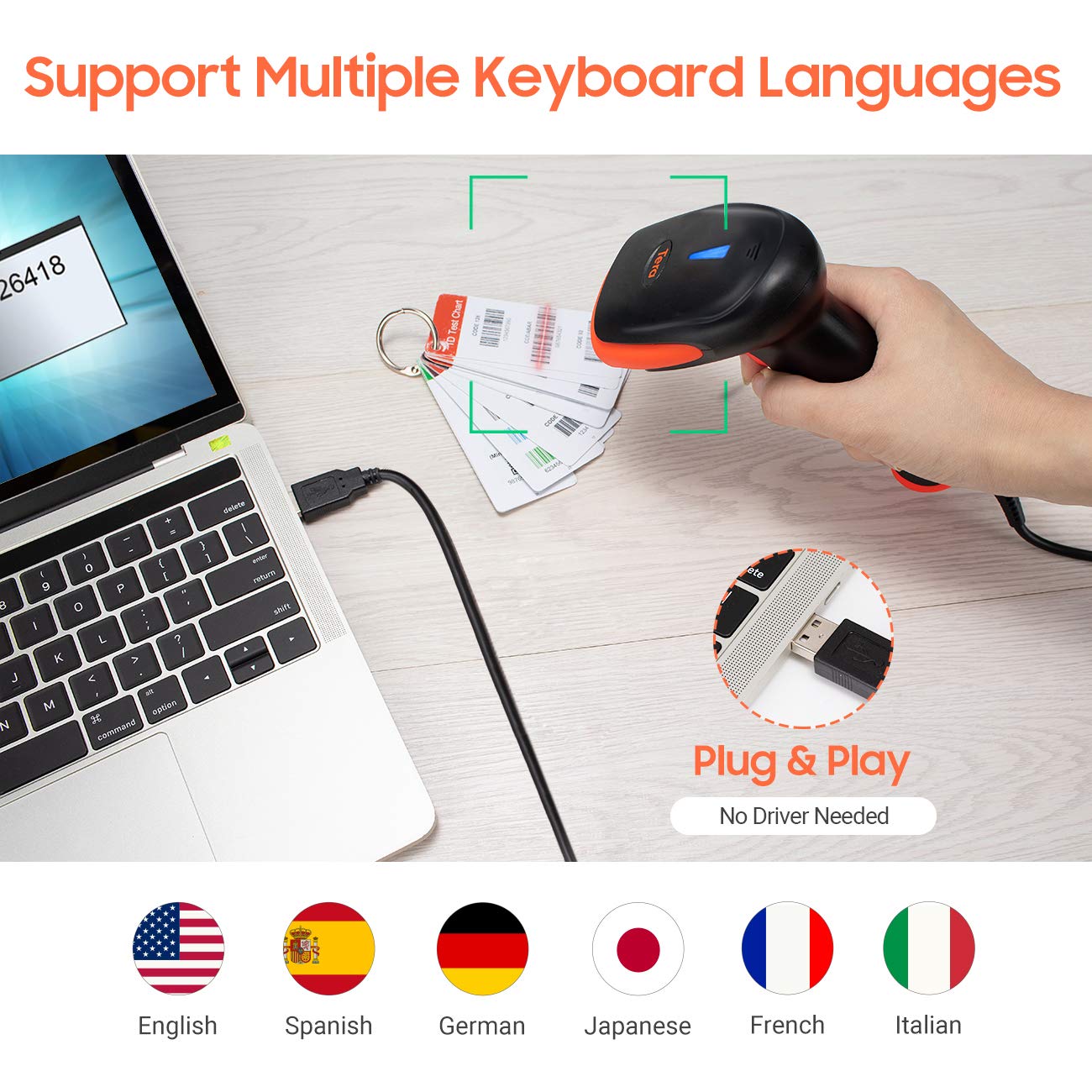
6.1. irudia: The scanner supports multiple keyboard languages for diverse international use.

6.2. irudia: Customize barcode output by adding prefixes, suffixes, or hiding specific digits.
7. Onartutako barra-kodeak
This scanner is compatible with a wide range of 1D barcode symbologies, including but not limited to:
- UPC&EAN (UPC-A, UPC-E, EAN-8, EAN-13)
- 39. kodea, 32. kodea, 93. kodea, 11. kodea, 128. kodea, UCC-EAN128
- ISSN, ISBN
- CODABAR, MSI
- Interleaved 2 of 5, Matrix 2 of 5, Industrial 2 of 5
- Eta gehiago.
The scanner also supports reading 1D barcodes directly from digital screens.
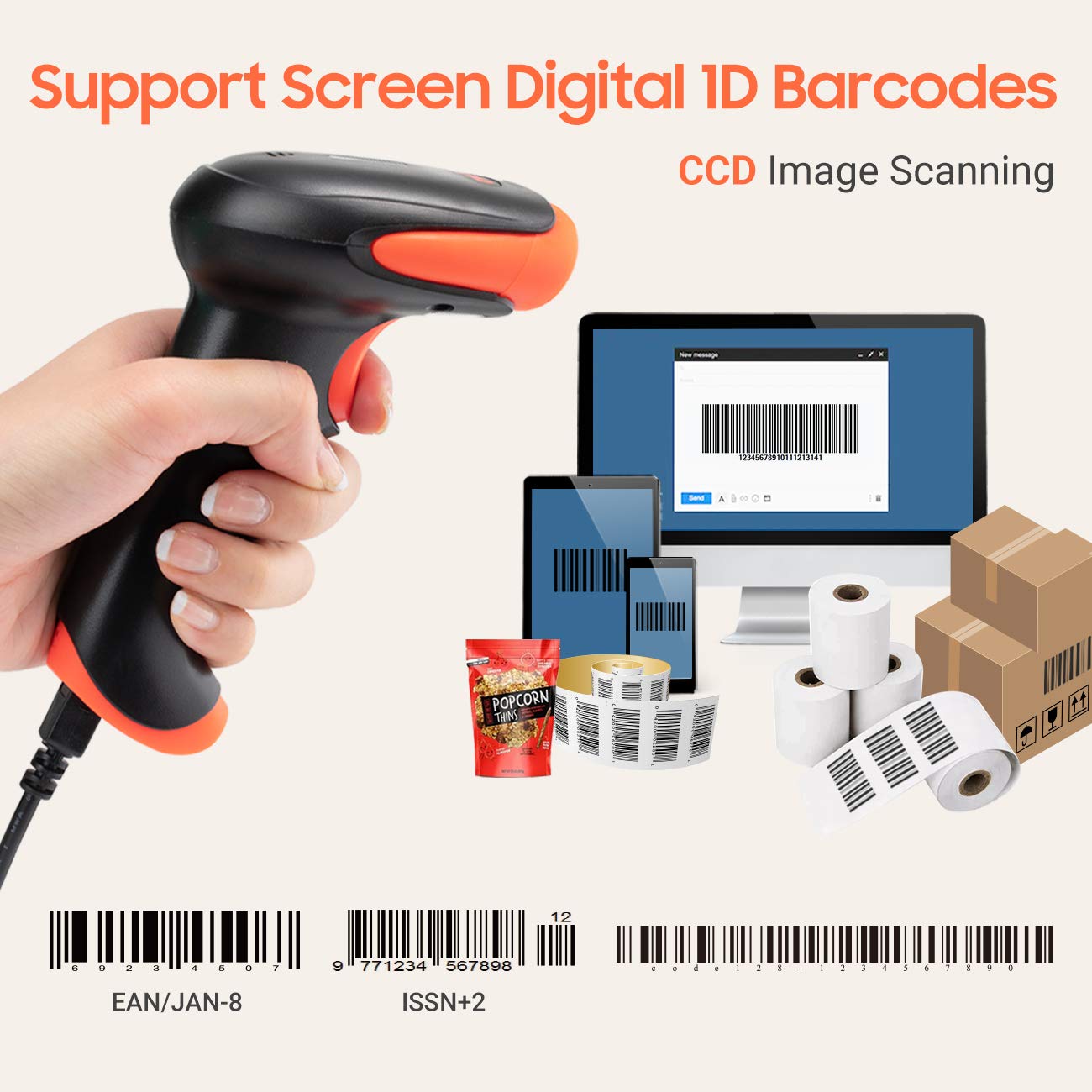
7.1. irudia: The scanner supports reading 1D barcodes from various sources, including digital screens and printed labels.
8. Mantentzea
- Garbiketa: Erabili zapi leun eta lehor bat eskanerraren kanpoaldea garbitzeko. Eskaneatze-leihoarentzat, erabili zapi leun eta lintz gabeko bat, arinki garbituta.ampUrarekin edo garbitzaile leun eta ez-urratzaile batekin garbitu. Saihestu produktu kimiko gogorrak.
- Biltegiratzea: Gorde eskanerra leku fresko eta lehor batean, eguzki-argitik eta muturreko tenperaturetatik babestuta.
- Manipulazioa: Avoid dropping the scanner or subjecting it to strong impacts. Do not attempt to disassemble the device.
9. Arazoak
| Arazoa | Kausa posiblea | Irtenbidea |
|---|---|---|
| Eskanerrak ez du pizten edo ez du erantzuten. | USB kablea ez dago behar bezala konektatuta edo USB ataka akastuna da. | Ziurtatu USB kablea eskanerrari eta ordenagailuari ondo konektatuta dagoela. Saiatu beste USB ataka bat erabiltzen. |
| Scanner reads barcodes slowly or inaccurately. | Barcode is damaged, blurred, or poorly printed. Insufficient lighting. Scanner window is dirty. | Ensure the barcode is clear and well-lit. Clean the scanner window. Try scanning from a different angle or distance. |
| Scanner does not read barcodes from digital screens. | Screen brightness is too low or glare is present. | Increase screen brightness. Adjust the angle of the scanner to minimize glare. Ensure the barcode is fully displayed on the screen. |
| Scanned data appears incorrectly (e.g., wrong characters, missing digits). | Incorrect keyboard language setting. Prefix/suffix or other data formatting settings are active. | Verify the keyboard language setting matches your computer's keyboard layout. Review and adjust prefix/suffix or other data formatting settings using the configuration barcodes. |
| Eskanerrak bip egiten du baina ez da daturik transmititzen. | Aplikazioa ez dago fokuan edo ez du sarrerarik onartzen. | Ensure the cursor is in the desired input field of your application. Test with a simple text editor like Notepad. |
10. Zehaztapenak
| Ezaugarri | Xehetasuna |
|---|---|
| Eredua | 3106-2 |
| Eskaneatzeko Mota | 1D Laser (Eye Safe) |
| Konektibitatea | USB Wired (USB 2.0) |
| Eskaneatzeko abiadura | Gehienez 300 eskaneatu segundoko |
| Errore tasa | 1 in 5 million scans |
| Gailu bateragarriak | Mahaigaina, ordenagailu eramangarria |
| Sistema bateragarriak | Windows, Linux, macOS, iOS, Android |
| Energia iturria | Kable bidezko elektrikoa (USB bidez) |
| Produktuaren neurriak (L x W x H) | 7.9 x 19.3 x 10.4 zentimetro |
| Onartutako 1D barra-kodeak | UPC&EAN, UPC-A, UPC-E, Code 39, CODE32, Code 93, CODE11, Code 128, UCC-EAN128, EAN-8, EAN-13, ISSN, ISBN, CODABAR, MSI, Interleaved 2 of 5, Matrix 2 of 5, Industrial 2 of 5, etc. |
11. Bermea eta Laguntza
For warranty information, technical support, or service inquiries, please refer to the contact details provided with your purchase documentation or visit the official Tera webgunea. Gorde erosketaren egiaztagiria bermearen erreklamazioetarako.