
Sarrera
This manual provides detailed instructions for the operation and maintenance of your Cuifati Portable Cassette Player with Auto Reverse. Please read this manual thoroughly before using the device to ensure proper functionality and to maximize your listening experience.
Paketearen edukia
Egiaztatu behean zerrendatutako elementu guztiak zure paketean sartuta daudela:
- 1 x Cuifati Portable Cassette Player
- 1 x entzungailuak
- 1 x USB Power Cord
- 1 x Erabiltzailearen eskuliburua
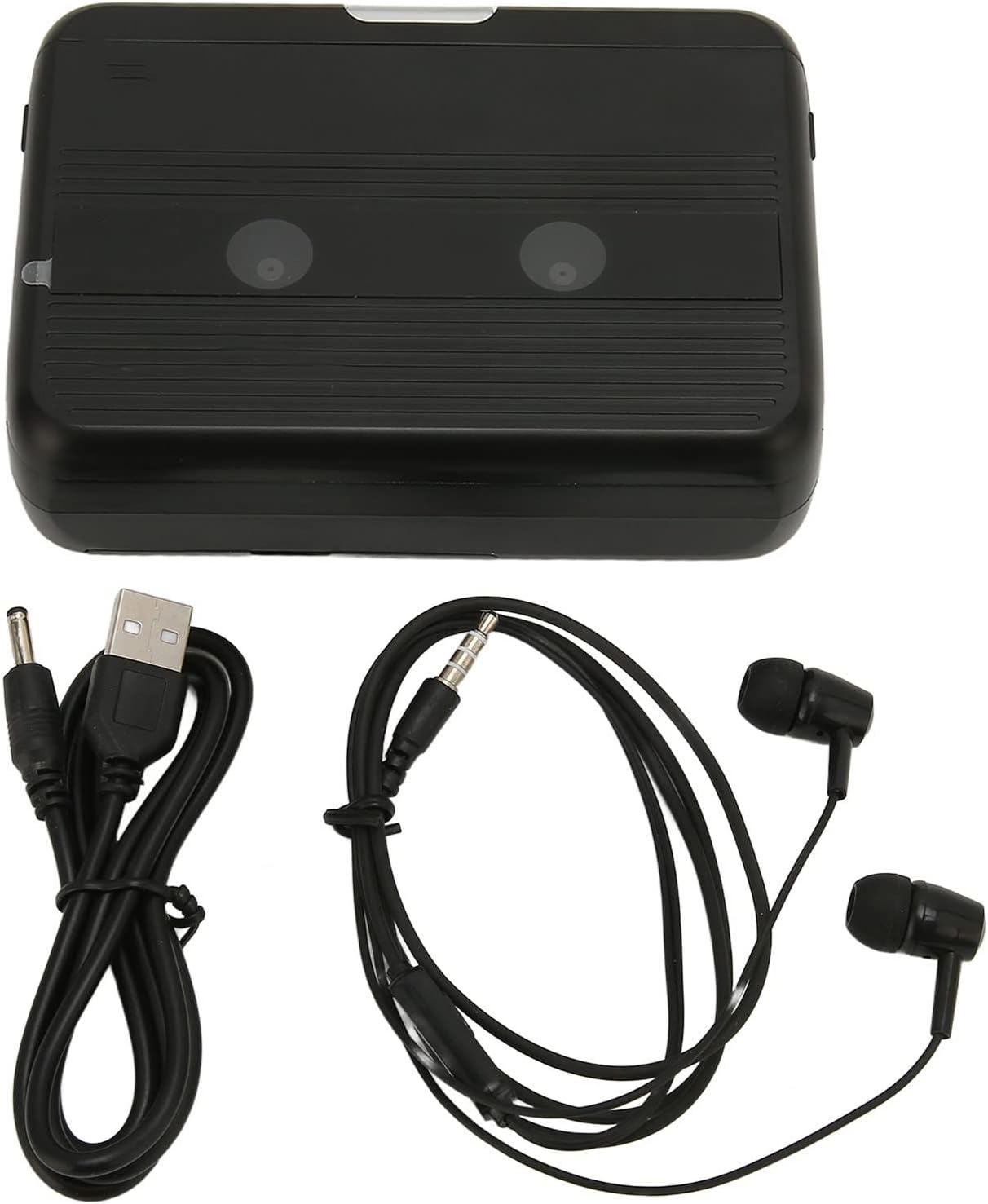
The Cuifati Portable Cassette Player shown alongside its included USB power cord and wired headphones.
Produktua amaituview
Familiarize yourself with the various parts and controls of your cassette player.
Aurrealdea View (Irekita)
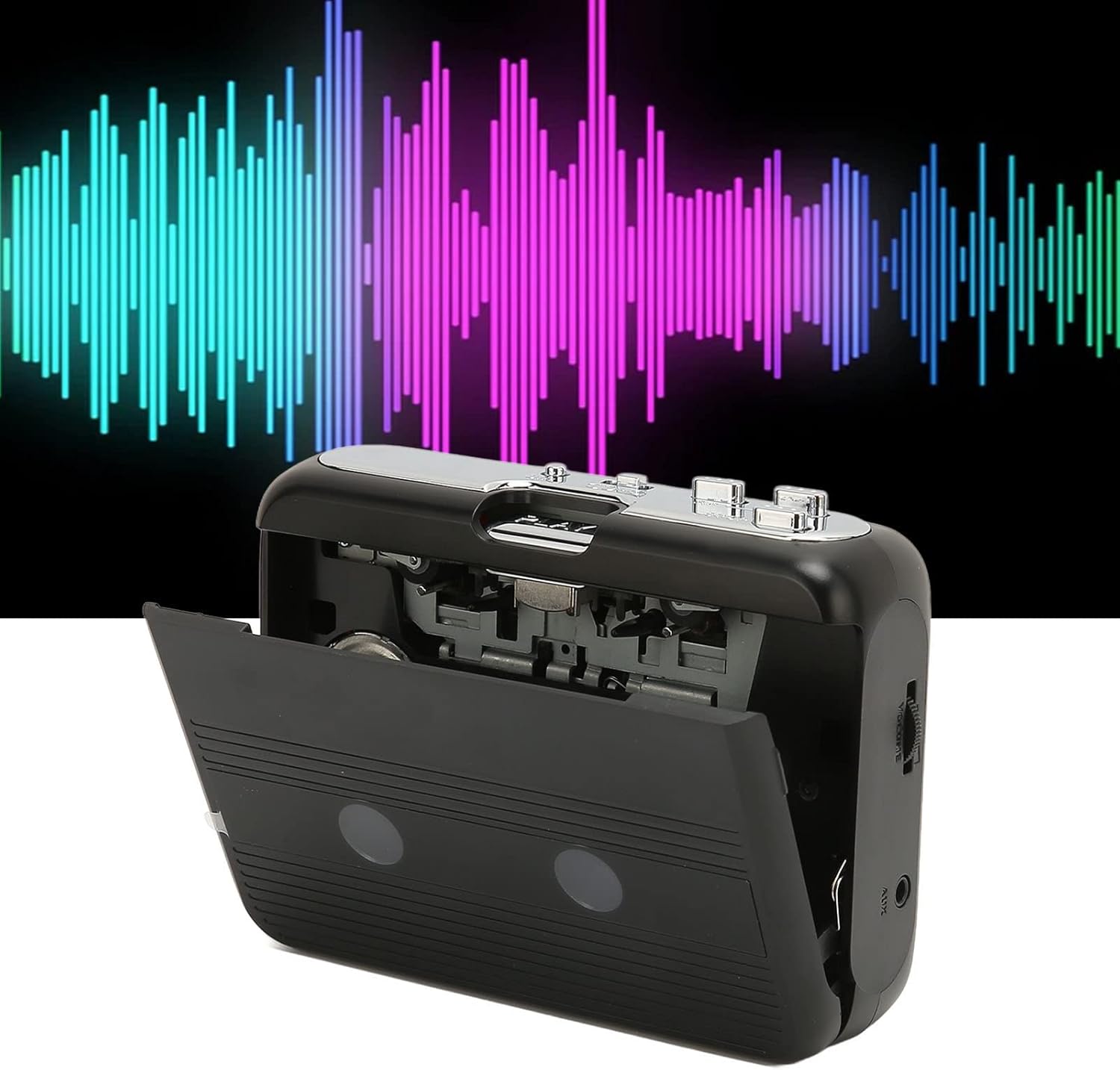
Aurrealdea view of the Cuifati Portable Cassette Player with the cassette compartment door open, revealing the tape mechanism.
Aurrealdea View (Itxita)
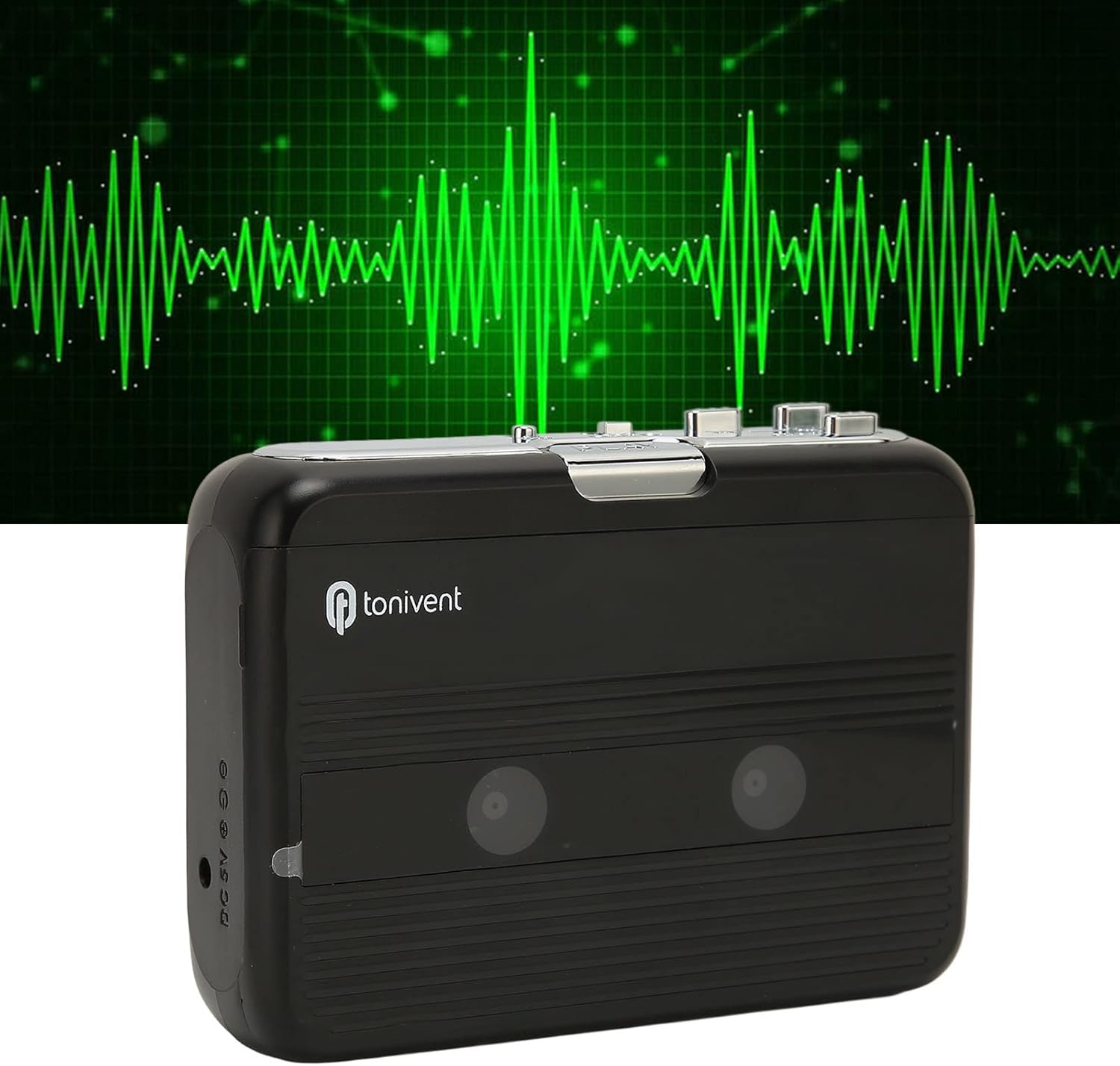
Aurrealdea view of the Cuifati Portable Cassette Player with the cassette compartment door closed.
Cassette Mechanism

Gertutik view of the cassette player's internal mechanism, showing the tape heads and rollers.
Aldea View (Kontrolak eta atakak)

Aldea view of the cassette player, highlighting the volume control wheel and the AUX output port.
Kontrol nagusiak:
- Erreproduzitzeko botoia: Kasetearen erreprodukzioa abiarazten du.
- Gelditzeko botoia: Halts playback.
- Fast Forward (FF) Button: Zinta azkar aurreratzen du.
- Rewind (REW) Button: Zinta azkar atzeratzen du.
- Auto Reverse Button: Changes tape direction during playback.
- Bolumena kontrolatzeko gurpila: Audio irteerako maila doitzen du.
- FM/Tape Switch: Selects between FM radio and cassette playback mode.
- Headphone/AUX Output Jack: Connects headphones or external audio devices.
- DC 5V sarrera: USB elikadurarako.
Konfigurazioa
Elikatze Hornidura
The cassette player can be powered by two (2) AA batteries or via a USB power supply.
- Bateriaren instalazioa:
- Ireki gailuaren atzealdean dagoen bateriaren konpartimentuaren estalkia.
- Sartu bi AA pila, konpartimentuaren barruan adierazten den polaritate zuzena (+/-) ziurtatuz.
- Itxi bateriaren konpartimenduaren estalkia ondo.
- USB konexioa:
- Connect the small end of the included USB power cord to the DC 5V input port on the cassette player.
- Konektatu USB mutur estandarra USB elikatze-egokitzaile batera (ez dago barne) edo ordenagailuaren USB ataka batera.
Inserting a Cassette Tape
- Gently open the cassette compartment door.
- Insert a cassette tape with the exposed tape facing upwards and the side you wish to play facing the front.
- Itxi kasetearen konpartimentuko atea ondo klik egin arte.
Funtzionamendu-argibideak
Kaseteak Jotzea
- Ziurtatu kasete-zinta behar bezala sartuta dagoela.
- Set the FM/Tape switch to the "Tape" position.
- Sakatu Jolastu botoia erreproduzitzen hasteko.
- Egokitu Bolumena Kontrolatzeko Gurpila nahi duzun entzute-mailara.
- Erreprodukzioa gelditzeko, sakatu Gelditu botoia.
- Bizkor aurreratzeko, sakatu FF botoia. Atzera egiteko, sakatu REW botoia. Sakatu Gelditu to disengage.
Auto Reverse Function
The player features an auto-reverse function, allowing the tape to play in both directions without needing to manually flip the cassette.
- Erreprodukzioan, sakatu Alderantzizko automatikoa button to switch the tape direction. The player will automatically reverse and continue playing the other side of the tape.
FM Irratia erabiliz
- Set the FM/Tape switch to the "FM" position.
- Use the tuning dial (if present, otherwise the FF/REW buttons might serve as tuning) to scan for FM radio stations.
- Egokitu Bolumena Kontrolatzeko Gurpila nahi duzun entzute-mailara.
Using the Built-in Speaker
The device includes a built-in speaker for direct audio output. No special action is required; audio will play through the speaker unless headphones are connected.
Connecting Headphones or External Audio Devices
For private listening or connecting to external speakers, use the 3.5mm headphone/AUX output jack.
- Plug the included headphones or your own 3.5mm audio cable into the Headphone/AUX Output Jack.
- When headphones are connected, audio will automatically switch from the built-in speaker to the headphones.

A person listening to music with headphones, illustrating the headphone usage.
Mantentzea
Proper care ensures the longevity and optimal performance of your cassette player.
- Garbiketa: Erabili zapi leun eta lehor bat gailuaren kanpoaldea garbitzeko. Ez erabili garbitzaile likidorik edo material urratzailerik.
- Zinta-buruak: Periodically clean the tape heads with a specialized cassette head cleaner to maintain sound quality.
- Biltegiratzea: Denbora luzez erabiltzen ez duzunean, kendu bateriak isuriak saihesteko. Gorde gailua leku fresko eta lehor batean, eguzki-argitik eta muturreko tenperaturetatik babestuta.
- Saihestu hautsa: Keep the cassette compartment closed when not in use to prevent dust accumulation.
Arazoak konpontzea
If you encounter issues with your cassette player, refer to the following common problems and solutions:
| Arazoa | Kausa posiblea | Irtenbidea |
|---|---|---|
| Botererik ez | Dead batteries; USB cable not connected; faulty power source. | Replace batteries; ensure USB cable is securely connected to a working power source. |
| Ez dago soinurik bozgorailutik/aurikularretatik | Volume too low; headphones not fully plugged in; FM/Tape switch in wrong position; dirty tape heads. | Increase volume; ensure headphones are fully inserted; set switch to correct mode (Tape/FM); clean tape heads. |
| Poor sound quality (cassette) | Dirty tape heads; worn-out tape; incorrect tape insertion. | Clean tape heads; try a different tape; re-insert tape correctly. |
| FM irrati estatikoa/harrera txarra | Seinale ahula; interferentziak. | Relocate the player to an area with better reception; try adjusting the player's orientation. |
| Tape not playing/moving | Tape jammed; mechanism issue; tape not inserted correctly. | Check for tape jams; ensure tape is inserted correctly; if issue persists, contact support. |
Zehaztapenak
| Ezaugarri | Xehetasuna |
|---|---|
| Marka | Cuifati |
| Modelo zenbakia | Cuifatibi73wk0z4p |
| ASIN | B0CDD42V9J |
| Elikatze Hornidura | 2 x AA Batteries or USB DC 5V |
| Funtzioak | Cassette Playback, Auto Reverse, FM Radio, Built-in Speaker, Headphone Output |
| Audio Irteera | 3.5mm Headphone/AUX Jack |
| Elementuaren pisua | 10.3 ontza |
Segurtasun informazio garrantzitsua
- Ez jarri gailua uraren, hezetasunaren edo muturreko tenperaturen eraginpean.
- Saihestu gailua kolpe gogorrak erortzea edo jasaten.
- Ez saiatu gailua zeuk desmuntatzen edo konpontzen. Mantendu mantentze-lan guztiak langile kualifikatuen esku.
- Tokiko araudien arabera bota bateriak arduraz.
- Bolumen maila altuan denbora luzez entzuteak entzumen kalteak eragin ditzake. Egokitu bolumena maila seguru batera.
Bermea eta Laguntza
Bermeari buruzko informazioa edo laguntza teknikoa lortzeko, erosketa unean emandako dokumentazioa kontsultatu edo zure saltzailearekin harremanetan jarri. Gorde erosketa-agiria erosketaren frogagiri gisa.