
1. Konfigurazioa
This section provides instructions for the initial setup of your TCL 55S41 television, including unpacking, stand installation, wall mounting, and connecting external devices.
1.1 Paketatzea
- Kontu handiz atera telebista bere paketetik.
- Ensure all accessories are present: remote control, AAA batteries, power cord, and stand components.
- Gorde ontziratzeko materialak etorkizuneko garraio edo zerbitzu beharretarako.
1.2 Standaren instalazioa
If you are not wall-mounting the television, install the included stand according to these steps:
- Place the television face-down on a soft, clean surface to prevent screen damage.
- Align the stand legs with the screw holes on the bottom of the television. The stand separation distance is approximately 41.5 inches.
- Secure each stand leg using the provided M4 x 25 screws (4 screws total). Tighten securely with a screwdriver.
- Carefully lift the television to an upright position on a stable, level surface.
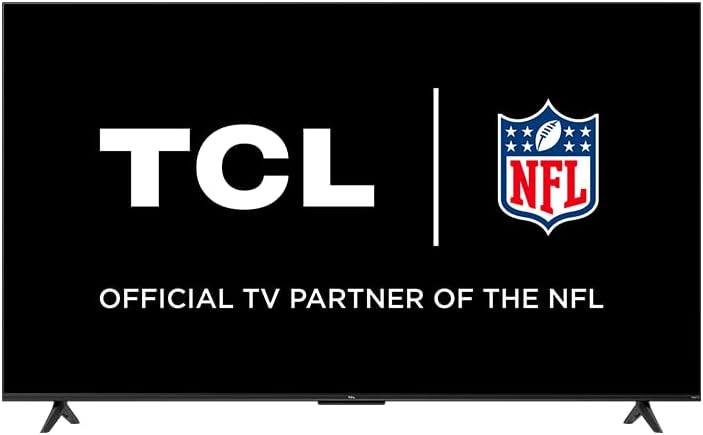
Image: The TCL 55S41 television with its stand attached, illustrating the typical appearance after stand installation. The stand provides stable support for the television on a flat surface.
1.3 Horman muntatzea
If you plan to wall-mount your television, ensure you use a VESA-compatible wall mount (sold separately) that supports the television's weight and size.
- The VESA wall mount pattern for this model is 200 mm x 200 mm.
- Use M6 x 12 screws for attaching the wall mount bracket to the television.
- Follow the instructions provided with your specific wall mount for safe and secure installation.
- Remove the stand legs before wall mounting.
1.4 Gailuak konektatzea
Connect your external devices to the appropriate ports on the back of the television.
- HDMI sarrerak: The TV features 4 HDMI inputs, including 1 eARC port for enhanced audio return channel functionality. Use these for connecting Blu-ray players, game consoles, cable boxes, etc.
- Composite Audio/Video Input: 1 input for older devices using RCA cables.
- Audio-irteera optiko digitala: 1 output for connecting to soundbars or audio receivers.
- Aurikularrak Jack: 1 output for private listening with headphones.
- RF antena sarrera: 1 input for connecting an antenna for over-the-air broadcasts.
- USB 2.0 ataka: 1 port for connecting USB storage devices to play media.
- Ethernet ataka: Interneteko kable bidezko konexio baterako.
- Haririk gabeko konexioa: Supports 802.11ac 2x2 Dual Band (2.4GHz & 5GHz) Wi-Fi for wireless internet access.
Irudia: Jeneral bat view of the TCL 55S41 television, indicating the typical location of various input and output ports on the rear panel for connecting external devices.
1.5 Hasierako piztea eta Roku konfigurazioa
- Connect the power cord to the television and then to a power outlet.
- Sakatu urrutiko agintean edo telebistan pizteko botoia.
- Follow the on-screen instructions to complete the Roku guided setup, which includes selecting your language, connecting to a network, and activating your Roku account.
2. Telebistaren funtzionamendua
This section details the basic operation of your TCL Roku TV, including remote control functions, smart features, and input selection.
2.1 Urruneko kontrola
The included remote control (model RC280) requires two "AAA" batteries. It provides intuitive control over your television and Roku OS.
- Pizteko botoia: Telebista pizten edo itzaltzen du.
- Norabideko Pad: Menuetan nabigatzen du eta elementuak hautatzen ditu.
- Hasierako botoia: Roku-ren hasierako pantailara itzultzen da.
- Atzera botoia: Aurreko pantailara itzultzen da.
- Bolumen-botoiak: Telebistako bolumena doitzen du.
- Mututu botoia: Soinua desaktibatu edo aktibatzen du.
- Lasterbide-botoiak: Dedicated buttons for popular streaming channels.
2.2 Smart Features (Roku TV)
Your TCL TV is powered by Roku OS, offering a wide range of smart features:
- Streaming kanalak: Access thousands of streaming channels for movies, TV shows, news, sports, and more.
- Ahots kontrola: The TV works with Siri, Alexa, and Hey Google for voice commands to search for content, launch apps, or switch inputs.
- AirPlay: Partekatu bideoak, argazkiak eta musika zuzenean zure Apple gailuetatik.
- Hasierako pantaila pertsonalizagarria: Organize your favorite channels and inputs for quick access.
- Roku mugikorretarako aplikazioa: Use the free Roku mobile app for private listening via headphones, voice control, and as an alternative remote.
2.3 Sarrera hautatzea
To switch between connected devices or the antenna input:
- From the Roku home screen, navigate to the desired input tile (e.g., HDMI 1, Antenna TV).
- Sakatu OK button on your remote to select the input.
2.4 Audio Ezaugarriak
- Dolby Digital Plus: Enhanced audio quality for compatible content.
- Entzute pribatua: Use the Roku mobile app with headphones for personal audio.
2.5 Live TV Pause
If you have an antenna connected, you can pause live TV for up to 30 minutes. A USB drive (sold separately) is required for this feature.
3. Mantentzea
Mantentze egokiak zure telebistaren iraupena eta errendimendu optimoa bermatzen ditu.
3.1 Garbiketa
- Pantaila: Gently wipe the screen with a soft, lint-free cloth. For stubborn marks, use a screen cleaner specifically designed for televisions, applied to the cloth, not directly to the screen.
- Kabinete: Garbitu telebistaren armairua oihal leun eta lehor batekin. Saihestu garbitzaile edo disolbatzaile urratzaileak erabiltzea.
- Deskonektatu beti telebista garbitu aurretik.
3.2 Software eguneraketak
Your TCL Roku TV receives automatic software updates to improve performance and add new features. Ensure your TV is connected to the internet for these updates.
4. Arazoak
This section provides solutions to common issues you might encounter with your TCL 55S41 television.
4.1 Potentziarik gabe
- Egiaztatu elikatze-kablea ondo konektatuta dagoen telebistan eta entxufean.
- Egiaztatu entxufea funtzionatzen duela beste gailu bat konektatuz.
- Saiatu telebistako pizteko botoia sakatzen, ez urrutiko agintea bakarrik.
4.2 No Picture / Poor Picture Quality
- Ziurtatu sarrera-iturri zuzena hautatuta dagoela.
- Check all cable connections (HDMI, composite) to external devices.
- If using an antenna, check antenna connection and try rescanning for channels.
- Adjust picture settings (brightness, contrast, etc.) in the TV menu.
4.3 Soinurik ez / Soinu kalitate eskasa
- Egiaztatu bolumen maila eta ziurtatu telebista ez dagoela isilarazita.
- If using external audio equipment (soundbar, receiver), ensure it is powered on and correctly connected.
- Egiaztatu audio irteeraren ezarpenak telebistako menuan.
4.4 Urrutiko agintea ez da erantzuten
- Replace the batteries with fresh "AAA" batteries.
- Ziurtatu urrutiko agintearen eta telebistaren IR sentsorearen artean oztoporik ez dagoela.
- Try pairing the remote again if it's a voice remote (refer to Roku TV settings).
4.5 Sarearen konexio arazoak
- Check your Wi-Fi router and modem to ensure they are powered on and functioning.
- Berrabiarazi zure bideratzailea eta modema.
- Joan telebistaren sareko ezarpenetara eta saiatu berriro zure Wi-Fi sarera konektatzen.
- Kable bidezko konexioa erabiltzen baduzu, ziurtatu Ethernet kablea ondo konektatuta dagoela.
5. Zehaztapenak
Detailed technical specifications for the TCL 55S41 55-inch 4-Series 4K UHD HDR LED Smart Roku TV.
| Ezaugarri | Zehaztapena |
|---|---|
| Ereduaren izena | 55S41 |
| Pantailaren tamaina | 55 hazbete (54.6 hazbete) Viewgai) |
| Panelen Ebazpena | 3840 x 2160 (4K UHD) |
| Freskatze tasa | 60 Hz |
| Bistaratzeko Teknologia | LED-LCD |
| HDR formatua onartzen da | HDR10, HLG |
| Plataforma Adimenduna | Roku telebista |
| Audio Irteerako Potentzia | 10W + 10W |
| Premium Audioa | Dolby Digital Plus |
| HDMI sarrerak | 4 (1 eARC) |
| USB 2.0 Portuak | 1 |
| Haririk gabeko konexioa | 802.11ac 2x2 Banda Bikoitza (2.4GHz eta 5GHz) |
| Ethernet ataka | 1 |
| Produktuaren tamaina (WxHxD) standarekin | 48.3" x 29.8" x 10.1" |
| Product Size (WxHxD) without Stand | 48.3" x 28" x 3.2" |
| Product Weight with Stand | 22.5 kilo |
| Product Weight without Stand | 22 kilo |
| VESA Pareta Muntatzeko Eredua | 200 mm x 200 mm |
| VESA torlojuaren tamaina | M6 x 12 |
| Urruneko kontrola barne | RC280 |
| Urruneko kontrolaren bateria mota | Two "AAA" |
| UPC | 846042065061 |
6. Bermea eta Laguntza
Produktuaren bermeari eta laguntza nola lortu buruzko informazioa.
6.1 Bermearen informazioa
This TCL television comes with a 1 urteko berme mugatua. This warranty covers manufacturing defects and issues arising from normal use. Please refer to the warranty card included with your product or visit the official TCL webgunea baldintza eta baldintza osoetarako.
6.2 Bezeroarentzako laguntza
For technical assistance, troubleshooting beyond this manual, or warranty claims, please contact TCL Customer Support. You can typically find support contact information (phone, email, or live chat) on the official TCL website. When contacting support, have your TV model number (55S41) and serial number ready.