
KLIM KLIM Nomad
KLIM Discover CD erreproduzitzaile eramangarria erabiltzailearen eskuliburua
Modeloa: KLIM Nomad
1. Sarrera
Welcome to the user manual for your KLIM Discover Portable CD Player. This device combines classic CD playback with modern features such as Bluetooth connectivity, FM radio, FM transmission, and SD card support. This manual will guide you through the setup, operation, and maintenance of your new portable CD player to ensure an optimal listening experience.

Image 1.1: The KLIM Discover Portable CD Player, showcasinbere diseinu trinkoa eta barneko entzungailuak.
2. Paketearen edukia
Mesedez, egiaztatu behean zerrendatutako elementu guztiak zure paketean sartuta daudela:
- KLIM Discover CD Player
- KLIM Fusion Wired Headphones
- Ear Accessories (various sizes)
- USB-C kargatzeko kablea
- Eraman zorroa

Image 2.1: All components included with the KLIM Discover Portable CD Player.
3. Produktua amaitu daview
Familiarize yourself with the buttons and ports on your KLIM Discover CD Player:

Image 3.1: The KLIM Discover Portable CD Player, showing its front panel and connected headphones.
The KLIM Discover features a clear LCD display and intuitive controls on its front panel. Key components include:
- LCD pantaila: Shows track information, mode, battery status, and settings.
- Erreprodukzio kontrolak: Buttons for Play/Pause, Stop, Next/Fast Forward, and Previous/Rewind.
- Modu botoiak: Buttons for changing playback modes (e.g., Repeat, Random), activating FM Radio, FM Transmitter, and Bluetooth.
- EQ/Record Button: For cycling through equalizer presets and initiating recording.
- DIR/Speed Buttons: For changing directories on MP3 CDs and adjusting playback speed.
- Bolumen kontrola: A dedicated control for adjusting audio output.
- HOLD Switch: A physical switch, typically on the side, to lock all buttons.
Additional ports (typically on the side or back):
- USB-C kargatzeko ataka: Kargatzeko kablea konektatzeko.
- 3.5mm Audio Output (Headphone Jacks): Two ports for connecting headphones or external speakers, allowing two users to listen simultaneously.
- SD txartelaren zirrikitua: For inserting an SD/TF memory card.
4. Konfigurazioa
4.1. Gailua kargatzea
The KLIM Discover has a built-in rechargeable battery. Before first use, fully charge the device.
- Connect the supplied USB-C charging cable to the USB-C port on the player.
- Konektatu kablearen beste muturra USB elikatze-egokitzaile batera (ez dago barne) edo ordenagailuaren USB atakara.
- The charging indicator on the display will show charging status. A full charge typically provides over 12 hours of playback.

Image 4.1: The KLIM Discover features a long-lasting rechargeable battery.
4.2. Piztu/Itzaltzea
To power on the device, slide the power switch (usually located on the side) to the "ON" position. To power off, slide it to "OFF".
4.3. Using the HOLD Function
The HOLD switch locks all buttons to prevent accidental operation. Slide the switch to "HOLD" to activate, and slide it back to deactivate.
5. Funtzionamendu-argibideak
5.1. CD erreprodukzioa
- Ireki CDaren konpartimentuaren estalkia.
- Carefully place a CD (CD, CD-R, CD-RW, HDCD, MP3 CD) onto the spindle, label side up.
- Close the CD compartment cover firmly until it clicks.
- Sakatu Erreproduzitu/Pausatu botoia erreproduzitzen hasteko.
- Erabili Hurrengo ibilbidea/Aurrera azkarra eta Aurreko pista/atzera itzuli pistak nabigatzeko botoiak.
- Doitu bolumena bolumen-kontrola erabiliz.
Anti-Shock Protection: The KLIM Discover features an anti-shock chip that buffers 100 seconds of audio to prevent interruptions during movement. This also helps protect your CDs from damage.
5.2. Bluetooth konexioa
The KLIM Discover can connect to Bluetooth headphones or speakers.
- Ziurtatu zure Bluetooth entzungailuak/bozgorailuak parekatze moduan daudela.
- Sakatu Bluetootha button on the KLIM Discover. The Bluetooth icon on the display will flash, indicating it's searching for devices.
- Once connected, the Bluetooth icon will become solid.
Note on Car Bluetooth: Bluetooth compatibility varies with car infotainment systems. While the device strives for broad compatibility, some car systems may experience connection issues due to software updates. If you encounter problems, consider using the FM Transmitter or AUX connection options.
5.3. FM Irratia
- Sakatu FM Radio/Speed - botoia FM irrati moduan sartzeko.
- Erabili MODE/FM (+) eta PROG/FM (-) buttons to tune to desired frequencies.
- The included headphones act as the antenna for better reception.
5.4. FM Transmitter (Car Connectivity)
The FM transmitter allows you to play audio from the KLIM Discover through your car's FM radio.
- Sakatu FM transmisorea button to activate the feature.
- The display will show an FM frequency.
- Tune your car's FM radio to the same frequency displayed on the KLIM Discover.
- Play your CD or SD card audio, and it will transmit wirelessly to your car's speakers.
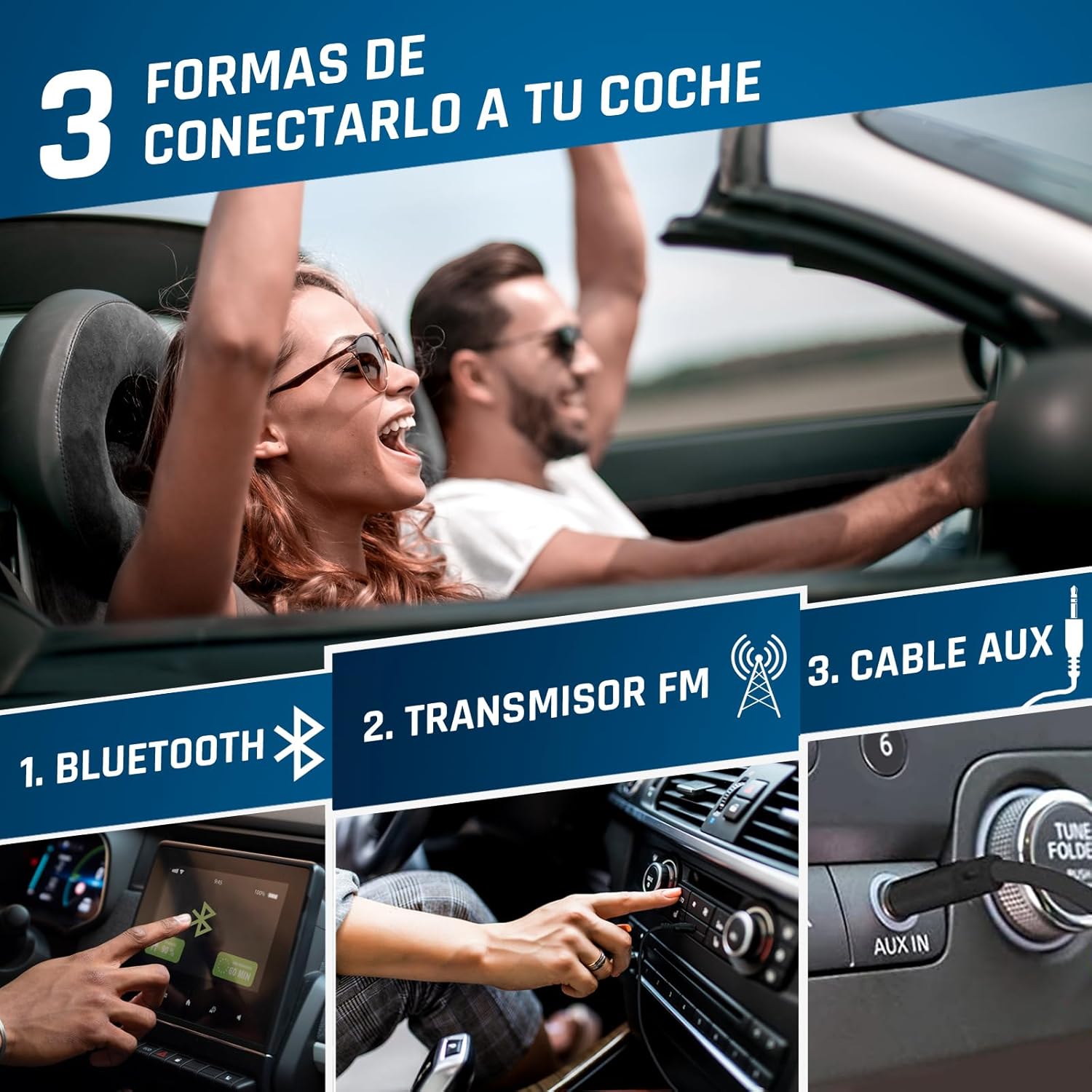
Image 5.1: Connection options for car audio systems: Bluetooth, FM Transmitter, and AUX cable.
Other Car Connection Options:
- AUX Kablea: If your car has an AUX input, connect the KLIM Discover using a 3.5mm audio cable (not included).
- Car Bluetooth: Attempt to pair the KLIM Discover with your car's Bluetooth system as described in section 5.2.
5.5. SD txartelaren erreprodukzioa
- Insert a formatted SD/TF card (up to 32GB) into the SD card slot.
- The player will automatically switch to SD card mode or you may need to press the MODUA botoia hautatzeko.
- Supported audio formats include MP3 and WMA.
- Use the navigation buttons to select and play tracks.
5.6. Grabaketa funtzioa
The KLIM Discover supports recording audio onto an inserted SD card. Refer to the on-screen prompts or specific instructions for initiating recording using the EQ/Record botoia.
5.7. Equalizer (EQ)
Sakatu EQ/Record button repeatedly to cycle through different equalizer presets (e.g., Pop, Jazz, Rock, Classic, Bass, Flat) to customize your audio experience.
5.8. Playback Speed Control
Erabili DIR/Speed + eta FM Radio/Speed - buttons to adjust the playback speed of your audio.
6. Mantentzea
- Garbiketa: Use a soft, dry cloth to clean the exterior of the player. For the lens inside the CD compartment, use a specialized CD lens cleaner.
- Biltegiratzea: Gorde erreproduzitzailea leku fresko eta lehor batean, eguzki-argitik eta muturreko tenperaturetatik babestuta.
- Bateria zaintzea: Bateriaren iraupena luzatzeko, saihestu bateria maiz erabat deskargatzea. Kargatu aldizka, denbora luzez erabiltzen ez baduzu ere.
- CDen manipulazioa: Always handle CDs by their edges. Keep them clean and free of scratches to ensure optimal playback.
7. Arazoak
| Arazoa | Kausa posiblea | Irtenbidea |
|---|---|---|
| Gailua ez da pizten. | Low battery; Power switch in OFF position. | Charge the device; Slide power switch to ON. |
| CDak ez du erreproduzitzen edo saltoka egiten du. | CD is dirty, scratched, or inserted incorrectly; CD compartment not closed properly. | Clean the CD; Ensure CD is inserted correctly; Close compartment firmly. |
| Ez dago soinurik entzungailuetatik. | Headphones not connected; Volume too low; Headphones faulty. | Ensure headphones are fully plugged in; Increase volume; Test with different headphones. |
| Bluetooth konexio arazoak. | Device not in pairing mode; Target device too far or not in pairing mode; Car infotainment system incompatibility. | Ensure both devices are in pairing mode and close to each other; Refer to car manual; Use FM Transmitter or AUX as alternatives. |
| FM Transmitter not working. | Car radio not tuned to correct frequency; Interference. | Ensure car radio matches player's FM frequency; Try a different, clear frequency. |
| SD txartela ez da ezagutzen. | Card inserted incorrectly; Card not formatted or corrupted; Unsupported file formatua. | Reinsert card; Ensure card is formatted correctly (FAT32); Check for MP3/WMA files. |
If you continue to experience issues, please contact KLIM customer service for assistance.
8. Zehaztapenak
| Ezaugarri | Xehetasuna |
|---|---|
| Marka | KLIM |
| Ereduaren izena | Ezagutu |
| Modelo zenbakia | KLIM Nomad (KLDIS5373) |
| Konektibitate Teknologia | Bluetootha |
| Ezaugarri bereziak | Bluetooth, FM radio, FM transmitter, SD card reader, Recorder |
| Euskarri mota bateragarriak | CD, SD Card, MP3, WMA |
| Onartutako audio formatuak | MP3, WMA |
| Memoria Biltegiratzeko Ahalmena | Up to 32 GB (SD/TF Card) |
| Tuner Teknologia | FM |
| Bistaratzeko Teknologia | LCDa |
| Energia iturri mota | Battery Powered (Rechargeable Lithium-Cobalt) |
| Bateriaren batez besteko bizitza | 12 ordu baino gehiago |
| Produktuaren neurriak | 14 x 14 x 2.8 cm |
| Elementuaren pisua | 250 g |
| Dakarten osagaiak | KLIM Discover CD Player, KLIM Fusion Wired Headphones, Ear Accessories, USB-C Charging Cable, Carry Pouch |
9. Bermea eta Laguntza
The KLIM Discover Portable CD Player comes with a 5-year product support from KLIM Technologies. This ensures long-term assistance for any issues you may encounter.
Additionally, you are covered by a 30 eguneko itzulketa-leihoa, allowing you to return the product for a full refund if you are not satisfied with your purchase.
For technical support, warranty claims, or any questions, please visit the official KLIM website or contact their customer service directly. Contact details can typically be found on the KLIM webgunean edo ontziratze-materialetan.
Ask a question about this manual
Ask about setup, troubleshooting, compatibility, parts, safety, or missing instructions. Manuals+ will review the question and use this page’s manual context to help answer it.