
1. Sarrera
This user manual provides detailed instructions for the setup, operation, and maintenance of your FULLJA 10.1-Inch WiFi Digital Photo Frame. Please read this manual thoroughly before using the device to ensure proper functionality and to maximize your experience.
2. Paketearen edukia
Egiaztatu elementu guztiak paketean daudela:
- 1x FULLJA 10.1-Inch Digital Photo Frame
- 1x Erabiltzailearen eskuliburua
- 1x korronte egokitzailea
- 1x Frame Stand/Bracket
3. Produktua amaitu daview
The FULLJA 10.1-Inch WiFi Digital Photo Frame is designed to display your cherished memories with ease. It features a high-resolution IPS touch screen and various smart functions.
Ezaugarri nagusiak:
- 10.1-Inch IPS HD Touch Screen: For clear and vibrant photo display.
- WiFi konexioa: For easy photo and video sharing via app or email.
- 32 GB-ko barne memoria: Stores thousands of photos and videos.
- Mugimendu-sentsorea: Automatically turns the frame on/off.
- Biratu automatikoa: Adjusts display orientation automatically.
- Funtzio gehigarriak: Alarm clock, weather station, sleep mode.

1 Irudia: Gainetikview of the digital photo frame's key features.
4. Konfigurazioa
4.1 Piztea eta hasierako konfigurazioa
- Konektatu korronte-egokitzailea markora eta entxufe elektriko batera. Markoa automatikoki piztuko da.
- Follow the on-screen prompts to select your preferred language, time zone, and connect to your Wi-Fi network.
4.2 Aplikazioaren instalazioa eta parekatzea
To share photos and videos remotely, download the VPhoto app on your iOS or Android smartphone.
- Bilatu "VPhoto" in the App Store (iOS) or Google Play Store (Android) and install the application.
- Open the VPhoto app and create an account or log in.
- On your digital photo frame, navigate to the settings and locate the "Add Friend" or "Connect App" option to generate a unique code.
- In the VPhoto app, select "Add Device" and enter the code displayed on your frame to pair your smartphone with the frame.

Figure 2: Steps to connect your frame using the VPhoto App.
5. Markoaren funtzionamendua
5.1 Argazkiak eta bideoak partekatzea
You can share photos and videos to your frame using the VPhoto app, email, or external storage devices.
VPhoto aplikazioaren bidez:
Once paired, select photos or videos from your smartphone's gallery within the VPhoto app and send them directly to your frame. You can also invite friends and family to share their photos to your frame.
Posta elektroniko bidez:
The frame has a unique email address. Send photos and videos as attachments to this email address, and they will appear on your frame.
Via TF Card or USB Drive:
Insert a TF card or USB drive containing your media files into the designated slot on the frame. The frame will detect the storage and allow you to import files.

Figure 3: Sharing photos and videos to the frame.
5.2 Diapositiba-aurkezpenaren ezarpenak
Customize your photo display experience:
- Display Interval: Adjust how long each photo is displayed in the slideshow.
- Trantsizio efektuak: Choose from various transition styles between photos.
- Bistaratzeko ordena: Set photos to display chronologically, randomly, or by date received.
- Epigrafeak: Enable or disable captions for your photos.
5.3 Mugimendu-sentsorea
The built-in motion sensor can automatically turn the frame on when motion is detected and off after a period of inactivity, saving energy.
- To enable/disable: Go to Settings > Display > Motion Sensor.
- Adjust sensitivity and inactivity time as needed.

Figure 4: Motion detection feature in action.
5.4 Auto Rotate
The frame automatically detects its orientation (landscape or portrait) and adjusts the display accordingly. This allows for flexible placement.

Figure 5: Automatic rotation for landscape and portrait display.
5.5 Funtzio osagarriak
Explore other useful features in the settings menu:
- Iratzargailua: Ezarri alarmak abisuetarako.
- Eguraldia: Display local weather information.
- Lo egiteko modua: Schedule specific times for the frame to automatically turn off and on.
5.6 How to Send Photos and Videos (Video Guide)
Video 1: This official video demonstrates the process of sending photos and videos to your digital photo frame using the dedicated app. It covers selecting media, adding captions, choosing recipients, and adjusting video length for optimal display.
6. Biltegiratzea
Your FULLJA Digital Photo Frame comes with 32GB of built-in memory, capable of storing thousands of high-resolution photos and videos.
- Biltegiratze zabalgarria: If you require more space, you can easily expand the storage using TF cards or USB drives.
- Hodeiko babeskopia: Enjoy unlimited free cloud backup for all your precious moments, ensuring your memories are safe and accessible.
7. Muntatzeko aukerak
The frame offers versatile placement options to suit your home or office decor.
- Euskarria erabiltzea: Attach the included stand to the back of the frame to place it on any flat surface, such as a desk, shelf, or nightstand. The auto-rotate feature will adjust the display.
- Horman muntatzea: The frame is equipped with mounting holes on the back, allowing you to securely hang it on a wall. Ensure you use appropriate screws and wall anchors for your wall type.
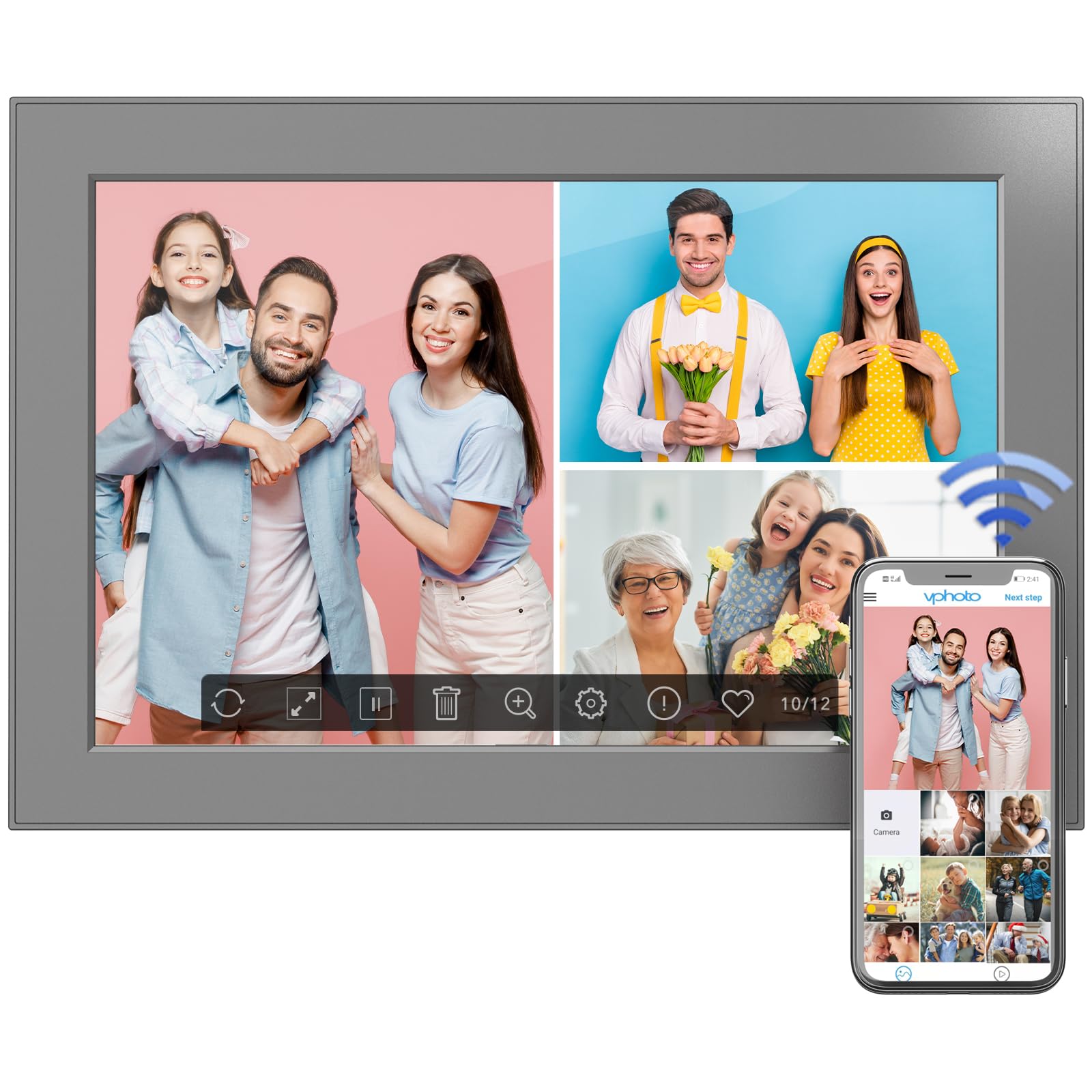
Figure 6: Digital photo frame displayed on a surface using its stand.
8. Mantentzea
Zure argazki-marko digitalaren iraupena eta errendimendu optimoa bermatzeko, jarraitu mantentze-jarraibide hauek:
- Pantaila garbitzea: Erabili zapi leun eta pelurik gabeko bat pantaila astiro-astiro garbitzeko. Orban egoskorrak izanez gero, garbitu pixka bat.ampGarbitu zapi bat urarekin edo pantaila garbitzeko soluzio batekin. Saihestu produktu kimiko gogorrak.
- Markoa garbitzea: Garbitu markoaren kanpoaldea zapi lehor eta leun batekin.
- Software eguneraketak: Periodically check for software updates in the frame's settings menu to ensure you have the latest features and improvements.
- Itzali: If not in use for an extended period, power off the frame and unplug it from the power source.
9. Arazoak
If you encounter any issues with your FULLJA Digital Photo Frame, refer to the following common solutions:
- Markoa ez da pizten:
- Ziurtatu korronte-egokitzailea ondo konektatuta dagoela bai markoari bai funtzionatzen duen korronte-entxufe bati.
- Egiaztatu entxufea funtzionatzen duen beste gailu bat konektatuz.
- Ezin da Wi-Fira konektatu:
- Egiaztatu zure Wi-Fi sarea aktibo dagoela eta irismen-eremuan dagoela.
- Egiaztatu berriro Wi-Fi pasahitza.
- Berrabiarazi Wi-Fi bideratzailea eta argazki-marko digitala.
- Photos/Videos Not Appearing:
- Ensure the frame is connected to Wi-Fi if sharing via app or email.
- Check your VPhoto app or email client for successful upload confirmation.
- If using a TF card/USB drive, ensure it is properly inserted and the files formatu onartuan daude.
- Screen Not Responding to Touch:
- Gently clean the screen to remove any dirt or debris.
- Berrabiarazi markoa korronte-egokitzailea deskonektatuz eta berriro konektatuz.
Arazoak jarraitzen badu, jarri harremanetan bezeroarentzako laguntza-zerbitzuarekin laguntza gehiago lortzeko.
10. Zehaztapenak
| Ezaugarri | Xehetasuna |
|---|---|
| Produktuaren neurriak | 6.97 x 10.2 x 0.99 hazbete |
| Elementuaren pisua | 1.3 kilo |
| Pantailaren tamaina | 10.1 hazbete |
| Ebazpena | 1280x800 (WXGA) |
| Barne Memoria | 32 GB |
| Konektibitatea | WiFi |
| Kolorea | Beltza |
| Modelo zenbakia | 101-Z |
11. Bermea eta Laguntza
This electronic photo frame comes with a one-year warranty from the date of purchase.
If you experience any issues or have questions regarding your FULLJA Digital Photo Frame, please contact our customer support team. We are committed to ensuring your satisfaction.
- Bezeroarentzako laguntza: Refer to the contact information provided in your product packaging or on the official FULLJA webgunea.