
Diydeg A3 (Diydege6rhzdifwt)
Diydeg Smart Security Camera User Manual
Model: A3 (Diydege6rhzdifwt)
Brand: Diydeg
Sarrera
This manual provides essential information for the proper installation, operation, and maintenance of your Diydeg Smart Security Camera. Please read this manual thoroughly before using the product to ensure optimal performance and safety.

1. irudia: Aurrealdea view of the Diydeg Smart Security Camera, showcasinbere diseinu trinkoa dela eta.
Segurtasun Informazioa
OHARRA: Do not attempt to disassemble, modify, or repair the product yourself to avoid personal injury or equipment damage.

Figure 2: Important safety warnings regarding product disassembly and modification, presented in various languages.
- Ensure the power source is stable and meets the product's requirements.
- Keep the camera away from water and high humidity environments.
- Saihestu kamera eguzki-argitan edo bero-iturrietatik gertu jartzea.
- Erabili emandako kargatzeko kablea eta osagarriak soilik.
Paketearen edukia
Egiaztatu behean zerrendatutako elementu guztiak zure produktuaren ontzian daudela:
- 1 x Diydeg Smart Camera
- 1 x Kargatzeko kablea (C motakoa)
- 1 x Oinarria
- 1 x Erabiltzailearen eskuliburua
- 1 x Double-Sided Adhesive

Figure 3: All components included in the product package, ready for setup.
Produktua amaituview
Familiarize yourself with the physical components of your smart camera.
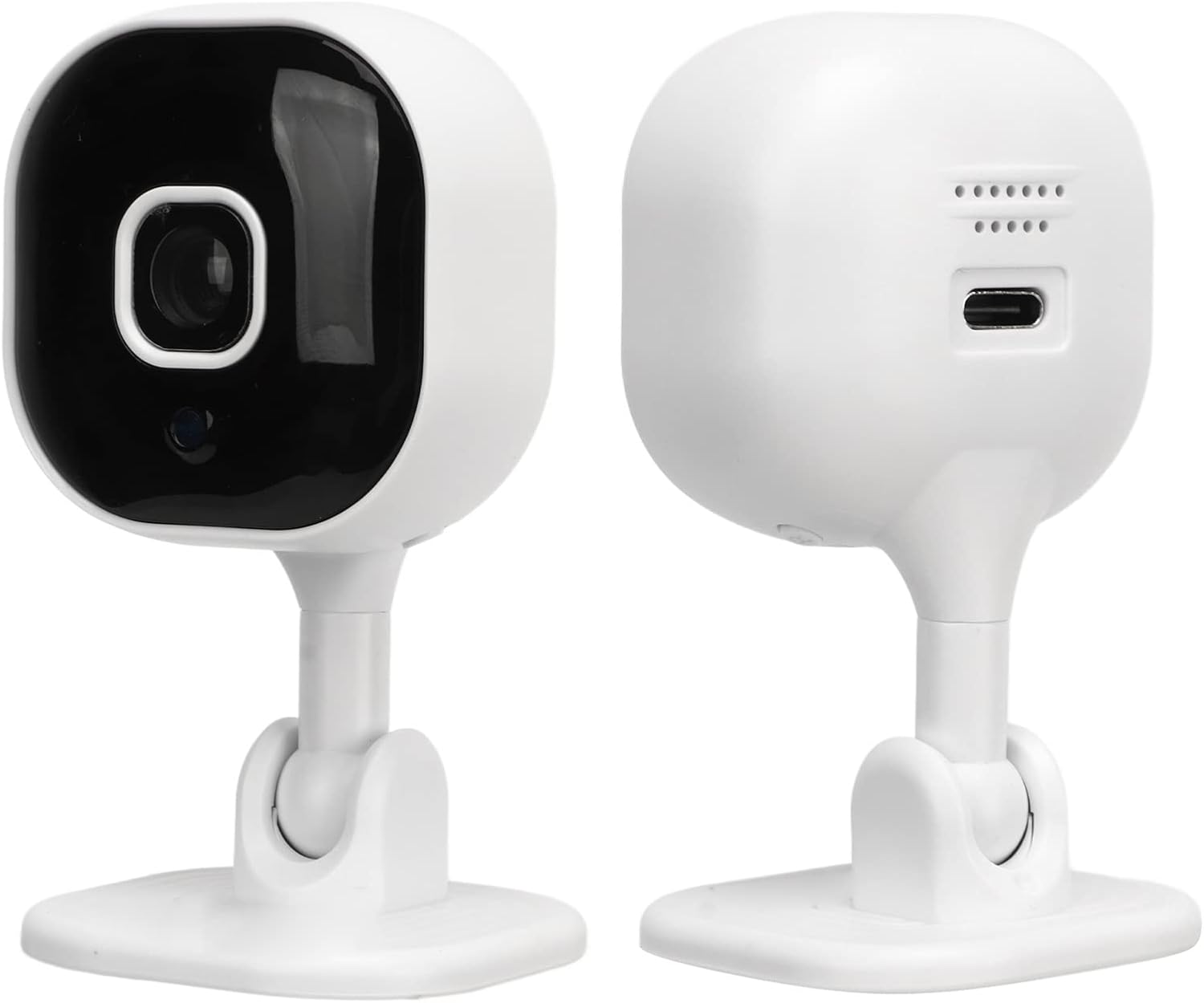
4. irudia: Aurrealdea eta atzealdea views of the camera, highlighting the lens, microphone, and Type-C charging interface.
- Kameraren lentea: 1080P Full HD bideoa grabatzen du.
- Mikrofonoa: Bi norabideko audio komunikaziorako.
- Hizlaria: Bi norabideko audio komunikaziorako.
- C motako interfazea: Energia konexiorako.
- Mikro SD txartelaren zirrikitua: For local video storage (card not included, supports up to 128GB).
- Oinarria: Egonkortasuna eta muntatzeko aukerak eskaintzen ditu.

Figure 5: Physical dimensions of the Diydeg Smart Security Camera, showing its compact size.
Konfigurazioa
1. Kamera piztea
- Connect the provided Type-C charging cable to the camera's Type-C interface.
- Plug the other end of the charging cable into a suitable USB power adapter (not included) and then into a power outlet.
- The camera will power on automatically.
2. Aplikazioaren instalazioa eta kontuaren sorrera
Download the dedicated mobile application to manage your camera. Bilatu the app name (usually mentioned in the included manual or packaging) in your device's app store (Google Play Store for Android, Apple App Store for iOS).
- Deskargatu eta instalatu aplikazioa zure telefonoan.
- Ireki aplikazioa eta jarraitu pantailan agertzen diren argibideei erabiltzaile-kontu berri bat sortzeko edo saioa hasteko, dagoeneko baduzu.
3. Kamera Wi-Fi sarera konektatzea
Follow the in-app instructions to connect your camera to your home Wi-Fi network. This typically involves:
- Selecting "Add Device" or a similar option in the app.
- Choosing your camera model from the list.
- Sartu zure Wi-Fi sarearen izena (SSID) eta pasahitza.
- Scanning a QR code generated by the app with the camera lens, or listening for an audio prompt.
- Wait for the camera to connect to the network. A confirmation sound or light indicator will typically signal a successful connection.
The camera also features a self-contained AP hotspot, allowing recording even when the main network is disconnected. This feature is managed through the mobile application.
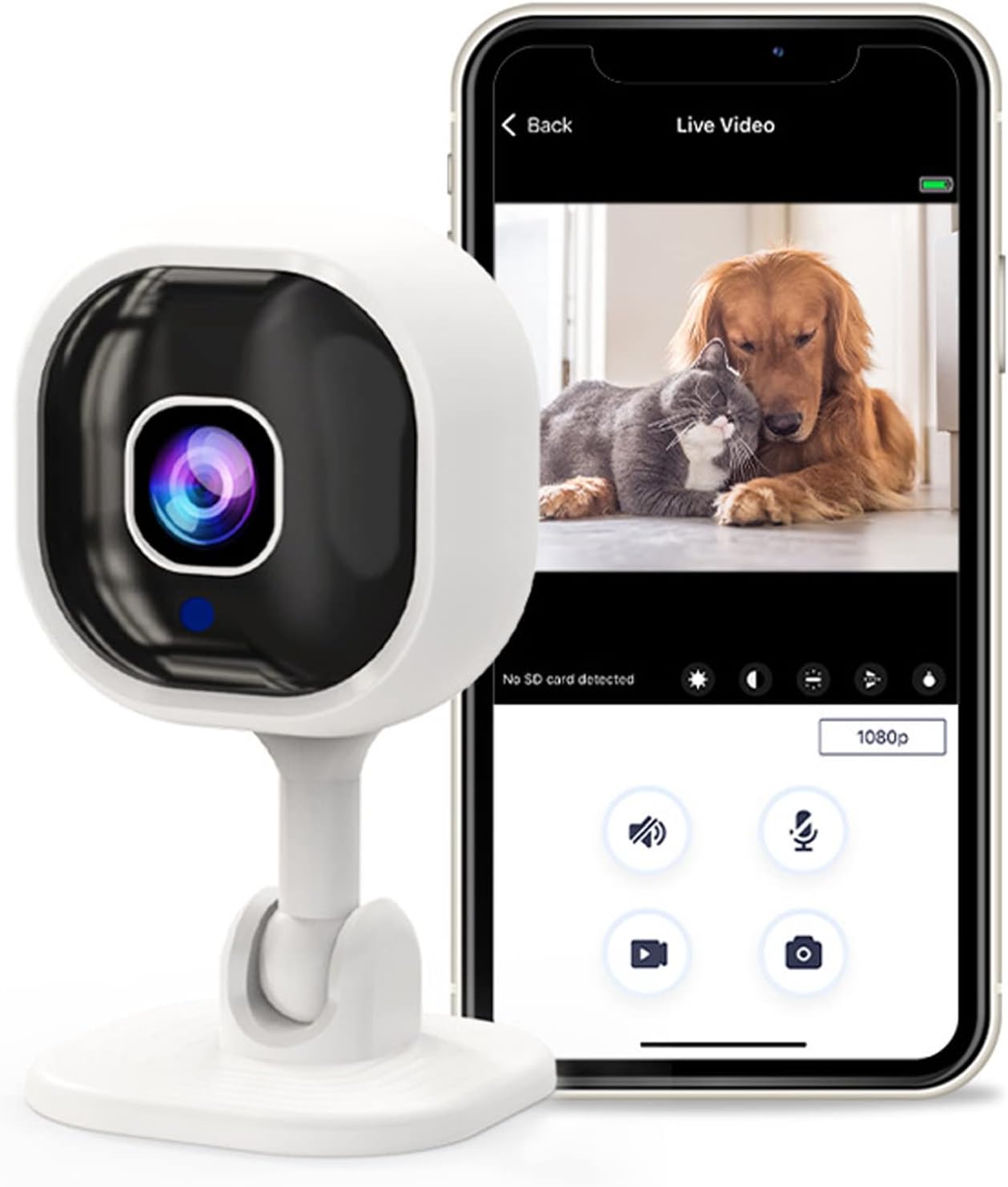
Figure 6: The camera connected to a smartphone app, showing live monitoring capabilities for pets.
Funtzionamendu-argibideak
1. Bizi Viewing
Once connected, open the mobile app and select your camera to view the live feed. The 1080P Full HD image quality provides clear and vivid details.

Figure 7: Demonstration of 1080P Full HD image quality provided by the camera, highlighting superior clarity.
2. Two-Way Audio Intercom
The camera features a built-in microphone and speaker, enabling real-time two-way voice communication. Tap the microphone icon in the app to speak, and listen through the camera's speaker.

Figure 8: Illustrates the two-way intercom function, allowing interaction with family or pets remotely.
3. Mugimenduaren detekzioa eta alertak
The camera can detect abnormal movement within its shooting area. When motion is detected, an alarm message is immediately triggered and sent to your mobile phone app.
- Gaitu mugimendu-detekzioa aplikazioaren barruko kameraren ezarpenetan.
- Egokitu sentikortasun mailak behar den moduan.
- Ensure app notifications are enabled on your smartphone to receive real-time alerts.

Figure 9: The camera's mobile detection system sending an alert to a smartphone upon detecting movement.
4. Gaueko ikusmena infragorria
The camera automatically switches to infrared night vision mode in low-light conditions. This allows for clear viewing up to 5-10 meters in complete darkness.
- Night vision is typically automatic.
- Verify the night vision settings in the app if manual control is desired.

Figure 10: Automatic infrared night vision capability, ensuring clear visibility in dark environments.
5. Bideo grabaketa eta biltegiratzea
The camera supports local storage via a Micro SD card (up to 128GB, not included). Insert the Micro SD card into the designated slot on the camera. Recording settings can be configured within the mobile app, including continuous recording or event-triggered recording.
Mantentzea
- Garbiketa: Erabili zapi leun eta lehor bat kameraren lentea eta gorputza garbitzeko. Saihestu garbitzaile edo disolbatzaile urratzaileak.
- Lekua: Ensure the camera is placed in a stable location, away from extreme temperatures, direct sunlight, and moisture.
- Firmware eguneraketak: Regularly check the mobile app for available firmware updates to ensure optimal performance and security.
Arazoak konpontzea
| Arazoa | Kausa posiblea | Irtenbidea |
|---|---|---|
| Camera fails to power on. | Argindarrik ez, kable edo egokitzaile akastuna. | Check power connection. Ensure the adapter is working and the cable is securely connected. |
| Ezin da wifira konektatu. | Incorrect Wi-Fi password, weak signal, or camera too far from router. | Verify Wi-Fi password. Move camera closer to the router. Ensure your router is 2.4GHz compatible. |
| Ez dago mugimendu detektatzeko alertarik. | Motion detection disabled, incorrect sensitivity, or app notifications off. | Enable motion detection in the app. Adjust sensitivity. Check phone notification settings for the app. |
| Bi norabideko audioa ez dabil. | Microphone/speaker muted in app, or network issues. | Ensure microphone and speaker are enabled in the app. Check network stability. |
| Irudiaren kalitate eskasa. | Dirty lens, poor lighting, or network bandwidth issues. | Garbitu kameraren lentea. Ziurtatu argiztapen egokia dagoela. Egiaztatu zure interneteko abiadura. |
Zehaztapenak
| Ezaugarri | Xehetasuna |
|---|---|
| Produktu Eredua | A3 (Diydege6rhzdifwt) |
| Produktuaren Materiala | ABS |
| Bideo Ebazpena | 1080p Full HD |
| Kargatzeko Interfazea | C-C interfazea |
| Bi norabideko ahotsa | Onartua |
| Gaueko infragorria | Automatic Switching (5-10 meters irradiation distance) |
| Produktuaren Tamaina | Approx. 45x85mm / 1.8x3.3in |
| Biltegiratze modua | Mikro SD txartela (128 GB arte, ez dago barne) |
| Pisua | Gutxi gorabehera. 92g / 3.2oz |
| Konektibitate-protokoloa | Wi-Fi |
| Energia iturria | Kable elektrikoa |
| Kontrolagailu mota | Android (and iOS via app) |
| Muntatze Mota | Wall Mount (with included base and adhesive) |
| Alerta mota | Mugimendua bakarrik |
| Nazioarteko Babesteko Balorazioa | IP65 |
Note: While rated IP65, this camera is primarily designed for indoor use as a home security, baby, or pet monitor.
Bermea eta Laguntza
For warranty information and technical support, please refer to the contact details provided in the product packaging or visit the official Diydeg webgunea. Gorde erosketa-agiria berme-erreklamazioetarako.
Ask a question about this manual
Ask about setup, troubleshooting, compatibility, parts, safety, or missing instructions. Manuals+ will review the question and use this page’s manual context to help answer it.