
CHUWI GemiBook Plus
CHUWI GemiBook Plus Laptop User Manual
Model: GemiBook Plus
Produktua amaituview
The CHUWI GemiBook Plus is a 15.6-inch business laptop designed for efficient daily computing. It features an Intel N100 CPU, 8GB of LPDDR5 RAM, and a 256GB SSD, running on Windows 11. This laptop is built for portability and performance, suitable for both work and entertainment.

Irudia: Aurrealdea view of the CHUWI GemiBook Plus laptop displaying the Windows 11 logo on its screen, highlighting its operating system.
Kutxan dagoena
- CHUWI GemiBook Plus Laptop
- 38Wh Li-ion Battery (integrated)
- Elikatze-moldagailua
- Dokumentazioa (Erabiltzaile eskuliburua, Berme txartela)
Konfigurazio Gida
1. Hasierako kargatzea
Before first use, connect the power adapter to the laptop's charging port and a power outlet. Charge the laptop until the battery indicator shows a full charge. This ensures optimal battery performance.
2. Piztea
Press the power button located on the keyboard to turn on the laptop. The power button is typically found in the top right corner of the keyboard area.

Irudia: Goitik behera view of the CHUWI GemiBook Plus laptop, showing the full keyboard layout and touchpad, indicating the power button location.
3. Windows 11 konfigurazioa
Follow the on-screen prompts to complete the Windows 11 initial setup. This includes selecting your region, language, connecting to a Wi-Fi network, and creating a user account. Ensure you have an active internet connection for this process.
Funtzionamendu-argibideak
Teklatua eta Touchpad
The laptop features a full-sized keyboard and a responsive touchpad for navigation. The touchpad supports multi-touch gestures for enhanced control.

Image: A hand demonstrating the use of the touchpad on the CHUWI GemiBook Plus laptop, highlighting its multi-touch capabilities.
Periferikoak konektatzea
Ordenagailu eramangarriak kanpoko gailuak konektatzeko hainbat ataka ditu:
- USB atakak: Connect USB devices such as mice, keyboards, or external storage drives. The laptop has 1 USB 2.0 port.
- HDMI ataka: Konektatu kanpoko monitore edo telebista batera pantaila handiagoa lortzeko.
- Audio Jack: Konektatu entzungailuak edo kanpoko bozgorailuak.
Haririk gabeko konexioa
The CHUWI GemiBook Plus supports Wi-Fi 6 (802.11ax) for high-speed internet access and Bluetooth 5.2 for connecting wireless accessories like headphones or speakers.
Webcam Privacy Switch
For enhanced privacy, the laptop includes a physical switch to block the webcam lens. Slide the switch to cover or uncover the camera as needed.
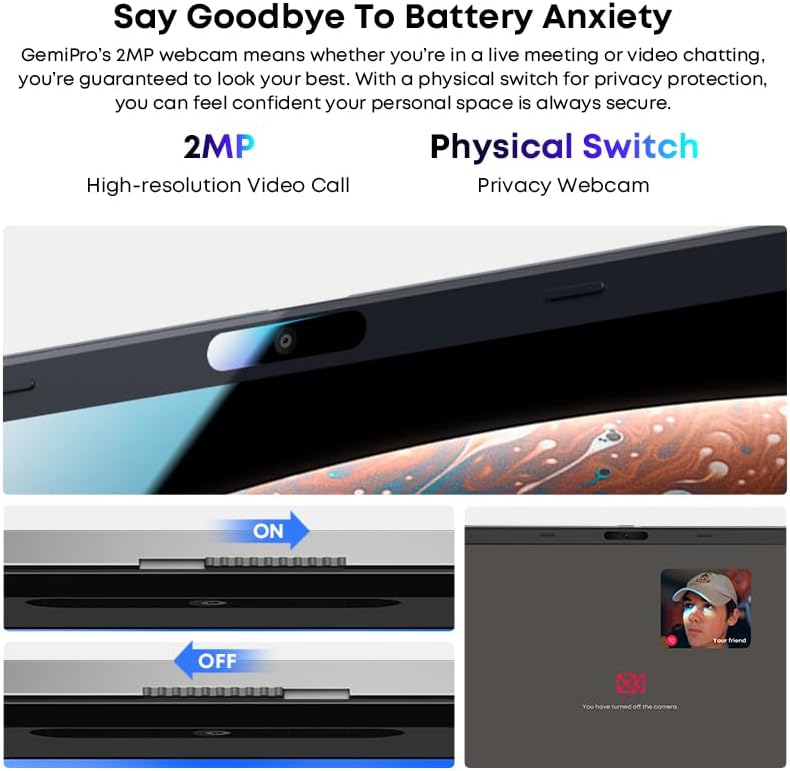
Irudia: Gertuko planoa view of the laptop's webcam, illustrating the physical privacy switch in both open and closed positions.
Mantentzea
Ordenagailu eramangarria garbitzea
Erabili zapi leun eta lihorik gabeko bat pantaila eta kanpoko gainazalak garbitzeko. Orban egoskorrak izanez gero, garbitu apur batampGarbitu zapi bat urarekin edo pantaila garbitzeko soluzio batekin. Saihestu produktu kimiko gogorrak edo material urratzaileak.
Bateria zaintzea
The laptop is equipped with a 38Wh Li-ion battery. To prolong battery life, avoid extreme temperatures and fully discharging the battery frequently. It takes approximately 3 hours for a full recharge.
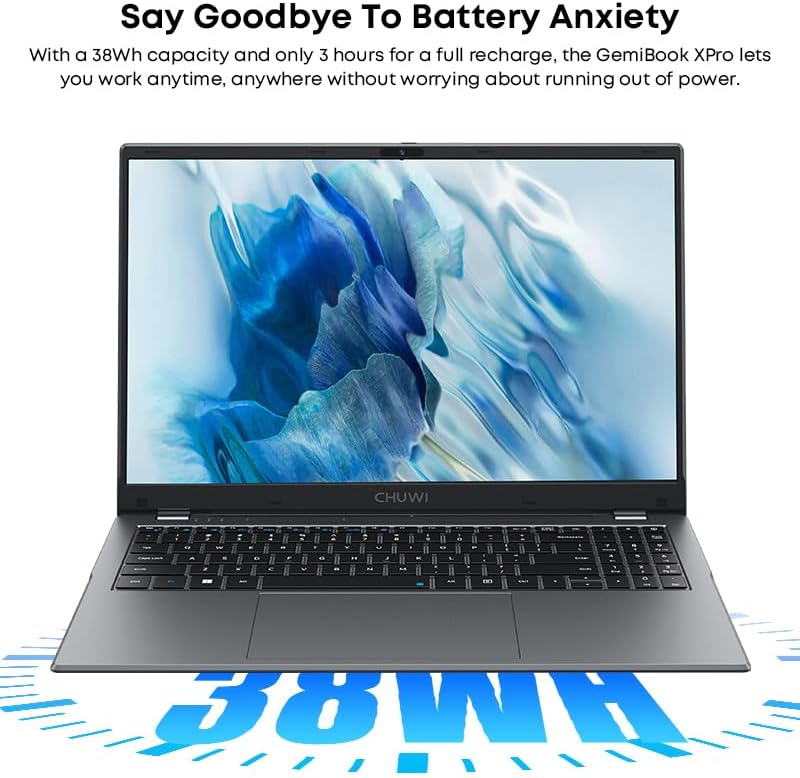
Image: The CHUWI GemiBook Plus laptop with an overlay indicating its 38Wh battery capacity, emphasizing its power endurance.
Software eguneraketak
Egiaztatu eta instalatu aldizka Windows eguneraketak eta kontrolatzaileen eguneraketak errendimendu eta segurtasun optimoak bermatzeko.
Arazoak konpontzea
Ordenagailu eramangarria ez da pizten
- Ziurtatu korronte-egokitzailea ondo konektatuta dagoela ordenagailu eramangarrira eta funtzionatzen duen entxufe batera.
- Egiaztatu entxufea funtzionatzen duen beste gailu bat konektatuz.
- Bateria guztiz agortuta badago, minutu batzuk behar izan daitezke kargatzeko ordenagailu eramangarria piztu aurretik.
Ez dago Wi-Fi konexiorik
- Egiaztatu Wi-Fi gaituta dagoela Windows ezarpenetan.
- Berrabiarazi zure Wi-Fi bideratzailea eta ordenagailu eramangarria.
- Ensure you are within range of a Wi-Fi network and have entered the correct password.
Errendimendu motela
- Itxi atzeko planoan exekutatzen ari diren beharrezkoak ez diren aplikazioak.
- Begiratu eta instalatu zain dauden Windows eguneratzeak.
- Run a disk cleanup and defragmentation (for HDD) or optimize drives (for SSD).
- Ziurtatu SSDan nahikoa leku libre dagoela.
Zehaztapenak
| Ezaugarri | Xehetasuna |
|---|---|
| Marka | TXUWI |
| Ereduaren izena | GemiBook Plus |
| Pantailaren tamaina | 15.6 hazbete |
| Pantailaren bereizmena | 1920 x 1080 pixel (FHD) |
| Prozesadorea | Intel N100 CPU (up to 3.4GHz) |
| RAM | 8 GB LPDDR5 |
| Disko gogorra | 256 GB SSD (M.2 2280 SSD expansion up to 1TB supported) |
| Sistema eragilea | Windows 11 |
| Txartel grafikoa | Integrated Intel UHD Graphics for 12th Gen Intel Processors |
| Haririk gabeko mota | Wi-Fi 6 (802.11ax) |
| Bluetootha | Bluetooth 5.2 |
| Portuak | 1x USB 2.0, HDMI, Audio Jack |
| Elementuaren pisua | 3.85 libra (1.74 kg) |
| Produktuaren neurriak | 14.1 x 9.5 x 0.78 hazbete (35.8 x 24.1 x 1.98 cm) |
| Bateria | 38Wh-ko Li-ioi bateria |
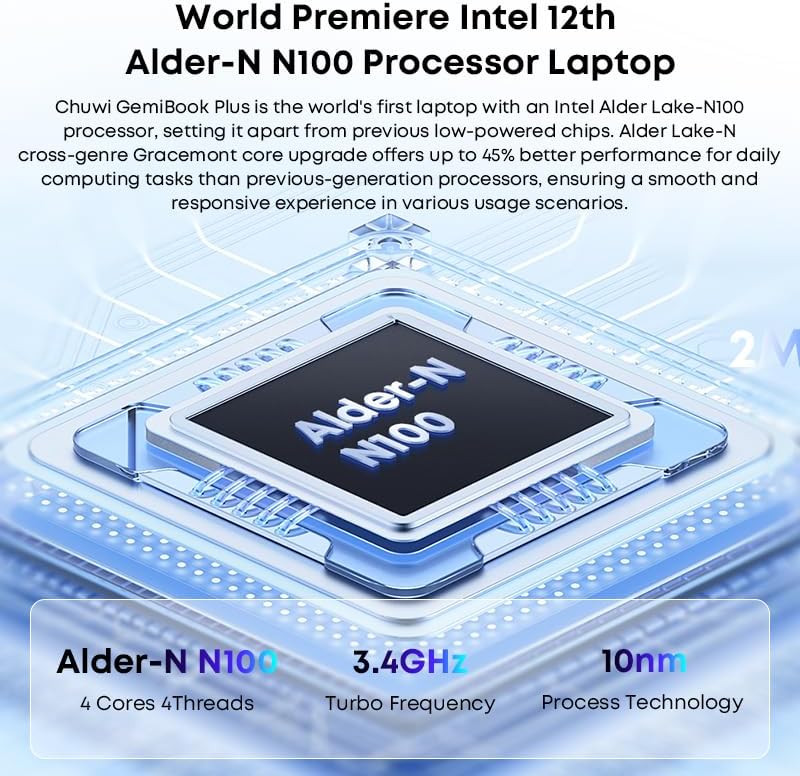
Image: Diagram illustrating the Intel Alder-N N100 processor with details on its 4 Cores 4 Threads, 3.4GHz Turbo Frequency, and 10nm Process Technology.
Bermea eta Laguntza
Bermearen informazioa
The CHUWI GemiBook Plus laptop comes with a 1 urteko bermea valid immediately after purchase. This warranty covers manufacturing defects and ensures product reliability.
Bezeroarentzako Arreta
CHUWI offers lifetime factory professional support and 24 hours of online support to assist with any issues or questions you may have. For support, please refer to the contact information provided in your product documentation or visit the official CHUWI webgunea.
Era berean, bisitatu dezakezu CHUWI Store on Amazon informazio eta baliabide gehiago lortzeko.
Ask a question about this manual
Ask about setup, troubleshooting, compatibility, parts, safety, or missing instructions. Manuals+ will review the question and use this page’s manual context to help answer it.