
TEYES CC3 2K
TEYES CC3 2K Car Multimedia System User Manual
For Toyota Hilux Pick Up AN120 (2015-2020) Right Hand Drive Models
Ohar garrantzitsua
This product is designed exclusively for Right Hand Drive Toyota Hilux Pick Up AN120 models manufactured between 2015 and 2020. It is not compatible with Left Hand Drive vehicles.

Image: Incompatibility warning for Left Hand Drive vehicles. The system is only for Right Hand Drive models.
Paketearen edukia
Egiaztatu behean zerrendatutako elementu guztiak zure paketean sartuta daudela:
- 1* Head unit (TEYES CC3 2K)
- 1 * USB kablea
- 1* GPS antenna
- 1* AUX cable
- 1* 4G WiFi antenna
- 1* E-book (digital manual)
- 1* Frame (OEM Panel)
- 1 * Elikatze kablea
- 1* AHD 1080p rear camera
- Torlojuak eta bihurkinak
- Audio & Video harness + RCA
- Garbiketa zapia
- Kableatu-diagrama

Image: Visual representation of the TEYES CC3 2K package contents, including the head unit, cables, and accessories.
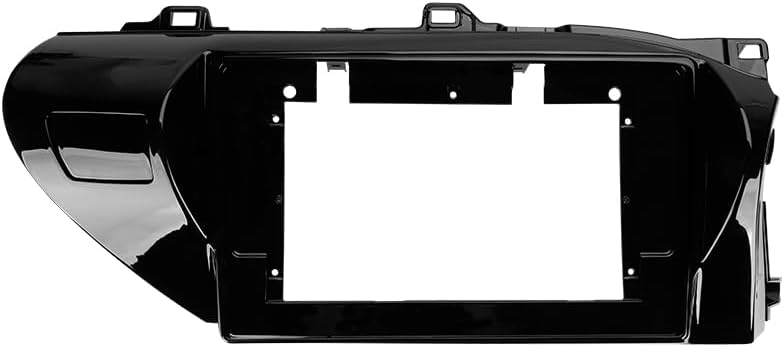
Image: The OEM panel frame, designed to integrate the head unit seamlessly into the Toyota Hilux dashboard.
Zehaztapenak
| Ezaugarri | Xehetasuna |
|---|---|
| Modelo zenbakia | CC3 2K |
| Bistaratzeko tamaina | 10.36 hazbete |
| Memoria (RAM) | 6 GB |
| Biltegiratzea (ROM) | 128 GB |
| Sistema eragilea | Android |
| Prozesadorea | 8 nukleoak 2.0 GHz |
| Konektibitatea | Bluetooth, USB, WiFi, 4G Hotspot |
| Ezaugarri bereziak | Touchscreen, Wireless CarPlay, Android Auto, RDS, DSP (ADAU1701 + ROHM32107), Optical/Coaxial Digital Audio Output |
| Mapa mota | North America (pre-installed) |
| Audio irteera modua | Estereoa |
| Ibilgailuen Zerbitzu Mota | Car (Toyota Hilux AN120 2015-2020 RHD) |
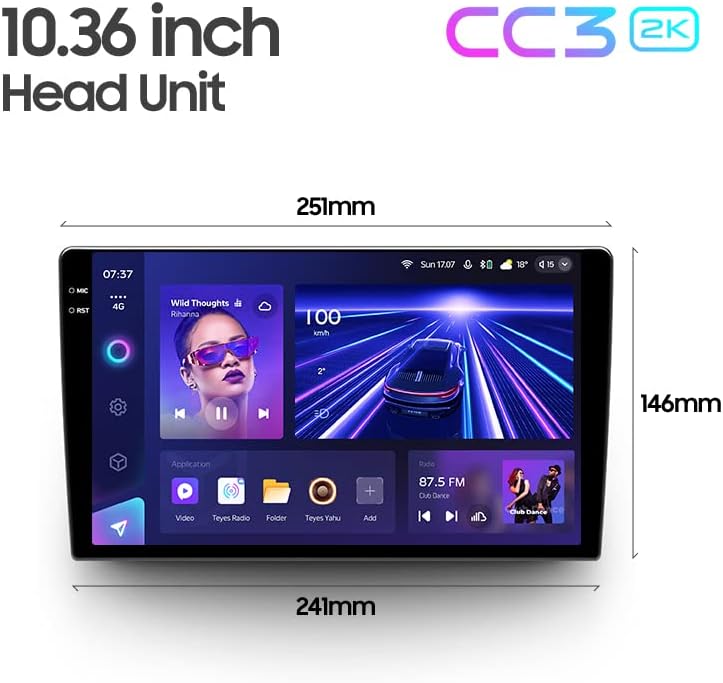
Image: Dimensions of the 10.36-inch TEYES CC3 2K head unit, providing measurements for installation planning.
Konfigurazioa eta Instalazioa
Professional installation is highly recommended for this car multimedia system. Incorrect installation can lead to damage to the unit or your vehicle's electrical system.
Instalazio aurreko egiaztapenak:
- Ziurtatu ibilgailuaren piztea itzalita dagoela eta bateria deskonektatuta dagoela.
- Ziurtatu paketearen edukia guztia bertan dagoela.
- Review the provided wiring diagram thoroughly.
Instalazio Urratsak (Orokorrak):
- Kontu handiz kendu jatorrizko autoaren irratia eta aginte-paneleko apaingarriak.
- Connect the power cable, GPS antenna, 4G WiFi antenna, and other necessary harnesses to the TEYES CC3 2K head unit according to the wiring diagram.
- Install the AHD 1080p rear camera (if applicable) and route its cable to the head unit.
- Mount the TEYES CC3 2K head unit into the OEM panel frame.
- Secure the assembly into the dashboard opening.
- Reconnect the vehicle battery and test the system before fully reassembling the dashboard trim.
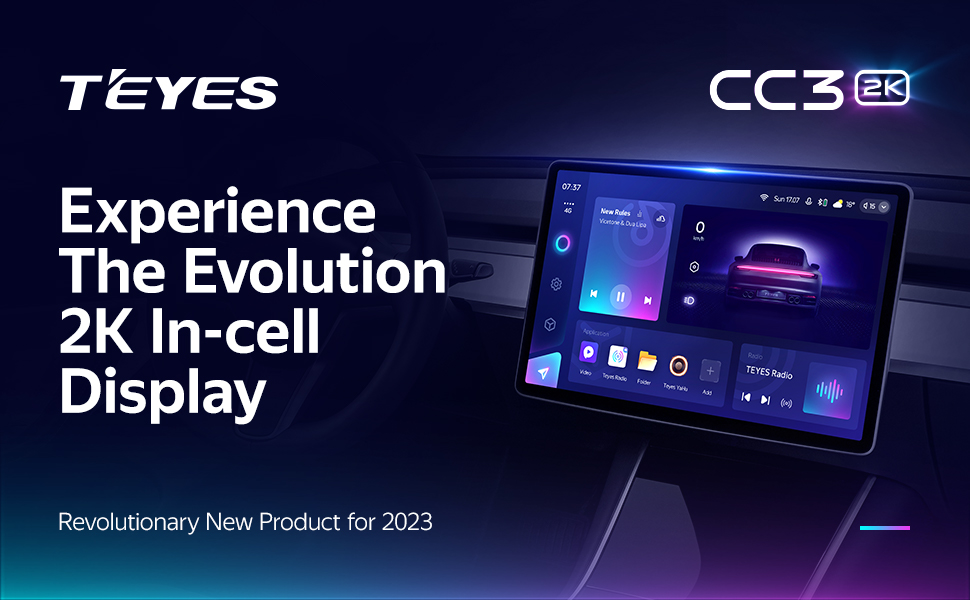
Image: Visual comparison of the car interior before and after the TEYES CC3 2K system installation, demonstrating seamless integration.
Funtzionamendu-argibideak
Atal honek gaina ematen duview of the main functions and how to operate your TEYES CC3 2K system.
Power On/Off and Basic Navigation:
Press the power button to turn the unit on or off. Use the touchscreen to navigate through the Android interface. Swipe gestures and taps are used for app selection and menu navigation.
Pantaila eta erabiltzaile interfazea:
The 2K In-cell Display offers vivid colors and sharp resolution. You can customize the user interface with various color styles to match your preference.

Irudia: Adibamples of various customizable color styles and themes for the system's user interface.
Connectivity (CarPlay, Android Auto, Bluetooth, 4G, WiFi):
- Haririk gabeko CarPlay eta Android Auto: Connect your compatible smartphone wirelessly for seamless integration of navigation, music, and communication apps.
- Bluetootha: Pair your phone for hands-free calling and audio streaming. The upgraded QCC3031QFN Qualcomm module ensures stable connection.
- 4G Internet: Insert a SIM card (not included) into the designated slot to enable 4G internet access directly on the head unit.
- WiFi: Connect to a local WiFi hotspot for internet access.
Audio ezaugarriak:
The system features dual DSP (ADAU1701 + ROHM32107) for enhanced audio processing.
- 27-Segment EQ: Fine-tune your audio output with the comprehensive 27-segment equalizer.
- Optical and Coaxial Digital Audio Output: For high-fidelity audio systems, connect via digital outputs.
- Sound Filtering: Adjust sound filters for optimal audio quality.

Image: Digital Sound Processor (DSP) interface for advanced audio adjustments.
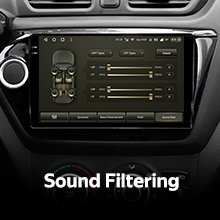
Image: The 27-segment Equalizer (EQ) for precise sound customization.

Image: Settings for optical and coaxial digital audio output, enabling connection to external high-quality audio systems.
Bolantearen kontrola:
The system supports original car steering wheel buttons. You can configure these buttons to control various functions of the multimedia system.
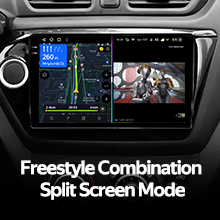
Image: Steering wheel controls, demonstrating the system's ability to integrate with existing vehicle buttons.
USB datuen transferentzia:
The unit provides multiple USB outputs for high-speed data transmission, allowing connection of USB drives for media playback or other peripherals.

Image: Multiple USB outputs for connecting external devices and high-speed data transfer.
Pantaila zatitu modua:
Utilize the split-screen feature to run two applications simultaneously, such as navigation and media playback.
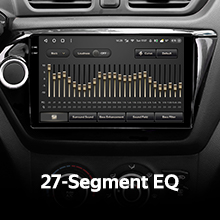
Image: Split-screen functionality, allowing two applications to be viewed concurrently on the display.
Atzekoa View Kamera:
The included AHD 1080p rear camera provides real-time viewing of the vehicle's rear. The system also supports video recording from the camera.

Image: Real-time display of the rear view camera feed, assisting with parking and maneuvering.
Mantentzea
Pantaila garbitzea:
Use the provided cleaning cloth or a soft, lint-free cloth to gently wipe the screen. Avoid using harsh chemicals or abrasive materials that could damage the display.
Software eguneraketak:
Periodically check for software updates through the system settings or the official TEYES webgunea errendimendu optimoa eta funtzio berrietarako sarbidea bermatzeko.
Arazoak konpontzea
If you encounter issues with your TEYES CC3 2K system, refer to the following common solutions. For more detailed troubleshooting, consult the included e-book.
Ohiko arazoak eta irtenbideak:
- Potentziarik gabe: Check all power connections and fuses. Ensure the vehicle battery is properly connected.
- Soinurik ez: Verify speaker connections, volume settings, and audio output selections. Check if the mute function is active.
- GPS seinalearen galera: Ziurtatu GPS antena behar bezala instalatuta dagoela eta argia duela. view zeruko.
- Ukipen-pantailak ez du erantzuten: Try restarting the unit. If the issue persists, a factory reset might be necessary (note: this will erase user data).
- Bluetooth/WiFi Connection Issues: Ensure the respective modules are enabled in settings. Try re-pairing devices or reconnecting to networks.
If these steps do not resolve the problem, please contact customer support.
Bermearen informazioa
The TEYES CC3 2K Car Multimedia System comes with a 1 urteko bermea erosketa-datatik aurrera. Berme honek erabilera normalaren ondoriozko fabrikazio-akatsak eta matxurak estaltzen ditu. Ez ditu instalazio desegokiak, erabilera okerrak, istripuek edo baimenik gabeko aldaketek eragindako kalteak estaltzen.
Mesedez, gorde zure erosketa-froga berme-erreklamazioetarako.
Bezeroarentzako Arreta
For further assistance, technical support, or warranty inquiries, please contact TEYES customer service through their official webwebgunea edo zure erosketarekin emandako harremanetarako informazioa.
When contacting support, please have your product model (CC3 2K) and purchase details ready.
Ask a question about this manual
Ask about setup, troubleshooting, compatibility, parts, safety, or missing instructions. Manuals+ will review the question and use this page’s manual context to help answer it.