
1. Sarrera
This manual provides essential information for the proper use and maintenance of your MOVE SPEED Vpro Series 256GB USB 3.2 Gen2 Dual Interface SSD Thumb Drive. Please read this manual thoroughly before using the device to ensure optimal performance and longevity.
The MOVE SPEED Vpro Series SSD Thumb Drive offers high-speed data transfer with both USB 3.2 Gen2 Type-A and Type-C interfaces, providing versatile compatibility across various devices.
2. Zer dago kutxan
- MOVE SPEED Vpro Series 256GB SSD Thumb Drive x1
- Keychain Leather Case x1
- Erabiltzailearen eskuliburua x1

Image: The MOVE SPEED Vpro Series SSD Thumb Drive and its included leather case.
3. Konfigurazioa
3.1 Konexio fisikoa
The MOVE SPEED Vpro Series SSD Thumb Drive features a dual-interface design, offering both USB 3.2 Gen2 Type-A and Type-C connectors. To use, simply flip open the protective cover to reveal the desired connector.
- Identify the appropriate port on your device (computer, laptop, smartphone, etc.).
- Gently insert the corresponding connector (USB-A or USB-C) of the thumb drive into the device's port. Ensure a firm connection.

Image: The thumb drive with its dual USB-A and USB-C interfaces.
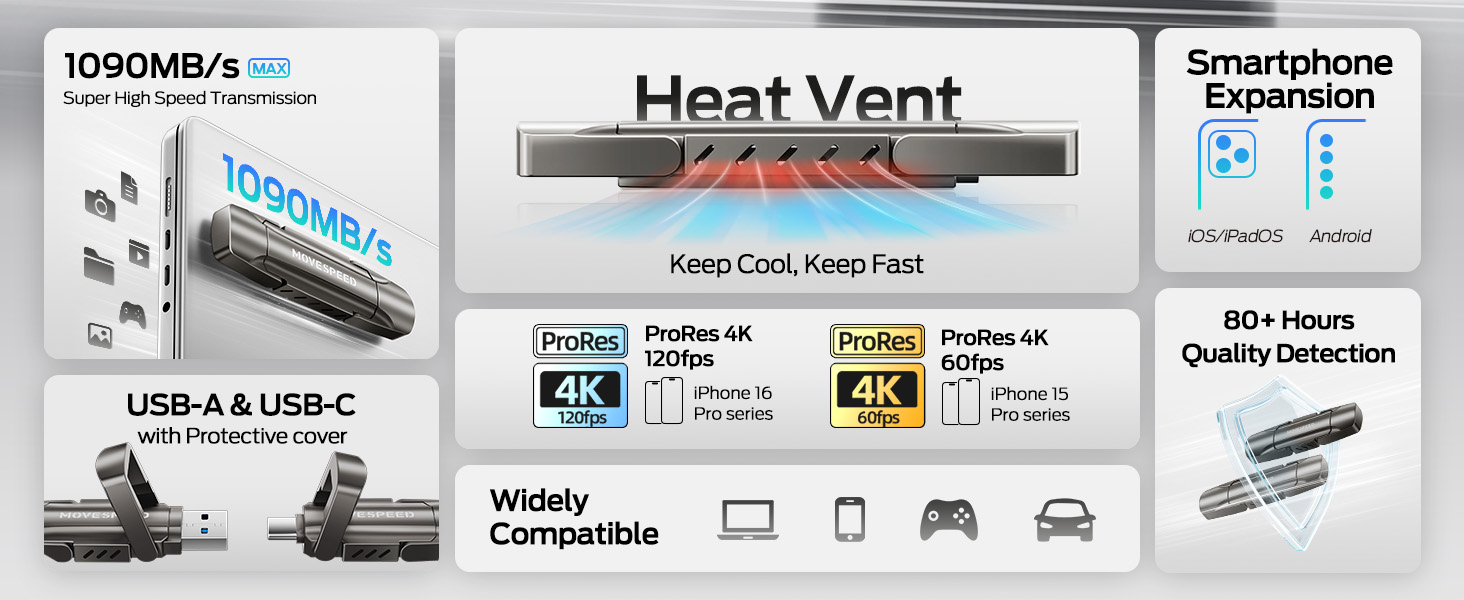
Image: The drive connected to both a laptop and a smartphone, demonstrating its dual interface functionality.
3.2 Hasierako aitorpena
The device is plug-and-play. Upon successful connection, your operating system (Windows, macOS, Android, iOS) should automatically detect the drive and make it accessible. It may appear as a removable disk or external storage device.
4. Funtzionamendua
4.1 Datuen transferentzia
The MOVE SPEED Vpro Series SSD Thumb Drive supports read and write speeds of up to 1000MB/s when connected to a compatible USB 3.2 Gen2 (10Gbps) port or above. Actual speeds may vary based on the host device, file size, and operating system.
- To Copy Files: Arrastatu eta jaregin files or folders from your device to the thumb drive's directory, or use the 'Copy' and 'Paste' functions.
- To Move Files: Arrastatu eta jaregin files or folders from your device to the thumb drive's directory while holding the 'Shift' key (Windows) or 'Command' key (macOS), or use the 'Cut' and 'Paste' functions.
Video: Demonstrates the high-speed data transfer capabilities of the MOVE SPEED Vpro Series SSD Thumb Drive, showing quick file gailuen arteko transferentziak.
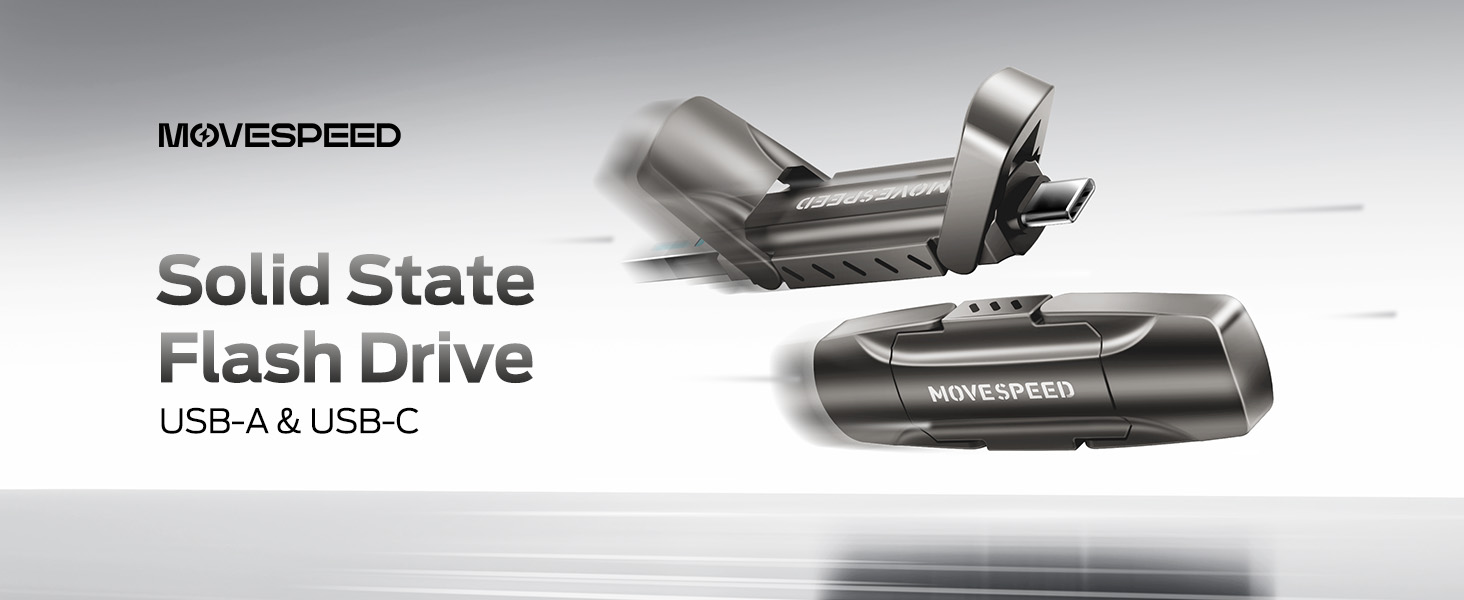
Image: A visual comparison illustrating the superior data transfer speed of the MOVE SPEED YV Pro drive compared to older USB technologies.
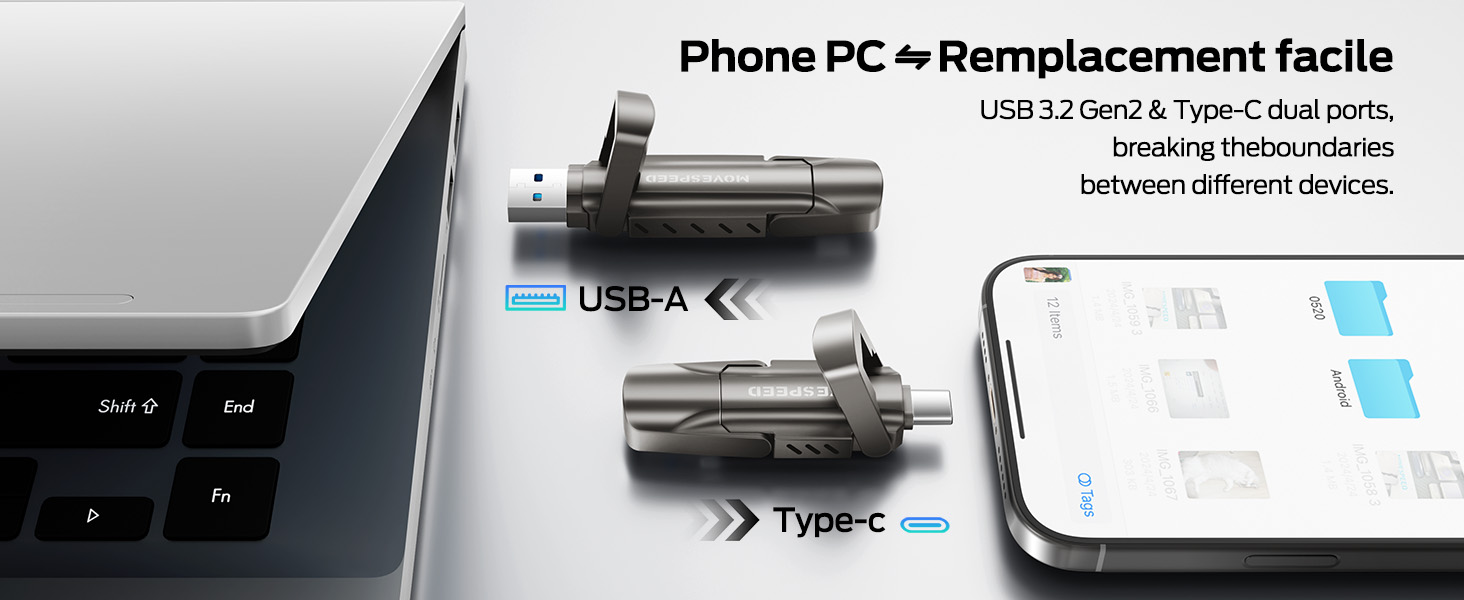
Image: A performance graph demonstrating the stable and high write speeds of the MOVE SPEED Vpro Series SSD Thumb Drive.
4.2 Usage with Various Devices
The dual interface ensures broad compatibility:
- Ordenagailuak/Ordenagailu eramangarriak: Connect via USB-A or USB-C port. Ideal for transferring large files, backups, or expanding storage.
- Smartphone/Tabletak: Connect via USB-C port (e.g., iPhone 15/16/17 Series, Android phones with USB-C). Use for direct photo/video backup, expanding phone storage, or playing media directly.
- Car Audio Systems/Smart TVs: Connect via USB-A port for media playback.
- Joko kontsolak: Plug and Play compatibility with various consoles for storage expansion or game data transfer.

Image: The thumb drive being used with a smartphone, laptop, and game console, highlighting its wide compatibility.

Image: An iPhone recording 4K 120fps ProRes video directly to the connected MOVE SPEED SSD Thumb Drive.

Image: A smartphone connected to the thumb drive, illustrating its use for storage expansion and data backup.
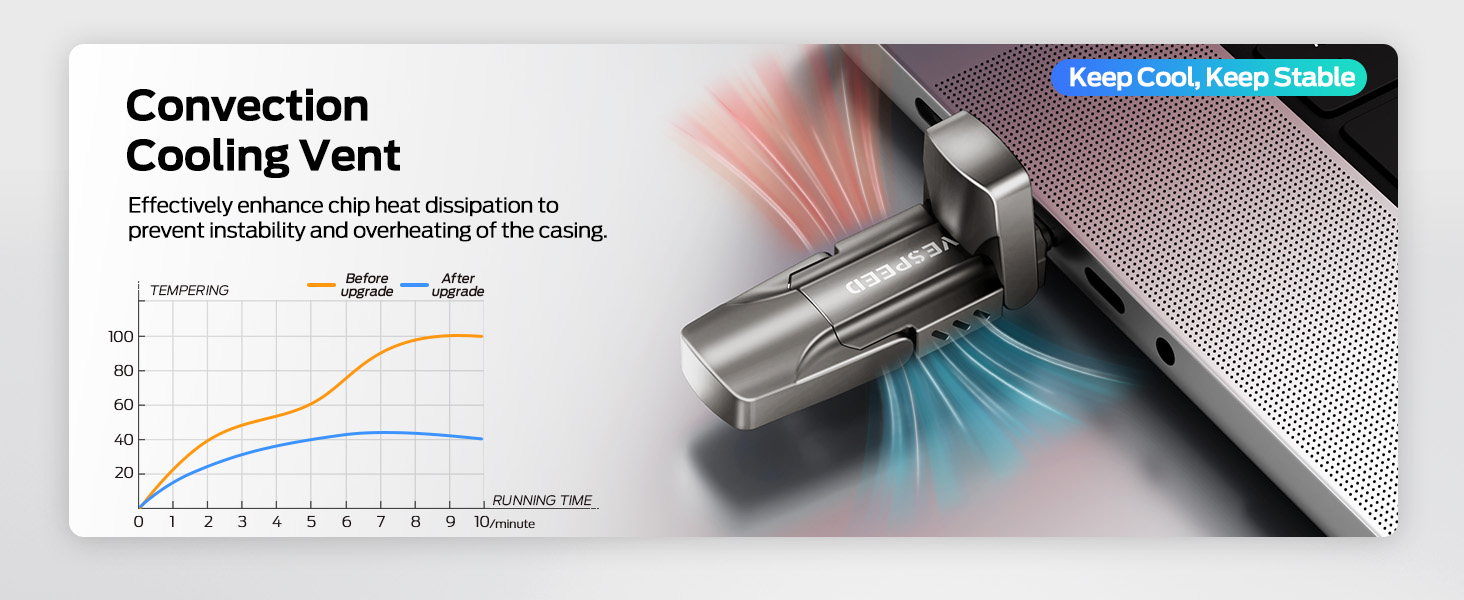
Image: A game console connected to the MOVE SPEED SSD Thumb Drive, indicating compatibility for gaming storage.
4.3 Beroaren xahupena
The upgraded SSD class thumb drive features improved heat dissipation performance. During prolonged high-speed transfers, it may become warm, which is normal and indicates efficient heat management to maintain stable performance.

Image: A diagram illustrating the convection cooling vent and a graph comparing temperature performance before and after the heat dissipation upgrade.
5. Mantentzea
5.1 Iraunkortasuna
The drive is constructed with an SSD-level chip and a high-quality zinc alloy metal case, providing excellent waterproof, dust-proof, anti-drop, high temperature, and anti-magnetic properties. The included leather case offers additional protection during transport.
5.2 Kentze segurua
Always safely eject the drive from your operating system before physically disconnecting it. This prevents data corruption and ensures the longevity of the device.
- Windows: Right-click the drive icon in 'This PC' or the taskbar, then select 'Eject'.
- MacOS: Drag the drive icon to the Trash, or click the 'Eject' icon next to the drive in Finder.
- Android/iOS: Follow your device's specific instructions for safely unmounting external storage.
6. Arazoak
- Unitatea ez da ezagutzen:
- Ziurtatu unitatea USB atakan guztiz sartuta dagoela.
- Saiatu zure gailuko beste USB ataka bat erabiltzen.
- Berrabiarazi ordenagailua edo gailua.
- Begiratu zure gailuaren Disko Kudeaketa (Windows) edo Disko Utilitatea (macOS) unitatea detektatu den baina formatu gabe dagoen ikusteko.
- Transferentzia-abiadura motelak:
- Ensure you are using a USB 3.2 Gen2 (10Gbps) compatible port on your device. Older USB 2.0 or 3.0 ports will result in lower speeds.
- Itxi sistemaren baliabideak erabiltzen edo atzeko planoan transferentziak egiten ari diren beste aplikazioak.
- Txiki kopuru handia. files transfer slower than a single large file guztizko tamaina berekoak.
- Drive Gets Warm During Use:
- This is normal during high-speed data transfers due to the SSD's performance and efficient heat dissipation. If it becomes excessively hot or causes performance issues, ensure adequate airflow around the drive.
7. Zehaztapenak
| Ezaugarri | Xehetasuna |
|---|---|
| Marka | MUGI ABIADURA |
| Ereduaren izena | Vpro Series |
| Edukiera | 256GB Solid State Drive |
| Irakurri Abiadura | Gehienez 1000 MB/s |
| Idazteko Abiadura | Gehienez 1000 MB/s |
| Hardware interfazea | USB 3.2 Gen 2 (USB Type A, USB Type C) |
| Flash memoria mota | USB SSD |
| Ezaugarri bereziak | High Speed, Better Heat Dissipation, Dual Interface, SSD Level Chip Technology, Durable Metal Case (Waterproof, Dust-proof, Anti-drop, High Temperature, Anti-magnetic) |
| Bateragarritasuna | Android USB-C Phone, iPhone 15/16/17 Series, Desktop, Laptop, Car Audio, Smart TV, Game Consoles |
| Elementuaren pisua | 3.84 ontza |
| Paketearen neurriak | 5.83 x 5.2 x 1.93 hazbete |

Image: A table detailing the storage capacity of different drive sizes and the estimated number of files they can hold.
8. Bermea eta Laguntza
For warranty information and customer support, please refer to the official MOVE SPEED webwebgunearekin edo jarri harremanetan zure saltzailearekin. Gorde erosketa-agiria berme-erreklamazioetarako.
Era berean, bisitatu dezakezu MOVE SPEED denda Amazonen produktuari buruzko informazio gehigarria eta laguntza-baliabideak lortzeko.