
1. Sarrera
This manual provides instructions for the assembly, operation, maintenance, and troubleshooting of your FLEXISPOT E6 Pro Electric Standing Desk. Please read this manual thoroughly before use to ensure proper function and safety.

Figure 1: FLEXISPOT E6 Pro Electric Standing Desk
2. Segurtasun informazioa
Segurtasun-neurri garrantzitsuak:
- Ensure the desk is properly anchored to the wall or floor when height is adjusted, especially if loading heavy items.
- Keep children and pets away from the desk during operation to prevent injury from moving parts.
- Do not place hands or other body parts near the lifting mechanism while the desk is in motion.
- Ez gainkargatu mahaia. Ikusi zehaztapenen atala gehienezko pisu-ahalmena jakiteko.
- Erabili emandako energia-egokitzailea eta osagaiak soilik.
- If any unusual sounds or movements occur, immediately stop operation and unplug the desk.
3. Muntatzeko jarraibideak
Assembly is required for this product. It is recommended to have two people for assembly due to the weight and size of the components. All necessary hardware and tools are typically included. Follow the steps below for a smooth assembly process.
3.1 Desontziratzea eta prestatzea
- Kontu handiz ireki ontzia eta kendu osagai guztiak.
- Egiaztatu pieza guztiak daudela sartutako piezen zerrendarekin alderatuta.
- Jarri osagai guztiak gainazal leun eta garbi batean marradurak saihesteko.
3.2 Markoen Muntaketa
Attach the desk legs to the crossbar and feet. Ensure all screws are tightened securely.
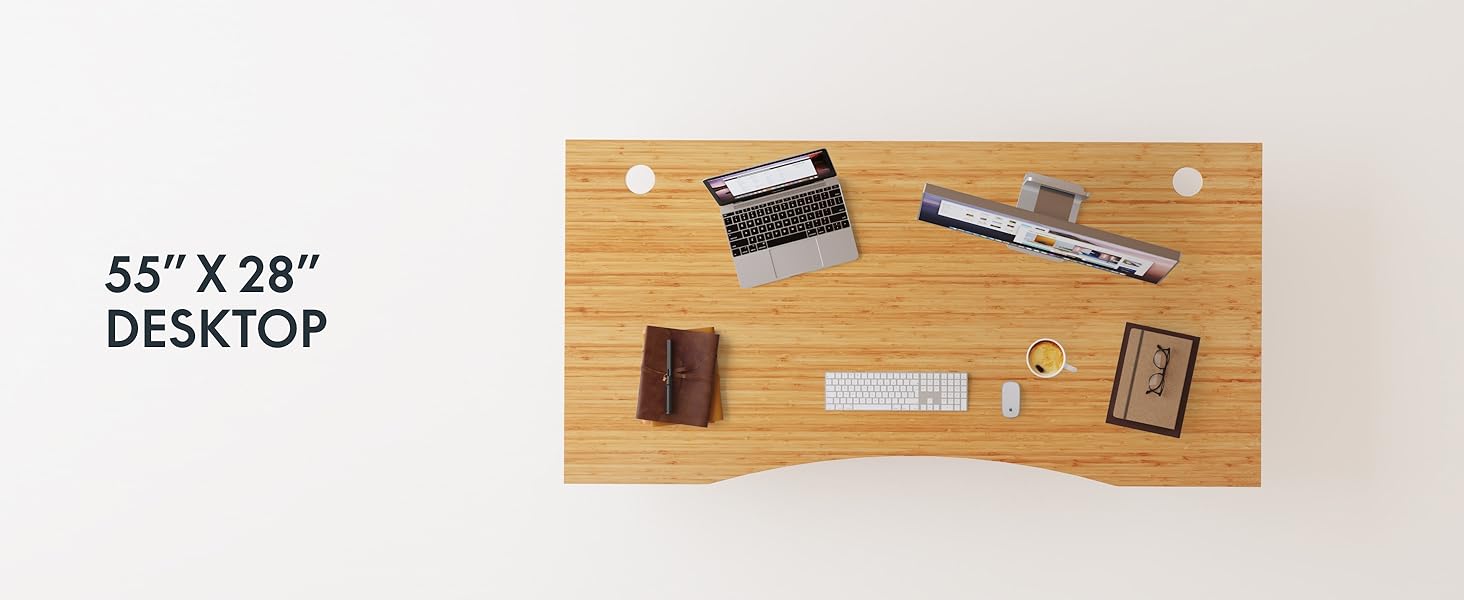
Figure 2: Desk Frame Assembly
3.3 Mahaigaineko eranskina
Carefully place the bamboo desktop onto the assembled frame. Align the pre-drilled holes and secure the desktop with the provided screws. The desktop features a curved design for ergonomic comfort.

Figure 3: Curved Bamboo Desktop
3.4 Control Panel and Cable Management
Mount the digital control panel to the underside of the desk. Connect all motor and power cables according to the diagram. Utilize the integrated cable management holes to organize wires and prevent clutter.

Figure 4: Control Panel and Cable Management

Figure 5: Cable Management Hole
4. Funtzionamendu-argibideak
The FLEXISPOT E6 Pro desk features a user-friendly digital control panel for height adjustment and memory presets.

6. irudia: Kontrol-panela digitala
4.1 Mahaiaren altuera doitzea
- Sakatu Gora Gezia mahaia altxatzeko botoia.
- Sakatu Behera gezia mahaia jaisteko botoia.
- Askatu botoia nahi duzun altueran.
4.2 Memoria aurrezarpenak ezartzea
The control panel allows you to save up to two preferred height settings.
- Egokitu mahaia nahi duzun altuerara.
- Sakatu "M" botoia. Pantaila keinu egingo da.
- Sakatu bai "1" or "2" button within 3 seconds to save the current height to that preset.
- To recall a saved height, simply press the corresponding "1" or "2" button. The desk will automatically move to the saved position.
4.3 USB kargatzeko ataka
A USB port is integrated into the control panel for convenient charging of your devices.
4.4 Talkaren aurkako funtzioa
The desk is equipped with an anti-collision system that automatically stops and slightly reverses movement if it encounters an obstruction during height adjustment. This feature helps prevent damage and injury.

7. irudia: Talkaren aurkako sistema martxan
5. Mantentzea
Mantentze-lan erregularrak zure zutikako mahaiaren iraupena eta errendimendu optimoa bermatzen ditu.
- Garbiketa: The bamboo desktop has a smooth, waterproof surface, making it easy to clean. Use a soft, damp cloth with mild soap to wipe down the surface. Avoid abrasive cleaners or harsh chemicals.
- Ikuskapena: Aldian-aldian egiaztatu torloju eta konexio guztiak ondo estututa daudela ziurtatzeko. Beharrezkoa bada, berriro estutu.
- Kableen kudeaketa: Ensure cables are neatly organized and not pinched or tangled, which could affect desk operation.

Figure 8: Waterproof Bamboo Surface
6. Arazoak
If you encounter issues with your FLEXISPOT E6 Pro desk, refer to the following common problems and solutions:
| Arazoa | Kausa posiblea | Irtenbidea |
|---|---|---|
| Mahaia ez da mugitzen. | Power cable disconnected, control panel locked, or motor error. | Check power connections. Unlock control panel if applicable. Unplug for 10 seconds and plug back in to reset. |
| Altuera doikuntza irregularra. | Uneven load, loose connections, or motor synchronization issue. | Ensure weight is evenly distributed. Check all frame connections. Perform a reset procedure (refer to full manual if available). |
| Desk stops unexpectedly. | Anti-collision system activated, or overload. | Check for obstructions. Reduce weight on the desk if exceeding maximum capacity. |
| Funtzionamenduan zarata. | Loose components or normal motor sound. | Tighten all screws. A low hum from the dual motors (less than 45 dB) is normal. |
Arazoak jarraitzen badu, jarri harremanetan FLEXISPOT bezeroarentzako arreta-zerbitzuarekin.
7. Zehaztapenak
| Ezaugarri | Xehetasuna |
|---|---|
| Marka | FLEXISPOT |
| Modelo zenbakia | ET365 |
| Produktuaren neurriak | 77.9" L x 29.5" W x 23.6" H |
| Mahaigainaren Tamaina | 78"x30" Pieza osoa |
| Kolorea | Black Frame + Curved Bamboo Top |
| Oinarrizko materiala | Metala |
| Goiko material mota | Wood (Bamboo) |
| Altxatzeko Mekanismoa | Motor elektriko bikoitza |
| Gutxieneko Altuera | 23.6 hazbete |
| Gehienezko Altuera | 48.8 hazbete |
| Gehienezko pisuaren gomendioa | 352 kilo |
| Zarata Maila | 45 dB baino gutxiago |
| Beharrezko muntaia | Bai |
8. Bermea eta laguntza
8.1 Bermearen informazioa
FLEXISPOT provides the following warranty coverage for your E6 Pro Electric Standing Desk:
- 10 Urteko Estaldura: Desk frame and motor.
- 2 Urteko Estaldura: Control panel and electronics.
This warranty covers manufacturing defects and malfunctions under normal use. Please retain your proof of purchase for warranty claims.
8.2 Bezeroarentzako laguntza
For any assistance, questions, or warranty claims, please contact FLEXISPOT customer support. You can find more information and contact details on the official FLEXISPOT webgunea edo zure erosketa plataformaren bidez.
Visit the official FLEXISPOT Store: FLEXISPOT denda Amazonen