
Segurtasun-argibide garrantzitsuak
Read all instructions before using this appliance. To reduce the risk of fire, electrical shock, or injury when using your air conditioner, follow these basic precautions:
- Aparailu honek behar bezala lurrarekin egon behar du.
- Never unplug the air conditioner by pulling on the power cord. Always grasp the plug firmly and pull straight out from the receptacle.
- Ez atxilotu, tolestu edo korapilotu korronte-kablea.
- Ez erabili aire girotua kablea edo entxufea hondatuta badago.
- Do not use an extension cord or an adapter plug with this unit.
- Always turn off the air conditioner and unplug it before cleaning or servicing.
- Do not block the air intake or exhaust openings.
- Use only for its intended purpose as described in this manual.
- Mantendu ontziratzeko materialak haurren eskura.
Produktua amaituview
The RCA 12000 BTU Wi-Fi Air Conditioner is designed to cool rooms up to 550 sq. ft. It features Wi-Fi connectivity, allowing remote control via a smart device. The unit includes multiple operating modes, a digital display, and a 24-hour timer for personalized comfort.
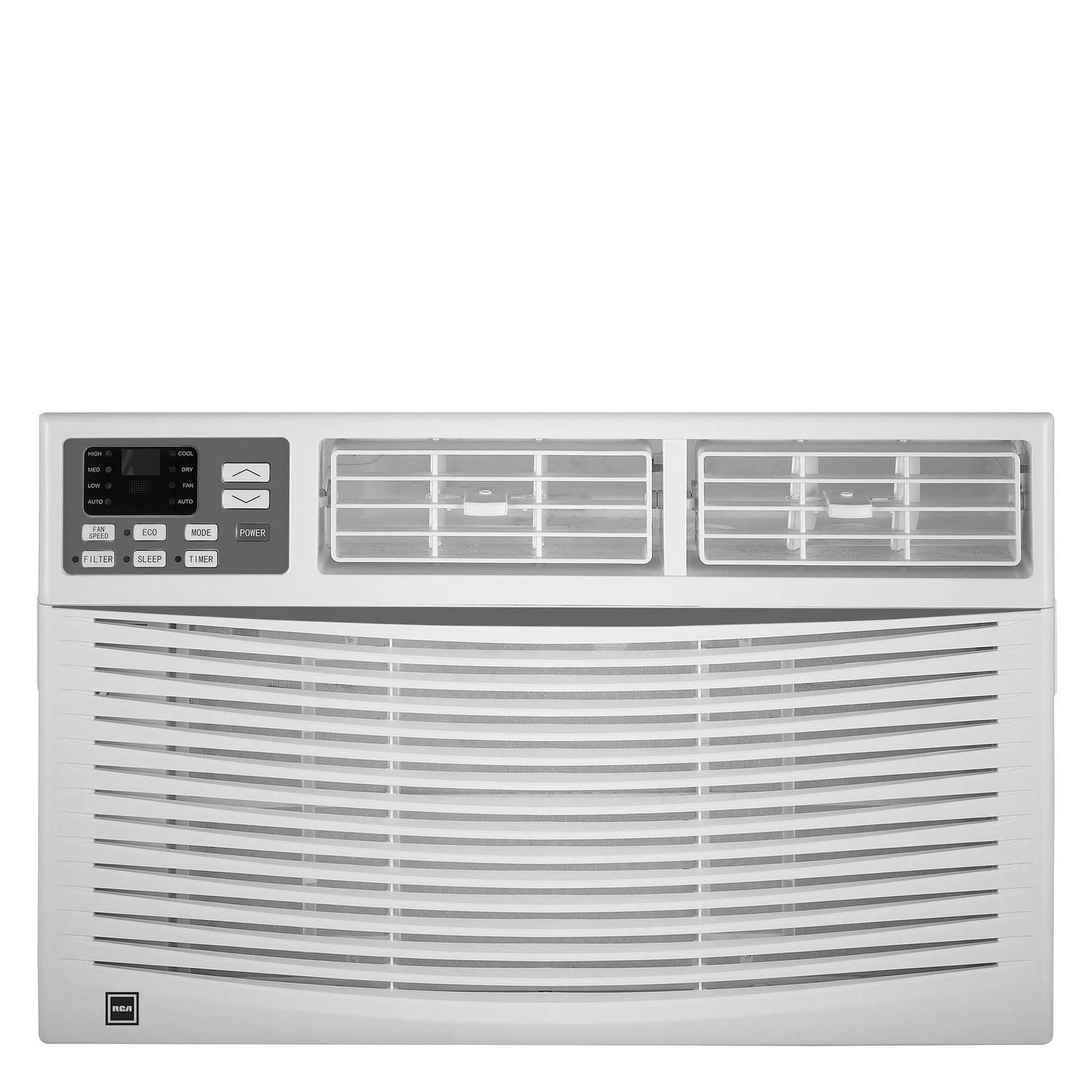
Irudia: Aurrealdea view of the RCA 12000 BTU Wi-Fi Air Conditioner, showing the control panel and air vents.
Ezaugarri nagusiak:
- 12,000 BTU cooling capacity, suitable for areas up to 550 sq. ft.
- Integrated Wi-Fi for remote control via smart devices.
- Three fan modes for customized airflow.
- Digital display for easy temperature and setting adjustments.
- 24 orduko programazio-tenporizadorea.
- Eco mode for energy-efficient operation.
- Filter check reminder for timely maintenance.
- Auto restart function after power outages.
- Includes window installation kit and remote control.
Paketearen edukia
Verify that all parts are included in the package before installation:
- RCA 12000 BTU Wi-Fi Air Conditioner Unit
- Urruneko agintea pilekin
- Window Installation Kit (side panels, top rail, sash lock, foam seals)
- Jabearen eskuliburua
An image showing all included components laid out would typically be found here.
Instalazioa eta konfigurazioa
Leihoaren instalazioa:
This air conditioner is designed for installation in standard double-hung windows with a minimum height of 16 inches and a width between 26 and 36 inches.
- Prestatu leihoa: Ensure the window opening is clean and clear of obstructions.
- Erantsi goiko erraila: Secure the top rail to the air conditioner unit using the provided screws.
- Alboko panelak instalatu: Slide the accordion side panels into the side panel frames on the unit.
- Jarri unitatea leihoan: Carefully lift the unit and place it in the window opening, ensuring the bottom rail rests against the window sill.
- Unitate Segurua: Extend the side panels to fill the window opening and secure them with screws. Install the sash lock to prevent the window from being opened from the outside. Apply foam seals to ensure an airtight fit.
- Drainatzea: Ensure the unit is slightly tilted outwards to allow for proper condensate drainage.
An image illustrating the step-by-step window installation process would be beneficial here.
Wi-Fi konfigurazioa:
To enable remote control functionality, connect your air conditioner to your home Wi-Fi network.
- Deskargatu aplikazioa: Download the RCA Home app from your smartphone's app store (iOS or Android).
- Sortu kontua: Ireki aplikazioa eta sortu erabiltzaile kontu berri bat edo hasi saioa dagoeneko baduzu.
- Gehitu gailua: Follow the in-app instructions to add a new device. This typically involves putting the air conditioner into pairing mode (refer to the unit's control panel or remote for specific instructions, often a Wi-Fi button press).
- Konektatu wifira: Select your home Wi-Fi network and enter the password when prompted by the app.
- Berrespena: Once connected, the Wi-Fi indicator on the air conditioner's display will illuminate steadily, and the app will confirm successful pairing.
An image showing the Wi-Fi indicator on the unit's display and a screenshot of the app's pairing screen would be helpful.
Funtzionamendu-argibideak
Kontrol panela eta urruneko kontrola:
The air conditioner can be operated using the control panel on the unit or the included remote control. The remote control offers full functionality from a distance.
An image of the remote control with button labels would be useful here.
Oinarrizko funtzionamendua:
- Piztu/Itzali: Sakatu BOTEREA botoia unitatea pizteko edo itzaltzeko.
- Modu aukeraketa: Sakatu MODUA button to cycle through available modes: Cool, Fan, and Eco.
- Tenperaturaren doikuntza: Erabili UP (▲) eta BEHERA (▼) arrows to set the desired temperature. The temperature range is typically 62°F to 86°F (17°C to 30°C).
- Fan abiadura: Sakatu ABANATZAILEA button to select Low, Medium, or High fan speed.
Funtzio aurreratuak:
- Tenporizadorea: Sakatu tenporizadorea button to set a delay for the unit to turn on or off. Use the UP/BEHERA arrows to adjust the time in 1-hour increments, up to 24 hours.
- Modu ekologikoa: When activated, the unit will cycle the compressor on and off to maintain the set temperature, saving energy. The fan may continue to run during compressor off cycles.
- Lo egiteko modua: (If available) This mode gradually increases the temperature over several hours to provide comfortable sleeping conditions while saving energy.
- Wi-Fi kontrola: Use the RCA Home app on your smart device to remotely turn the unit on/off, change temperatures, control modes, create custom schedules, and adapt fan speeds.
Mantentzea
Mantentze-lan erregularrak zure aire girotuaren errendimendu optimoa bermatzen du eta bizitza luzatzen du.
Aire iragazkien garbiketa:
The air filter should be cleaned every two weeks or when the 'Filter Check' indicator illuminates.
- Turn Off Unit: Always turn off and unplug the air conditioner before cleaning.
- Kendu iragazkia: Open the front panel and carefully slide out the air filter.
- Garbitu iragazkia: Wash the filter with warm, soapy water. Rinse thoroughly. For heavily soiled filters, a vacuum cleaner can be used to remove loose dirt before washing.
- Iragazki lehorra: Utzi iragazkia airean guztiz lehortzen berriro sartu aurretik. Ez jarri eguzki-argiaren edo bero handiaren eraginpean.
- Berriro instalatu iragazkia: Irristatu iragazki lehorra berriro bere zirrikituan eta itxi aurrealdeko panela.
An image demonstrating how to remove and clean the air filter would be helpful.
Garbiketa orokorra:
- Kanpoaldea: Garbitu armairua zapi leun batekin,amp cloth. Do not use harsh chemicals, abrasive cleaners, or waxes.
- Bobinak: Periodically check the condenser coils (located at the back of the unit) for dirt and debris. If necessary, gently brush them clean.
Arazoak konpontzea
Before contacting customer service, refer to the following table for common issues and solutions:
| Arazoa | Kausa posiblea | Irtenbidea |
|---|---|---|
| Aire girotua ez da martxan jartzen. | No power; tripped circuit breaker; unit unplugged. | Check power cord connection; reset circuit breaker; ensure unit is plugged into a working outlet. |
| Unitatea ez da ondo hozten. | Dirty air filter; blocked air intake/exhaust; room too large; windows/doors open. | Clean air filter; clear obstructions; ensure room size is within capacity; close all windows and doors. |
| Barruan ura tantaka dabilen. | Unit not tilted properly; clogged drain pan. | Ensure unit is slightly tilted outwards for drainage; clear any blockages in the drain pan. |
| Wi-Fi konexio arazoak. | Incorrect Wi-Fi password; router too far; app not updated. | Verify Wi-Fi password; move unit closer to router or use a Wi-Fi extender; update RCA Home app. |
Zehaztapenak
| Ezaugarri | Xehetasuna |
|---|---|
| Marka | RCA |
| Modelo zenbakia | RACE1206WF |
| Hozteko Ahalmena | 12,000 BTU |
| Estaldura Eremua | Gehienez 550 sq. |
| Deshumidifikazio-tasa | 2 pinta orduko |
| Leihoaren gutxieneko altuera | 16 hazbetekoa |
| Window Width Range | 26 - 36 hazbete |
| Neurriak (LxDxH) | 22" x 24" x 17" (gutxi gorabehera) |
| Elementuaren pisua | 78 kilo |
| Konektibitatea | Wi-Fi |
Bermearen informazioa
This RCA air conditioner comes with a 1 urteko fabrikatzailearen berme mugatua. Please refer to the warranty card included with your product for full terms and conditions, or visit the official RCA webgunea xehetasun gehiago lortzeko.
Bezeroarentzako Arreta
For technical assistance, troubleshooting beyond this manual, or warranty claims, please contact RCA Customer Support. Contact information can typically be found on the manufacturer's webgunean edo produktuarekin batera emandako berme-txartelean.