
1. Produktua amaitu daview
The RAZEAK Portable 60% Mechanical Keyboard is a compact, high-performance input device designed for PC and Mac users, particularly gamers. Its 61-key layout saves desk space while retaining full functionality through key combinations. This model features durable mechanical switches and customizable colorful backlighting.
- Diseinu trinkoa % 60: Space-saving 61-key design with full functionality via key combinations.
- N-teklaren birjartzea: Tekla-sakatzeak zehatz-mehatz erregistratzen direla ziurtatzen du, baita sarrera azkarrak egiten direnean ere.
- Dual Colour Translucent Keycaps: Injection-moulded keycaps for durability and enhanced backlighting.
- Atzeko argi koloretsua: Multiple LED backlighting modes for visual appeal and low-light visibility.
- Humanistic Design: Adjustable height and detachable USB-C cable for user comfort and portability.
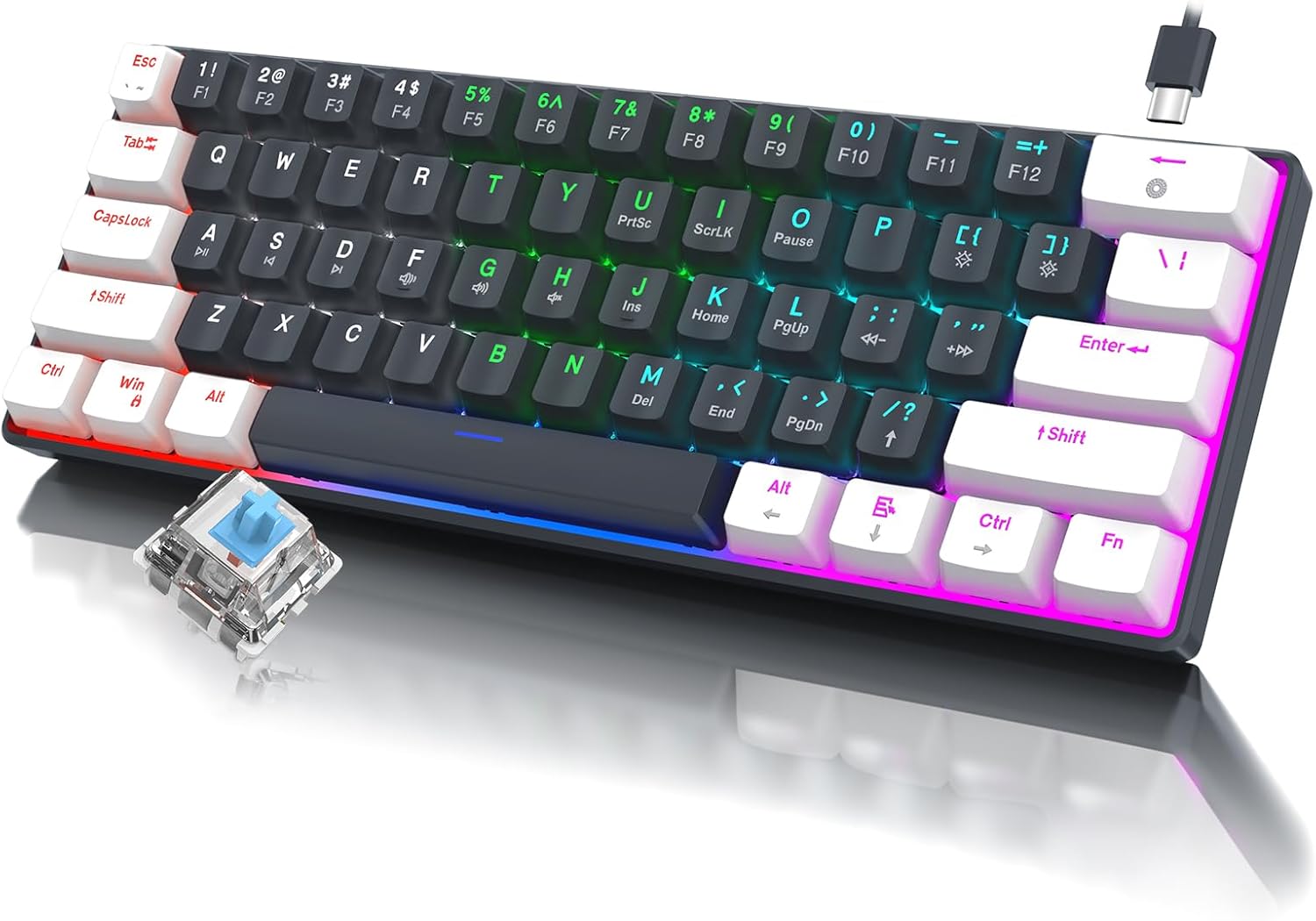
1.1. irudia: Amaituview of the RAZEAK Portable 60% Mechanical Keyboard, showcasing its compact design, colorful backlighting, and a detached blue mechanical switch.
2. Paketearen edukia
Please verify that all items are present in the package upon unboxing:
- RAZEAK Portable 60% Mechanical Keyboard
- USB-C kablea
3. Konfigurazioa
3.1 Teklatua konektatzea
- Locate the USB-C port on the back or side of the keyboard.
- Konektatu emandako USB-C kablearen mutur bat teklatuaren USB-C atakara.
- Connect the other end of the USB-C cable to an available USB-A port on your computer (PC or Mac).
- The keyboard will automatically be recognized by your operating system. No additional drivers are typically required.
3.2 Teklatuaren altuera doitzea
The keyboard features two levels of height adjustment for ergonomic comfort.
- Flip the keyboard over to access the adjustable feet on the underside.
- Gently pull out the small feet for the first level of elevation.
- For a higher angle, pull out the larger feet.
- Ensure both feet are extended evenly to maintain stability.

Image 3.1: Illustration of the keyboard's ergonomic design with adjustable feet, allowing for comfortable typing angles.
4. Funtzionamendu-argibideak
4.1 Tekla funtzioak eta konbinazioak
Due to its compact 60% layout, some functions are accessed via key combinations using the Fn giltza.
| Konbinazioa | Funtzioa |
|---|---|
| Fn + 1! to Fn + =+ | F1 to F12 Function Keys |
| Fn + Q | Aurreko Pista |
| Fn + W | Erreproduzitu/Pausatu |
| Fn + E | Hurrengo Pista |
| Fn + R | Bolumena jaitsi |
| Fn + T | Bolumena igo |
| Fn + Y | Isildu |
| Fn + U | PrntSc (Print Screen) |
| Fn + I | Blokeo-tekla (Scroll Lock) |
| Fn + O | Pausa |
| Fn + P | Ins (Insert) |
| Fn + [ { | Hasiera |
| Fn + ] } | Amaiera |
| Fn + ; : | Orrialdea gora (Orrialdea gora) |
| Fn + ' " | Orrialdea behera (Orrialdea behera) |
| Fn + / ? | Gora Gezia |
| Fn + Alt | Ezkerreko Gezia |
| Fn + Ktrl | Behera gezia |
| Fn + Fn | Eskuineko gezia |

Image 4.1: Layout of the 60% ultra-compact keyboard, highlighting the 61-key configuration and secondary functions accessible via the Fn key.
4.2 Atzeko argiaren kontrola
The keyboard features multiple LED backlight modes and brightness levels.
- Fn + \| Cycle through 19 different backlight modes.
- Fn + ; : (PgUp): Handitu atzeko argiaren distira.
- Fn + ' " (PgDn): Atzeko argiaren distira txikitu.
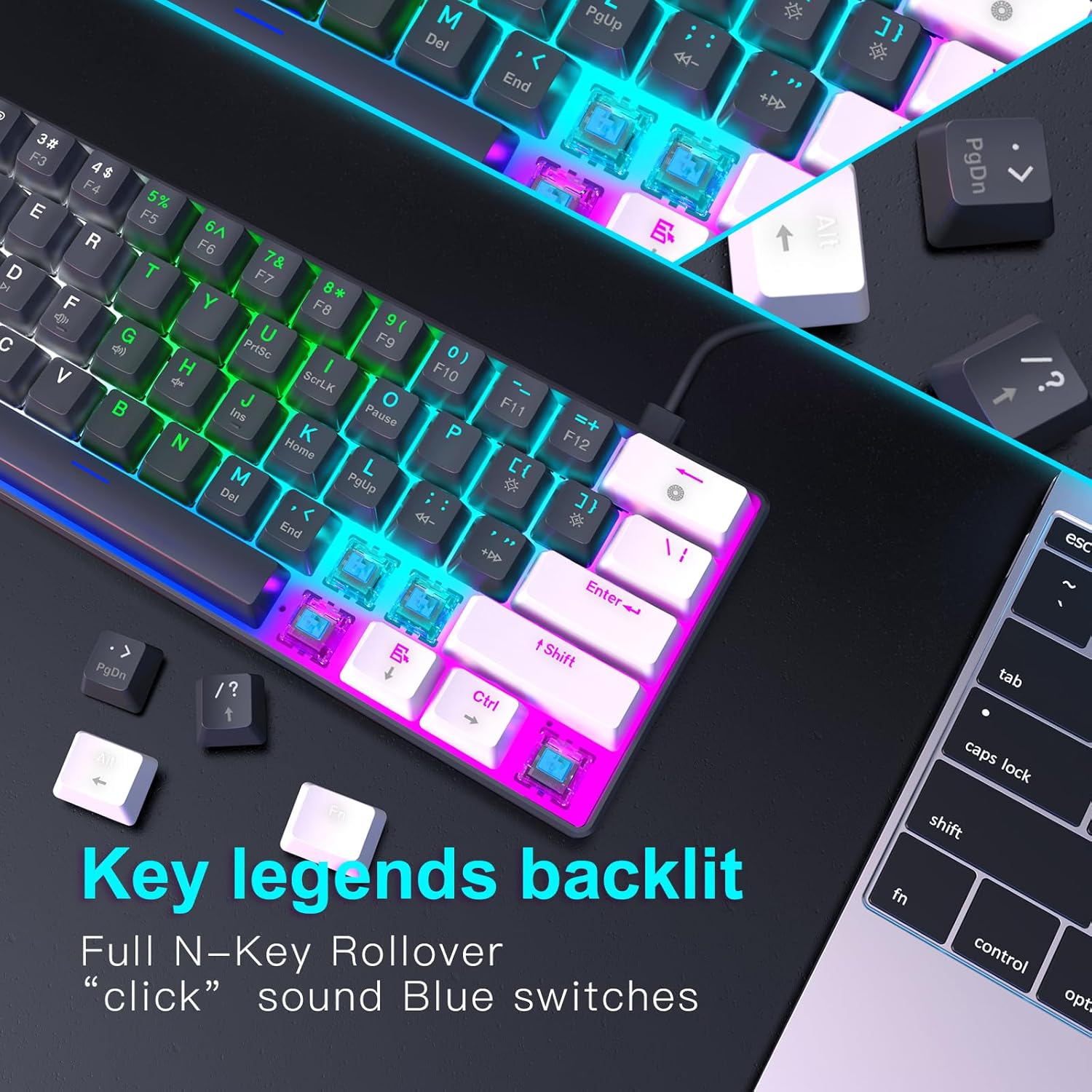
4.2 irudia: Gertuko planoa view of the keyboard's key legends with active backlighting, demonstrating the translucent keycaps and illuminated mechanical switches.
5. Mantentzea
Mantentze egokiak zure teklatuaren iraupena eta errendimendu optimoa bermatzen ditu.
- Garbiketa: Use a soft, dry cloth to wipe the surface of the keyboard. For dust and debris between keys, use compressed air. Avoid liquid cleaners directly on the keyboard.
- Tekla-tapoia kentzea (aukerakoa): If necessary, keycaps can be carefully removed for deeper cleaning using a keycap puller (not included). Reinstall them by aligning and pressing down gently.
- Biltegiratzea: Erabiltzen ez duzunean, gorde teklatua leku garbi eta lehor batean, eguzki-argitik eta muturreko tenperaturetatik urrun.
- Kableen zainketa: Kalteak ekiditeko, saihestu USB-C kablea gehiegi tolestea edo bihurritzea.
6. Arazoak
If you encounter issues with your RAZEAK keyboard, please refer to the following common solutions:
| Arazoa | Balizko Kausa / Irtenbidea |
|---|---|
| Teklatuak ez du erantzuten |
|
| Atzeko argia ez dabil edo ilun dago |
|
| Giltza batzuk ez dira funtzionatzen |
|
7. Zehaztapenak
| Ezaugarri | Xehetasuna |
|---|---|
| Ereduaren izena | X44-WTBK-BS_B |
| Marka | RAZEAK |
| Teklatu mota | Joko Teklatu Mekanikoa |
| Diseinua | %60 (61 giltza) |
| Aldatu mota | Blue Switch (Clicky) |
| Konektibitatea | USB-C (kable desmuntagarria) |
| Atzeko argia | Colorful LED (19 modes) |
| Key Rollover | N-teklaren birjartzea |
| Giltzak | Dual Colour Translucent Injection Moulded |
| Produktuaren neurriak | 11.5 x 4.02 x 1.57 hazbete |
| Elementuaren pisua | 1.34 kilo |
| Gailu bateragarriak | Windows devices (PC/Mac) |
| Dakarten osagaiak | USB kablea |

Image 7.1: Dimensional diagram of the RAZEAK Portable 60% Mechanical Keyboard, indicating its compact size.
8. Bermea eta Laguntza
RAZEAK products are designed for reliability and performance. For specific warranty details, please refer to the warranty card included with your product or visit the official RAZEAK website. If you require technical assistance or have questions regarding your keyboard, please contact RAZEAK customer support through their official channels.
For further information and support, you may visit the RAZEAK Store on Amazon.