
Sarrera
The Havit Gamenote KB885L mechanical keyboard is engineered for precision, durability, and customization. It features a gasket structure design, providing a soft and stable typing experience while minimizing noise. The full key rollover with multi-key response ensures fast and accurate input, crucial for gaming. With customizable RGB backlighting, you can personalize your keyboard with various lighting modes and effects. The detachable USB-C cable enhances portability and simplifies cable management. This keyboard is built with mechanical switches rated for 50 million key presses, making it suitable for gamers, typists, and professionals who require long-lasting performance.
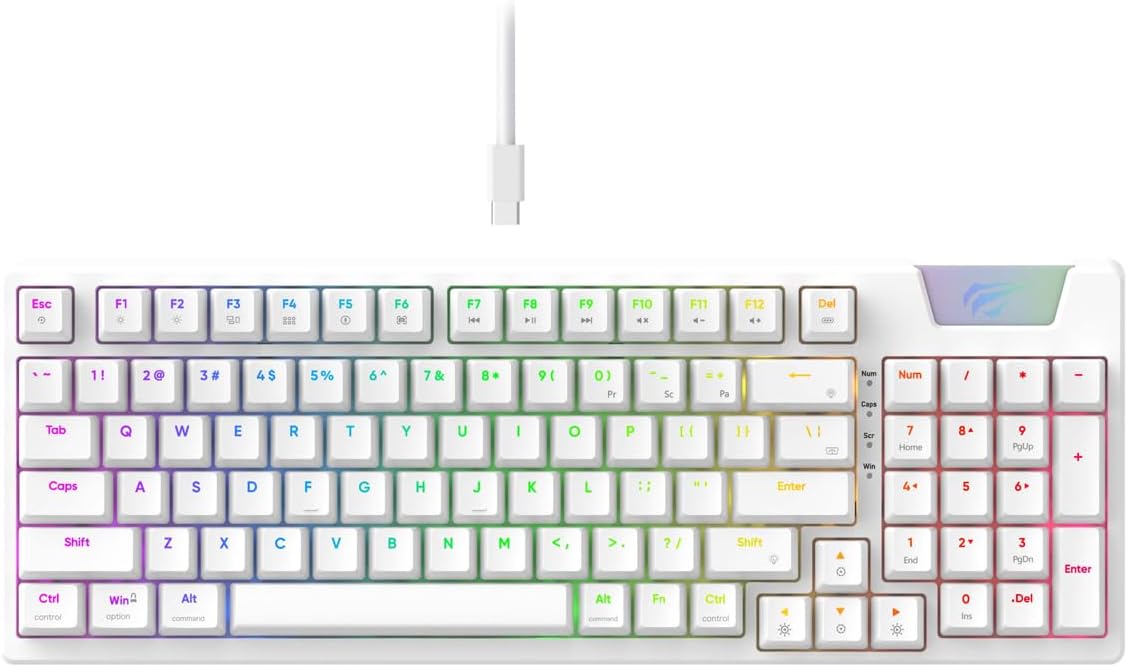
Image: The Havit Gamenote KB885L mechanical keyboard in white, showcasing its full layout and detachable USB-C cable.
Konfigurazio Gida
Follow these steps to set up your Havit Gamenote KB885L mechanical keyboard:
- Deskonprimitu teklatua: Kontu handiz atera teklatua eta haren osagarriak paketetik.
- Konektatu USB-C kablea: Insert the detachable USB Type-C cable into the port on the keyboard.
- Konektatu ordenagailura: Konektatu USB kablearen beste muturra ordenagailuko USB ataka erabilgarri batean.
- Gidariaren instalazioa: Teklatua plug-and-play da eta normalean ez du kontrolatzaile gehigarririk behar. Zure sistema eragileak automatikoki detektatu eta instalatu beharko lituzke beharrezko kontrolatzaileak.
- Proba funtzionaltasuna: Open a text editor or browser to test key presses and ensure all functions are working correctly.

Image: A close-up of the Havit Gamenote KB885L keyboard highlighting its portable design and detachable cable for easy setup and transport.
Funtzionamendu-argibideak
The Havit Gamenote KB885L keyboard offers various features for an enhanced user experience:
RGB atzeko argiztapenaren kontrola
Teklatuak RGB atzeko argiztapen pertsonalizagarria du. Erabili tekla konbinazio hauek argiztapen efektuak doitzeko:
- Fn + [Tekla]: Cycle through different RGB lighting modes. (Specific key combinations may vary, refer to on-keyboard legends if available).
- Fn + Gezi-teklak: Adjust brightness and speed of lighting effects.

Image: The Havit Gamenote KB885L keyboard displaying its vibrant RGB backlighting, illustrating customizable lighting effects.
Giltza-iraulketa osoa (NKRO)
This keyboard supports Full Key Rollover, meaning every key press is registered independently, regardless of how many keys are pressed simultaneously. This feature is essential for fast-paced gaming and typing, preventing ghosting or missed inputs.
Diseinu Ergonomikoa
The keyboard is designed with ergonomics in mind to provide comfort during extended use. Its layout and keycap profile aim to reduce strain on your wrists and fingers.

Irudia: A view of the Havit Gamenote KB885L keyboard highlighting its ergonomic design for comfortable use.
Mantentzea
Mantentze egokiak zure teklatuaren iraupena eta errendimendu optimoa bermatzen ditu:
- Garbiketa: Regularly clean the keyboard with a soft, dry cloth. For deeper cleaning, use compressed air to remove dust and debris from between the keycaps. For stubborn dirt, a slightly damp xaboi leun batekin oihal bat erabil daiteke, likidorik teklatuan sartzen ez dela ziurtatuz.
- Saihestu isurketak: Keep liquids away from the keyboard to prevent damage to the internal components. In case of a spill, immediately disconnect the keyboard and allow it to dry completely before reconnecting.
- Kableen zainketa: Handle the detachable USB-C cable with care. Avoid sharp bends or excessive pulling to prevent damage to the cable or connectors.
- Biltegiratzea: Erabiltzen ez duzunean, gorde teklatua leku garbi eta lehor batean, muturreko tenperaturetatik urrun.
Arazoak konpontzea
If you encounter issues with your Havit Gamenote KB885L keyboard, try the following solutions:
- Teklatuak ez du erantzuten:
- Ziurtatu USB-C kablea ondo konektatuta dagoela teklatura eta ordenagailura.
- Saiatu teklatua ordenagailuko beste USB ataka batera konektatzen.
- Probatu teklatua beste ordenagailu batean arazoa teklatuan edo zure sisteman dagoen zehazteko.
- RGB argiak ez funtzionatzen:
- Check if the lighting is turned off using the Fn key combinations.
- Ensure the keyboard is properly powered via the USB connection.
- Keys Not Registering / Ghosting:
- Due to full key rollover, this is unlikely. However, ensure no debris is lodged under the keycap.
- If a specific key is consistently failing, it might indicate a switch issue. Contact support if the problem persists.
Zehaztapenak
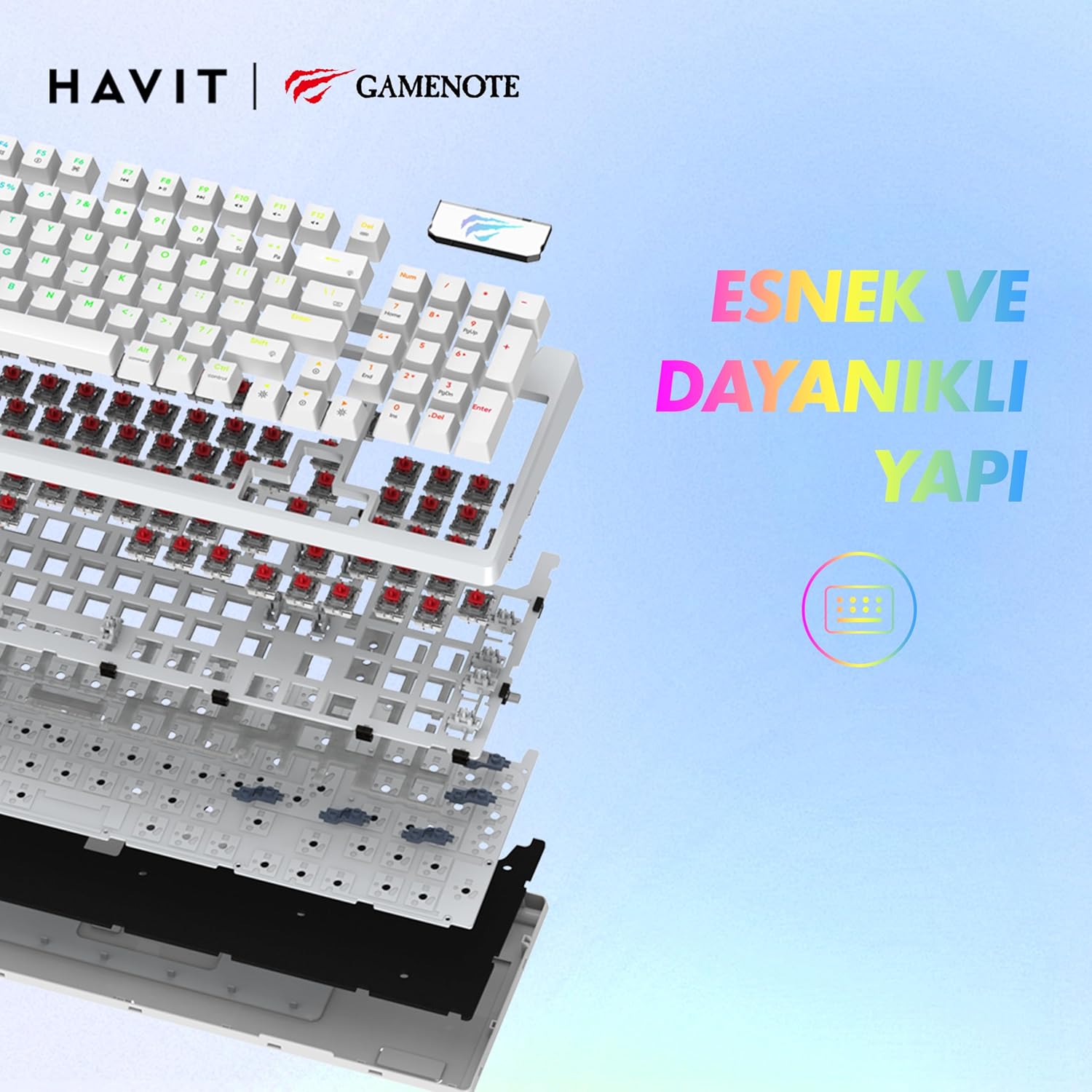
Irudia: Leherketa bat view of the Havit Gamenote KB885L keyboard, illustrating its internal gasket structure for enhanced stability and typing feel.
| Ezaugarri | Xehetasuna |
|---|---|
| Marka | Havit |
| Modelo zenbakia | KB885L |
| Gailu bateragarriak | Ordenagailua |
| Konektibitate Teknologia | USBa |
| Teklatuaren deskribapena | Jolasa |
| Gomendatutako Erabilerak | Jolasa |
| Ezaugarri Berezia | Eramangarria |
| Kolorea | Zuria |
| Backlight Color Support | RGB (Red, Green, Blue model) |
| Estiloa | Modernoa |
| Produktuaren neurriak (L x W x H) | 38.7 x 14 x 4.5 cm |
| Hizkuntza | ingelesa |
| Energia iturria | USB Power |
| Aldatu mota | Ukimenezkoa |
| Teklatuaren diseinua | QWERTY |
| Eskuen Orientazioa | Anbidistroa |
| Gako kopurua | 95 |
| Botoi kopurua | 104 |
| Dakarten osagaiak | USB kablea |
| Materiala | Plastikoa |
| Key Press Lifespan | 50 Million (from description) |

Image: An illustration highlighting the Havit Gamenote KB885L's durable mechanical switches, rated for a 50 million key press lifespan.
Bermearen informazioa
The Havit Gamenote KB885L Mechanical Keyboard comes with a urtebeteko bermea from the date of purchase. This warranty covers manufacturing defects and issues arising from normal use. It does not cover damage caused by misuse, accidents, unauthorized modifications, or improper maintenance. Please retain your proof of purchase for warranty claims.
Bezeroarentzako Arreta
For further assistance, technical support, or warranty inquiries, please contact Havit customer service through their official website or the retailer where you purchased the product. Have your model number (KB885L) and proof of purchase ready when contacting support.