
Sarrera
This manual provides instructions for the setup, operation, and maintenance of your Hapadif Motorized Automatic Cordless Roller Shades with a 15-Channel Remote Control. These shades offer convenient control for individual windows or groups of up to 15 shades simultaneously.
Ezaugarri nagusiak hauek dira:
- Taldearen kontrola: Control up to 15 shades at the same time.
- Kontrol bakarra: Select a specific channel for individual shade operation.
- Eragiketa egonkorra: Reliable control within a 30-meter range.
- Haririk gabeko diseinua: Enhanced safety and a clean aesthetic.
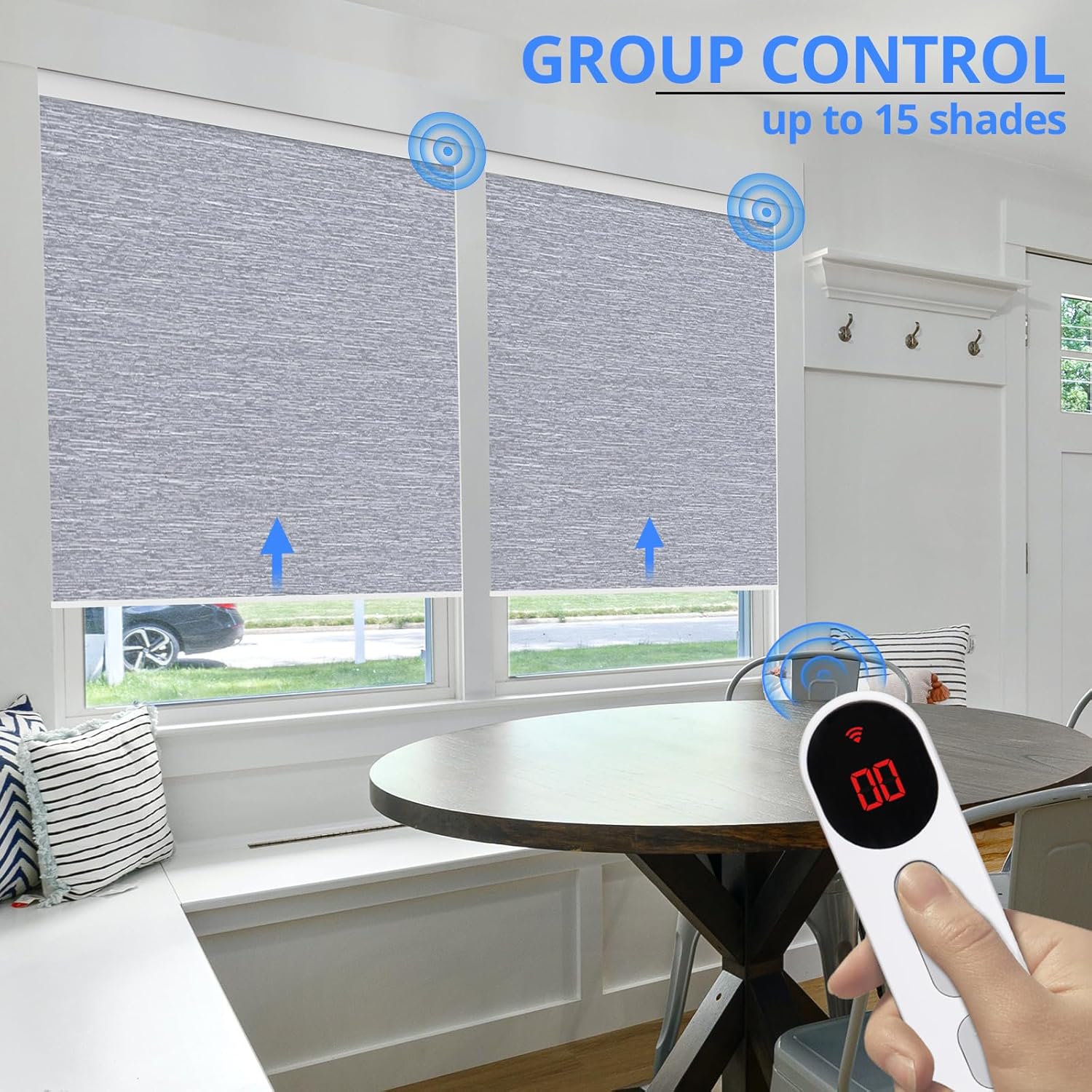
Image: Hapadif Motorized Roller Shade with its 15-channel remote control, illustrating the product in a home setting.
Konfigurazioa
1. Urruneko agintea parekatzea
To pair the remote control with your roller shade, follow these steps:
- On the remote control, locate the small switch inside the battery compartment. Switch it from 'user' to 'admin' mode.
- On the roller shade motor, press and hold the 'M' key for two seconds. The motor will briefly rotate forwards and backwards, indicating it is in pairing mode.
- On the remote control, press and hold the 'S' key for two seconds. The shade will move forwards and backwards once, confirming successful pairing.
Video: Instructions on how to pair the remote control and set the upper and lower limits for the blinds.
2. Goiko eta Beheko Mugak ezartzea
After pairing, set the desired upper and lower stopping positions for your shade:
- Use the up/down buttons on the remote to move the shade to your desired upper limit. Press the pause button to stop it precisely.
- Press and hold the 'A' key (up arrow) on the remote for two seconds. The shade will briefly move, confirming the upper limit is set.
- Use the up/down buttons to move the shade to your desired lower limit. Press the pause button to stop it precisely.
- Press and hold the 'V' key (down arrow) on the remote for two seconds. The shade will briefly move, confirming the lower limit is set.

Image: Illustration of the no-drill installation method for Hapadif Motorized Roller Shades.
3. Selecting Order Width for Inside Mount
For inside mount installations, refer to the following table to determine the correct order width based on your window width. Note that no-drill devices are suitable for inside mount only, but mounting screws are provided for other options.
| Leihoaren Zabalera | Order Width |
|---|---|
| 20"-20½" | 20" |
| 21"-21½" | 21" |
| 22"-22½" | 22" |
| 23"-23½" | 23" |
| 24"-24½" | 24" |
| 25"-25½" | 25" |
| 26"-26½" | 26" |
| 27"-27½" | 27" |
| 28"-28½" | 28" |
| 29"-29½" | 29" |
| 30"-30½" | 30" |
| 31"-31½" | 31" |
| 32"-32½" | 32" |
| 33"-33½" | 33" |
| 34"-34½" | 34" |
| 35"-35½" | 35" |
| 36"-36½" | 36" |
| 37"-37½" | 37" |
| 38"-38½" | 38" |
| 39"-39½" | 39" |
| 40"-40½" | 40" |
| 41"-41½" | 41" |
| 42"-42½" | 42" |
| 43"-43½" | 43" |
| 44"-44½" | 44" |
| 45"-45½" | 45" |
| 46"-46½" | 46" |
| 47"-47½" | 47" |
| 48"-48½" | 48" |
Note: For outside mount, order width should be window width + at least 4 inches. For custom sizes (0-59 inches width), please select 'Custom Size'.
Funtzionamendu-argibideak
1. Urruneko Kontrolaren Eragiketa
The 15-channel remote control allows for flexible operation of your shades.
- Single Shade Control: Use the channel selection buttons (e.g., '01', '02') to choose a specific shade. Then, use the up, down, and pause buttons to control its movement.
- Taldearen kontrola: Select channel '00' on the remote to control all paired shades simultaneously. Use the up, down, and pause buttons to operate the group.
- The remote control operates effectively within a 30-meter range.

Image: A remote control operating multiple Hapadif Motorized Roller Shades in a group setting.

Image: A hand holding the remote control, demonstrating single shade operation.
Video: Demonstration of remote control functionality for Hapadif roller shades.
2. Additional Control Methods (Requires Hub)
For enhanced control options, a compatible smart home hub is required:
- Aplikazioen kontrola: Manage your shades from anywhere using a smartphone application. Features may include timing control (e.g., open at 6 AM) and weather-based control (e.g., close on sunny days).
- Ahots kontrola: Integrate with voice assistants like Alexa for hands-free operation.

Image: A person interacting with an Alexa device to control Hapadif Motorized Roller Shades.
Mantentzea
- Garbiketa: The shades should be spot cleaned only. Do not immerse in water or use harsh chemicals.
- Bateriaren iraupena: The motor's battery is designed to last approximately 1 year or 600 cycles on a single charge. Recharge or replace batteries as needed.
Arazoak konpontzea
Shade Not Responding to Remote:
- Egiaztatu urruneko bateria: Ensure the remote control has a functional button battery.
- Egiaztatu parekatzea: Confirm that the remote is correctly paired with the shade. Refer to the "Pairing the Remote Control" section for steps. Ensure the remote is in 'admin' mode during pairing.
- Check Shade Power: Ensure the shade's motor is charged or has sufficient power.
- Tartea: Ensure the remote is within the 30-meter operating range of the shade.
Shade Not Stopping at Desired Limits:
- Reset Limits: Re-set the upper and lower limits following the instructions in the "Setting Upper and Lower Limits" section.
Zehaztapenak
| Ezaugarri | Xehetasuna |
|---|---|
| Marka | Hapadif |
| Modelo zenbakia | 6cbb4013-b676-4072-a46c-3d6cc09bcedf |
| Materiala | Polibinilo kloruroa (PVC) |
| Eragiketa modua | Automatikoa |
| Kontrol mota | Motorizatua |
| Ezaugarri gehigarriak | Motorized & Multi-Channel Control |
| Itxiera Mota | Haririk gabekoa, motorizatua |
| Muntatze Mota | Inside Mount (mounting hardware included) |
| Gomendatutako Erabilerak | Indoor, Window |
| Uraren Erresistentzia Maila | Ez Urarekiko Erresistentea |
| Produktuak zaintzeko jarraibideak | Leku garbia bakarrik |
| Urruneko kontrolaren neurriak | 6 cm-ko luzera x 2 cm-ko zabalera |
| Remote Control Color | White (15 Channel) |
| Dakarten osagaiak | Muntatzeko hardwarea, erabiltzailearen eskuliburua |
Bermearen informazioa
Specific warranty details are not provided in the product information. Please refer to your purchase documentation or contact customer support for warranty inquiries.
Bezeroarentzako Arreta
For any questions or assistance regarding your Hapadif Motorized Automatic Cordless Roller Shades, please contact our customer service team. We are committed to providing support and will respond to your inquiries.