
Sarrera
Eskerrik asko erosketagatik.asing the Emerson EPD-1001 Portable 10-inch DVD Player. This manual provides essential information for setting up, operating, and maintaining your device. Please read these instructions carefully before use to ensure proper functionality and to maximize your viewesperientzia.
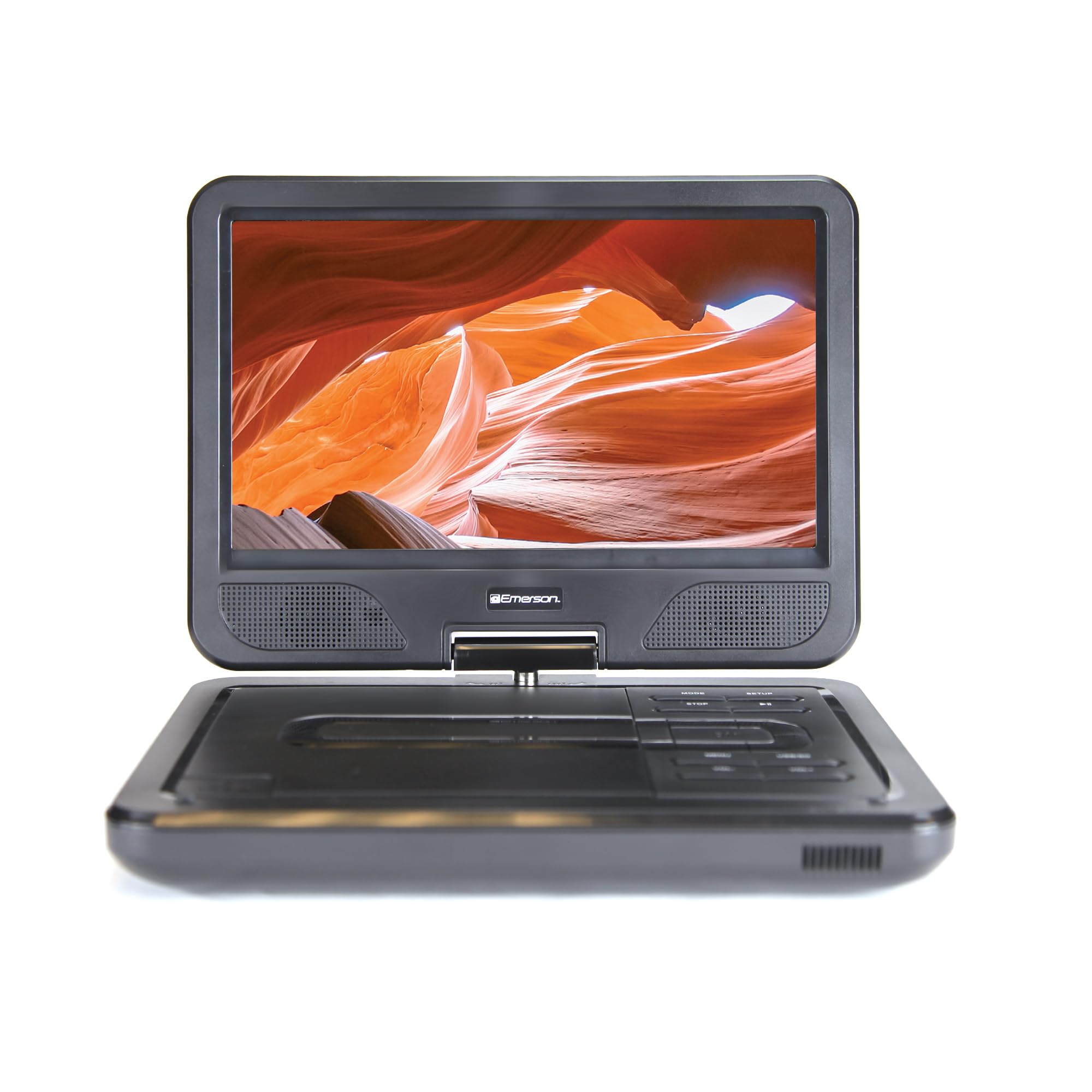
Image: The Emerson EPD-1001 Portable 10-inch DVD Player shown with its screen open, displaying a vibrant image.
Kutxan dagoena
Egiaztatu elementu guztiak ontzian daudela:
- Emerson EPD-1001 Portable 10-inch DVD Player
- Urruneko Kontrola
- AC Potentzia Egokitzailea
- DC Car Cord
- AV Kable
- Erabiltzailearen eskuliburua (dokumentu hau)
- Berme Txartela

Image: The Emerson EPD-1001 Portable 10-inch DVD Player displayed alongside its remote control.
Produktuaren Ezaugarriak
- 10-inch Swivel Screen: The large 10-inch screen swivels 180 degrees, allowing for flexible viewangeluak.
- Bozgorailu integratua: Integrated speaker provides clear audio for an immersive experience.
- Bateria kargagarria: Enjoy portable viewing with the built-in rechargeable battery, offering hours of playback.
- Urruneko kontrola: Navigate menus and control playback effortlessly with the included remote.
- Diseinu trinkoa: Lightweight and compact for easy transport during travel.
- Multi-Format Compatibility: Supports a wide range of DVD formats, as well as media from USB flash drives and SD cards.
Video: A 360-degree product overview of the Emerson EPD-1001 Portable DVD Player, showcasinbere diseinua eta ezaugarriak hainbat angelutatik aztertuta.
Konfigurazioa
- Despaketatzea: Kontu handiz atera osagai guztiak ontzitik. Gorde ontzia etorkizunean biltegiratzeko edo bidaltzeko.
- Bateria kargatzea: Before first use, fully charge the internal rechargeable battery. Connect the AC power adapter to the DC IN 9-12V port on the DVD player and plug it into a standard wall outlet. The charging indicator light will illuminate. A full charge typically takes several hours.
- Car Power (Optional): For in-car use, connect the DC car cord to the DC IN 9-12V port and plug the other end into your vehicle's 12V accessory socket.
- External Display Connection (Optional): To connect to an external display (e.g., TV), use the provided AV cable. Connect the AV OUT port on the DVD player to the corresponding AV IN ports on your television.

Image: A hand plugging a 12V car adapter into a vehicle's power outlet, demonstrating how to power the DVD player on the go.
Funtzionamendu-argibideak
Piztu/Itzaltzea
- Pizteko, eduki sakatuta BOTEREA botoia pantaila piztu arte.
- Itzaltzeko, luze sakatu BOTEREA botoia berriro sakatu pantaila itzali arte.
Inserting and Playing a DVD
- Open the disc cover by gently lifting the IREKI giltza.
- Place a DVD disc onto the spindle with the label side facing up. Gently press the center of the disc to secure it.
- Itxi diskoaren estalkia.
- Erreproduzitzaileak automatikoki detektatuko du diskoa eta erreprodukzioa hasiko du. Bestela, sakatu botoia JOLASTU/PAUSTU botoia.
Using the Swivel Screen
Pantaila 180 gradu arte biratu daiteke. Biratu pantaila astiro nahi duzun posiziora. viewing angle. You can also fold the screen flat against the base for a tablet-like viewesperientzia.

Image: A woman using the Emerson EPD-1001 Portable DVD Player, demonstrating the swivel screen feature for comfortable viewing.
Media Playback (USB/SD Card)
- Sartu USB flash drive bat USBa ataka edo SD txartel bat sartu SD TXARTELA zirrikitua.
- Erabili MODUA button on the player or remote to select the appropriate input (USB or SD).
- Navigate through your media files using the arrow buttons and press SARTU jolasteko.

Image: A hand inserting a USB flash drive into the side port of the portable DVD player, illustrating media playback from external storage.
Urruneko agintea erabiliz
Point the remote control directly at the infrared sensor on the DVD player. The remote allows access to functions such as Play, Pause, Stop, Fast Forward, Rewind, Chapter Skip, Volume Control, Menu Navigation, and Input Selection.
Audio Irteera
- Bozgorailu integratuak: Audio will play automatically through the integrated speakers. Adjust volume using the VOL+ eta Boluntario botoiak.
- Aurikularrak Jack: Entzute pribaturako, konektatu 3.5 mm-ko entzungailu estandarrak AURKULTURAK jack. This will mute the built-in speakers.
Mantentzea
- Garbiketa: Use a soft, dry cloth to clean the exterior of the DVD player. For the screen, use a soft, lint-free cloth specifically designed for electronics screens. Do not use liquid cleaners or abrasive materials.
- Diskoak zaintzea: Handle discs by their edges. Keep discs clean and free of scratches. Use a soft, lint-free cloth to wipe discs from the center outwards if cleaning is necessary.
- Bateria zaintzea: To prolong battery life, avoid fully discharging the battery frequently. If storing the device for an extended period, charge the battery to approximately 50% and store in a cool, dry place. Recharge every few months to prevent deep discharge.
- Biltegiratzea: Store the DVD player in a cool, dry environment away from direct sunlight, extreme temperatures, and excessive dust.
Arazoak konpontzea
| Arazoa | Kausa posiblea | Irtenbidea |
|---|---|---|
| Erreproduzitzailea ez da pizten. | Bateria agortuta dago edo korronte-egokitzailea ez dago konektatuta. | Konektatu korronte-egokitzailea eta utzi bateria kargatzen. Ziurtatu pizteko botoia sakatuta dagoela. |
| Ez dago argazkirik pantailan. | Disc is dirty/scratched, incorrect input selected, or screen is folded incorrectly. | Clean the disc. Ensure the screen is properly opened and swiveled. If connected to an external display, verify AV cable connections and TV input selection. |
| Soinurik ez. | Volume is too low, headphones are connected, or disc has no audio track. | Increase the volume. Disconnect headphones if using built-in speakers. Check disc for audio content. |
| Disc does not play or skips. | Diskoa zikina, urratua edo formatu bateraezina du. | Clean the disc thoroughly. Try a different disc. Ensure the disc format is supported by the player. |
| Urruneko kontrola ez dabil. | Batteries are dead or remote is not pointed at sensor. | Replace remote control batteries. Ensure direct line of sight to the player's IR sensor. |
Zehaztapenak
| Ezaugarri | Xehetasuna |
|---|---|
| Marka | Emerson |
| Modelo zenbakia | EPD-1001 |
| Pantailaren tamaina | 10 hazbete |
| Bistaratzeko mota | LCDa |
| Berezko Ebazpena | 1280x720 |
| Konektibitate Teknologia | USBa |
| Gailu bateragarriak | Mobile Phone, Television (via AV out) |
| Media mota | DVD, CD, MP3, USB, SD Card |
| Elementuaren neurriak (L x W x H) | 10"L x 1.8"Z x 7.35"A |
| Elementuaren pisua | 2.2 kilo |
| Kolorea | Beltza |
| Power Aukerak | Built-in rechargeable battery, AC adapter, 12V car adapter |

Image: A diagram illustrating the dimensions (length, width, height) and weight of the Emerson EPD-1001 Portable DVD Player.
Bermea eta Laguntza
The Emerson EPD-1001 Portable 10-inch DVD Player comes with a warranty covering 1 Year for Parts eta 90 Days for Labor erosketa-datatik aurrera.
For technical support, warranty claims, or service inquiries, please contact the manufacturer, Naxa Electronics, Inc. Refer to the warranty card included in your product packaging for specific contact details and procedures.
Gorde erosketaren egiaztagiria bermea balioztatzeko.