
1. Produktua amaitu daview
The THINKCAR THINKSCAN 641 is a wireless OBD2 diagnostic tool designed for comprehensive vehicle system analysis. It provides diagnostic functions for Engine, Transmission, ABS, and SRS Airbag systems, along with full OBD2 modes and 10 essential maintenance reset services. The device features a touchscreen interface and connects wirelessly via Bluetooth to the vehicle's OBD-II port.
1.1 Paketearen edukia
- THINKCAR THINKSCAN 641 OBD2 Scanner (x1)
- Bluetooth Connector (x1)
- Produktuaren eskuliburua (x1)
1.2 Gailuaren osagaiak
Familiarize yourself with the main components of your THINKSCAN 641 device:

Image: THINKCAR THINKSCAN 641 device layout with labeled buttons and ports.
- 4.8 hazbeteko ukipen-pantaila: Main display for navigation and data viewing.
- Pizteko/Pantaila blokeatzeko botoia: Eduki sakatuta 3 segundoz pizteko edo itzaltzeko.
- Berretsi botoia: Used to select options or confirm actions.
- Up, Down, Left, Right Toggle Key: Menuetan eta aukeretan nabigatzeko.
- Itzultzeko giltza: To go back to the previous screen or menu.
- TF txartelaren zirrikitua: Biltegiratze zabalgarrirako.
- Kargatzeko ataka: Kargatzeko kablea konektatzeko.
- OBD Interface: Port for the Bluetooth connector.
2. Konfigurazioa
2.1 Hasierako konexioa
To begin using your THINKSCAN 641, follow these steps to establish a connection with your vehicle:
- Aurkitu zure ibilgailuaren OBD-II ataka, normalean gidariaren aldeko aginte-panelean aurkitzen dena.
- Plug the included Bluetooth 5.0 VCI Dongle into the vehicle's OBD-II port.
- Turn on the vehicle's ignition (engine off, key on).
- Power on the THINKSCAN 641 handheld unit by pressing and holding the Power/Screen Lock Button for 3 seconds.
- The device will automatically attempt to connect via Bluetooth. A stable connection should be established within 3 seconds.
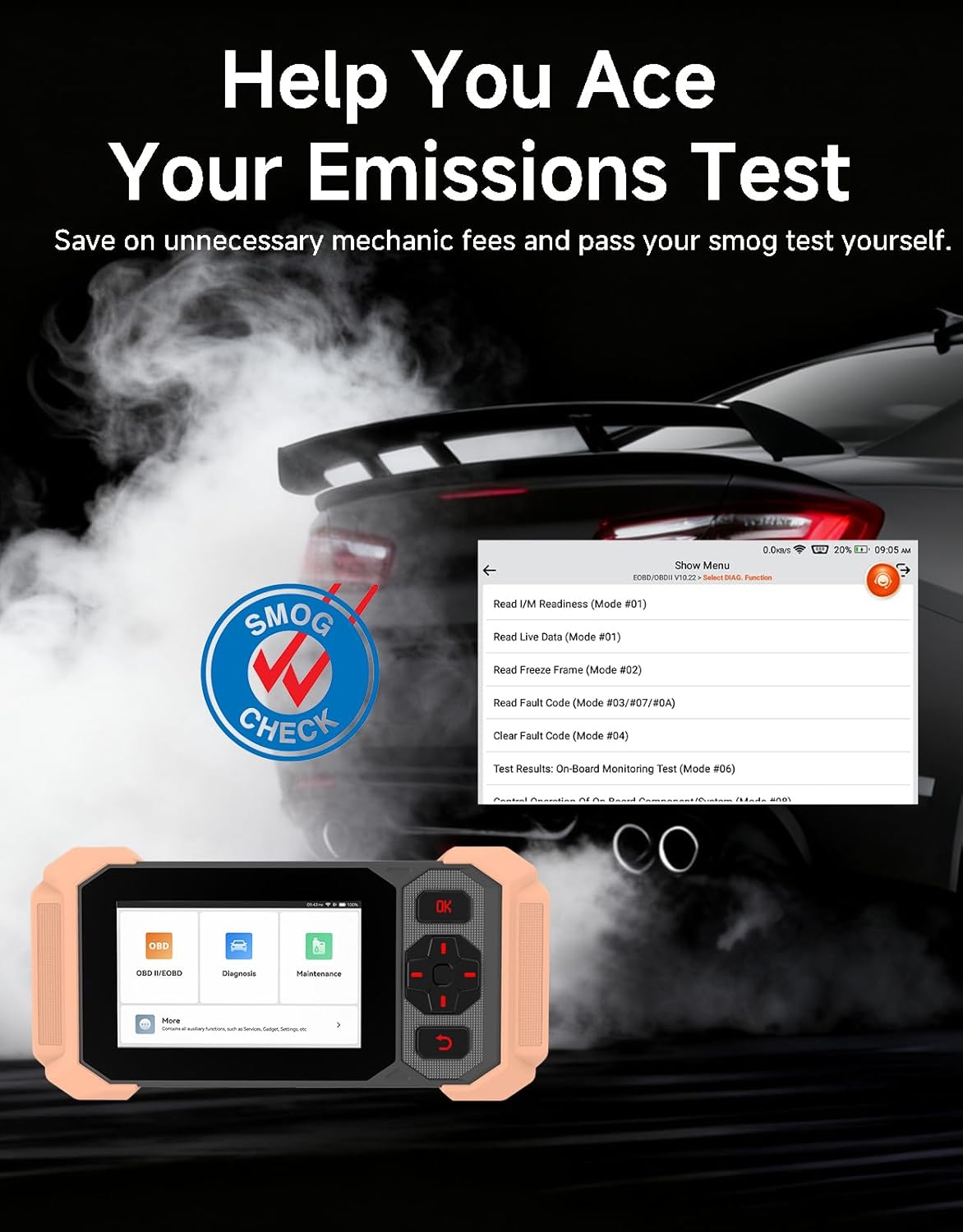
Image: Bluetooth VCI Dongle connected to the vehicle's OBD-II port.
2.2 Ibilgailuen Identifikazio Automatikoa (AutoVIN)
The THINKSCAN 641 supports AutoVIN functionality, which automatically identifies your vehicle's information upon connection. If AutoVIN fails for your specific vehicle model, you can manually enter the vehicle information to proceed with diagnostics.
2.3 Software eguneraketak
The device supports lifetime free software updates via Wi-Fi. Ensure your device is connected to a stable Wi-Fi network to download and install the latest software versions, which include new vehicle models and improved functionalities.

Image: Lifetime Free Update icon.
2.4 Instructional Video: How to Use
Video: This video demonstrates the basic steps for connecting and using the THINKCAR THINKSCAN 641 diagnostic tool, including menu navigation and initiating a scan.
3. Funtzionamendu-argibideak
3.1 4-Sistemaren diagnostikoak
The THINKSCAN 641 provides in-depth diagnostics for four core vehicle systems:
- Motorraren sistema: Motorraren akatsen kodeak irakurri eta ezabatzen ditu, views live data, and performs various engine-related tests.
- Blokeoaren aurkako balazta sistema (ABS): Diagnoses ABS issues, reads and clears ABS fault codes, and performs ABS bleeding.
- Segurtasun Sistema Osagarria (SRS/Airbag): Detects and clears airbag system fault codes, and performs SRS resets.
- Transmisio-sistema: Analyzes transmission performance, reads and clears transmission fault codes.

Irudia: Gainetikview of 4-System Diagnostic capabilities.
3.2 OBD2 modu osoak
The device supports all 10 OBD2 test modes, offering comprehensive diagnostic capabilities:
- Irakurri kodeak: Displays Diagnostic Trouble Codes (DTCs).
- Garbitu kodeak: Clears DTCs and resets monitors.
- Zuzeneko datuak: Shows real-time data stream from vehicle sensors.
- Izoztu markoa: Stores a snapshot of vehicle operating conditions when an emission-related fault occurs.
- I / M prest egotea: Isuriekin lotutako monitoreen egoera egiaztatzen du.
- O2 sentsoreen proba: O2 sentsorearen monitorearen proben emaitzak berreskuratzen ditu.
- Monitorearen proba barnean: Isuriekin lotutako potentzia-trenaren osagai eta sistemen emaitzak berreskuratzen ditu.
- EVAP sistemaren proba: Lurruntze-isurien kontrol sistemaren proba abiarazten du.
- Ibilgailuen informazioa: Ibilgailuaren identifikazio zenbakia (VIN), kalibrazio IDa eta kalibrazio egiaztapen zenbakia (CVN) berreskuratzen ditu.
- DTC bilaketa: Provides detailed explanations for diagnostic trouble codes.

Image: Full OBD2 Modes functions display.
3.3 10 Maintenance Reset Functions
The THINKSCAN 641 includes 10 specialized maintenance and reset functions:
- ABS odoljarioa: Bleeds air from the brake system.
- Airbag (SRS) Reset: Resets the airbag system after repairs.
- Bateriaren parekatzea: Bateria berri bat ibilgailuaren ECUan erregistratzen du.
- Balazta-pastillak berrezartzea: Balazta-pastillen bizitza berrezartzen du ordezkatu ondoren.
- DPFaren birsorkuntza: Diesel Partikula Iragazkiaren birsorkuntza prozesua abiarazten du.
- Electronic Throttle Adaptation: Pistoi-gorputzaren posizioa berriro ikasten du.
- Injektorearen kodeketa: Injektore-zenbaki berriak ECUra kodetzen ditu.
- Olio Zerbitzuaren Berrezarri: Olio-aldaketa baten ondoren olio-zerbitzuko argia berrezartzen du.
- Zuzendaritza-angeluaren berrezarpena: Zuzendaritza-angeluaren sentsorea berrezartzen du.
- TPMS berrezarri: Pneumatikoen Presioaren Kontrol Sistema berrezartzen du.

Image: 10 Maintenance Reset Functions.
3.4 Datu-grafiko biziak
The device allows for real-time graphing of multiple sensor readings simultaneously, aiding in the diagnosis of intermittent issues and performance analysis.

Image: Live Data Stream icon.
3.5 Ibilgailuen bateragarritasuna
The THINKSCAN 641 is compatible with all OBDII-compliant vehicles manufactured in 1996 or later, covering over 118 automotive brands. It also supports the CAN FD protocol and FCA AutoAuth certification. Note that access to FCA AutoAuth requires a separate purchase and is currently supported for Renault, Nissan, and Chrysler brands.

Image: Wide compatibility with various car brands and regions.
4. Mantentzea
4.1 Routine Maintenance Resets
Utilize the 10 maintenance reset functions to perform routine service tasks and clear corresponding indicator lights after repairs. This includes tasks such as oil service resets, brake pad replacements, and battery registrations.
4.2 Software eguneraketak
Regularly check for and install software updates via Wi-Fi to ensure your device has the latest vehicle coverage and diagnostic capabilities. Updates are provided free for life.
5. Arazoak
5.1 Akats-kodeak ezabatzea
When a fault code is detected, it is crucial to diagnose and fix the underlying issue before clearing the code. Clearing codes without addressing the root cause will likely result in the fault code reappearing.
Image: Reminder to fix vehicle faults before clearing codes.
5.2 AutoVIN Failure
If the AutoVIN feature does not automatically identify your vehicle, proceed by manually entering the vehicle's information (make, model, year) to continue with the diagnostic process.
5.3 Erabiltzaile interfazearen nabigazioa
While the device is designed for ease of use, some advanced functions may require familiarity with diagnostic procedures. Refer to the built-in DTC Lookup Library for code definitions and consult the online customer service for further assistance if needed.
6. Zehaztapenak
| Ezaugarri | Zehaztapena |
|---|---|
| Marka | PENTSATU AUTOA |
| Modelo zenbakia | THINKSCAN 641 |
| Energia iturria | Bateriaren bidez |
| Sistema eragilea | Android 8.1 |
| Pantailaren tamaina | 4.3 hazbete |
| Hizkuntza | Ingelesa (23 hizkuntza onartzen ditu) |
| Automozio Fit Mota | Egokitze unibertsala |
| Elementuaren pisua | 0.9 kilo |
| Konektibitatea | Bluetooth 5.0 (Haririk gabekoa) |
| Eguneraketak | Lifetime Free Updates via Wi-Fi |
| Onartutako protokoloak | OBDII, CAN FD, FCA AutoAuth (separate purchase for specific brands) |
7. Bermea eta Laguntza
7.1 Fabrikatzailearen bermea
The THINKCAR THINKSCAN 641 comes with a 3-year manufacturer's warranty, ensuring coverage for potential defects or malfunctions.
7.2 Laguntza Teknikoa
Lifetime free technical support is provided for the THINKSCAN 641. For assistance, you can access the built-in online customer service feature directly from the device. This allows for direct communication with professional support staff to resolve any queries or issues.

Image: Timely Online Feedback and Support.