
1. Sarrera
Welcome to the user manual for your new SGIN E10P 10-inch Kids Tablet. This guide provides essential information on setting up, operating, maintaining, and troubleshooting your device. Please read this manual thoroughly to ensure proper use and to maximize your tablet's features.
Kutxan dagoena
Despaketatzean, egiaztatu behean zerrendatutako elementu guztiak daudela:
- SGIN E10P Kids Tablet (with protective case)
- Erabiltzailearen eskuliburua
- USB motako kablea
- Korronte egokitzailea (kargagailua)
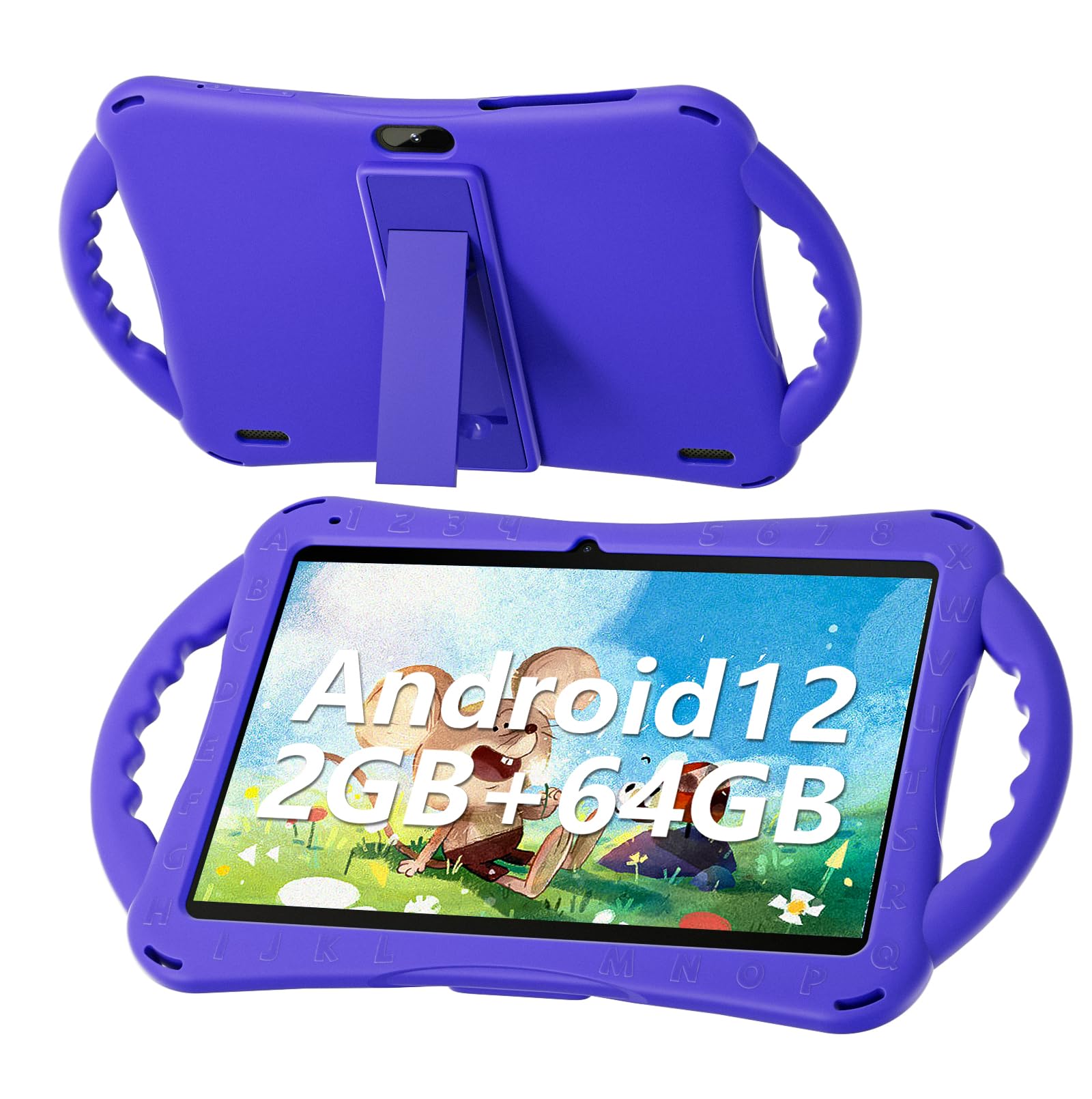
Figure 1: SGIN E10P Kids Tablet with its protective case.
2. Produktua amaitu daview
Familiarize yourself with the physical components of your SGIN E10P Kids Tablet.

Figure 2: Labeled diagram of the SGIN E10P Kids Tablet components.
- Aurrealdeko kamera: Bideo-deietarako eta selfieetarako.
- Atzeko kamera: Argazkiak eta bideoak ateratzeko.
- Hizlariak: Audio irteera.
- C motako ataka: Kargatzeko eta datuak transferitzeko.
- TF txartelaren zirrikitua: For expanding storage with a microSD card.
- Aurikularrak Jack: Kable bidezko entzungailuak konektatzeko.
- Handitu bolumena: Button to raise the audio level.
- Murriztu bolumena: Button to lower the audio level.
- Bracket (Kickstand): Esku libreko euskarri integratua viewing.
- Armrest (Handle): Ergonomic handles on the protective case for easy gripping.
3. Konfigurazioa
3.1 Tableta kargatzea
Before first use, fully charge the tablet. Connect the USB Type-C cable to the tablet's Type-C port and the other end to the power adapter. Plug the power adapter into a wall outlet. The battery indicator on the screen will show charging status. A full charge typically takes several hours.
3.2 Piztu/Itzaltzea
- Pizteko: Press and hold the Power button (usually located on the side or top edge) until the SGIN logo appears on the screen.
- Itzaltzeko: Press and hold the Power button until a menu appears. Select "Power off" from the options.
- Berrabiarazteko: Press and hold the Power button until a menu appears. Select "Restart" from the options.
3.3 Hasierako konfigurazioa
The first time you power on the tablet, you will be guided through an initial setup process:
- Hizkuntza hautaketa: Aukeratu zure hizkuntza hobetsia.
- Wi-Fi konexioa: Hautatu zure Wi-Fi sarea eta idatzi pasahitza internetera konektatzeko.
- Google kontua: Sign in with an existing Google account or create a new one. This is necessary for downloading apps from the Google Play Store.
- Data eta ordua: Ezarri data eta ordu zuzena, edo utzi sareari automatikoki ezartzen.
- Gurasoen kontrolak: Configure Google Kids Space or other parental control features to manage content and screen time for children.
4. Tabletaren erabilera
4.1 Oinarrizko nabigazioa
The SGIN E10P tablet uses a touch-sensitive screen for navigation:
- Sakatu: Ukitu pantaila behin aplikazio bat irekitzeko, elementu bat hautatzeko edo botoi bat sakatzeko.
- Eduki sakatuta: Eduki sakatuta elementu bat aukera gehigarrietara sartzeko edo mugitzeko.
- Pasatu hatza: Arrastatu hatza pantailan zehar orrialdeetan edo zerrendetan zehar mugitzeko.
- Zoom egiteko apur bat egin: Jarri bi hatz pantailan eta elkartu itzazu handitzeko, edo elkartu itzazu txikitzeko.
4.2 Wi-Fi konexioa
To connect or manage Wi-Fi networks:
- Joan zaitez Ezarpenak > Sarea eta Internet > Wi-Fi.
- Wi-Fia aktibatu/desaktibatu On.
- Hautatu nahi duzun sarea zerrendatik eta idatzi pasahitza eskatzen bazaizu.

Figure 3: The tablet supports both 2.4GHz and 5GHz Wi-Fi for stable connections.
4.3 Applications and Content
The tablet runs on Android 12 and comes with access to the Google Play Store, allowing you to download a wide range of applications. It is pre-configured for children's use, supporting apps like YouTube Kids, educational games, and other child-friendly content.

Figure 4: The Android 12 interface with various pre-installed and downloadable kids' apps.
4.4 Gurasoen kontrolak
Utilize the built-in parental control features to manage your child's tablet experience. This includes setting screen time limits, filtering content, and approving app downloads. Access these settings through the Google Family Link app or directly in the tablet's settings under "Digital Wellbeing & parental controls."
5. Mantentzea
5.1 Garbiketa
- Pantaila: Erabili elektronikarako bereziki diseinatutako oihal leun eta lint-gabea. Orban egoskorretarako, apur bat lehortuampGarbitu oihal bat urarekin edo pantaila garbitzeko disoluzio batekin (ez ihinztatu zuzenean pantailan).
- Kasua: The silicone protective case can be wiped with a damp cloth and mild soap if necessary. Ensure it is completely dry before reattaching it to the tablet.
- Portuak: Keep all ports (USB-C, headphone jack, TF card slot) free of dust and debris. Use a soft brush or compressed air if needed.
5.2 Bateria zaintzea
The tablet is equipped with a 5000mAh battery, providing extended usage time.

Figure 5: The tablet features a 5000mAh battery for prolonged use.
- Saihestu tenperatura muturrekoak, bateriaren iraupena murriztu baitezakete.
- Use only the provided charger and cable to prevent damage.
- Bateriaren iraupen optimoa lortzeko, saihestu bateria maiz erabat hustea edo denbora luzez % 100eko kargarekin edukitzea.
5.3 Biltegiratzea
Store the tablet in a cool, dry place away from direct sunlight and moisture when not in use.
6. Arazoak
This section addresses common issues you might encounter with your SGIN E10P tablet.
6.1 tableta ez da pizten
- Ensure the tablet is sufficiently charged. Connect it to the charger for at least 30 minutes before attempting to power it on again.
- Berrabiarazte behartua egiteko, sakatu eta eutsi pizteko botoia 10-15 segundoz.
6.2 Wi-Fi konexio arazoak
- Check if Wi-Fi is enabled in the tablet's settings.
- Verify that your Wi-Fi router is working correctly and other devices can connect.
- Forget the network in the tablet's Wi-Fi settings and reconnect.
- Restart both the tablet and your Wi-Fi router.
6.3 Aplikazioak kraskatzen edo izozten dira
- Itxi eta berriro ireki aplikazioa.
- Garbitu aplikazioaren cachea eta datuak Ezarpenak > Aplikazioak > [Aplikazioaren izena] > Biltegiratzea eta cachea.
- Ensure the app is updated to its latest version via the Google Play Store.
- Berrabiarazi tableta.
6.4 Errendimendu motela
- Itxi behar ez diren atzeko planoko aplikazioak.
- Clear cached data from apps and the system.
- Ensure there is sufficient storage space available. Delete unused apps or files.
- Consider performing a factory reset as a last resort (Oharra: This will erase all data on the tablet. Back up important filelehenengoak).
7. Zehaztapenak
Key technical specifications for the SGIN E10P Kids Tablet:
| Ezaugarri | Zehaztapena |
|---|---|
| Marka | SGIN |
| Modelo zenbakia | E10P |
| Pantailaren tamaina | 10 hazbete |
| Pantailaren bereizmena | 1280 x 800 |
| Prozesadorea | 1.5 GHz Allwinner Quad-core A133 |
| RAM | 2 GB |
| Biltegiratzea (ROM) | 64 GB |
| Biltegiratze zabalgarria | TF Card Slot (for additional expansion) |
| Sistema eragilea | Android 12 |
| Atzekoa Webkamaren ebazpena | 5 MP |
| Aurrealdeko kamera | 2 MP |
| Bateria Edukiera | 5000 mAh |
| Konektibitatea | 2.4G/5G WiFi, Bluetooth 4.2 |
| Neurriak (LxWxH) | 10.1 x 6 x 0.4 hazbete |
| Elementuaren pisua | 2.27 kilo |
8. Bermea eta Laguntza
SGIN provides a 1-year maintenance period from the date of purchase for this product. If you encounter any issues or require assistance, please contact SGIN customer support.
For further support, please refer to the contact information provided with your purchase documentation or visit the official SGIN webgunea.