
EBTOOLS EBTOOLSpxvk7fmb38
EBTOOLS LGA 1155 Motherboard User Manual
Model: EBTOOLSpxvk7fmb38
Produktua amaituview
The EBTOOLS LGA 1155 Motherboard is designed for desktop PC systems, offering robust performance and extensive connectivity. It features a multiphase power chipset for stable CPU performance and supports 2nd/3rd generation LGA1155 Pin Series Processors. This Mini ITX motherboard provides a high-definition visual experience through its VGA and HD Multimedia Interface outputs.
Ezaugarri nagusiak hauek dira:
- LGA 1155 CPU Slot: Designed for stable performance with compatible processors.
- Multiphase Power: Ensures stable and accurate power delivery to the CPU.
- HD Interfaces: Equipped with VGA and HD Multimedia Interface for digital HD video output.
- Channel DDR3: Features a DDR3 memory slot to enhance motherboard performance.
- Konektibitate zabala: Includes 6 USB2.0 interfaces and 4 SATA2.0 interfaces for various peripherals and storage devices.
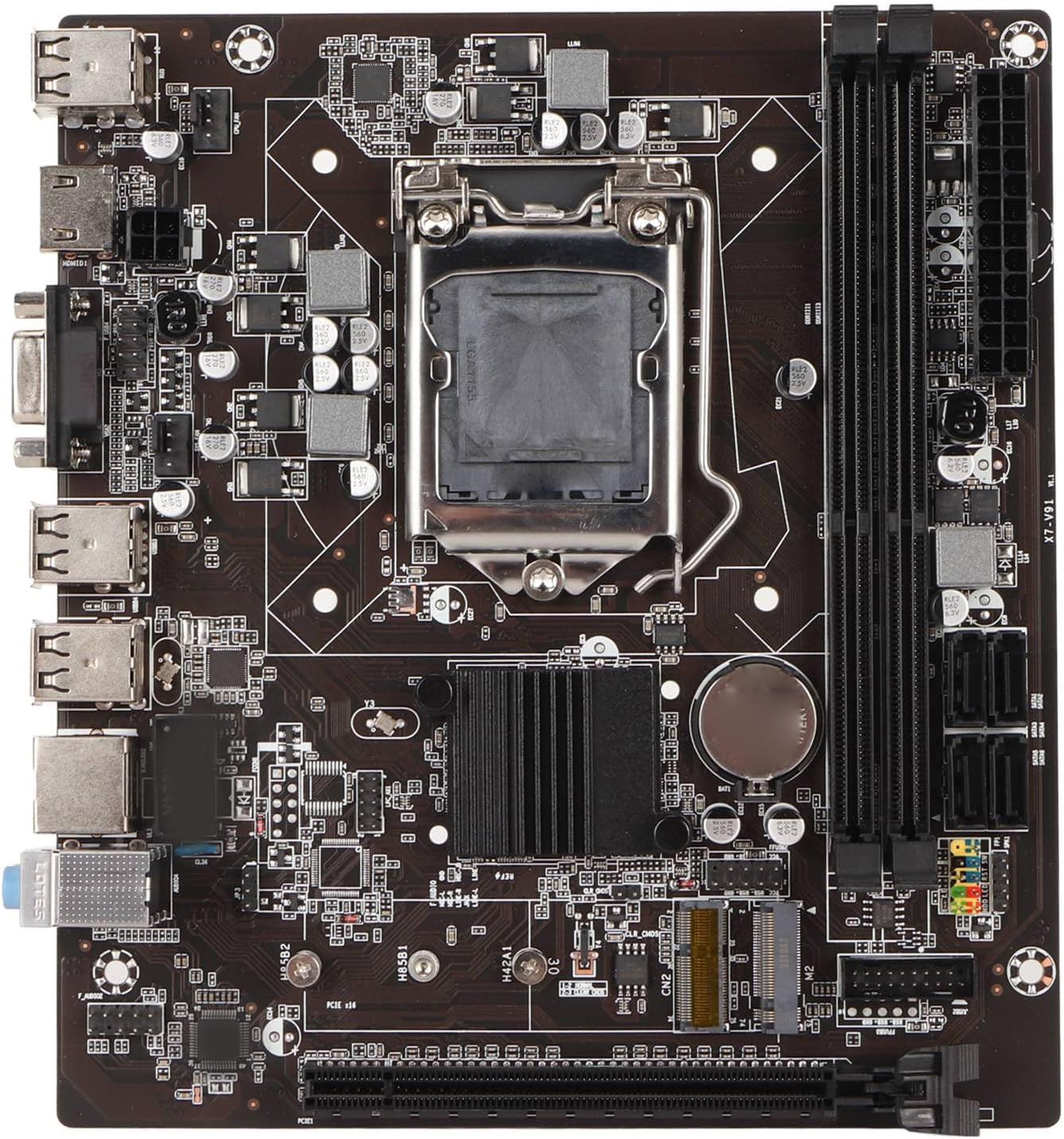
1. irudia: Goitik behera view of the EBTOOLS LGA 1155 Motherboard, showing the CPU socket, RAM slots, and various ports.
Konfigurazioa eta Instalazioa
This section provides instructions for installing your EBTOOLS LGA 1155 Motherboard into a compatible PC case and connecting essential components.
Paketearen edukia
Before beginning installation, ensure all components listed below are present in your package:
- 1 x LGA 1155 Motherboard
- 1 x Metal I/O Plate
- 1 x Connecting Wire (likely SATA data cable)

Figure 2: The motherboard alongside its included metal I/O plate and a connecting wire, typically a SATA data cable.
Instalazio urratsak
- Prestatu kasua: Ensure your PC case is compatible with Mini ITX motherboards. Install the metal I/O plate into the designated slot at the rear of the case.
- Instalatu CPUa: Carefully open the CPU socket retention arm. Align the triangular marker on your LGA 1155 processor with the corresponding marker on the motherboard's socket. Gently place the CPU into the socket, ensuring it sits flush. Close the retention arm to secure the CPU.
- CPU hozkailua instalatu: Apply thermal paste to the CPU (if not pre-applied on the cooler). Mount your compatible LGA 1155 CPU cooler according to its manufacturer's instructions.
- RAM memoria instalatu: Open the clips on the DDR3 memory slots. Align the notch on your DDR3 RAM module with the key in the slot. Press firmly on both ends of the RAM module until the clips snap into place. This motherboard supports 2 x DDR3 slots.
- Muntatu plaka basea: Carefully place the motherboard into the PC case, aligning the screw holes on the motherboard with the standoffs in the case. Secure the motherboard with screws.
- Konektatu energia: Connect the 24-pin ATX power connector from your power supply to the motherboard. Connect the 4-pin or 8-pin CPU power connector (if applicable) to the motherboard.
- Konektatu biltegiratze gailuak: Use the provided connecting wire (SATA cable) to connect your SATA storage devices (HDD/SSD) to the SATA2.0 ports on the motherboard. This motherboard has 4 SATA2.0 interfaces.
- Konektatu aurrealdeko paneleko kableak: Connect the power button, reset button, USB ports, and audio jacks from your PC case's front panel to the corresponding headers on the motherboard. Refer to your case manual for specific pin layouts.
- Hedapen-txartelak instalatu: If using a dedicated graphics card or other expansion cards, insert them into the PCIE X16 slot or other extended interfaces (1 x , 1 x M.2) as needed.
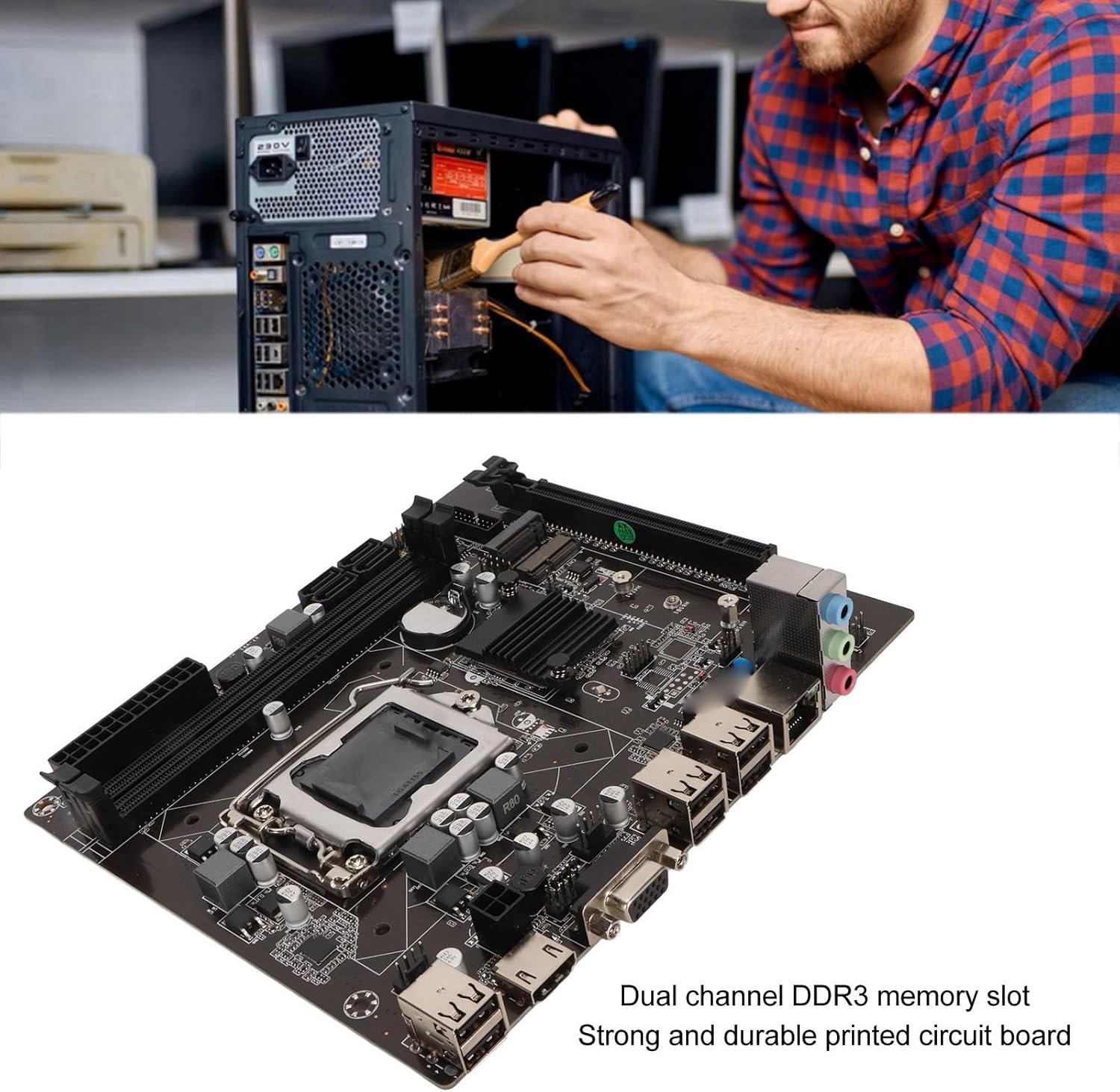
Figure 3: A user performing an installation within a PC case, demonstrating the typical environment for motherboard setup.

4. irudia: Xehetasuna view of the LGA 1155 CPU socket and adjacent DDR3 memory slots, crucial areas for component installation.
Funtzionamendu-jarraibideak
Once the motherboard and other components are installed, the system is ready for operation. This motherboard supports various operating systems compatible with 2nd/3rd Gen LGA1155 processors.
BIOS/UEFI konfigurazioa
Upon first boot, you may need to enter the BIOS/UEFI setup to configure boot order, system time, and other settings. Typically, you can access the BIOS by pressing DEL or F2 during the initial boot screen.
Gidariaren instalazioa
After installing your operating system, it is essential to install the necessary drivers for the motherboard's components, including chipset, network card, and integrated graphics (if used). These drivers are usually provided on a CD/DVD with the motherboard or can be downloaded from the manufacturer's webgunea.
Konektibitatea
Utilize the available ports for your peripherals:
- USB 2.0 portuak: For connecting keyboards, mice, external drives, and other USB devices.
- VGA/HD Multimedia Interface: For connecting displays.
- Ethernet ataka: For wired network connectivity (100M Netword Card).
- Audio-konektoreak: Bozgorailu, entzungailu eta mikrofonoetarako.
Mantentzea
Mantentze egokiak zure plaka basearen bizitza luzatu eta sistemaren errendimendu egonkorra bermatu dezake.
- Mantendu garbi: Regularly clean dust from inside your PC case, especially from the motherboard and CPU cooler fins, using compressed air. Dust accumulation can lead to overheating.
- Ziurtatu aire fluxu egokia: Make sure your PC case has adequate ventilation and that fans are functioning correctly to prevent heat buildup.
- BIOS eguneraketak: Aldian-aldian egiaztatu fabrikatzailearen webBIOS/UEFI eguneratzeetarako gunea. Eguneratzeek bateragarritasuna, egonkortasuna eta errendimendua hobetu ditzakete. Jarraitu eguneratze-argibideak arretaz.
- Gidarien eguneraketak: Mantendu sistemaren kontrolatzaileak eguneratuta errendimendu optimoa eta software eta hardware berriekin bateragarritasuna bermatzeko.
- CMOS Bateria: The motherboard uses a CR2032 battery for CMOS settings. If your system consistently loses time or BIOS settings, the battery may need replacement.
Arazoak konpontzea
Atal honek zure plaka basearekin izan ditzakezun arazo ohikoenak jorratzen ditu.
- Argindarrik ez/Abiorik ez:
- Check all power connections (24-pin ATX, CPU power).
- Ziurtatu energia-iturria funtzionatzen duela eta piztuta dagoela.
- Egiaztatu aurrealdeko paneleko pizteko botoiaren konexioa plaka basearekin.
- Ez dago pantailarik:
- Ensure the monitor is connected to the correct video output (VGA or HD Multimedia Interface).
- Reseat RAM modules. Try booting with one RAM stick if you have multiple.
- Reseat the CPU and check for bent pins (handle with extreme care).
- If using a dedicated graphics card, ensure it is properly seated and has power.
- Sistemaren ezegonkortasuna/matxurak:
- Egiaztatu CPU eta GPU tenperaturak. Ziurtatu hozte egokia dagoela.
- Exekutatu memoriaren diagnostiko tresnak RAM akastuna egiaztatzeko.
- Ziurtatu kontrolatzaile guztiak behar bezala instalatuta eta eguneratuta daudela.
- Check for loose connections or components.
- Ez dira ezagutzen USB gailuak:
- Ziurtatu USB kontrolatzaileak instalatuta daudela.
- Probatu USB ataka desberdinak.
- Check BIOS settings for USB controller enablement.
Zehaztapenak
Detailed technical specifications for the EBTOOLS LGA 1155 Motherboard:
| Ezaugarri | Zehaztapena |
|---|---|
| Elementu mota | LGA 1155 plaka nagusia |
| Materiala | Printed Circuit Board, Metal |
| Bateria integratua | CR2032 x 1 (240mAh) |
| CPU euskarria | 2nd/3rd Gen LGA1155 Pin Series Processors (for Celeron, for , for Core) |
| Chipset | H61 Chipset Series |
| Memoria zirrikitua | 2 x DDR3 |
| Gehienezko Memoria Edukiera | 16 GB |
| USB Interfazea | 6 x USB2.0, USB Pin x 1 |
| SATA interfazea | 4 x SATA2.0 |
| Sare Txartela | 100M Network Card |
| Graphics Card Slot | 1 x PCIE X16 |
| Interfaze hedatua | 1 x , 1 x M.2 |
| Paketearen neurriak | 10.2 x 7.83 x 2.05 hazbete |
| Elementuaren pisua | 1.16 kilo |
| Modelo zenbakia | EBTOOLSpxvk7fmb38 |
| ASIN | B0CKVL89BD |

Figure 5: An angled perspective of the motherboard, showcasing its compact Mini ITX form factor and port layout.
Bermea eta Laguntza
For warranty information and technical support, please refer to the official EBTOOLS webwebgunean edo jarri harremanetan bezeroarentzako arreta-zerbitzuan. Gorde erosketa-agiria erosketaren frogagiri gisa.
While specific warranty details are not provided in this manual, general product warranties typically cover manufacturing defects for a limited period from the date of purchase.
For additional protection, consider the available protection plans:
- 3 Urteko Babes Plana
- 4 Urteko Babes Plana
- Babes osoa (hileko plana)
These plans are offered separately and provide extended coverage beyond the standard manufacturer's warranty.
Fabrikatzailea: EBTOOLS
Lehen eskuragarri dagoen data: 11ko urriaren 2023a
Produktu Ofizialaren Bideoak
Ez dago saltzailearen produktuaren bideo ofizialik eskuragarri une honetan.