
Sarrera
This manual provides comprehensive instructions for the safe and efficient use of your DOOGEE N50PRO smartphone. Please read this manual thoroughly before operating your device and retain it for future reference. The DOOGEE N50PRO is an Android 13 smartphone equipped with an Octa-Core processor, a 6.52-inch HD+ display, a 50MP main camera, a 4200mAh battery, and supports 4G Dual SIM, Face ID, and Fingerprint ID.
Paketearen edukia
Egiaztatu elementu hauek guztiak zure produktuaren paketean sartuta daudela:
- DOOGEE N50PRO Smartphone
- Enbalatzeko Kutxa
- Kargagailua (9V / 2A)
- USB motako kablea
- SIM txartelaren PINa
- Pre-applied TP Protective Film
- Erabiltzailearen eskuliburua (dokumentu hau)
Konfigurazioa
1. SIM txartelaren eta TF txartelaren instalazioa
The DOOGEE N50PRO supports dual Nano SIM cards or one Nano SIM card and one TF (MicroSD) card for expandable storage up to 1TB. Ensure the device is powered off before inserting or removing cards.
- Aurkitu SIM txartelaren erretilua telefonoaren alboan.
- Insert the SIM card pin into the small hole next to the tray to eject it.
- Kontu handiz atera erretilua.
- Jarri Nano SIM txartela(k) eta/edo TF txartela erretiluko zirrikituetan. Ziurtatu urre koloreko kontaktuak behera begira daudela.
- Sartu erretilua telefonoan astiro-astiro, bere lekuan klik egin arte.
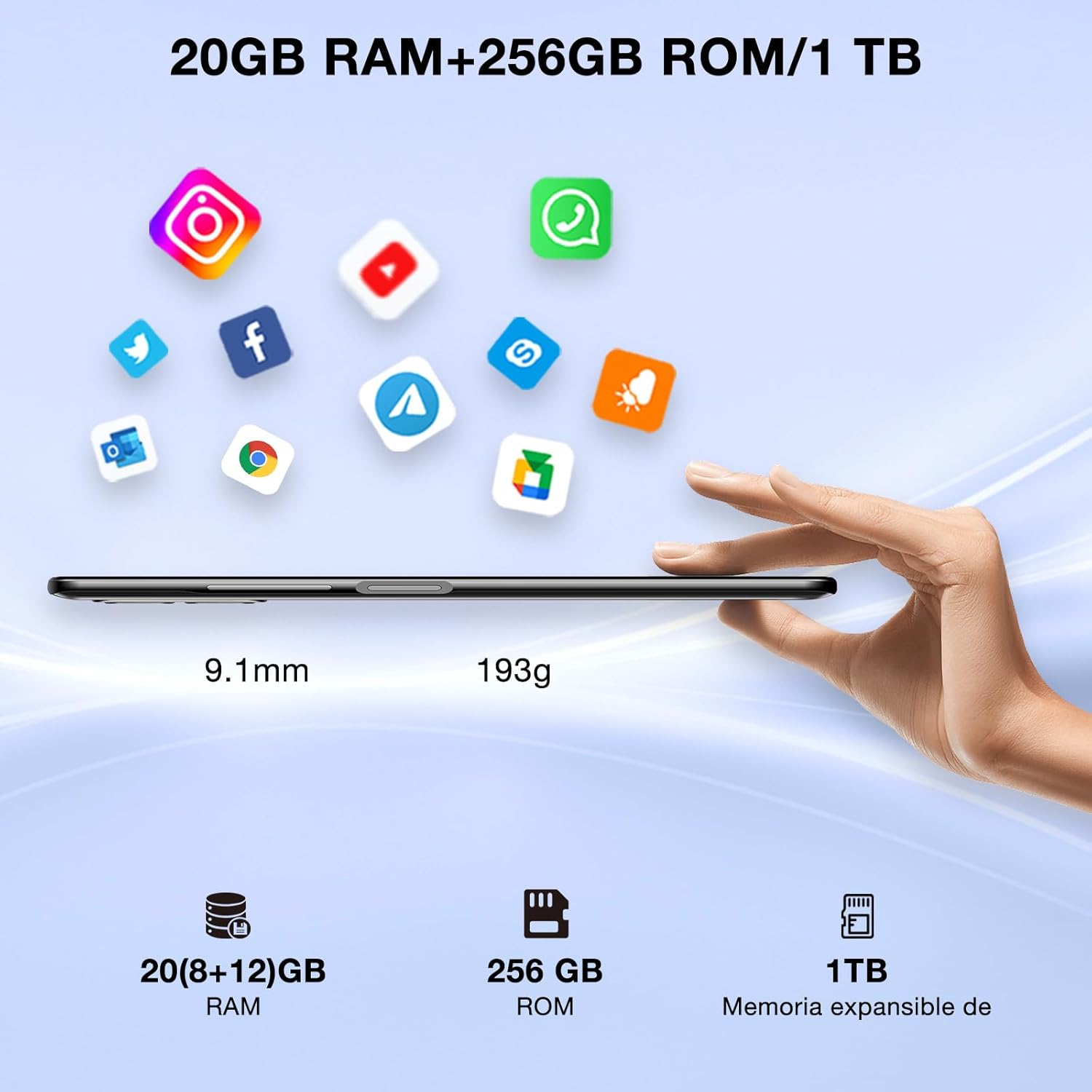
Image: DOOGEE N50PRO smartphone showing its slim profile (9.1mm), weight (193g), and memory configuration (20GB RAM, 256GB ROM, 1TB expandable memory).
2. Hasierako piztea
Press and hold the Power button located on the side of the device until the DOOGEE logo appears. Follow the on-screen prompts to complete the initial setup, including language selection, Wi-Fi connection, and Google account setup.
3. Bateria kargatzea
Before first use, it is recommended to fully charge the device. Connect the USB Type-C cable to the phone's charging port and the other end to the provided 9V/2A charger. Plug the charger into a power outlet. The charging indicator will appear on the screen.

Image: DOOGEE N50PRO connected to a charger, illustrating its 4200mAh battery capacity and 18W fast charging capability. The image also highlights OTG reverse charging.
Funtzionamendu-argibideak
1. Basic Navigation and Android 13 Features
Your DOOGEE N50PRO runs on Android 13, offering an intuitive user experience. Swipe down from the top of the screen to access the notification panel and quick settings. Customize your control center and direct access operations for efficient use of various functions.

Image: Visual representation of the DOOGEE N50PRO's internal components, highlighting the Spreadtrum T606 Octa-Core processor with 1.6GHz high frequency and 12nm advanced technology, running on Android 13.
2. Security Features: Face ID and Fingerprint ID
Enhance your device's security and convenience with advanced biometric authentication:
- Aurpegiaren IDa: Register your face to unlock the phone by simply looking at the front camera.
- Hatz-marka IDa: Register your fingerprint(s) to unlock the phone or authorize purchases with a touch. The fingerprint sensor is typically located on the side or back of the device.

Image: A user demonstrating Face ID unlock and a close-up of the Fingerprint ID sensor on the DOOGEE N50PRO, showcasing its multi-function security features.
3. Kameraren erabilera
The DOOGEE N50PRO features a triple camera system:
- 50 MP-ko kamera nagusia: Bereizmen handiko argazkietarako.
- 8 MP-ko aurrealdeko kamera: Selfieetarako eta bideo-deietarako.
- 2 MP-ko makro kamera: Xehetasun handiko plano hurbilak lortzeko.
Access the Camera app from your home screen or app drawer. Explore various modes such as Panorama, Portrait, and Night mode to capture different scenes effectively.

Image: Diagram illustrating the DOOGEE N50PRO's dual AI camera setup, featuring a 50MP main camera, an 8MP front camera, and a 2MP macro camera. Sample photos taken with the 50MP main and 8MP front cameras are also shown.
4. Konektibitatea
- Wi-Fi: Supports 2.4G/5G Wi-Fi for fast and stable internet connection. Go to Settings > Network & internet > Wi-Fi to connect to available networks.
- Bluetooth 5.0: For connecting wireless accessories like headphones or speakers. Go to Settings > Connected devices > Bluetooth.
- OTG (Edonora Eramateko): Allows the phone to act as a host to connect USB devices like flash drives or external keyboards. It also supports reverse charging for other devices.
- Nabigazioa: Integrated GPS, GLONASS, BeiDou, and Galileo for accurate location services.
- FM irratia: Use the built-in FM radio feature (requires headphones to act as an antenna).
- 3.5 mm aurikularretarako konektua: Kable bidezko audio osagarrietarako.
5. Gurasoen kontrola
The device includes parental control features, allowing you to monitor and manage screen time and application usage for children. Access these settings through the device's system settings to balance usage effectively.
Mantentzea
1. Bateria zaintzea
- Saihestu bateria muturreko tenperaturetan (beroan edo hotzean) jartzea.
- Do not fully discharge the battery frequently. Charge it before it drops below 20%.
- Use only the provided charger and cable to prevent damage.
2. Garbiketa
Erabili zapi leun eta pelusik gabeko bat telefonoaren pantaila eta gorputza garbitzeko. Saihestu produktu kimiko gogorrak edo material urratzaileak erabiltzea. Orban egoskorrak lortzeko, garbitu apur batampGarbitu oihal bat urarekin edo elektronikarako diseinatutako pantaila-garbitzaile batekin.
3. Software eguneraketak
Egiaztatu eta instalatu software eguneraketak aldizka, zure gailuak azken funtzioak, segurtasun adabakiak eta errendimendu hobekuntzak dituela ziurtatzeko. Joan Ezarpenak > Sistema > Sistemaren eguneraketa atalera.
Arazoak konpontzea
- Gailua ez da pizten: Ziurtatu bateria kargatuta dagoela. Konektatu kargagailua eta itxaron minutu batzuk berriro pizten saiatu aurretik.
- Pantailak ez du erantzuten: Saiatu gailua berrabiarazten pizteko botoia 10-15 segundoz sakatuta edukiz.
- Sareko arazoak: Check if your SIM card is properly inserted. Try toggling Airplane Mode on and off. If issues persist, contact your mobile service provider.
- Aplikazioak huts egiten ari dira: Clear the cache of the problematic app (Settings > Apps > [App Name] > Storage & cache > Clear cache). If the issue continues, consider reinstalling the app.
- Errendimendu motela: Close unused apps, clear cache, or consider a factory reset as a last resort (back up your data first).
Zehaztapenak
| Ezaugarri | Zehaztapena |
|---|---|
| Ereduaren izena | DOOGEE N50PRO |
| Sistema eragilea | Android 13.0 |
| Prozesadorea | Octa-Core (Spreadtrum T606) |
| RAM | 20 GB (Extended Memory) |
| Barne biltegiratzea (ROM) | 256 GB |
| Biltegiratze zabalgarria | Up to 1 TB (TF Card) |
| Bistaratzeko tamaina | 6.52 hazbete |
| Bistaratzeko ebazpena | HD+ (720x1600) |
| Kamera Nagusia | 50 MP |
| Aurrealdeko kamera | 8 MP |
| Makro kamera | 2 MP |
| Bateria Edukiera | 4200 mAh |
| Kargatzen | 18W-ko C motako kargatze azkarra |
| Teknologia Zelularra | 4G |
| SIM txartela mota | Nano SIM (SIM bikoitzaren laguntza) |
| Konektibitatea | Wi-Fi (2.4G/5G), Bluetooth 5.0, OTG, FM Radio |
| Nabigazioa | GPS, GLONASS, BeiDou, Galileo |
| Segurtasun Ezaugarriak | Face ID, Fingerprint ID |
| Neurriak | 165.8 x 76.2 x 9.1 mm |
| Pisua | 187 g |
| Aurikularretarako Jack | 3.5 mm |
| Hitzaldi Denbora | Gehienez 16 ordu |

Image: The DOOGEE N50PRO's 6.52-inch Waterdrop HD+ display, showing its 720x1600 resolution, 20:9 aspect ratio, and 86% screen-to-body ratio.
Bermea eta Laguntza
1. Bermearen informazioa
Your DOOGEE N50PRO smartphone comes with a two-year official warranty from the date of purchase. Please retain your proof of purchase for warranty claims. This warranty covers manufacturing defects and malfunctions under normal use conditions.
2. Bezeroarentzako arreta
For technical assistance, warranty claims, or further inquiries, please contact DOOGEE customer support through their official website or the contact information provided with your purchase. Ensure you have your device model number and proof of purchase ready when contacting support.