
1. Sarrera
This manual provides detailed instructions for the MEETION MT-M915 USB Gaming Mouse with Backlight. Please read this guide thoroughly before using the product to ensure correct installation, optimal performance, and to understand its features. This mouse is designed for gaming and general computer use, offering reliable performance and a comfortable design.
2. Paketearen edukia
- MEETION MT-M915 USB Gaming Mouse
- Argibide eskuliburua (dokumentu hau)
3. Sistemaren eskakizunak
- Operating System: Windows XP, Linux
- Compatible Devices: Personal Computer, Laptop
- USB ataka eskuragarria
4. Konfigurazioa
4.1 Sagua konektatzea
- Bilatu erabilgarri dagoen USB ataka zure ordenagailuan edo ordenagailu eramangarrian.
- Plug the USB connector of the MEETION MT-M915 mouse into the USB port.
- The operating system will automatically detect and install the necessary drivers. This is a plug-and-play device, so no additional software installation is typically required.
- The mouse backlight will illuminate upon successful connection.
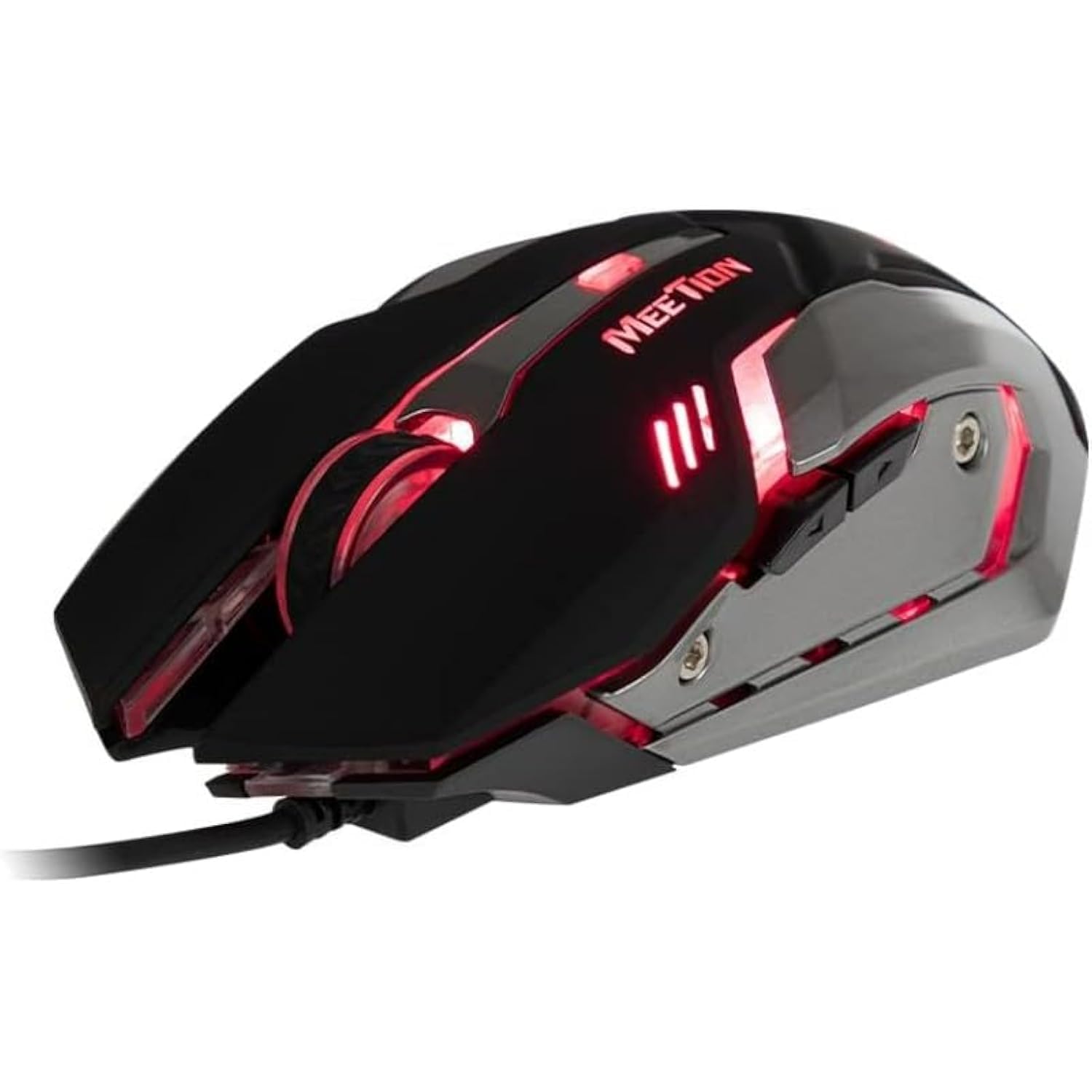
1. irudia: Aldea view of the MEETION MT-M915 mouse with red backlight.
5. Sagua erabiltzea
5.1 Oinarrizko funtzioak
- Ezkerreko klik: Primary action button, typically used for selecting items, opening files, or interacting with software.
- Egin klik eskuineko botoiarekin: Secondary action button, typically used for opening context menus or accessing additional options.
- Korritzeko gurpila: Dokumentuetan zehar nabigatzeko erabiltzen da eta web orrialdeak. Erdiko klik egiteko botoia ere erabil daiteke.
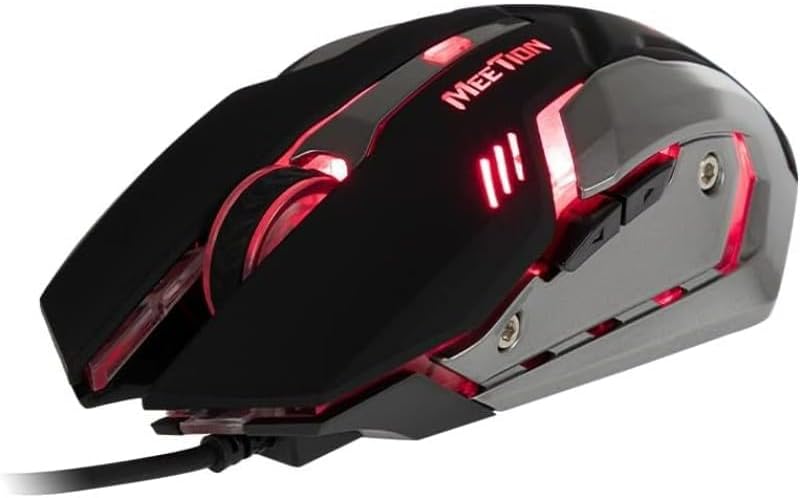
2. irudia: Goitik behera view of the MEETION MT-M915 mouse, showing button layout.
5.2 Atzeko argiaren funtzionamendua
The MEETION MT-M915 mouse features an integrated backlight. The backlight activates automatically when the mouse is connected to a powered USB port. The color of the backlight may vary or cycle through different colors, as shown in Figure 3.

3. irudia: Aldea view of the MEETION MT-M915 mouse with purple backlight.
5.3 Diseinu anbidextroa
The mouse is designed for ambidextrous use, meaning it can be comfortably used by both left-handed and right-handed individuals.
6. Mantentzea
6.1 Garbiketa
- Deskonektatu sagua ordenagailutik garbitu aurretik.
- Erabili zapi leun eta lehor bat saguaren gainazala garbitzeko.
- Zikinkeria egoskorrerako, apur bat lehortuampGarbitu zapi bat urarekin edo garbiketa-soluzio leun batekin. Saihestu produktu kimiko gogorrak.
- Ez utzi likidorik saguaren barrura sartzen.asing.
6.2 Biltegiratzea
Denbora luzez erabiltzen ez duzunean, gorde sagua leku fresko eta lehor batean, eguzki-argitik eta muturreko tenperaturetatik babestuta.
7. Arazoak
7.1 Saguak ez du erantzuten
- Ziurtatu USB kablea ondo konektatuta dagoela ordenagailuko USB ataka funtzional batean.
- Saiatu sagua beste USB ataka batera konektatzen.
- Berrabiarazi ordenagailua.
- Test the mouse on another computer to determine if the issue is with the mouse or your computer's USB ports.
7.2 Atzeko argia ez dabil
- Verify the mouse is properly connected to a powered USB port.
- If the mouse functions but the backlight does not, there might be an internal issue. Contact customer support if the mouse is still under warranty.
7.3 Kurtsorearen mugimendu irregularra
- Ensure the optical sensor on the bottom of the mouse is clean and free from dust or debris.
- Use the mouse on a clean, uniform surface. Avoid highly reflective or transparent surfaces.
- Saiatu ordenagailua berrabiarazten.
8. Zehaztapenak
| Ezaugarri | Xehetasuna |
|---|---|
| Marka | BILERA |
| Ereduaren izena | MT-M915 |
| Fabrikatzailearen eredu-zenbakia | CE ELECTRON-559 |
| Konektibitate Teknologia | USBa |
| Mugimendua detektatzeko teknologia | Optikoa |
| Eskuen Orientazioa | Anbidistroa |
| Ezaugarri bereziak | Arinak |
| Produkturako gomendatutako erabilerak | Jolasa |
| Gailu bateragarriak | Ordenagailu pertsonala, ordenagailu eramangarria |
| Sistema eragilea | Linux, Windows XP |
| Elementuaren pisua | 50 gramo |
| Paketearen neurriak | 20.7 x 14.3 x 6.1 cm |
| Pilak barne | Ez |
9. Bermea eta Laguntza
9.1 Bermearen informazioa
This product is covered by a standard manufacturer's warranty. Please refer to the warranty card included with your purchase or contact your retailer for specific warranty terms and conditions.
9.2 Bezeroarentzako laguntza
For technical assistance, troubleshooting, or warranty claims, please contact the retailer where you purchased the product or visit the official MEETION weblaguntza baliabideen gunea.