
1. Sarrera
Thank you for choosing Hapadif Motorized Blinds. This manual provides essential information for the safe and efficient installation, operation, and maintenance of your new motorized blinds. Please read these instructions thoroughly before use and retain them for future reference.
The Hapadif K230 Motorized Blinds offer convenient light control and privacy with features such as remote operation, smart home integration, and solar charging capabilities. Their cordless design enhances safety, making them suitable for homes with children and pets.
2. Segurtasun informazioa
- Ensure all installation steps are followed correctly to prevent the blinds from falling.
- Keep the remote control out of reach of children to prevent unintended operation.
- Do not attempt to manually force the blinds up or down when the motor is engaged.
- Avoid exposing the motor unit or solar panel to extreme temperatures or direct water spray.
- The cordless design eliminates entanglement hazards, making these blinds safer for households with children and pets.

3. Paketearen edukia
Mesedez, egiaztatu osagai guztiak daudela instalazioa hasi aurretik:
- Motorized Blind Unit
- Remote Control (15-channel)
- Eguzki-panela
- Muntatzeko euskarriak eta torlojuak
- Erabiltzailearen eskuliburua (dokumentu hau)
- USB Charging Cable (for direct battery charging)
4. Instalazioa
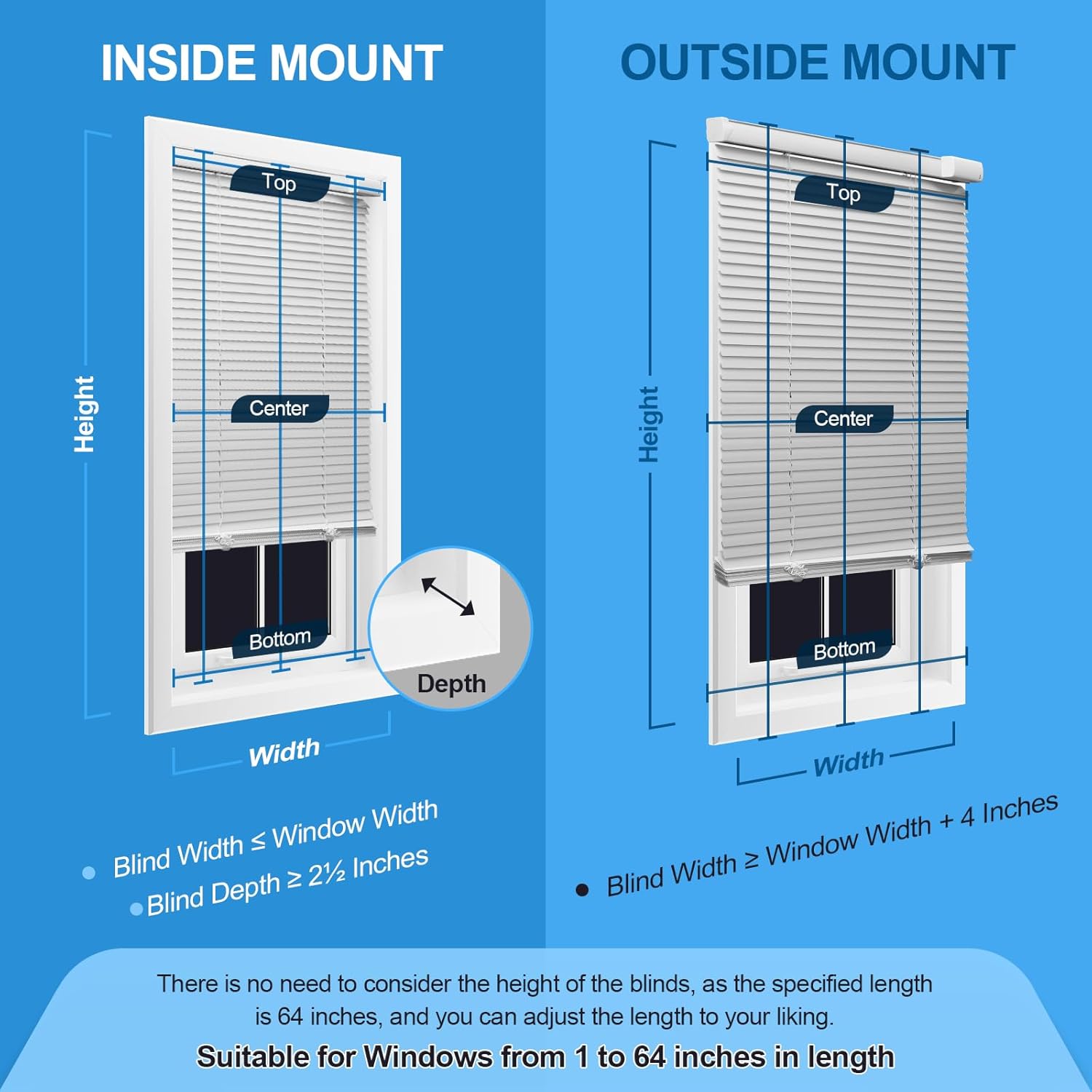
4.1 Mounting Options: Inside Mount vs. Outside Mount
Determine whether to install the blinds inside the window frame (Inside Mount) or outside the window frame (Outside Mount) based on your window dimensions and aesthetic preference.

4.2 Instalazio Urrats Orokorrak
- Neurria: Carefully measure your window according to the chosen mounting type.
- Markatu: Mark the positions for the mounting brackets on the window frame or wall.
- Zulagailua: Egin zulo pilotuak markatutako posizioetan.
- Erantsi euskarriak: Secure the mounting brackets using the provided screws.
- Install Blinds: Carefully attach the motorized blind unit to the installed brackets.
- Connect Solar Panel (Optional): If using the solar panel, attach it to a sunny location on the window and connect its cable to the blind unit.
4.3 Eguzki Panelen Instalazioa
The included solar panel can be attached to the window glass or frame in a location that receives ample sunlight. Ensure the cable reaches the charging port on the blind unit. For optimal charging, position the solar panel where it receives direct sunlight for several hours daily.

5. Funtzionamendua
5.1 Urruneko kontrolaren funtzionamendua
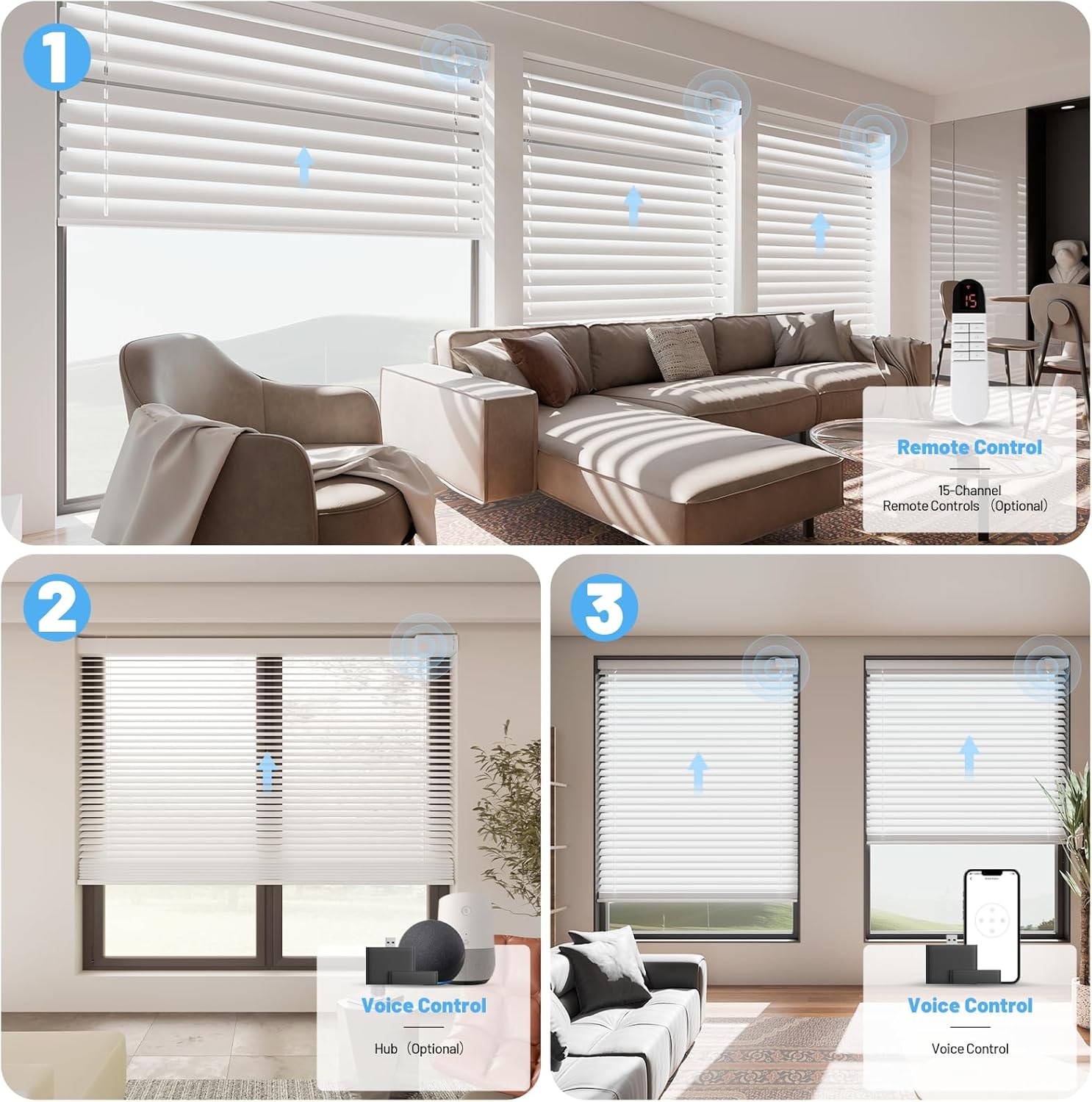
The 15-channel remote control allows you to operate individual blinds or groups of blinds simultaneously. Refer to the remote control's specific instructions for pairing and programming multiple blinds.


5.2 Smart Home Integration (Optional Hub Required)
For advanced control, the blinds can be integrated into smart home systems like Alexa or Google Assistant via an optional hub. This enables voice control, app control, and scheduling features.

5.3 Adjusting Light and Privacy
The blinds offer three primary positions for light and privacy control:
- Ireki: Slats are fully open, allowing maximum light and visibility.
- Half-Open: Slats are partially tilted, providing filtered light and partial privacy.
- Itxita: Slats are fully closed, offering blackout conditions and complete privacy.


5.4 Video Demonstration: Motorized Blinds with Remote
6. Kargatzea
The Hapadif K230 blinds feature a magnetic detachable battery pack and can be charged using three methods:

- Eguzki-panelaren karga: Connect the included solar panel to the charging port. The solar panel will continuously charge the battery when exposed to sunlight, reducing the need for manual charging.
- Socket Charging: Detach the magnetic battery pack from the blind unit and connect it to a standard wall socket using the provided USB charging cable and a compatible USB power adapter (not included).
- Power Bank kargatzea: Detach the magnetic battery pack and connect it to a portable power bank using the USB charging cable. This is convenient for charging without removing the battery from the window area.
The battery indicator on the blind unit or remote control will show the charging status.
7. Mantentzea
7.1 Garbiketa
The aluminum slats are designed to be durable and resistant to deformation. For cleaning, use a soft, damp cloth to spot clean the slats. Avoid using harsh chemicals or abrasive materials that could damage the finish. The slats are waterproof and oilproof, making them easy to wipe clean.
7.2 Bateria zaintzea
To prolong battery life, avoid fully discharging the battery frequently. Charge the battery when the indicator shows low power. If the blinds will not be used for an extended period, fully charge the battery before storage and recharge every few months.
8. Arazoak
| Arazoa | Kausa posiblea | Irtenbidea |
|---|---|---|
| Blinds not responding to remote | Low battery in blinds or remote; Remote not paired; Obstruction. | Charge blinds battery; Replace remote batteries; Re-pair remote; Check for obstructions. |
| Blinds move slowly or intermittently | Low battery in blinds. | Charge blinds battery fully. |
| Eguzki panela ez da modu eraginkorrean kargatzen | Insufficient sunlight; Panel dirty or obstructed. | Relocate panel to sunnier spot; Clean panel surface; Ensure no obstructions. |
| Blinds make unusual noise | Obstruction in the mechanism; Motor issue. | Inspect for foreign objects; Contact customer support if noise persists. |
| Smart home integration not working | Hub not connected or configured correctly; Network issues. | Ensure hub is powered and connected; Reconfigure hub settings; Check Wi-Fi connection. |
9. Zehaztapenak
| Ezaugarri | Xehetasuna |
|---|---|
| Marka | Hapadif |
| Modelo zenbakia | K230 |
| Produktuaren neurriak | 64"L x 24"W (for current variant) |
| Kolorea | Silver (for current variant) |
| Eragiketa modua | Automatic (Motorized) |
| Itxiera Mota | Haririk gabekoa, motorizatua |
| Muntatze Mota | Inside Mount (also supports Outside Mount) |
| Ezaugarri gehigarriak | Light Filtering, Blackout, Solar Powered, Detachable Battery, Waterproof, Oilproof, Low-Decibel Motor |
| Elementuaren pisua | 1.59 kilogramo |
| Produktuak zaintzeko jarraibideak | Leku garbia bakarrik |
10. Bermea eta Laguntza
Hapadif provides customer support for its products. For any questions, concerns, or warranty claims, please contact our customer service team. Details on warranty coverage and how to reach support are typically provided with your purchase documentation or on the official Hapadif webgunea.
Please have your model number (K230) and purchase date available when contacting support.