
Sarrera
Thank you for choosing the TECURS WK013 Wireless Backlit Keyboard. This manual provides detailed instructions for setting up, operating, and maintaining your keyboard to ensure optimal performance and longevity. Please read this manual thoroughly before use.
Paketearen edukia
Egiaztatu elementu guztiak zure paketean daudela:
- TECURS WK013 Wireless Backlit Keyboard
- 2.4G USB hargailua
- USB-C kargatzeko kablea
- Erabiltzailearen eskuliburua

Irudia: Aurrealdea view of the TECURS WK013 Wireless Keyboard packaging, showing the product name and brand.
Produktua amaituview
The TECURS WK013 keyboard features an ergonomic design, integrated phone holder, and adjustable backlighting for enhanced user experience.

Irudia: The TECURS WK013 Wireless Backlit Keyboard with a tablet placed in its integrated holder, showcasing the full FR layout and the 2.4G USB receiver.

Irudia: Gertutik view illustrating the ergonomic 8-degree tilt of the keyboard and the integrated wrist rest for comfortable typing. Also highlights key durability.
Konfigurazioa
1. Teklatua kargatzea
Before first use, fully charge the keyboard. Connect the supplied USB-C charging cable to the keyboard's charging port (located on the front edge) and the other end to a USB power source (e.g., computer USB port, USB wall adapter).
- The keyboard has a 1000mAh Lithium Ion battery.
- A full charge provides approximately 15 days of use without backlight, or 10 hours with continuous backlight.

Irudia: Illustration of the keyboard being charged via its USB-C port, highlighting its rechargeable nature and 1000mAh battery capacity.
2. 2.4G USB hargailuaren bidez konektatzea
- Bilatu 2.4G USB hargailua, normalean teklatuaren azpialdeko konpartimentu batean gordeta dagoena.
- Plug the USB receiver into an available USB 2.0 port on your computer (PC, Mac, Laptop).
- Turn on the keyboard using the power switch, usually located on the right side.
- The keyboard should automatically connect to your device. No additional drivers are typically required.
3. Bateragarritasuna
The TECURS WK013 keyboard is compatible with a wide range of operating systems and devices:
- Windows sistema eragileak
- Mac operating systems
- Ordenagailu eramangarriak
- Mahaigaineko ordenagailuak
- Tablets (when connected via USB OTG adapter, if supported)
- Smartphones (when connected via USB OTG adapter, if supported)

Irudia: Visual representation of the keyboard's broad compatibility with Windows, Mac, Laptops, and Macbooks.
Funtzionamendu-argibideak
1. Piztu/Itzali
Use the power switch located on the right side of the keyboard to turn it on or off. Turning off the keyboard when not in use conserves battery life.
2. Atzeko argiaren kontrola
The keyboard features adjustable backlighting:
- To turn the backlight on/off or adjust brightness: Press Fn + amaiera. Repeated presses cycle through brightness levels and off.
- To keep the backlight continuously on: Press Fn + Esc.

Irudia: Instructions on how to adjust the keyboard backlight brightness and toggle it using the Fn + End and Fn + Esc key combinations.

Irudia: Comparison showing the keyboard with backlight off (up to 15 days battery life) and with backlight on (up to 10 hours battery life).
3. Integrated Phone Holder
The keyboard includes a convenient slot at the top to hold your smartphone or small tablet, allowing for easy viewidazten ari den bitartean.

Irudia: A user typing on the keyboard with a smartphone securely placed in the integrated holder, demonstrating its practical use.
4. Silent Keys
The keyboard is designed with soft membrane keys for a quiet and smooth typing experience, minimizing noise in shared environments.
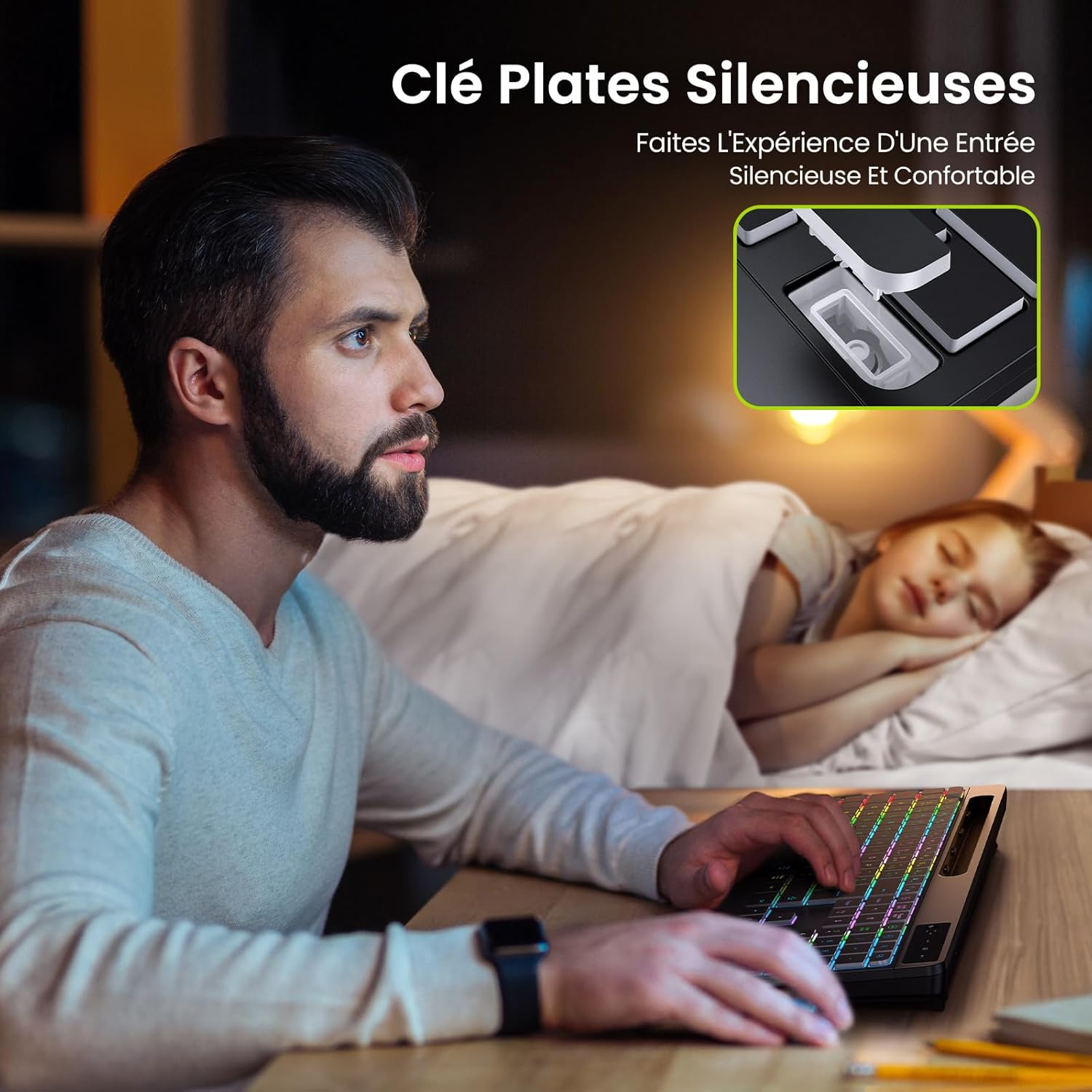
Irudia: Illustrates the quiet operation of the keyboard, showing a user typing without disturbing a sleeping person nearby.
5. Wrist Rest
The integrated wrist rest provides ergonomic support, reducing strain during extended typing sessions.
Mantentzea
- Garbiketa: Erabili zapi leun eta lehor bat teklatuaren gainazala garbitzeko. Zikinkeria egoskorra bada, garbitu pixka bat.ampGarbitu zapi bat urarekin edo garbiketa-soluzio leun batekin. Saihestu produktu kimiko gogorrak.
- Bateria zaintzea: To prolong battery life, avoid fully discharging the keyboard frequently. Charge it regularly, especially if it will be stored for an extended period.
- Biltegiratzea: Gorde teklatua leku fresko eta lehor batean, eguzki-argitik eta muturreko tenperaturetatik babestuta.
Arazoak konpontzea
- Teklatuak ez du erantzuten:
- Ziurtatu teklatua piztuta dagoela.
- Check if the 2.4G USB receiver is securely plugged into a working USB port.
- Kargatu berriro teklatua bateria baxua bada.
- Saiatu USB hargailua beste USB ataka batera konektatzen.
- Atzeko argia ez dabil:
- Sakatu Fn + amaiera to cycle through brightness levels and turn the backlight on.
- Ziurtatu teklatuak bateria nahikoa duela.
- Konexio atzeratua edo etengabekoa:
- Ensure the keyboard is within range of the USB receiver (typically up to 10 meters).
- Avoid placing the receiver near strong interference sources (e.g., Wi-Fi routers, other wireless devices).
- Kargatu teklatua.
Zehaztapenak
| Marka | TECURS |
| Eredua | WK013 |
| Konektibitate Teknologia | 2.4 GHz haririk gabea |
| Gako kopurua | 110 |
| Ezaugarri bereziak | Backlit, Wrist Rest, Phone Holder |
| Bateria mota | 1 Lithium Ion battery (contained in equipment) |
| Bateria Edukiera | 1000 mAh |
| Energia iturria | Bateriaz elikatua (USB-C kargagarria) |
| Irteera boltage / Oraingoa | DC 3.7V / 100mA |
| Kolorea | Beltza |
| Materiala | Plastikoa |
| Elementuaren pisua | 840 g |
| Paketearen neurriak | 44 x 22.2 x 3.3 cm |
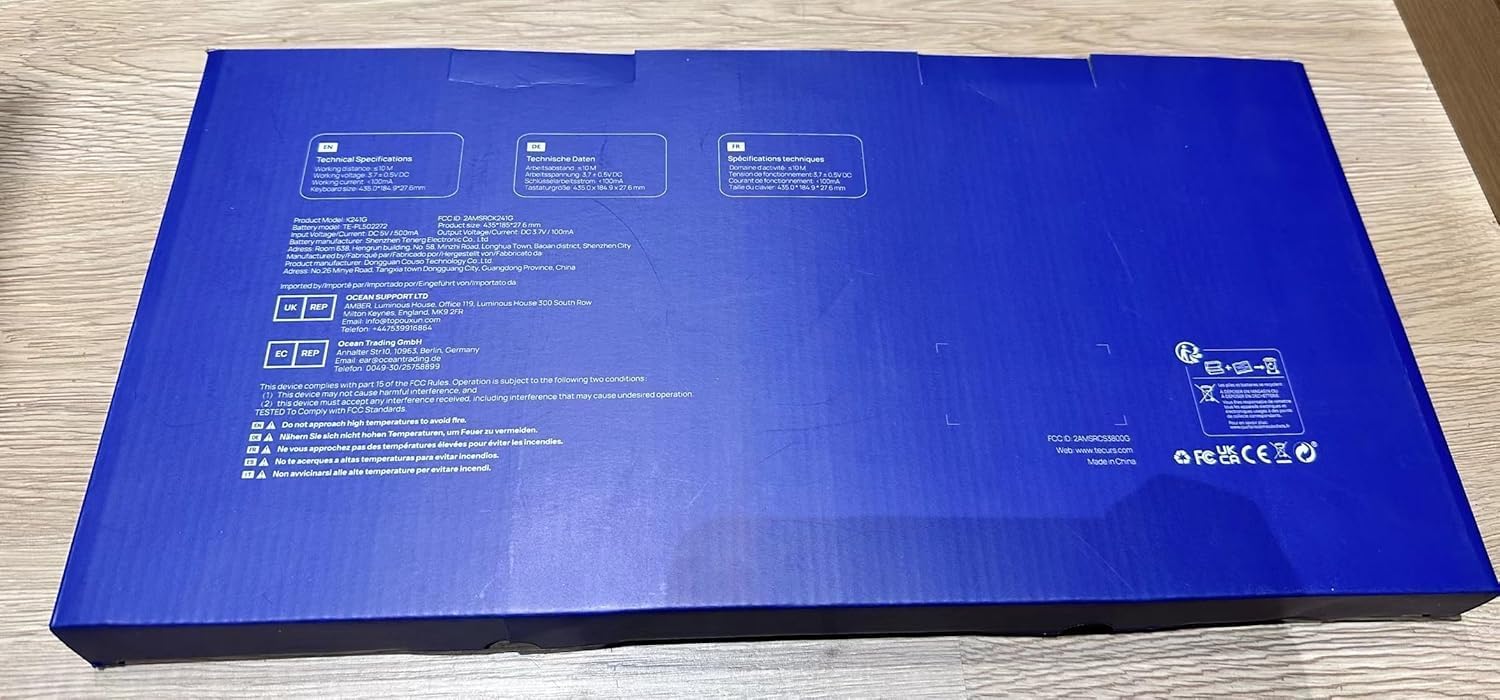
Irudia: Close-up of the product label, confirming model WK013, FCC ID, and electrical specifications.
Bermea eta Laguntza
TECURS products are designed for reliability and performance. For warranty information or technical support, please refer to the warranty card included in your package or visit the official TECURS webgunea. Gorde erosketa-agiria erosketaren frogagiri gisa.