
Sarrera
Thank you for choosing Micool T35 Open Ear Headphones. These headphones are designed to provide a comfortable and safe listening experience, allowing you to enjoy high-quality audio while remaining aware of your surroundings. Featuring Bluetooth 5.3 connectivity, IPX6 waterproofing, and a long-lasting battery, they are ideal for sports and daily use.
Paketearen edukia
Mesedez, egiaztatu paketea elementu hauek dituen:
- Micool T35 Open Ear Headphones
- Haririk gabeko kargatzeko kaxa
- USB motako C kargatzeko kablea
- Erabiltzailearen eskuliburua
Produktua amaituview
The Micool T35 headphones feature an open-ear design with earhooks for secure and comfortable wear. The charging case protects and recharges your headphones.

Image: Micool T35 Open Ear Headphones and Charging Case. The image displays the charging case with one earbud inside and the other earbud placed next to it, showcasing the open-ear design and earhook.
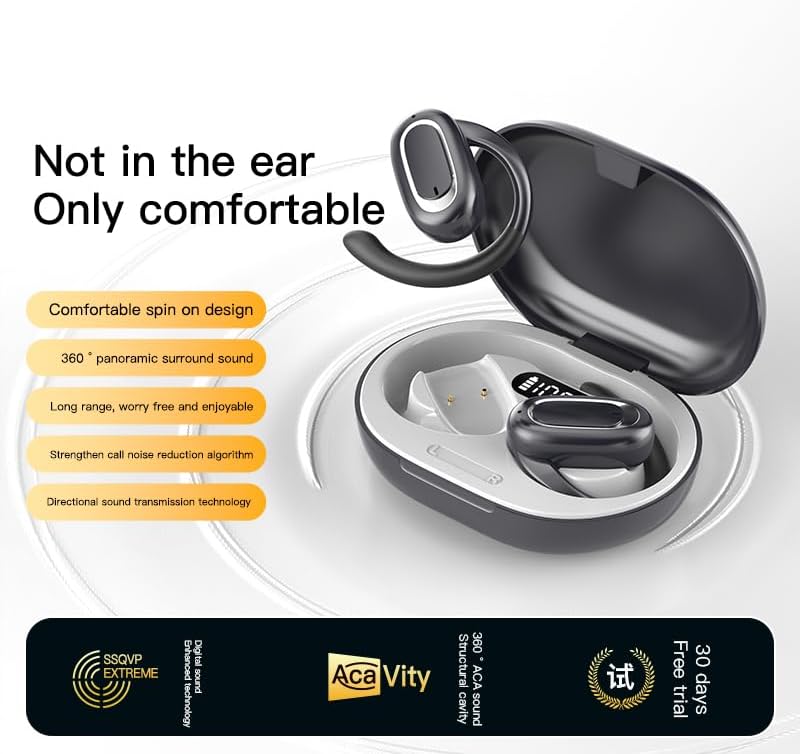
Image: Micool T35 Open Ear Headphones. This image shows both left and right earbuds with their earhooks, highlighting their ergonomic shape.
Ezaugarri nagusiak:
- Belarri Irekiaren Diseinua: Rests gently on the ear without blocking the ear canal, reducing ear fatigue and maintaining environmental awareness.
- Bluetooth 5.3: Haririk gabeko konexio egonkorra eta eraginkorra bermatzen du.
- Ergonomic Earhooks: Provides a secure and comfortable fit, even during extended use or physical activity.
- IPX6 iragazgaitza: Resistant to sweat and splashes, suitable for sports.
- Bateriaren iraupen luzea: Up to 12 hours of playback on a single charge, extended to 34 hours with the charging case.
- Soinuaren norabide-transmisioa: Minimizes sound leakage while delivering clear audio.
Konfigurazioa
1. Entzungailuak eta zorroa kargatzea
Lehenengo aldiz erabili aurretik, kargatu guztiz entzungailuak eta kargatzeko zorroa.
- Jarri entzungailuak kargatzeko zorroan.
- Konektatu USB C motako kaxako kargatzeko atakara eta energia-iturri batera.
- The charging case takes approximately 1-2 hours to fully charge.
- A full charge provides up to 12 hours of listening time for the headphones, with the charging case extending total playback to 34 hours.
2. Bluetooth parekatzea
To connect your Micool T35 headphones to a device:
- Ziurtatu entzungailuak kargatuta daudela eta kargatzeko zorroaren barruan daudela.
- Open the charging case. The headphones will automatically enter pairing mode, indicated by a flashing LED light on the earbuds.
- Zure gailuan (smartphone-a, tableta, etab.), joan Bluetooth ezarpenetara.
- Bilatu available devices and select "Micool T35" from the list.
- Once connected, the LED indicator on the headphones will stop flashing.
- Entzungailuak automatikoki konektatuko dira azken parekatutako gailura zorrotik ateratzean, Bluetooth-a gaituta badago gailuan.
Funtzionamendu-argibideak
1. Entzungailuak janztea
The Micool T35 headphones are designed for an open-ear fit with rotatable earhooks.
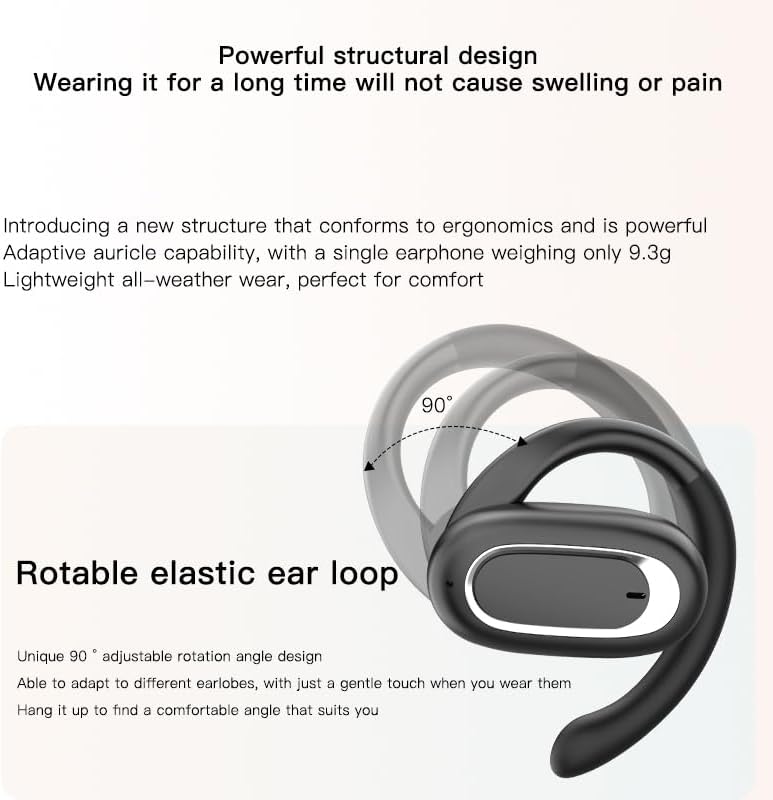
Image: Micool T35 Headphones: Rotatable Earhook Adjustment. The image illustrates the 90-degree rotation capability of the earhook for a customized fit.
- Gently place the earbud on your ear, ensuring the earhook wraps securely around the back of your ear.
- Adjust the rotatable earhook to find the most comfortable and stable position for your earlobe.
- The open-ear design ensures comfort and allows you to hear your surroundings.

Image: Micool T35 Headphones: Usage Scenarios. This image shows individuals using the headphones in various settings: during fitness activities, in an office environment, outdoors while running, and during leisure time.
2. Ukitu Kontrolak
The Micool T35 headphones feature intuitive touch controls on each earbud.
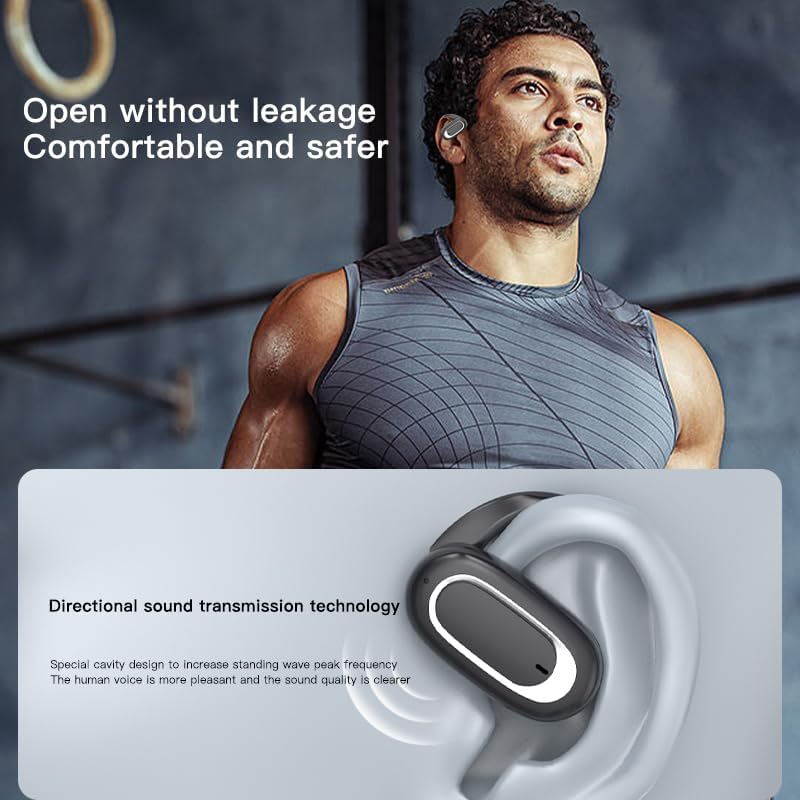
Image: Micool T35 Headphones: Touch Controls Diagram. This diagram illustrates the touch-sensitive area on the earbud and lists the corresponding functions for single tap, double tap, triple tap, and long press.
- Musika erreprodukzioa/pausa: Tap the function key once.
- Deia erantzun/amaitu: Click the function key.
- Summon Voice Assistant: Long press the function key for 2 seconds.
- Deia ukatzea: Long press the function key for 2 seconds during an incoming call.
- Switching Up/Down Tracks: Triple click the left/right ear function keys.
- Bolumenaren igoera/gutxitzea: Double click the right/left ear function keys.
3. Joko modua
The Micool T35 headphones support a low-latency game mode for improved audio-video synchronization.

Image: Micool T35 Headphones: Low Latency Game Mode. The image shows a smartphone displaying a mobile game, indicating the headphones' capability for synchronized audio and video during gaming.
To activate game mode, refer to the specific instructions provided in the quick start guide or product packaging, as this feature often requires a specific touch gesture or setting within the connected device.
Mantentzea
Mantentze egokiak zure entzungailuen iraupena eta errendimendua bermatzen ditu.
- Garbiketa: Erabili zapi leun, lehor eta lihorik gabeko bat entzungailuak eta kargatzeko zorroa garbitzeko. Ez erabili garbitzaile edo disolbatzaile urratzailerik.
- Uraren erresistentzia: The headphones are IPX6 waterproof, meaning they are resistant to strong jets of water. They are suitable for use during workouts and in light rain, but should not be submerged in water. Dry them thoroughly before placing them back in the charging case.
- Biltegiratzea: Erabiltzen ez dituzunean, gorde entzungailuak kargatzeko zorroan hautsetik eta kalteetatik babesteko. Gorde leku fresko eta lehor batean, muturreko tenperaturetatik urrun.
- Bateria zaintzea: To preserve battery life, charge the headphones regularly, even if not used for extended periods. Avoid fully discharging the battery frequently.
Arazoak konpontzea
If you encounter issues with your Micool T35 headphones, try the following solutions:
- Soinurik ez:
- Ziurtatu entzungailuak kargatuta daudela.
- Check if the headphones are properly paired with your device.
- Adjust the volume on both the headphones and your device.
- Saiatu audioa beste aplikazio edo iturri batetik erreproduzitzen.
- Parekatze huts egitea:
- Itzali Bluetooth-a zure gailuan eta piztu berriro.
- Forget "Micool T35" from your device's Bluetooth list and attempt to pair again.
- Ensure the headphones are in pairing mode (LED flashing).
- Hurbildu entzungailuak gailura.
- Kargatzeko arazoak:
- Ziurtatu kargatzeko kablea ondo konektatuta dagoela bai kaxara bai elikatze-iturrira.
- Saiatu beste USB C motako kable edo korronte-egokitzaile batekin.
- Clean the charging contacts on the headphones and inside the case with a dry cotton swab.
- Deien kalitate eskasa:
- Ziurtatu mikrofonoa ez dagoela oztopatzen.
- Move to an area with less environmental noise.
- Egiaztatu zure gailuaren sareko seinalea.
Zehaztapenak
| Marka | Micool |
| Ereduaren izena | T35 |
| Konektibitate Teknologia | Haririk gabekoa (Bluetooth 5.3) |
| Belarrien Kokatzea | Belarri irekia |
| Forma-faktorea | On Ear (with earhooks) |
| Iragazgaitzaren balorazioa | IPX6 |
| Erreprodukzio-denbora | Gehienez 12 ordu (karga bakarra), 34 ordu (kargatzeko zorroarekin) |
| Kargatzeko ataka | USB C motakoa |
| Kontrol mota | Multimedia Kontrola (Ukitu) |
| Materiala | Plastikoa |
| Gailu bateragarriak | Sakelako telefonoak |
Bermea eta Laguntza
Micool T35 Open Ear Headphones come with a 1-year limited warranty from the date of purchase. This warranty covers manufacturing defects and workmanship under normal use.
For technical support, warranty claims, or any questions regarding your product, please contact Micool customer service through the retailer where you purchased the product or visit the official Micool brand store:
Please have your purchase receipt and product model number (T35) ready when contacting support.