
1. Produktua amaitu daview
The GardePro E8 WiFi 48MP Trail Camera is designed for capturing high-quality images and videos of wildlife or for property surveillance. It features Wi-Fi and Bluetooth connectivity for easy management via a mobile application, robust night vision capabilities, and a durable, waterproof design.

Figure 1: GardePro E8 Trail Camera and Mobile App Interface
This image shows the GardePro E8 trail camera alongside a smartphone displaying its mobile application. The camera features a camouflage pattern, an external antenna, and multiple sensors on its front face. The phone screen illustrates a live view from the camera, showing a deer in a forest setting, with control options at the bottom.
2. Paketearen edukia
Ziurtatu elementu guztiak paketean daudela:
- 1 x GardePro E8 Trail Camera
- 1 x Antena
- 1 x Muntatzeko uhala
- 1 x Argibide eskuliburua
- 1 x Mini-USB Cord
Note: An SD card and 8 AA batteries are required for operation and are not included.
3. Konfigurazioa
3.1 Bateriaren eta SD txartelaren instalazioa
- Ireki kameraren karkasa alboko klipak askatuz.
- Sartu 8 AA bateria bateriaren konpartimentuan, polaritate zuzena ziurtatuz.
- Insert a compatible SD card (up to 512GB, Class 10 or higher recommended) into the SD card slot. Ensure it clicks into place.
- Close the camera housing and secure the side clips to maintain the IP66 waterproof seal.

2. irudia: Barnekoa View of GardePro E8 Camera
This image displays the interior of the GardePro E8 trail camera when opened. It shows the LCD screen, control buttons (Menu, OK, navigation arrows), the SD card slot, and the battery compartment. The layout is designed for user access to settings and media.
3.2 Antenaren lotura
Screw the provided antenna onto the designated port on the top of the camera. Ensure it is securely fastened for optimal Wi-Fi signal strength.
3.3 Kamera muntatzea
The GardePro E8 can be mounted using the included strap or a wall mount (not included). Position the camera to capture the desired area, ensuring a clear line of sight for optimal motion detection and Wi-Fi connectivity.
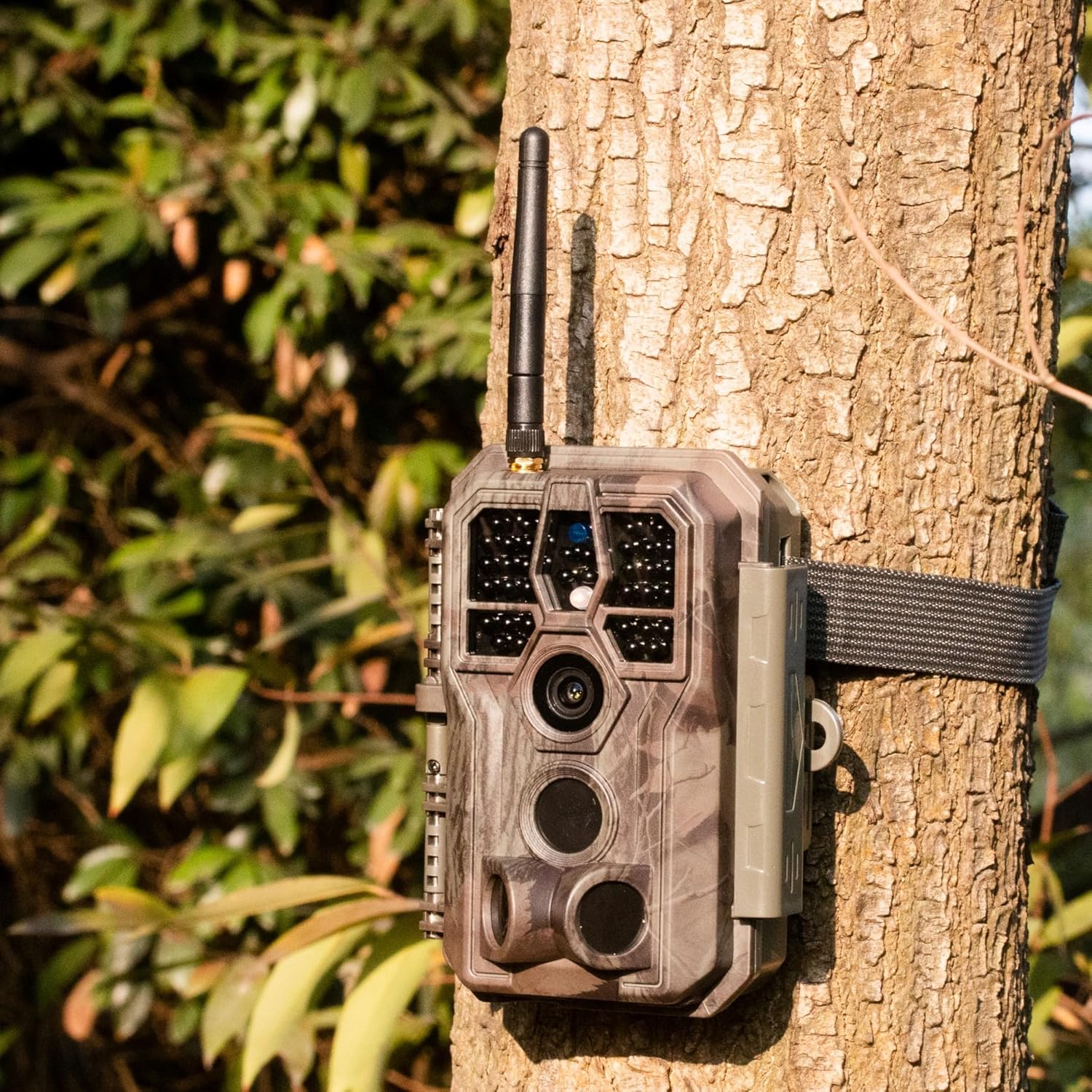
Figure 3: GardePro E8 Camera Mounted on a Tree
This image shows the GardePro E8 trail camera securely mounted to a tree trunk using its included strap. The camera's camouflage design blends with the natural environment, and its external antenna is visible at the top.
3.4 App Download and Initial Connection
- Download the free GardePro Mobile app from your device's app store (iOS & Android compatible).
- Gaitu Bluetootha zure telefonoan.
- Aktibatu kamera.
- Open the GardePro app and follow the on-screen instructions to connect to your camera via Bluetooth, which will then establish a Wi-Fi connection.
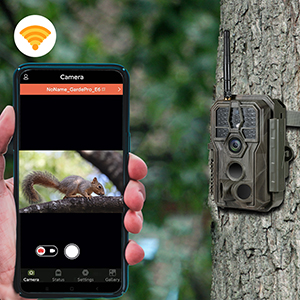
Figure 4: App Connection and Live View
This image illustrates the GardePro E8 trail camera positioned next to a smartphone displaying the GardePro mobile app. The app shows a live feed of a squirrel, demonstrating the camera's connectivity and real-time viewgaitasunak.
4. Funtzionamendu-argibideak
4.1 Using the GardePro Mobile App
The GardePro Mobile app allows you to:
- View bizi footage kameratik.
- Adjust camera settings (e.g., photo resolution, video length, trigger sensitivity).
- Aurreview captured photos and videos without downloading them.
- Download media to your smartphone.
Ensure your smartphone is within the Wi-Fi signal range of the camera (approximately 75 feet with clear line of sight) for stable connection.
4.2 Mugimenduaren detekzioa eta abiarazteko abiadura
The E8 camera features 3 motion detection zones and an ultra-fast 0.1-second trigger speed to capture events quickly. Adjust sensitivity settings via the app to optimize detection for your environment.
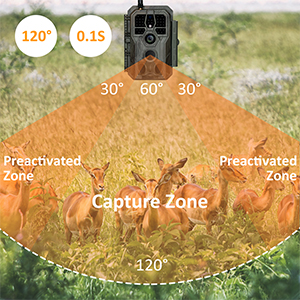
Figure 5: Motion Detection Zones
This diagram illustrates the GardePro E8 trail camera's motion detection capabilities, showing a 120-degree field of view divided into a central capture zone and two preactivated zones. This setup ensures a wide detection area and quick trigger response.
4.3 Irudi eta bideoen harrapaketa
- Irudi finkoak: Capture up to 48MP photos using the starlight-level optical lens and advanced image sensor.
- Bideoak: Record smooth H.264 1296p or 1080p videos with sound. The H.264 format provides efficient storage.

Figure 6: High-Resolution Capture
This image showcases the GardePro E8's capture quality, featuring a 48MP still image of a hedgehog and an H.264 video frame of a wild boar. This demonstrates the camera's ability to record both high-resolution photos and smooth videos.
4.4 Gaueko ikusmena
The E8 utilizes enhanced 940nm infrared technology for stealthy operation and adaptive illumination to prevent overexposure or underexposure. It delivers clear night vision up to 100 feet.
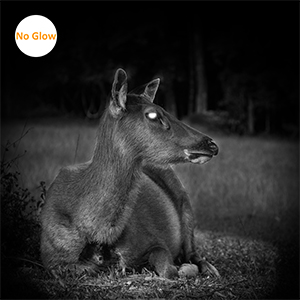
Figure 7: Night Vision Capability
This image demonstrates the GardePro E8's night vision, showing a deer in a dark, outdoor setting. The 'No Glow' feature ensures the camera remains discreet while capturing clear black and white images at night.
5. Mantentzea
5.1 Bateriaren iraupena
Battery life can vary based on usage, temperature, and settings. With typical usage (e.g., 15-second videos), batteries can last several months. The camera will automatically adjust video duration to conserve power when battery levels are low.
5.2 Iragazgaiztasuna
The E8 camera has an IP66 waterproof rating, protecting it from dust and powerful water jets. Ensure the housing is securely closed and latched to maintain this protection.
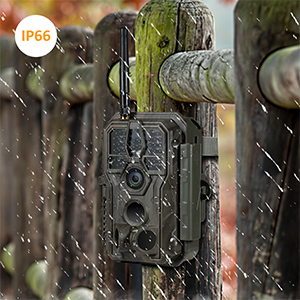
8 irudia: IP66 iragazgaitza den diseinua
This image shows the GardePro E8 trail camera mounted on a wooden fence post during rainfall, highlighting its IP66 waterproof rating. Water droplets are visible on the camera's surface, indicating its resistance to outdoor elements.
5.3 Garbiketa
Periodically clean the camera lens and sensors with a soft, dry cloth to ensure optimal image quality. Avoid using abrasive cleaners or solvents.
6. Arazoak
6.1 Ohiko arazoak eta irtenbideak
- Kamera ez da pizten: Ziurtatu bateriak behar bezala sartuta eta guztiz kargatuta daudela.
- Motion detection not working or inconsistent: Check sensitivity settings in the app. Ensure no obstructions are blocking the sensor's view. Perform a factory reset if issues persist.
- Photos/Videos not saving: Verify that an SD card is properly inserted and not full. Format the SD card if necessary (this will erase all data).
- Difficulty accessing menu: Ensure the camera is in the correct mode (e.g., SETUP mode) to access menu options.
- Wi-Fi konexio eskasa: Ensure your smartphone is within approximately 75 feet of the camera with a clear line of sight. Obstacles like thick walls or dense foliage can reduce range.
6.2 Fabrika berrezarri
If you encounter persistent issues, a factory reset may resolve them. Refer to the camera's internal menu or the GardePro Mobile app for instructions on performing a factory reset. This will revert all settings to their default values.
7. Zehaztapenak
| Ezaugarri | Zehaztapena |
|---|---|
| Modelo zenbakia | E8 |
| Ebazpen finko eraginkorra | 48 MP |
| Bideo Harrapaketa Ebazpena | 1296p / 1080p (H.264) |
| Abiarazle Abiadura | 0.1 segundo |
| Gaueko Ikusmenaren barrutia | 100 Feet (940nm IR) |
| Konektibitatea | Bluetooth konexioa, Wi-Fi |
| Gailu bateragarriak | iOS & Android Smartphone |
| Energia iturria | Bateriaz elikatua (8 AA bateria) |
| Nazioarteko Babesteko Balorazioa | IP66 |
| Muntatze Mota | Tree Mount, Wall Mount |
| Neurriak (L x W x H) | 4.2 x 2.86 x 5.6 hazbete |
| Elementuaren pisua | 10.8 ontza (305 gramo) |
| Dakarten osagaiak | Trail Camera, Antenna, Mounting Strap, Instruction Manual, Mini-USB Cord |
8. Bermea eta Laguntza
GardePro products are manufactured to high standards. For warranty claims or technical assistance, please contact GardePro customer service. Support is typically provided via email, and the manufacturer aims to assist with product issues, including replacements for defective units under warranty.
Please refer to the official GardePro website or your purchase documentation for the most current contact information and warranty details.