
1. Sarrera
The BOXPUT Remoter ATV3 Mini is a Bluetooth voice remote control designed for enhanced navigation and interaction with compatible TV boxes. It features Bluetooth connectivity for strong signal transmission without direct line-of-sight, integrated voice control for convenient command input, and dedicated shortcut buttons for popular streaming services.

Figure 1: The BOXPUT Remoter ATV3 Mini remote control.
2. Ezaugarri nagusiak
- Bluetooth konexioa: Utilizes Bluetooth for a stable and responsive connection, eliminating the need to point the remote directly at the device.
- Ahots kontrola: Supports voice input for searching, navigating, and controlling your TV box with ease.
- Lasterbide-botoi dedikatuak: Quick access buttons for Netflix and YouTube for immediate streaming.
- Bateragarritasun zabala: Primarily designed for iATV Q5 and Q5 Plus TV Boxes, with potential compatibility for Xiaomi devices via firmware flashing.
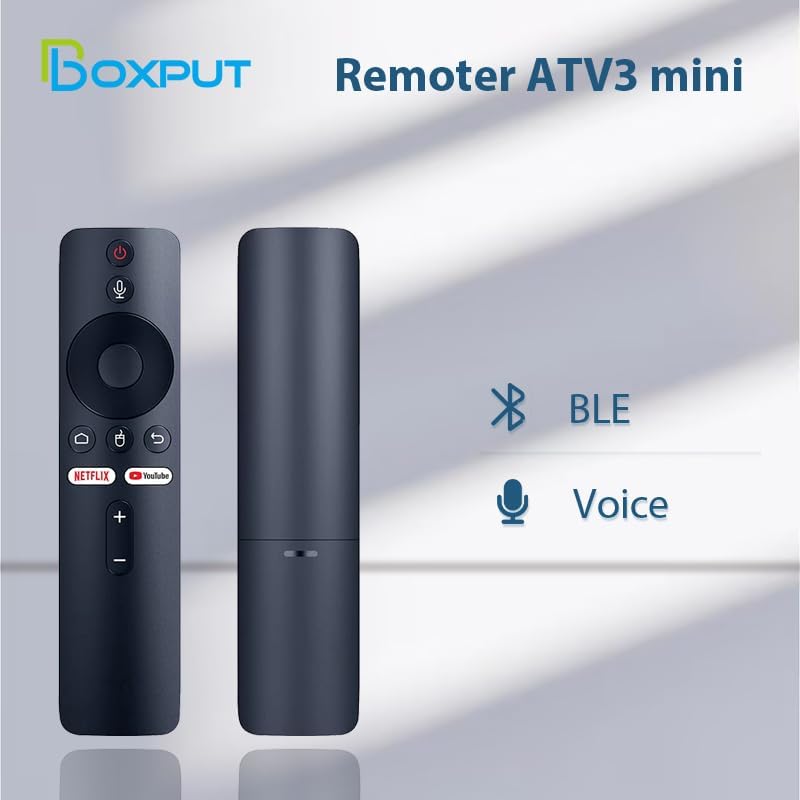
Figure 2: Bluetooth and Voice Control capabilities of the remote.
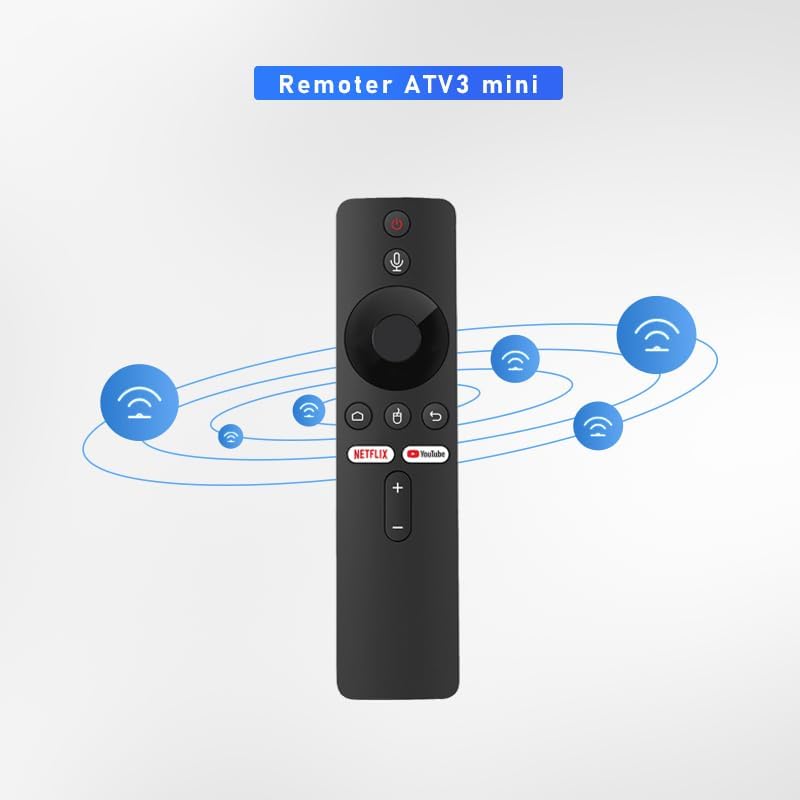
Figure 3: Illustration of the remote's Bluetooth signal range.

Figure 4: Software shortcut buttons for quick access to applications.
3. Botoien diseinua eta funtzioak
Familiarize yourself with the buttons on your BOXPUT Remoter ATV3 Mini for optimal use.
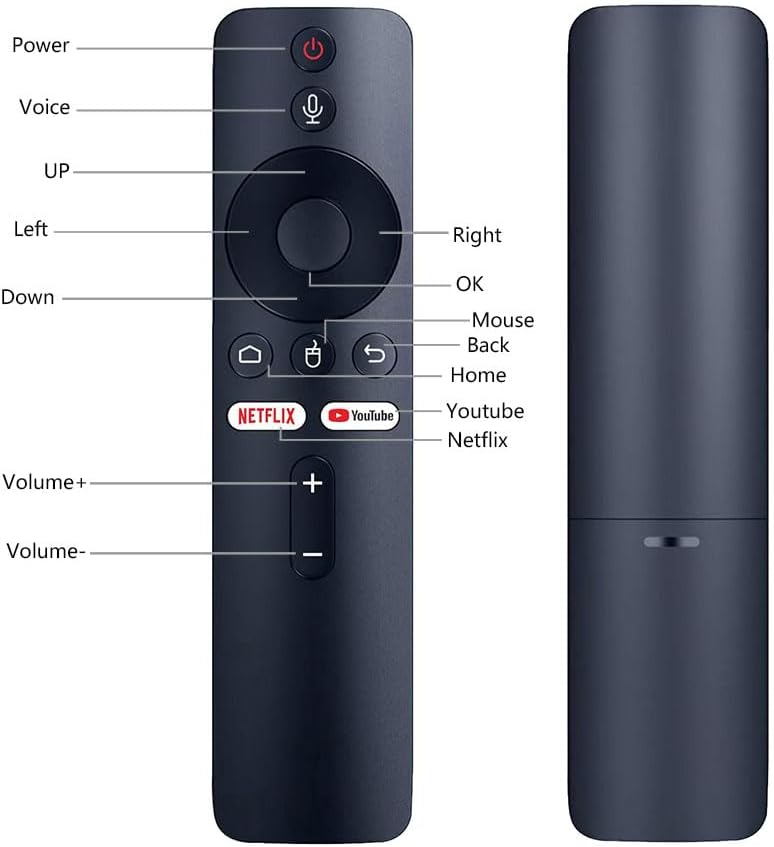
5. irudia: Aurrealdea eta alboa view of the remote with labeled buttons.
| Botoia | Funtzioa |
|---|---|
| Boterea | Konektatutako gailua piztu edo itzaltzen du. |
| Ahotsa | Ahots-kontrola aktibatzen du agindu eta bilaketetarako. |
| Nabigazio-panela (Gora, Behera, Ezkerra, Eskuina) | Menuetan eta edukietan nabigatzen du. |
| OK | Hautaketak berresten ditu. |
| Sagua | Activates mouse pointer mode (if supported by device). |
| Itzuli | Aurreko pantailara edo menura itzultzen da. |
| Hasiera | Hasierako pantaila nagusira itzultzen da. |
| Netflix | Launches the Netflix application directly. |
| YouTube | Launches the YouTube application directly. |
| Bolumena + | Bolumena handitzen du. |
| Bolumena - | Bolumena murrizten du. |
4. Konfigurazioa
4.1 Bateriaren instalazioa
- Kokatu bateriaren konpartimendua urrutiko agintearen atzealdean.
- Ireki bateriaren konpartimenduaren estalkia.
- Insert two AAA batteries (not included), ensuring correct polarity (+/-).
- Itxi bateriaren konpartimenduaren estalkia ondo.
4.2 Urruneko agintea parekatzea
The ATV3 Mini uses Bluetooth for connection. Follow these general steps to pair it with your compatible TV box:
- Ensure your TV box is powered on and within range of the remote.
- Navigate to the Bluetooth settings menu on your TV box. (Specific steps may vary by device model).
- Urrutiko agintean, sakatu eta eutsi botoiari OK botoia eta Itzuli button simultaneously for a few seconds until an indicator light on the remote begins to flash, signaling it is in pairing mode.
- On your TV box, search for new Bluetooth devices. The remote should appear as "ATV3 Mini" or a similar name.
- Select the remote control from the list on your TV box to complete the pairing process. The indicator light on the remote should stop flashing and remain solid or turn off, indicating a successful connection.
Note for Xiaomi Devices: For Xiaomi devices, manual connection and use may require flashing specific Xiaomi firmware. Please refer to Xiaomi's official support or community forums for detailed instructions on this advanced procedure.
5. Funtzionamendu-argibideak
5.1 Oinarrizko nabigazioa
- Erabili Nabigazio Pad (Up, Down, Left, Right) to move through menus and select items on your screen.
- Sakatu OK button to confirm a selection or open an application.
- Sakatu Itzuli botoia aurreko pantailara itzultzeko.
- Sakatu Hasiera button to quickly return to the main home screen of your TV box.
5.2 Ahots-kontrola erabiltzea
- Eduki sakatuta Ahotsa botoia (mikrofonoaren ikonoa).
- Speak clearly into the microphone located on the remote control.
- Askatu Ahotsa button when you have finished speaking. Your command or search query will be processed by the TV box.
5.3 Lasterbide-botoiak erabiltzea
- Sakatu Netflix button to launch the Netflix application directly.
- Sakatu YouTube button to launch the YouTube application directly.

Figure 6: The remote is designed for simple and intuitive operation.
6. Mantentzea
- Garbiketa: Garbitu urrutiko agintea oihal leun eta lehor batekin. Ez erabili garbitzaile likidorik edo material urratzailerik.
- Bateria ordezkatzea: Replace batteries when the remote's performance degrades or it becomes unresponsive. Always use new AAA batteries and dispose of old batteries responsibly.
- Biltegiratzea: Gorde urrutiko agintea leku fresko eta lehor batean, eguzki-argitik eta muturreko tenperaturetatik babestuta.
7. Arazoak
- Urrunekoek ez dute erantzuten:
- Egiaztatu bateriak behar bezala sartuta dauden eta nahikoa kargatuta dauden. Beharrezkoa bada, ordezkatu itzazu.
- Ensure the remote is paired with your TV box. If not, follow the pairing instructions in Section 4.2.
- Verify that there are no obstructions between the remote and the TV box, although Bluetooth reduces this concern.
- Ahots-kontrola ez dabil:
- Ziurtatu urrutiko agintea behar bezala parekatuta dagoela Bluetooth bidez.
- Check the TV box's settings to ensure voice input is enabled and configured correctly.
- Speak clearly and hold the voice button while speaking.
- Shortcut buttons not launching apps:
- Ensure the respective applications (Netflix, YouTube) are installed and updated on your TV box.
- Verify the remote is correctly paired.
8. Zehaztapenak
| Ezaugarri | Xehetasuna |
|---|---|
| Produktuaren neurriak | 6.05 x 1.48 x 0.59 hazbete |
| Elementuaren pisua | 1.44 ontza |
| Ezaugarri Berezia | Ahots bilaketa |
| Onartutako gailuen gehienezko kopurua | 5 |
| Gailu bateragarriak | Home Theater, Set Top Box, Television |
| Konektibitatea | Bluetootha (BT) |
| Energia iturria | 2 x AAA bateria (ez daude barne) |
9. Laguntza eta Bermea
BOXPUT is committed to providing excellent customer support. If you encounter any operational or usage issues that cannot be resolved using this manual, please contact BOXPUT Official Support.
When contacting support, please be prepared to provide details about your product and, if applicable, your device's MAC address for TV box-related issues. Our technical team aims to assist you within 24 hours to help resolve any problems.
For the latest support information and contact details, please visit the official BOXPUT webgunea edo kontsultatu produktuaren ontzia.