
Sarrera
Thank you for choosing the TECURS KB195 Foldable Bluetooth Keyboard. This ultra-portable, multi-device compatible keyboard is designed for convenience and efficiency across various operating systems. This manual provides detailed instructions for setup, operation, maintenance, and troubleshooting to ensure optimal performance.

The TECURS KB195 Foldable Bluetooth Keyboard, demonstrating its compact folded state and its functional unfolded state with a smartphone securely placed on its integrated stand.
Paketearen edukia
- 1 x TECURS Foldable Bluetooth Keyboard
- 1 x C motako kargatzeko kablea
- 1 x Erabiltzailearen eskuliburua
- 1 x garraiatzeko poltsa
Produktua amaituview
Familiarize yourself with the key components of your TECURS KB195 keyboard:
- Argi adierazlea: Konexioaren egoera eta bateriaren maila erakusten ditu.
- Switch potentziala: To turn the keyboard on or off.
- Kargatzeko ataka (C motakoa): Kargatzeko kablea konektatzeko.
- Irristapenaren aurkako padsak: Located on the bottom for stability during use.
- Euskarri integratua: A magnetic stand designed to hold smartphones or tablets.

Xehetasuna views of the keyboard's key features: the indicator light, power switch, charging port, and anti-slip pads.
Teklatua kargatzen
Before initial use, fully charge the keyboard. A full charge takes approximately 2 hours.
- Konektatu emandako C motako kargatzeko kablea teklatuaren kargatzeko atakara.
- Konektatu kablearen beste muturra USB elikadura-iturri batera (adibidez, ordenagailura, hormako egokigailua).
- Adierazle-argiak kargatze-egoera erakutsiko du eta guztiz kargatuta dagoenean itzali egingo da.
The keyboard offers up to 45 hours of continuous working time and 580 days of standby time on a single charge.

The keyboard being charged via its Type-C port, highlighting its impressive battery life of 45 hours of continuous use and 580 hours of standby.
Konfigurazioa eta parekatzea
Piztu/Itzaltzea
- To turn on: Locate the power switch and slide it to the 'ON' position.
- To turn off: Slide the power switch to the 'OFF' position.
Bluetooth parekatzea
The keyboard supports connection to up to three devices simultaneously via Bluetooth channels. You can seamlessly switch between them.

The keyboard's ability to connect to multiple devices (smartphone, tablet, PC) via three distinct Bluetooth channels (BT1, BT2, BT3).
- Piztu teklatua.
- Eduki sakatuta fn + A keys for BT1, Fn + S BT2rako, edo Fn + D for BT3 until the corresponding indicator light flashes, indicating pairing mode.
- On your device (smartphone, tablet, or PC), enable Bluetooth and search for available devices.
- Select "TECURS Keyboard" (or similar name) from the list of found devices to connect.
- Behin konektatuta, adierazle-argia keinuka geldituko da.
Gailuen artean aldatzea
To switch between paired devices, simply press the corresponding function key combination:
- For Device 1: Press fn + A
- For Device 2: Press Fn + S
- For Device 3: Press Fn + D
Sistemaren bateragarritasuna
The keyboard is broadly compatible with major operating systems:
- iOS (iPad, iPhone)
- Android (Smartphone-ak, tabletak)
- Windows (Laptops, PCs)

The keyboard is compatible with Windows, iOS, and Android devices, offering versatile usage.
Funtzionamendua
Idazketa Esperientzia
The keyboard features a QWERTZ layout and scissor-switch keys, designed for improved sensitivity, accuracy, and a quiet, comfortable typing experience.

A detailed look at the scissor-switch key mechanism, engineered for durability and a responsive typing feel, rated for 3 million presses.
Using the Integrated Stand
The magnetic integrated stand can be deployed to securely hold your smartphone or tablet, providing an ergonomic setup for typing.
Energia aurrezteko modua
To conserve battery life, the keyboard automatically enters power-saving mode after 10 minutes of inactivity. To wake it up, press any key, and it will reconnect within 3 seconds.

The keyboard in use within a library, demonstrating its portability and convenience for quiet work environments.
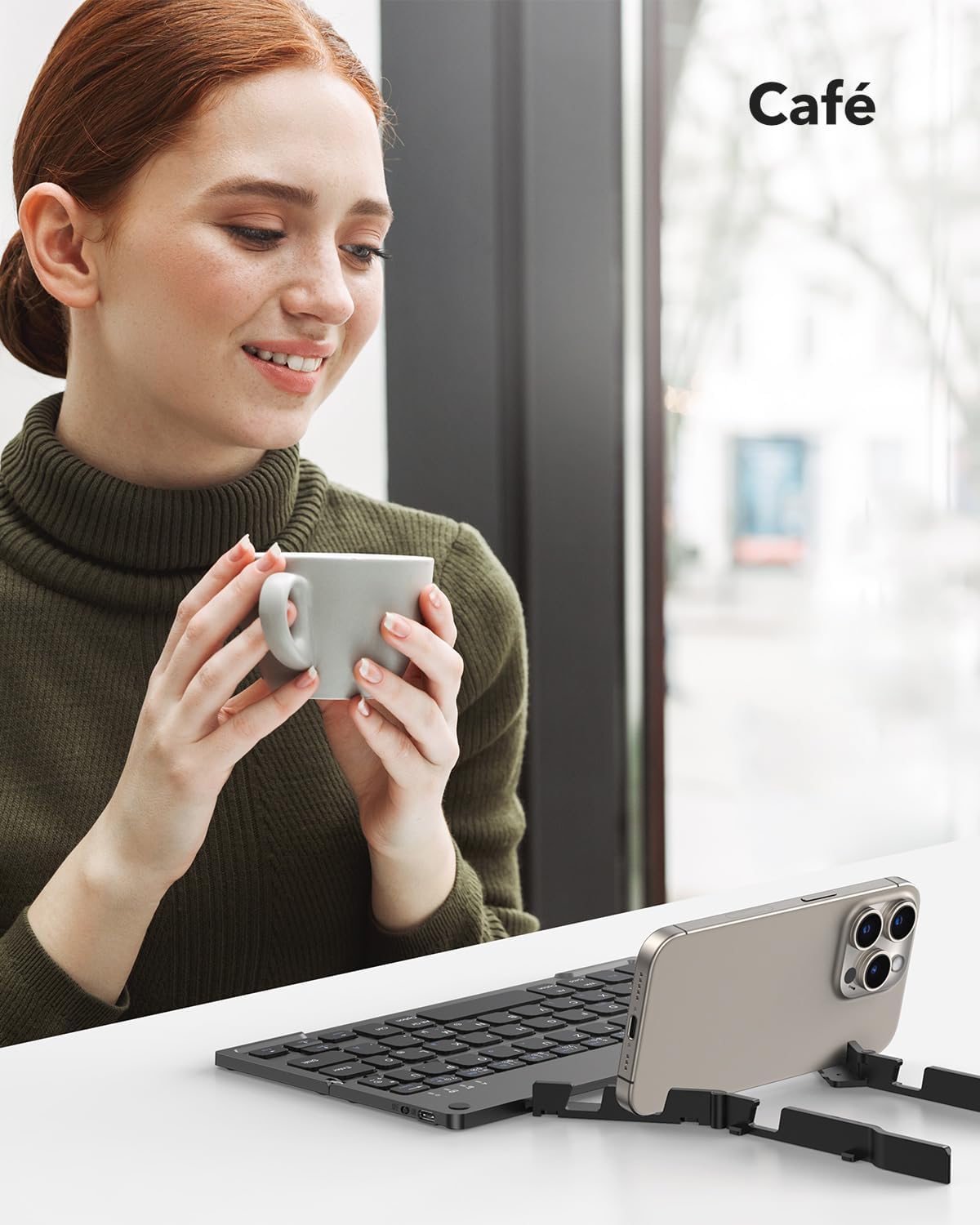
The keyboard being used in a cafe, showcasing its adaptability for various mobile work scenarios.
Mantentzea
Garbiketa
- Ziurtatu teklatua itzalita dagoela garbitu aurretik.
- Use a soft, dry, lint-free cloth to wipe the surface.
- Zikinkeria egoskorrerako, apur bat lehortuampGarbitu oihal bat urarekin edo garbiketa-soluzio leun batekin, eta gero lehortu berehala.
- Saihestu produktu kimiko gogorrak edo material urratzaileak erabiltzea.
Biltegiratzea
When not in use, fold the keyboard to protect the keys and make it more compact for storage or travel. Store it in the provided carrying bag to prevent scratches and damage.

The compact dimensions of the keyboard (22.9 x 7.4 x 1.37 cm, 260g) and its portability, fitting easily into a bag for on-the-go use.
Arazoak konpontzea
- Keyboard not turning on: Ensure the battery is charged. Connect the Type-C cable and charge for at least 30 minutes.
- Ezin da Bluetooth bidez parekatu:
- Ensure the keyboard is in pairing mode (indicator light flashing after pressing Fn + BT channel key).
- Ziurtatu Bluetooth gaituta dagoela zure gailuan eta aurkigarria dela.
- Move the keyboard closer to your device (within 10 meters).
- Saiatu teklatua eta gailua berrabiarazten.
- Keyboard disconnects frequently:
- Ensure the keyboard is within the 10-meter Bluetooth range of your device.
- Egiaztatu beste hari gabeko gailu batzuen interferentziarik.
- Ziurtatu teklatuaren bateria behar bezala kargatuta dagoela.
- Teklak ez dute erantzuten edo gaizki idazten ari dira:
- Check if the keyboard is connected to the correct operating system mode (e.g., iOS, Android, Windows).
- Restart the keyboard and reconnect it to your device.
- Ziurtatu giltzen azpian hondakinik ez dagoela itsatsita.
Zehaztapenak
| Ezaugarri | Xehetasuna |
|---|---|
| Marka | TECURS |
| Modelo zenbakia | KB195 |
| Kolorea | Beltza |
| Konektibitate Teknologia | Bluetootha |
| Ezaugarri bereziak | Foldable, Integrated Stand |
| Gailu bateragarriak | iPad, Tablet, Smartphone, PC (iOS, Android, Windows) |
| Teklatuaren deskribapena | Multifunctional, QWERTZ Layout, Scissor-Switch Keys |
| Gomendatutako Erabilerak | Office, Daily Use, Travel |
| Bateria mota | Litio-ioi (1 barne) |
| Kargatzeko Denbora | Gutxi gorabehera. 2 ordu |
| Etengabeko lanaldia | Gehienez 45 ordu |
| Egonean Denbora | 580 egun arte |
| Neurriak (tolestuta) | 22.9 x 7.4 x 1.37 cm (gutxi gorabehera) |
| Pisua | 260 gramo (gutxi gorabehera) |
| Materiala | ABS Plastic, Aluminum back casing |
Bermea eta Laguntza
For warranty information and customer support, please refer to the documentation included with your purchase or visit the official TECURS website. This manual does not contain specific warranty details.