
Micool Y30
Micool Y30 Open Ear Headphones User Manual
Eredua: Y30
1. Sarrera
Thank you for choosing the Micool Y30 Open Ear Headphones. These wireless Bluetooth 5.3 earbuds are designed to provide a comfortable and safe listening experience by resting gently on your ears without blocking the ear canal. This design allows you to remain aware of your surroundings while enjoying high-quality audio, making them ideal for sports and daily activities.
2. Zer dago kutxan
- Micool Y30 Open Ear Headphones (Left and Right)
- Haririk gabeko kargatzeko kaxa
- USB-C kargatzeko kablea
- Erabiltzailearen eskuliburua
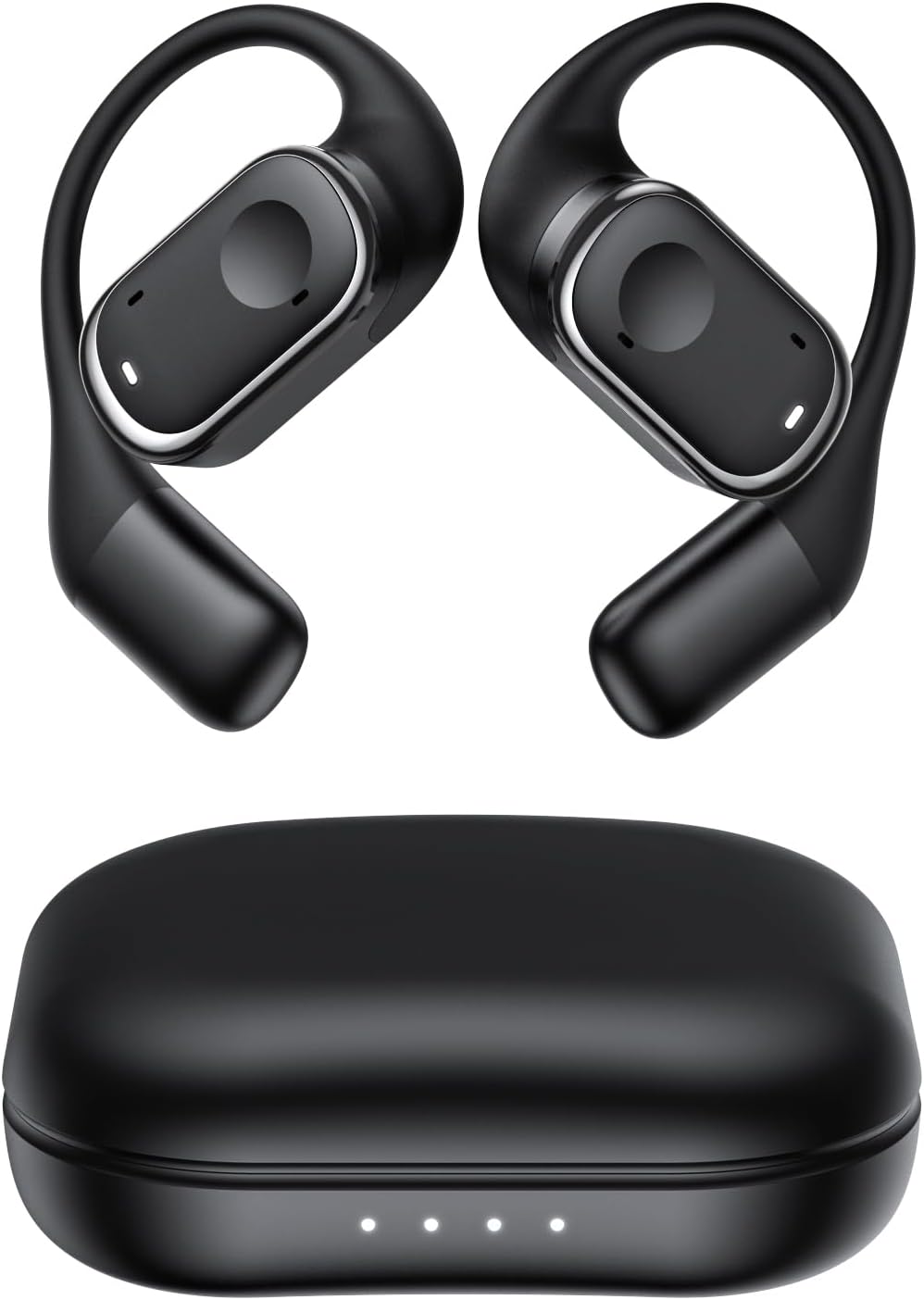
2.1. irudia: Micool Y30 Open Ear Headphones and their charging case. The image shows two black open-ear earbuds with ear hooks, positioned above a sleek black charging case with four LED indicator lights on the front.
3. Produktua amaitu daview
3.1 Entzungailuen osagaiak
Each earbud features an ergonomic design with a soft silicone ear hook for secure and comfortable placement. The main body houses the speaker and touch control area.

3.1. irudia: Gertutik view illustrating the ergonomic design of the Micool Y30 earbud. The image highlights the curved ear hook and the soft silicone material designed for comfort and secure fit, conforming to the ear's contour.
3.2 Kargatzeko maleta
The charging case protects the earbuds and recharges them. It has a USB-C charging port and LED indicators to show battery status.

3.2. irudia: Barnekoa view of the Micool Y30 charging case, showcasing the earbuds nestled inside. The image highlights the Bluetooth 5.3 technology and the digital display indicating battery levels, emphasizing fast response and stable connection.
4. Konfigurazioa
4.1 Gailua kargatzea
Lehenengo aldiz erabili aurretik, kargatu guztiz entzungailuak eta kargatzeko zorroa.
- Kasua kargatzea: Connect the provided USB-C cable to the charging port on the case and to a USB power adapter (not included). The LED indicators on the case will show the charging status. A full charge takes approximately 1-2 hours.
- Entzungailuak kargatzea: Place the earbuds into the charging case. Ensure they are correctly seated. The earbuds will automatically begin charging. The case can charge the earbuds 4-5 times, providing up to 6 hours of playback per single earbud charge.
4.2 Bluetooth parekatzea
To connect your Micool Y30 headphones to your device:
- Ziurtatu entzungailuak kargatuta daudela.
- Ireki kargatzeko zorroa. Aurikularrak automatikoki sartuko dira parekatze moduan.
- On your device (e.g., smartphone, tablet), go to Bluetooth settings and turn Bluetooth on.
- Bilatu available devices. Select "Micool Y30" from the list.
- Behin konektatuta, baieztapen-tonu bat entzungo duzu, eta entzungailuak erabiltzeko prest egongo dira.
Entzungailuek Bluetooth 5.3 onartzen dute konexio egonkor eta eraginkorra lortzeko.
5. Funtzionamendu-argibideak
5.1 Piztu/Itzali
- Piztu: Ireki kargatzeko kaxa eta entzungailuak automatikoki piztuko dira.
- Itzali: Jarri entzungailuak berriro kargatzeko zorroan eta itxi tapa. Automatikoki itzali eta kargatzen hasiko dira.
5.2 Musika erreproduzitzea
The Micool Y30 headphones feature touch controls for media management.
- Erreproduzitu/Pausatu: Sakatu behin entzungailu batean.
- Hurrengo ibilbidea: Sakatu birritan eskuineko aurikularra.
- Aurreko pista: Sakatu birritan ezkerreko aurikularra.
- Bolumena igo: Sakatu hiru aldiz eskuineko aurikularra.
- Bolumena jaitsi: Sakatu hiru aldiz ezkerreko aurikularra.
5.3 Deien kudeaketa
- Deia erantzun/amaitu: Sakatu behin entzungailu batean.
- Deia baztertu: Eduki sakatuta aurikularretako bat 2 segundoz.
5.4 Single and Dual Earbud Mode
The Micool Y30 headphones support seamless switching between using a single earbud or both earbuds.
- Aurikular bakarreko modua: Ezkerreko edo eskuineko entzungailuak erabil ditzakezu bereizita. Atera entzungailu bat zorrotik, eta zure gailura konektatuko da.
- Dual Earbud Mode: Take both earbuds out of the case, and they will automatically connect to each other and then to your device for a stereo audio experience.

5.1. irudia: Illustration of the Micool Y30's flexible usage modes. The diagram shows how the earbuds can be used independently in "Single Earphone Mode" or together in "Dual Headphone Mode" for a synchronized connection.
6. Mantentzea
6.1 Garbiketa
- Erabili zapi leun, lehor eta lihorik gabeko bat entzungailuak eta kargatzeko zorroa garbitzeko.
- Ez erabili produktu kimiko gogorrak, garbiketa-disolbatzaileak edo garbigarri indartsuak.
- The earbuds have an IPX6 waterproof rating, meaning they are resistant to strong jets of water. However, they are not designed for submersion. Wipe them dry after exposure to sweat or water.
6.2 Biltegiratzea
- Gorde entzungailuak kargatzeko zorroan erabiltzen ez dituzunean babesteko eta kargatuta mantentzeko.
- Avoid storing the device in extreme temperatures (hot or cold) or in highly humid environments.
7. Arazoak
| Arazoa | Irtenbidea |
|---|---|
| Aurikularrak ez dira gailuarekin parekatzen. |
|
| Ez dago soinurik entzungailu batetik. |
|
| Aurikularrak ez dira kargatzen. |
|
| Poor sound quality or connection drops. |
|
8. Zehaztapenak
| Ezaugarri | Xehetasuna |
|---|---|
| Ereduaren izena | Y30 |
| Konektibitate Teknologia | Haririk gabeko (Bluetooth) |
| Bluetooth bertsioa | 5.3 |
| Belarrien Kokatzea | Belarri irekia |
| Earbud bateriaren edukiera | 100mAh (bakoitza) |
| Kargatzeko kasua bateriaren edukiera | 450mAh |
| Playback Time (single charge) | Gehienez 6 ordu |
| Erreprodukzio-denbora osoa (zorroarekin) | Up to 30 hours (4-5 full charges from case) |
| Kargatzeko denbora (kasua) | 1-2 ordu |
| Kargatzeko ataka | USB C motakoa |
| Iragazgaitzaren balorazioa | IPX6 |
| Materiala | Plastikoa |
| UPC | 776584469303 |
9. Bermea eta Laguntza
Micool products are designed with quality and reliability in mind. For warranty information or technical support, please refer to the warranty card included in your product packaging or visit the official Micool webgunea. Zure saltzailearekin ere harremanetan jar zaitezke laguntza eskatzeko.
Laguntza gehiago behar baduzu, bisitatu Micool Store on Amazon.
Ask a question about this manual
Ask about setup, troubleshooting, compatibility, parts, safety, or missing instructions. Manuals+ will review the question and use this page’s manual context to help answer it.