
Sarrera
This manual provides essential information for the proper use and maintenance of your Infinix Smart 8 X6525 mobile phone. Please read it carefully to ensure optimal performance and longevity of your device.
The Infinix Smart 8 features a 6.6-inch HD+ display, 13MP AI dual rear camera, 8MP front camera, 5000 mAh battery, and runs on Android 13. It supports dual nano SIM cards and Type-C charging.
Konfigurazioa
1. SIM txartelaren eta memoria txartelaren instalazioa
SIM txartela(k) eta aukerako microSD txartel bat instalatzeko:
- Bilatu SIM txartelaren erretilua gailuaren alboan.
- Sartu SIM txartela ateratzeko tresna erretiluaren ondoko zulo txikian eta bultzatu astiro erretilua atera arte.
- Place your Nano-SIM card(s) and/or microSD card into the tray with the gold contacts facing down, ensuring they are correctly oriented as indicated on the tray.
- Kontu handiz bultzatu erretilua zirrikituan berriro, telefonoaren gorputzarekin berdindu arte.
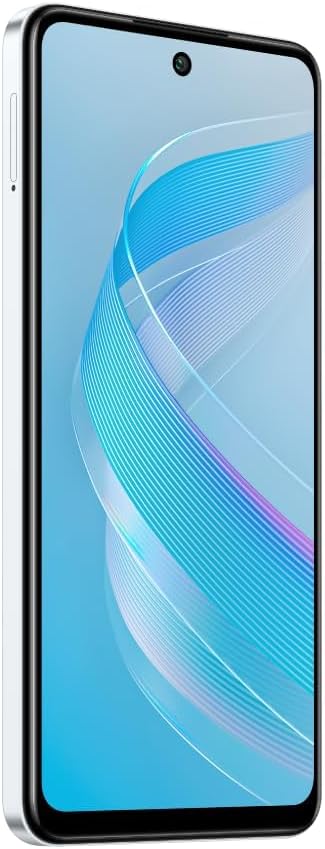
Irudia: Albokoa view of the Infinix Smart 8 X6525, illustrating the location of the SIM card tray.
2. Hasierako piztea
Press and hold the Power button (located on the right side of the device) until the Infinix logo appears. Follow the on-screen instructions to complete the initial setup, including language selection, Wi-Fi connection, and Google account setup.
3. Gailua kargatzea
Connect the USB Type-C cable to the phone's charging port and the other end to the power adapter. Plug the power adapter into a wall outlet. The battery indicator on the screen will show the charging status. For optimal battery life, use the provided charger and cable.
Zure gailua funtzionatzea
1. Oinarrizko nabigazioa
Your Infinix Smart 8 X6525 uses a touchscreen for navigation. Swipe up, down, left, or right to move between screens and menus. Tap icons to open applications. Use gestures or the navigation bar at the bottom of the screen for Home, Back, and Recent Apps functions.

Irudia: Aurrealdea view of the Infinix Smart 8 X6525, showing the display and front camera.
2. Kameraren erabilera
To open the camera, tap the Camera icon on your home screen or lock screen. The device features a 13MP AI dual rear camera and an 8MP front camera. Switch between modes like Photo, Video, Portrait, and Panorama. Tap the shutter button to capture images or start/stop video recording. The AI features automatically optimize settings for various scenes.
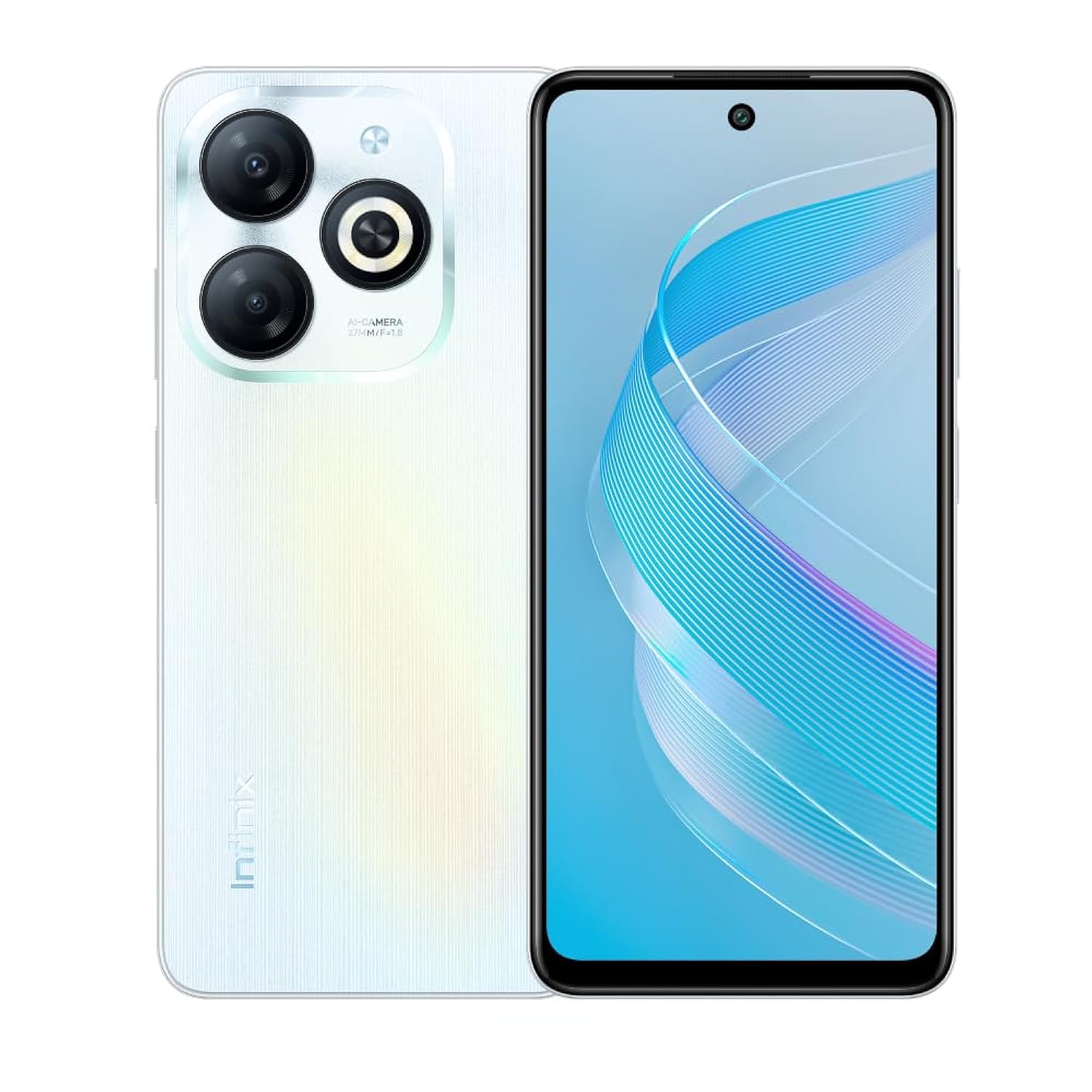
Irudia: Atzealdea view of the Infinix Smart 8 X6525, highlighting the dual camera module and ring flashlight.
3. Konektibitatea
- Wi-Fi: Joan Ezarpenak > Sarea eta internet > Wi-Fi atalera eskuragarri dauden haririk gabeko sareetara konektatzeko.
- Bluetootha: Joan Ezarpenak > Konektatutako gailuak > Konexio hobespenak > Bluetooth atalera Bluetooth gailuekin parekatzeko.
- Datu mugikorrak: Ensure your SIM card is active and go to Settings > Network & internet > Mobile network to enable or disable mobile data.
4. Segurtasun Ezaugarriak
The device supports a side-mounted fingerprint sensor and face unlock for enhanced security. To set them up, go to Settings > Security > Fingerprint Unlock or Face Unlock and follow the on-screen instructions.
Mantentzea
1. Bateria zaintzea
- Saihestu gailua muturreko tenperaturen eraginpean jartzea.
- Ez deskargatu bateria guztiz aldizka.
- Erabili jatorrizko edo ziurtatutako kargagailuak eta kableak soilik.
- Gailua denbora luzez erabiliko ez baduzu, kargatu % 50 ingurura gorde aurretik.
2. Software eguneraketak
Regularly check for and install software updates to ensure your device has the latest features, security patches, and performance improvements. Go to Settings > System > System update to check for updates.
3. Zure gailua garbitzea
Erabili zapi leun eta pelusik gabeko bat telefonoaren pantaila eta gorputza garbitzeko. Saihestu produktu kimiko gogorrak edo material urratzaileak erabiltzea. Orban egoskorrak lortzeko, garbitu apur batampGarbitu oihal bat urarekin edo elektronikarako diseinatutako pantaila-garbitzaile batekin.
Arazoak konpontzea
Ohiko arazoak eta irtenbideak
- Gailua ez da pizten: Ziurtatu bateria kargatuta dagoela. Konektatu kargagailua eta itxaron minutu batzuk berriro pizten saiatu aurretik.
- Aplikazioak huts egiten edo blokeatzen: Close and restart the app. If the issue persists, clear the app's cache (Settings > Apps > [App Name] > Storage & cache > Clear cache).
- Bateriaren iraupen eskasa: Murriztu pantailaren distira, itxi erabiltzen ez diren aplikazioak, desgaitu beharrezkoak ez diren konexio-funtzioak (Wi-Fi, Bluetooth, GPS) erabiltzen ez dituzunean.
- Sareko konexio arazoak: Check if your SIM card is properly inserted. Try restarting the device. Ensure mobile data or Wi-Fi is enabled.
- Gailuak ez du erantzuten: Berrabiarazteko, sakatu eta eutsi pizteko botoia 10-15 segundoz.
Zehaztapenak
| Ezaugarri | Xehetasuna |
|---|---|
| Marka Izena | Infinix |
| Ereduaren izena | Adimenduna 8 |
| Sistema eragilea | Android 13.0 |
| RAM instalatua | 4 GB |
| Memoria Biltegiratzeko Ahalmena | 128 GB |
| Pantailaren tamaina | 6.6 hazbetekoa |
| Ebazpena | 720 x 1612 pixel |
| Freskatze tasa | 90 Hz |
| Kolorea | Zuria |
| SIM txartelaren zirrikituen kopurua | SIM bikoitza |
| Konektore mota | USB C motako ataka |
| Biometric Security Feature | Hatz-markak hautematea |
| Front Photo Sensor Resolution | 8 megapixelekoa |
| Rear Camera Photo Sensor Resolution | 13 megapixelekoa |
| Kameraren deskribapena | 13MP rear camera, AI dual camera with ring flashlight |
| Bideo Harrapaketa Ebazpena | 1080p |
| Bistaratzeko mota | LCDa |
| Teknologia Zelularra | 4G |
| Konektibitate Teknologia | Bluetooth konexioa, Wi-Fi |
| Bateria Edukiera | 5000 mAh |
| Elementuaren pisua | 184 gramo |
| Elementuaren neurriak | 16.4 x 0.8 x 7.6 cm |
| Dakarten osagaiak | Headset, Phone Cover, USB Cable, Power Adapter, Screen Protector |
Segurtasun Informazioa
- Ez desmuntatu edo saiatu gailua zuk zeuk konpontzen.
- Mantendu gailua uretatik eta hezetasunetik urrun.
- Saihestu gailua eguzki-argiaren edo tenperatura altuen eraginpean jartzea.
- Use only accessories approved by Infinix.
- Tokiko araudien arabera bota gailua eta bateria arduraz.
Bermea eta Laguntza
Your Infinix Smart 8 X6525 comes with a standard manufacturer's warranty. Please refer to the warranty card included in the product packaging for specific terms and conditions, including warranty period and coverage details.
Laguntza teknikoa, zerbitzua edo kontsulta gehiago lortzeko, bisitatu Infinix-en webgune ofiziala. webwebgunera edo jarri harremanetan bezeroarentzako arreta-zerbitzura. Gorde erosketaren frogagiria berme-erreklamazioetarako.