
1. Sarrera
Thank you for choosing the WOLFBOX Level 2 EV Charger. This manual provides essential information for the safe and efficient installation, operation, and maintenance of your EV charging station. This 50 Amp, 240V smart home EV charger is designed for fast and reliable charging of all J1772 compatible electric vehicles.
2. Segurtasun informazioa
Mesedez, irakurri arretaz segurtasun-jarraibide guztiak instalatu eta erabili aurretik. Argibide hauek ez jarraitzen badituzu, deskarga elektrikoak, sua edo lesio larriak gerta daitezke.
- Instalazio profesionala: Installation of this EV charger requires electrical expertise. For your safety, always connect a professional, qualified electrician for installation.
- Ziurtagiriak: The WOLFBOX EV charger is CSA certified and meets UL safety standards (UL2594 standard), ensuring safety and reliability.
- Ingurumena babestea: The charger features a robust NEMA 4 waterproof protective housing, suitable for both indoor and outdoor use in various weather conditions.
- Barneratutako babesak: The unit includes Over Voltage Protection, Short Circuit Protection, Leakage Protection, Grounding Protection, Over Temperature Protection, and Over Charge Protection.
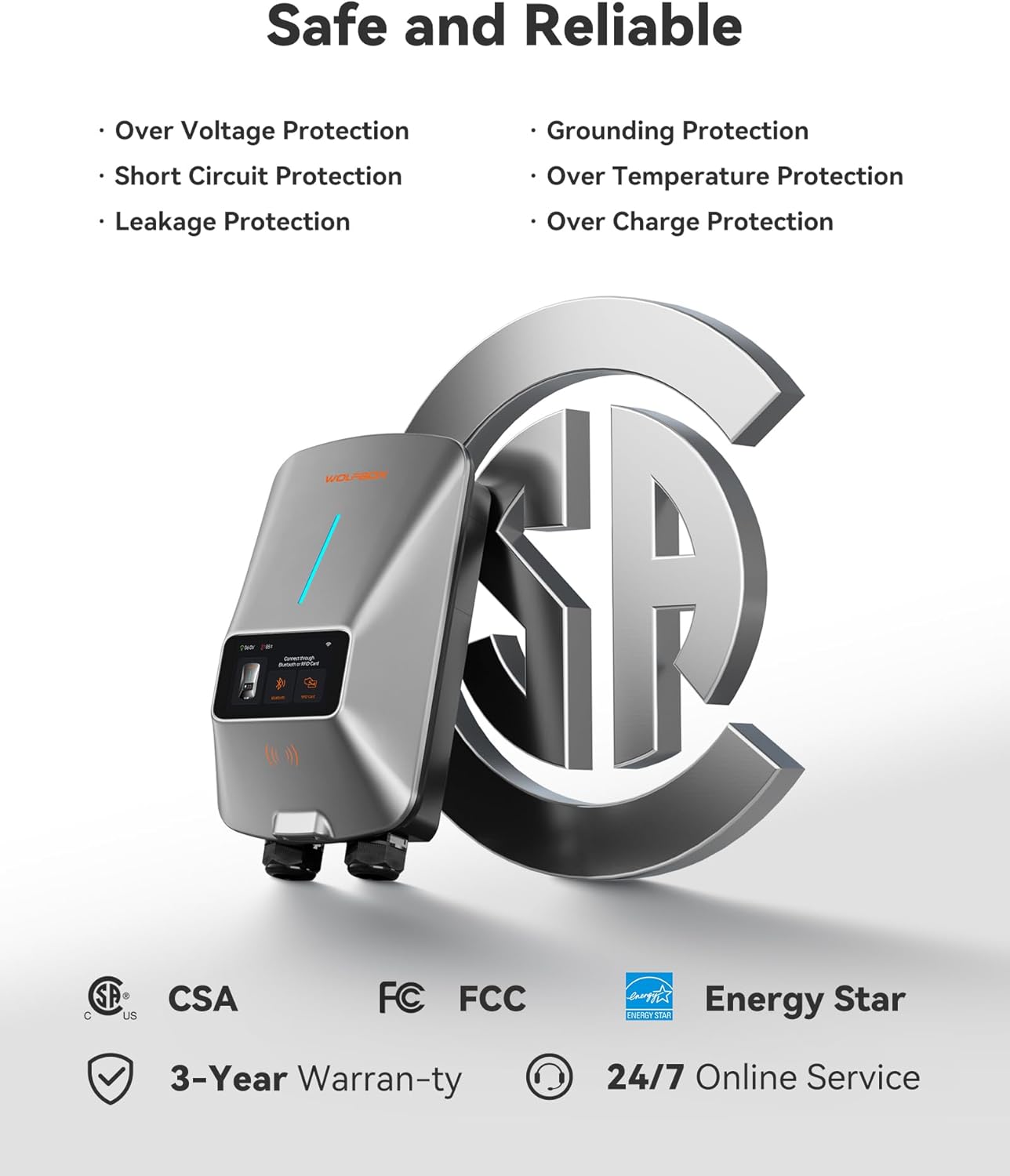
Image: WOLFBOX EV Charger highlighting its safety features and certifications like CSA, FCC, and Energy Star.
3. Paketearen edukia
Egiaztatu elementu guztiak paketean daudela:
- 2. mailako EV kargagailua
- Konektorearen euskarria
- Horma-muntatzeko euskarria
- 1 Management Card and 2 RFID Charging Cards
- Erabiltzailearen eskuliburua
- Amperage Etiketa
- Torloju auto-taskatzailea x11
- Plastic Expansion Tube x11
- Machine Screw (2 PCS)
- Anti-theft Locking Piece
4. Produktuaren ezaugarriak
4.1 Smart App Management
The EV charger supports APP management and Wi-Fi connectivity. This allows you to adjust current intensity, schedule charging times, and monitor charging data in real-time. Scheduling charging during off-peak hours can help reduce electricity costs. The 4.3-inch LCD screen on the charger displays the charging rate, time, voltage, and charged amount.

Image: A smartphone displaying the WOLFBOX EV charger app interface, showing options to schedule charge time, adjust current, remotely monitor, and receive real-time notifications.
4.2 Powerful Performance
This Level 2 EV charger offers significantly faster charging speeds compared to Level 1 chargers, providing approximately 45 miles of range in just one hour.

Image: The WOLFBOX EV Charger unit with a large display indicating 'UP TO 50A' charging power and '1 HOUR ≈ 45MILES' range added.
4.3 Convenient Charging Options
The charger provides three convenient methods for initiating a charge:
- Konektatu eta kargatu: Simply plug the connector into your vehicle to begin charging.
- RFID txartela: Use the provided RFID card to authorize and start charging, preventing unauthorized access.
- Mobile App Scheduled Charging: Plan your charging times effortlessly through the mobile application. Your EV will automatically start/stop charging at the designated times.

Image: A collage illustrating the three charging options: direct plug-in, scheduling via the mobile app, and initiating charge with an RFID card.
4.4 NEMA Type 4 Protection
The charger is built with robust NEMA 4 protection, ensuring it functions reliably in various environmental conditions, including rain, snow, dust, and extreme temperatures.

Image: A four-panel image demonstrating the NEMA Type 4 protection of the WOLFBOX EV Charger, showing its resilience against water, dust, extreme cold, and high heat.
4.5 Bateragarritasun Unibertsala
The wall-mounted EV charger is compatible with all J1772 electric vehicle models. It comes equipped with a SAE J1772 connector and a 25ft extension cable. For Tesla EVs, a special adapter is required (Adapter ASIN: B0CLLTWG2S), which can be obtained by contacting customer service.

Image: The WOLFBOX EV Charger connected to an electric vehicle, with a list of compatible car brands including Tesla, Ford, Chevrolet, Hyundai, Nissan, Benz, Audi, Kia, Toyota, Jeep, Volvo, and BMW.
5. Konfigurazioa eta instalazioa
The WOLFBOX electric car charger can be installed indoors or outdoors. It is available in both plug-in and hardwired options. Due to the electrical requirements, installation should be performed by a qualified electrician.
5.1 Instalazioaren aurreko kontrol zerrenda
- Ensure you have the necessary tools and safety equipment.
- Confirm your electrical panel can support a 50 Amp, 240V circuit.
- Choose a suitable mounting location that is accessible and protected.
5.2 Kargagailua muntatzea
- Use the provided wall mount bracket as a template to mark drilling points.
- Drill holes and insert plastic expansion tubes.
- Secure the wall mount bracket using the self-tapping screws.
- Mount the charger onto the bracket.
5.3 Electrical Connection (Professional Electrician Required)
For hardwired installations, the electrician will connect the charger directly to your home's electrical system. For plug-in models, ensure the appropriate NEMA 14-50 outlet is installed.
- Turn off power at the main breaker before any electrical work.
- Follow local electrical codes and standards.
- Connect the charger's wiring to the dedicated 240V circuit.
- Ziurtatu konexio guztiak seguru eta behar bezala isolatuta daudela.
5.4 Aplikazioaren konfigurazioa
- Download the WOLFBOX EV charger app from your smartphone's app store.
- Follow the in-app instructions to connect your charger to your home Wi-Fi network.
- Register your device and set up your preferences.
6. Funtzionamendu-argibideak
Once installed and configured, operating your WOLFBOX EV Charger is straightforward.
6.1 Direct Plug and Charge
- Ziurtatu kargagailua piztuta dagoela.
- Connect the SAE J1772 connector to your electric vehicle's charging port.
- The charger will automatically detect the vehicle and begin charging.
- Monitor charging status on the charger's LCD screen or via the mobile app.
- To stop charging, disconnect the connector from your vehicle.
6.2 RFID Card Charging
- Connect the SAE J1772 connector to your electric vehicle's charging port.
- Hold one of the provided RFID charging cards near the designated RFID reader area on the charger.
- The charger will authenticate the card and begin charging.
- To stop charging, present the RFID card to the reader again or disconnect the connector.
6.3 App Scheduled Charging
- Open the WOLFBOX EV charger app on your smartphone.
- Navigate to the scheduling section.
- Set your desired start and end times for charging.
- Connect the charger to your vehicle. The charger will wait for the scheduled time to begin charging.
- You can also adjust the current intensity through the app.
7. Mantentzea
Regular maintenance ensures the longevity and optimal performance of your WOLFBOX EV Charger.
- Garbiketa: Aldian-aldian garbitu kargagailuaren kanpoaldea zapi leun eta lehor batekinamp oihal bat. Ez erabili garbitzaile edo disolbatzaile urratzailerik. Ziurtatu kargatzeko konektorea hautsik eta hondakinik gabe dagoela.
- Kableen ikuskapena: Kargatzeko kablea eta konektorea aldizka egiaztatu higadura, kalte edo desegiteko zantzurik dagoen ikusteko. Kalterik ikusten baduzu, utzi erabiltzeari eta jarri harremanetan bezeroarentzako arreta-zerbitzuarekin.
- Firmware eguneraketak: Check the mobile app periodically for any available firmware updates for your charger to ensure you have the latest features and improvements.
8. Arazoak
If you encounter issues with your WOLFBOX EV Charger, refer to the following common troubleshooting steps:
- Kargagailua ez da pizten: Check the circuit breaker in your electrical panel to ensure it has not tripped. Verify all electrical connections are secure (if professionally installed).
- Kargatzen ez da hasten: Ensure the charging cable is fully inserted into both the charger and the vehicle. Check the mobile app for any scheduled charging conflicts or error messages. Try using an RFID card if app charging is not initiating.
- Karga motela: Verify the current setting in the mobile app. Ensure your vehicle is capable of accepting the full charging rate.
- Errore-kodeak: If an error code appears on the LCD screen, consult the detailed error code section in the full user manual (if provided separately) or contact WOLFBOX customer support with the specific code.
- Wi-Fi konexio-arazoak: Ensure your Wi-Fi router is within range and functioning correctly. Try restarting both the charger and your router. Re-pair the charger with the app if necessary.
For persistent issues, please contact WOLFBOX customer support.
9. Zehaztapenak
| Zehaztapena | Xehetasuna |
|---|---|
| Marka | WOLFBOX |
| Modelo zenbakia | E50 |
| Elementu motaren izena | Level 2 EV Charger 50 Amp |
| Sarrera boltage | 240V (Nominala) |
| Korronte maximoa | 50 Amp |
| Kablearen luzera | 25 oin |
| Konektore mota | SAE J1772 |
| Ziurtagiriak | UL, CSA |
| Itxituraren balorazioa | NEMA Type 4 (Waterproof, Dustproof) |
| Konektibitatea | Wi-Fi, APP Control, RFID Card |
| Elementuaren pisua | 13.4 kilo |
10. Bermea eta Laguntza
The WOLFBOX Level 2 EV Charger comes with a 3 urteko bermea.
For technical assistance, troubleshooting, or warranty claims, please contact WOLFBOX customer service. 24/7 online service is available to assist you.
Refer to the official WOLFBOX website or the contact information provided in your product packaging for specific support channels.