
Sarrera
This manual provides detailed instructions for the setup, operation, maintenance, and troubleshooting of your Tera P161 Android 11 Barcode Scanner PDA. The P161 is a robust portable data terminal designed for various industrial and retail environments, featuring a Qualcomm processor, Android 11 operating system, and a high-performance Zebra SE4710 scan engine.
Ezaugarri nagusiak hauek dira:
- Sistema eragilea: Android 11 for enhanced data protection and application compatibility.
- Prozesadorea: Qualcomm Octa-Core 2.0GHz for robust performance and stable connectivity.
- Eskanerra: Integrated Zebra SE4710 1D/2D/QR scan engine for fast and accurate barcode capture.
- Bateria: 6700mAh hot-swappable battery with a 100mAh backup for continuous operation.
- Teklatua: 37-key numeric keypad for easy operation, even with gloves.
- Iraunkortasuna: IP65 rated for water, dust, and drop resistance (up to 1.5 meters).
- Konektibitatea: Dual-band Wi-Fi (2.4G/5G), Bluetooth 5.0, GPS, and NFC.
Paketearen edukia
Despaketatzean, egiaztatu behean zerrendatutako elementu guztiak daudela eta egoera onean daudela:
- 1 x Tera P161 Android 11 Barcode Scanner PDA
- 1 x Pistol Grip
- 1 x Kargatzeko Sehaska
- 1 x Eskuko uhala
- 1 x Kargatzeko egokigailua
- 1 x QC Adapter
- 1 x Pantaila babeslea
- 1 x SIM txartela kanporatzeko tresna
- 1 x USB kablea
- 1 x Erabiltzailearen eskuliburua (dokumentu hau)
- 1 x SDK (Software Development Kit)

Image: The Tera P161 PDA shown with its included pistol grip and charging cradle, illustrating the main components of the package.
Konfigurazioa
1. Bateria instalatzea eta kargatzea
The Tera P161 is equipped with a 6700mAh removable battery and a 100mAh backup battery for hot-swapping. Before first use, fully charge the device.
- Locate the battery compartment on the back of the PDA.
- Insert the 6700mAh battery, ensuring proper alignment of the contacts.
- Place the PDA into the charging cradle or connect the USB cable directly to the device using the provided charging adapter.
- Kargatzeko adierazlearen argia piztuko da. Karga oso batek normalean 3.5 ordu inguru behar ditu.

Image: The Tera P161 PDA securely placed in its charging cradle, indicating the charging process.
2. SIM Card and MicroSD Card Installation (Optional)
If you plan to use cellular data or expand storage, install a SIM card or MicroSD card.
- Itzali gailua.
- Use the SIM ejector tool to open the SIM/MicroSD card tray.
- Insert the SIM card and/or MicroSD card into the tray with the contacts facing down.
- Sartu berriro erretilua gailuan arretaz.
3. Attaching the Pistol Grip and Hand Strap (Optional)
The pistol grip provides ergonomic handling for extended scanning tasks, and the hand strap offers additional security.
- To attach the pistol grip: Align the connectors on the grip with the corresponding ports on the bottom of the PDA and secure it firmly.
- To attach the hand strap: Thread the strap through the designated loops on the PDA.
Funtzionamendu-argibideak
1. Piztu/Itzali
- Piztu: Sakatu eta eutsi gailuaren alboko pizteko botoiari pantaila piztu arte.
- Itzali: Sakatu eta eutsi pizteko botoiari, eta ondoren hautatu "Itzali" pantailan agertzen diren aukeren artean.
- Berrabiarazi: Sakatu eta eutsi pizteko botoiari, eta ondoren hautatu "Berrabiarazi" aukeren artean.
2. Barra-kodeen eskaneatzea
The Tera P161 features a Zebra SE4710 2D scan engine for efficient barcode reading.
- Open a scanning application or a field that requires barcode input.
- Zuzendu eskaner-leihoa barra-koderantz.
- Press the scan button (typically located on the side or the pistol grip) to activate the scanner.
- Ensure the red aiming beam covers the entire barcode for optimal reading.
- A successful scan will usually be indicated by an audible beep and/or a visual confirmation on the screen.
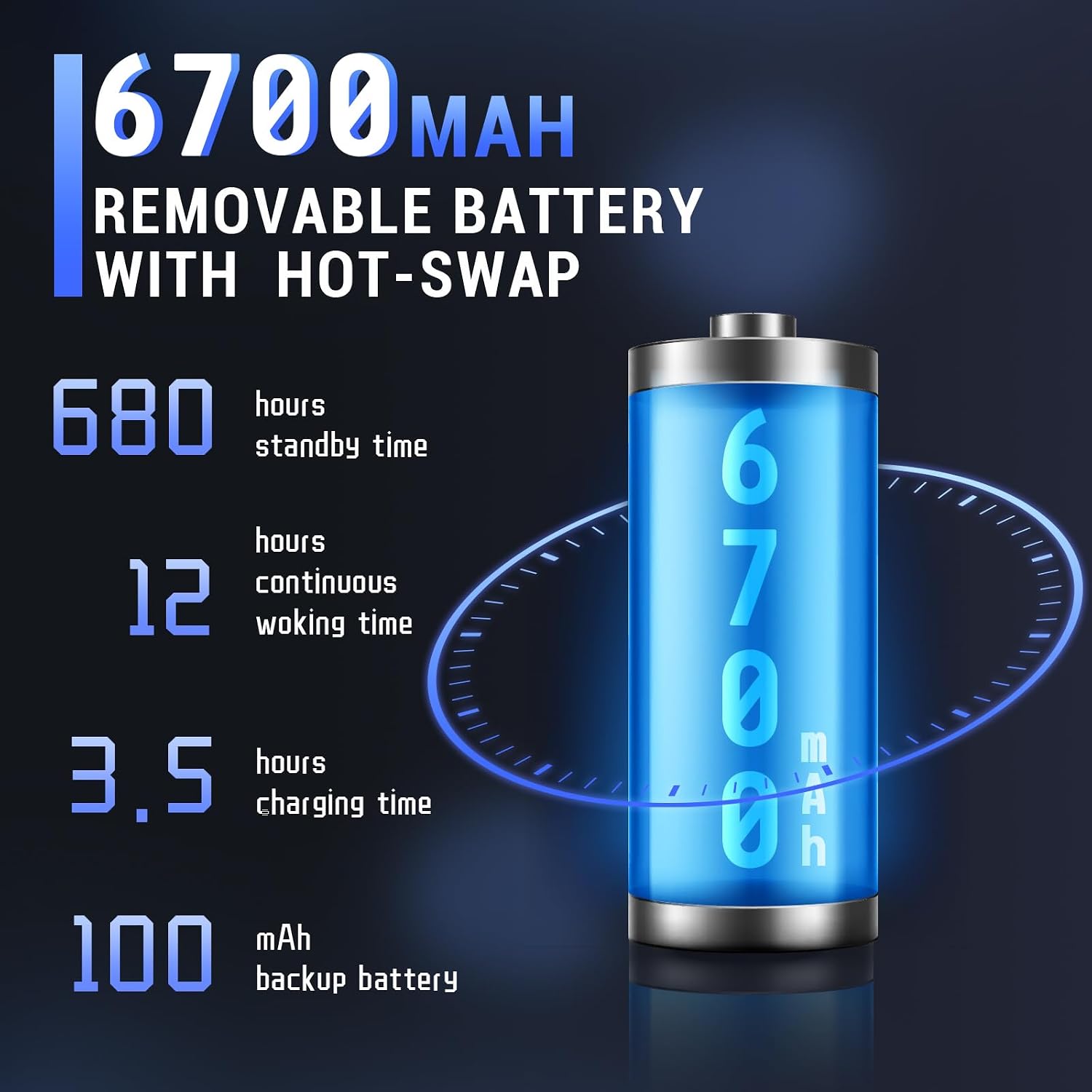
Image: The Tera P161 PDA actively scanning a barcode, demonstrating its primary function.
3. Keypad and Touchscreen Usage
The device combines a 4-inch touchscreen with a physical 37-key numeric keypad.
- Ukipen-pantaila: Navigate the Android interface by tapping, swiping, and pinching.
- Teklatua: Use the physical keys for data entry, navigation, and quick access functions. The keypad is designed for use even with gloves.

Irudia: Xehetasun zehatza view of the Tera P161 PDA's 37-key physical keypad, highlighting its layout and design.
4. Konektibitatea
- Wi-Fi: Connect to available Wi-Fi networks via the Android settings menu. Supports 2.4G and 5G bands.
- Bluetootha: Pair with Bluetooth devices (e.g., headphones, printers) through the Bluetooth settings. The device uses Bluetooth 5.0 for faster data transfer.
- GPSa: The integrated GPS module allows for location-based services and tracking.
- NFC: For Near Field Communication, ensure the pistol grip is removed for optimal performance. Access NFC settings in the Android menu.
Mantentzea
1. Gailua garbitzea
Errendimendu eta higiene optimoa mantentzeko:
- Garbitu pantaila eta gorputza zapi leun eta lihorik gabeko batekin.
- Zikinkeria egoskorrerako, apur bat lehortuampeu zapi urarekin edo garbitzaile leun eta ez urratzaile batekin.
- Ez erabili produktu kimiko gogorrik, disolbatzailerik edo material urratzailerik.
- Ziurtatu likidorik ez dela sartzen portuetan edo irekiduretan.
2. Bateria zaintzea
The 6700mAh battery is designed for long operational periods. The 100mAh backup battery allows for hot-swapping the main battery without losing data.
- Saihestu bateria maiz erabat deskargatzea.
- Gorde gailua leku fresko eta lehor batean denbora luzez erabiltzen ez duzunean.
- If replacing the main battery, ensure the device is powered on and the backup battery is charged to facilitate a hot-swap.
3. Ingurumenari buruzko gogoetak
The Tera P161 has an IP65 rating, indicating resistance to dust and water jets, and can withstand drops up to 1.5 meters.
- While robust, avoid intentional exposure to extreme conditions.
- Ziurtatu ataka guztien estalkiak ondo itxita daudela urarekiko eta hautsarekiko erresistentzia mantentzeko.
- Ez sartu gailua uretan.

Image: The Tera P161 PDA being shown to withstand drops and splashes, illustrating its IP65 durability rating.
Arazoak konpontzea
If you encounter issues with your Tera P161, refer to the following common problems and solutions:
| Arazoa | Kausa posiblea | Irtenbidea |
|---|---|---|
| Gailua ez da pizten. | Bateria baxua edo agortuta. | Connect the device to the charger and allow it to charge for at least 30 minutes before attempting to power on. |
| Barcode scanner not reading. | Barcode damaged, scanner window dirty, incorrect symbology settings, or scanner application not active. | Clean the scanner window. Ensure the barcode is clear and undamaged. Check scanner settings in the application. Verify the scanning application is open and active. |
| Wi-Fi edo Bluetooth konexio arazoak. | Out of range, incorrect password, or interference. | Move closer to the Wi-Fi router or Bluetooth device. Re-enter the password. Restart the device and try again. |
| Gailua motela da edo ez du erantzuten. | Aplikazio gehiegi exekutatzen ari dira, memoria gutxi dago edo softwarearen akatsak daude. | Itxi beharrezkoak ez diren aplikazioak. Berrabiarazi gailua. Garbitu cachea ahal bada. |
| Forgotten PIN or password. | Segurtasun-blokeoa aktibatuta. | If you have forgotten your device PIN or password, you may need to perform a factory reset. Warning: A factory reset will erase all data on the device. Consult the online support resources or contact customer service for guidance before proceeding. |
If the problem persists after trying these solutions, please contact Tera customer support.
Zehaztapenak
| Ezaugarri | Xehetasuna |
|---|---|
| Modelo zenbakia | FUN-PDA-P161-EU |
| Sistema eragilea | Android 11 |
| Prozesadorea | Qualcomm Octa-Core 2.0GHz |
| Eskaner motorra | Zebra SE4710 (1D/2D/QR) |
| Bistaratzea | 4 hazbeteko ukipen-pantaila |
| Memoria | 3 GB RAM, 32 GB ROM |
| Bateria Nagusia | 6700mAh (Removable, Hot-swappable) |
| Backup Bateria | 100mAh |
| Kargatzeko Denbora | Gutxi gorabehera. 3.5 ordu |
| Teklatua | 37-key Numeric Keypad |
| Konektibitatea | Wi-Fi (2.4G/5G), Bluetooth 5.0, GPS, NFC |
| Iraunkortasun Balorazioa | IP65 (Water, Dust, 1.5m Drop Resistance) |
| Energia iturria | Kable elektrikoa |
Bermea eta Laguntza
Tera is committed to providing high-quality products and excellent customer service.
- Bezeroarentzako laguntza: 24/7 customer support is available for any inquiries or assistance.
- Laguntza Teknikoa: Comprehensive technical support is provided to help with setup, operation, and troubleshooting.
- SDK and Customization: SDKs are provided, and customization services are available to meet specific business needs.
- Harremanetarako informazioa: For support, please refer to the contact details provided with your product documentation or visit the official Tera webgunea.
For more information about Tera products and services, you can visit the Tera Brand Store.