
Amazon Kindle (11th Generation) 16GB
Kindle (11th Generation) 16GB User Manual
Model: Kindle (11th Generation) 16GB | Brand: Amazon
1. Sarrera
Welcome to the user manual for your new Kindle (11th Generation) 16GB e-reader. This guide provides essential information on setting up, operating, maintaining, and troubleshooting your device to ensure a seamless reading experience. Your Kindle is designed to be lightweight and compact, featuring an anti-glare screen, adjustable front light, and long-lasting battery, allowing you to immerse yourself in your favorite books without distractions.

Image: The Kindle (11th Generation) e-reader, showcasing its compact design and user interface with multiple e-books displayed on the screen.
2. Konfigurazioa
2.1. Kutxatik ateratzea eta hasierako kargatzea
Upon unboxing your Kindle, locate the device and the included USB-C cable. It is recommended to fully charge your Kindle before first use.
- Connect the USB-C cable to the charging port on your Kindle and the other end to a computer or a 9W USB power adapter (not included).
- A full charge takes approximately 4 hours when connected to a computer or 2 hours with a 9W power adapter.
2.2. Piztu/Itzaltzea
To power on your Kindle, press and hold the power button located on the bottom edge of the device for a few seconds until the screen illuminates. To turn off or put your Kindle to sleep, press the power button briefly.
2.3. Wi-Fira konektatzen
Your Kindle requires a Wi-Fi connection to download content and access online features.
- Hasierako pantailan, sakatu Ezarpenak icon (gear symbol) or swipe down from the top of the screen to open Quick Actions.
- Sakatu Ezarpen guztiak, orduan Wi-Fi eta Bluetootha, eta hautatu Wi-Fi Sareak.
- Choose your desired Wi-Fi network from the list and enter the password if prompted. Your Kindle supports 2.4 GHz and 5.0 GHz Wi-Fi networks.
2.4. Registering Your Device
After connecting to Wi-Fi, you will be prompted to register your Kindle to your Amazon account. This links your device to your content library and allows you to purchase new books.
3. Kindle-aren erabilera
3.1. Irakurketa Esperientzia
The Kindle features a 6-inch anti-glare screen with 300 ppi resolution, designed to mimic the look of real paper, making it comfortable to read even in bright sunlight. The adjustable front light allows for comfortable reading in various lighting conditions, including complete darkness.
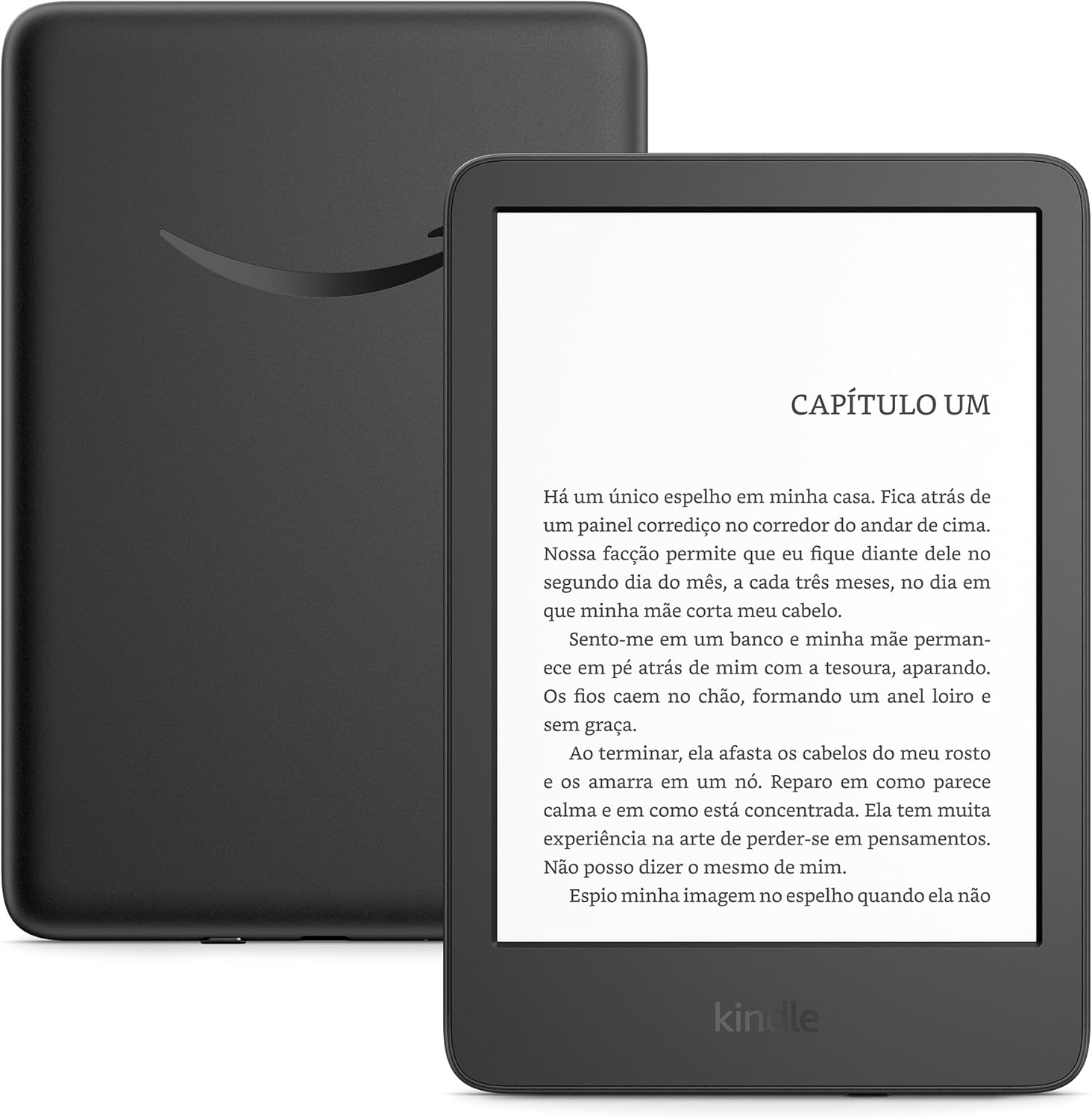
Image: A close-up of the Kindle screen showing a book chapter, highlighting the paper-like display.
3.2. Navigating and Page Turning
To turn pages, simply tap the right side of the screen to go to the next page, or the left side to go back. You can also swipe left or right. To access reading options (font size, light settings, etc.), tap the top of the screen while reading.

Image: A user holding the green Kindle, illustrating the enhanced brightness and contrast of the display.
3.3. Managing Your Library and Content
Your Kindle has 16 GB of storage, capable of holding thousands of e-books. All content purchased from Amazon is also stored for free in the cloud, accessible from any of your registered devices.
- Liburuak deskargatzea: Hasierako pantailan, sakatu Liburutegia ikonoa view your purchased content. Tap on a book cover to download it to your device.
- Kindle Unlimited: With a Kindle Unlimited subscription, you gain unlimited access to over a million titles.
- Onartutako formatuak: Your Kindle supports various formats including Kindle 8 (AZW3), Kindle (AZW), TXT, PDF, MOBI (unprotected), PRC, HTML, EPUB, RTF, JPEG, GIF, PNG, BMP (via conversion), and Audible (AAX) audio format.

Image: A visual representation of the vast library that can be stored on the Kindle's 16GB internal memory.

Image: A user interacting with the Kindle, highlighting the benefit of Kindle Unlimited for accessing a large selection of books.
4. Mantentzea
4.1. Kindle-a garbitzea
To clean your Kindle, use a soft, lint-free cloth. Do not use abrasive cleaners or solvents. Avoid getting moisture into any openings.
4.2. Bateria zaintzea
The Kindle's battery can last up to 6 weeks on a single charge, based on half an hour of daily reading with Wi-Fi off and light setting at level 13. Battery life may vary with usage.
- For optimal battery life, keep Wi-Fi turned off when not actively downloading content.
- Adjust the front light to a comfortable level, as higher brightness consumes more power.
- Charge your device regularly, but avoid leaving it fully discharged for extended periods.
4.3. Software eguneraketak
Your Kindle receives software security updates for at least four years from its last availability as a new unit. Ensure your device is connected to Wi-Fi periodically to receive these updates, which improve performance and add new features.
5. Arazoak
5.1. Gailuak ez du erantzuten
If your Kindle becomes unresponsive, try a forced restart. Press and hold the power button for 40 seconds until the device restarts. If it doesn't restart, connect it to a power source and try again.
5.2. Wi-Fi konexio arazoak
If you are unable to connect to Wi-Fi:
- Ziurtatu zure Wi-Fi pasahitza zuzena dela.
- Berrabiarazi zure Wi-Fi bideratzailea.
- Saiatu beste Wi-Fi sare batera konektatzen, eskuragarri badago.
- Ensure your Kindle is within range of the Wi-Fi signal.
5.3. Bateria azkar agortzen ari da
If your battery life is shorter than expected:
- Turn off Wi-Fi when not in use.
- Reduce the brightness of the front light.
- Ensure no books are stuck in the download queue.
- Perform a device restart.
6. Zehaztapenak
| Ezaugarri | Deskribapena |
|---|---|
| Pantaila | 6" display with integrated light, 300 ppi resolution, optimized font technology, and 16-level grayscale. |
| Tamaina | 157.8 x 108.6 x 8.0 mm (total device measurements). |
| Pisua | 158 grams (may vary by configuration and manufacturing process). |
| Sistemaren eskakizunak | None. Completely wireless; no computer needed for content download. |
| Gailuan biltegiratzea | 16 GB – stores thousands of eBooks. |
| Hodeiko biltegiratzea | Amazonen eduki guztientzako doako hodeiko biltegiratzea. |
| Bateriaren iraupena | Up to 6 weeks on a single charge (based on half an hour of daily reading with Wi-Fi off and light at level 13). Varies with usage. |
| Kargatzeko Denbora | Approx. 4 hours via USB to computer, or approx. 2 hours via 9W USB power adapter. |
| Wi-Fi konexioa | Supports 2.4 GHz and 5.0 GHz Wi-Fi networks (WEP, WPA, WPA2 security). Incompatible with ad-hoc networks. |
| Irisgarritasun Ezaugarriak | Invert black and white, adjust font size/type, line spacing, and margins. |
| Onartutako eduki formatuak | Kindle 8 (AZW3), Kindle (AZW), TXT, PDF, MOBI (unprotected), PRC; PDF, DOCX, DOC, HTML, EPUB, TXT, RTF, JPEG, GIF, PNG, BMP (via conversion); Audible (AAX). |
| Kutxan sartuta | Kindle device, USB-C cable for charging, Quick Start Guide. |
| Kolore Aukerak | Green or Black. |
| Belaunaldia | Kindle (11th Generation) - 2024 model. |
| Anatel ID | 08205-22-01698. |
7. Bermea eta Laguntza
Your Kindle comes with a 1-year limited warranty for the product and services. Use of the Kindle is subject to the terms of use.
For additional support, user guides, and troubleshooting resources, please visit the official Amazon Kindle support website. You can also manage your content and devices through your Amazon account online.
For more information on software security updates, please refer to the Amazon support pages for your specific device.
Ask a question about this manual
Ask about setup, troubleshooting, compatibility, parts, safety, or missing instructions. Manuals+ will review the question and use this page’s manual context to help answer it.