
Sarrera
This manual provides essential information for setting up, operating, and maintaining your Amazon Basics 24-inch FHD 1080p monitor. Please read these instructions carefully before use and retain them for future reference.

The Amazon Basics 24-inch FHD 1080p monitor, featuring a sleek design and integrated speakers.
Konfigurazioa
1. Kutxatik ateratzea eta osagaien egiaztapena
Kontu handiz atera osagai guztiak paketetik. Ziurtatu behean zerrendatutako elementu guztiak daudela:
- Monitorearen pantaila
- Monitorearen Stand Base
- Monitorearen euskarriaren lepoa
- Elikatze-moldagailua
- HDMI kablea
- Erabiltzailearen eskuliburua (dokumentu hau)

Included accessories: stand base, stand neck, power adapter, and HDMI cable.
2. Stand-asanblada
- Attach the stand neck to the stand base. Secure it with the screw provided, usually located on the underside of the base.
- Carefully attach the assembled stand to the back of the monitor panel. Ensure it clicks securely into place or is fastened with screws if applicable.
IMPORTANT: Remove the protective film (with the date code) from the panel surface before use. This film protects against scratches during shipping.
3. Gailu batera konektatzea
The monitor supports HDMI and DisplayPort (DP) connections. It also features integrated speakers and VESA compatibility for wall mounting.
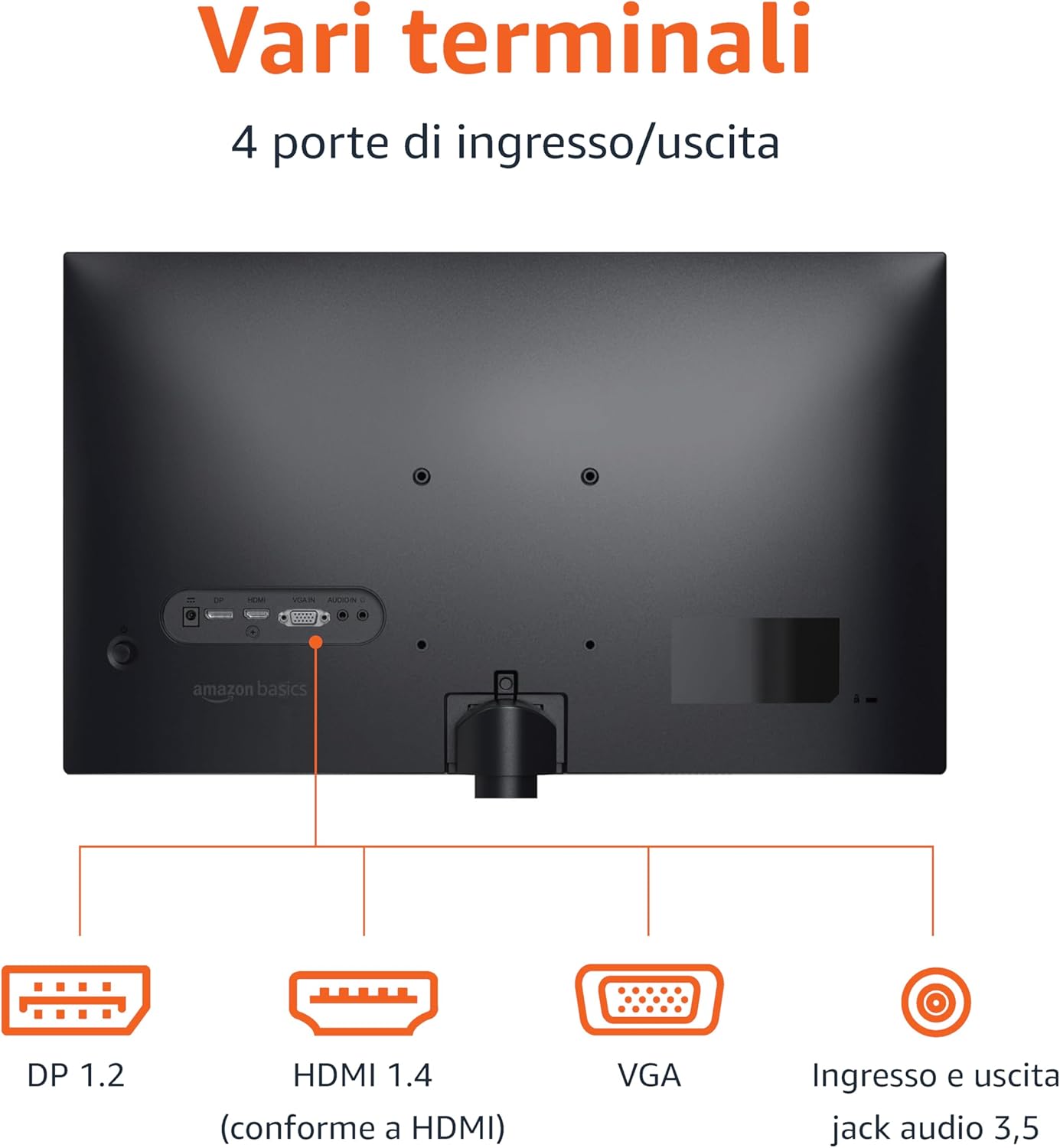
Rear panel connections: DP 1.2, HDMI 1.4, VGA, and 3.5mm audio input/output ports.
- HDMI konexioa: Connect one end of the HDMI cable to the HDMI port on your computer or device and the other end to the HDMI 1.4 port on the monitor.
- DisplayPort (DP) konexioa: Connect one end of the DP cable (not included) to the DP port on your computer or device and the other end to the DP 1.2 port on the monitor.
- VGA konexioa: Connect one end of the VGA cable (not included) to the VGA port on your computer or device and the other end to the VGA port on the monitor.
- Audio konexioa: If using a VGA connection or an external audio source, connect a 3.5mm audio cable from your device's audio output to the monitor's audio input.
- Potentzia-konexioa: Konektatu korronte-egokitzailea monitorearen elikatze-sarrerara, eta ondoren entxufe batera.
4. VESA muntaketa (aukerakoa)
This monitor is VESA compatible, allowing it to be mounted on a wall or an adjustable arm. Refer to your VESA mount's instructions for installation. Ensure the mount supports the monitor's weight and VESA pattern.

The monitor stand allows for tilt adjustment from -5° to 20°.
Funtzionamendu-argibideak
1. Piztu/Itzali
Sakatu pizteko botoia, normalean monitorearen beheko eskuinean edo atzealdean dagoena, pizteko edo itzaltzeko. Pizteko adierazlearen argia piztuko da monitorearen piztuta dagoenean.
2. Pantailako pantaila (OSD) menua
Use the control buttons (typically located on the bottom right or rear) to navigate the OSD menu. The OSD allows you to adjust various settings:
- Distira/Kontrastea: Adjust image luminance and contrast levels.
- Kolore ezarpenak: Aldatu kolore-tenperatura, ñabardura eta saturazioa.
- Sarrera hautatzea: Manually switch between HDMI, DisplayPort, and VGA inputs.
- Audio ezarpenak: Control volume for the built-in speakers or connected headphones.
- Irudi modua: Select preset display modes (e.g., Standard, Movie, Game).
- Freskatze-tasa: Ensure your device is configured to output at 100Hz for the smoothest experience. This setting is usually adjusted in your computer's display settings.
3. Bozgorailu integratuak
The monitor includes integrated speakers for audio output. Adjust the volume through the OSD menu or your connected device's audio controls.
Mantentzea
1. Pantaila garbitzea
- Itzali beti monitoreari eta deskonektatu korronte-kablea garbitu aurretik.
- Erabili lipurrik gabeko zapi leun bat dampUrarekin edo pantaila-garbitzaile espezializatu batekin garbitu.
- Ez ihinztatu garbitzailea zuzenean pantailan.
- Saihestu garbitzaile urratzaileak, argizariak edo disolbatzaileak erabiltzea.
2. Zaintza orokorra
- Mantendu monitoreak eguzki-argitik, bero-iturrietatik eta hauts gehiegizkotik urrun.
- Ziurtatu aireztapen egokia monitorearen inguruan.
- Ez jarri objektu astunak monitorearen edo haren kableen gainean.
Arazoak konpontzea
| Arazoa | Irtenbide posiblea |
|---|---|
| Botererik ez |
|
| Seinalerik ez / Pantaila hutsa |
|
| Irudi keinukaria edo distortsionatua |
|
| No Audio from Built-in Speakers |
|
Zehaztapenak
| Ezaugarri | Xehetasuna |
|---|---|
| Marka | Amazon Oinarrizkoak |
| Modelo zenbakia | C24M2020DEU |
| Pantailaren tamaina | 24 hazbete |
| Ebazpena | FHD 1080p (1920 x 1080) |
| Freskatze tasa | Gehienez 100 Hz |
| Panel mota | IPS |
| Aspektu-erlazioa | 16:9 |
| Kontraste-erlazioa | 1500:1 |
| Pantailaren gainazala | Distiratsua |
| Konektibitatea | HDMI, DisplayPort (DP), VGA |
| Ezaugarri bereziak | Built-in Speakers, VESA Compatible |
| Pisua | 3 kilogramo |
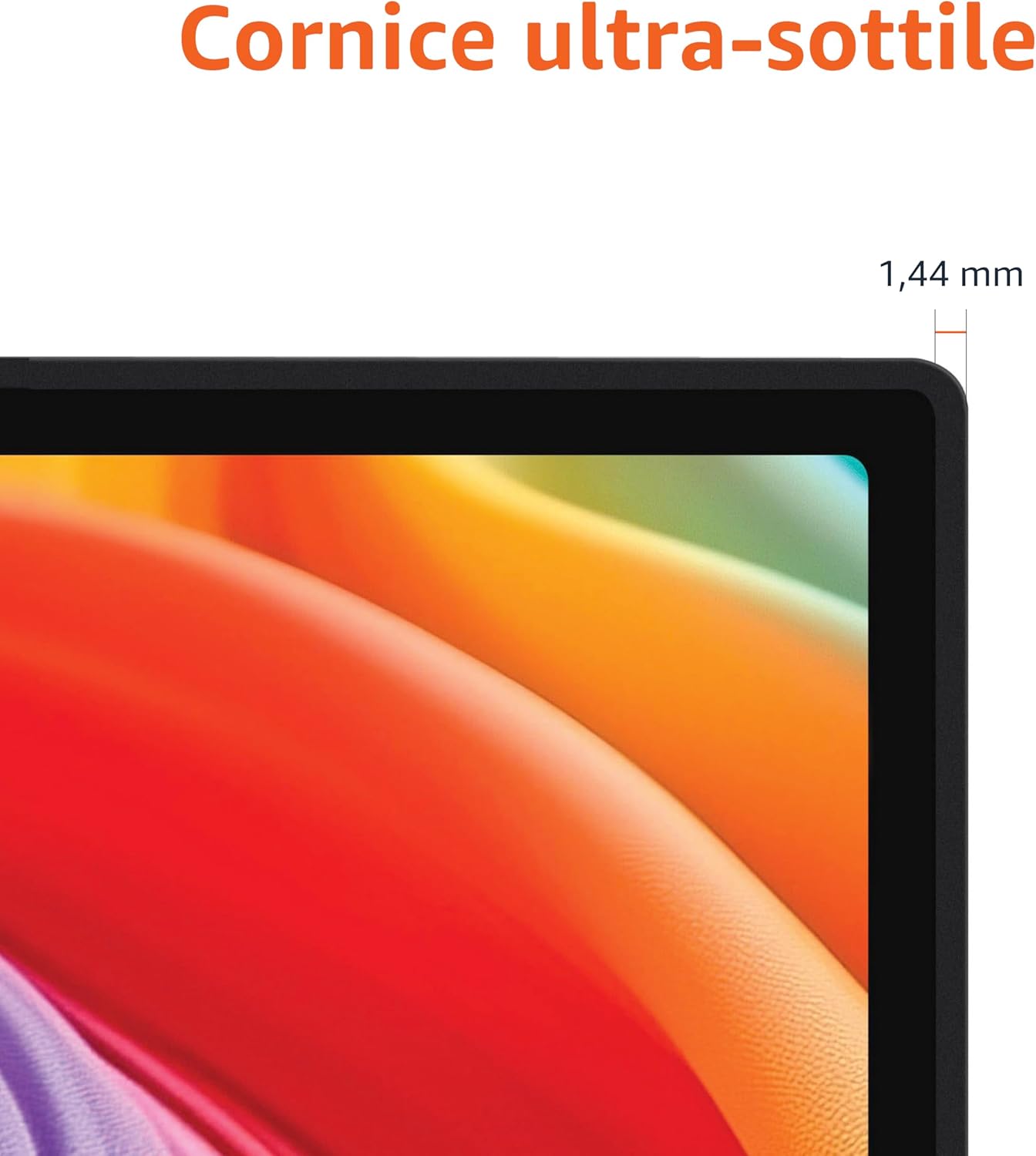
Approximate monitor dimensions (width x height x depth).
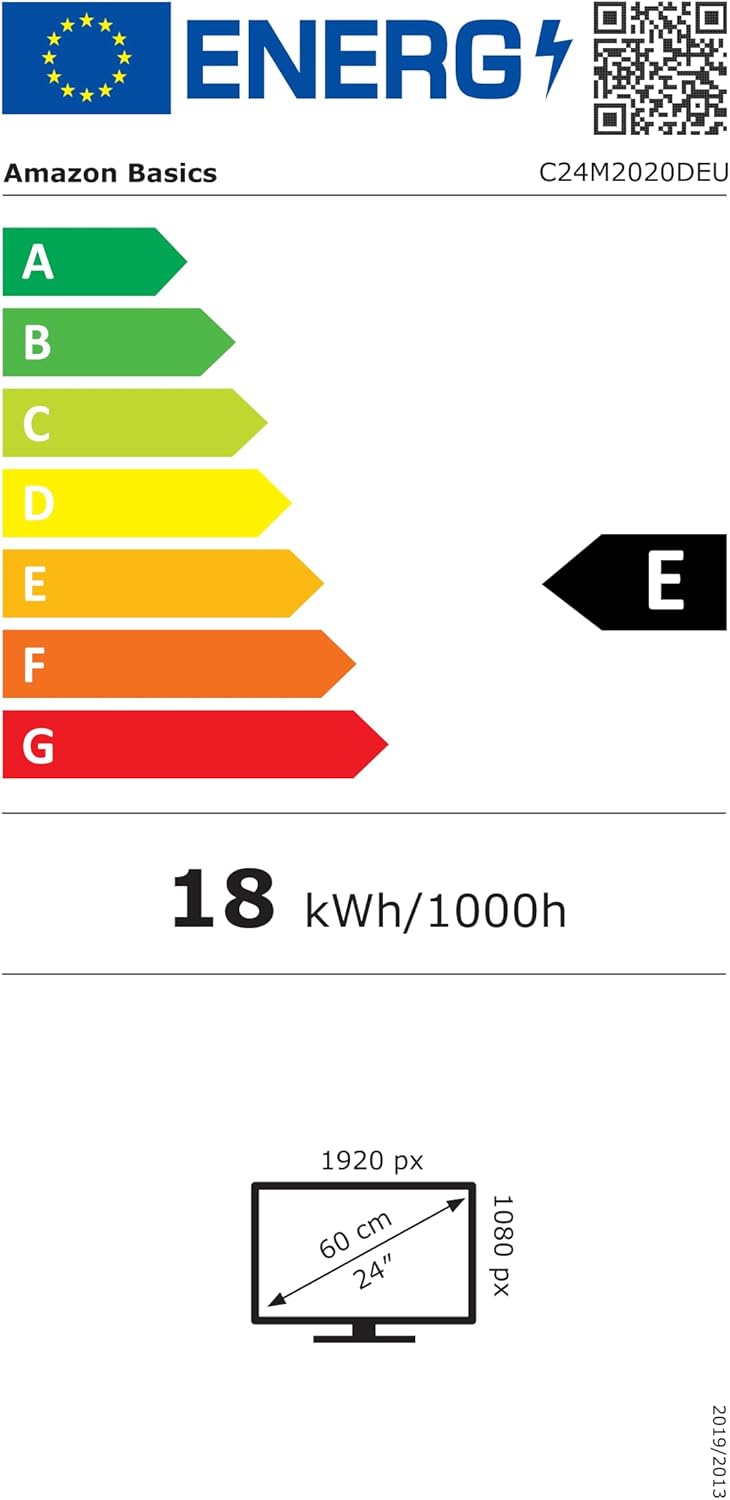
EU Energy Label for model C24M2020DEU. For more details, visit the EPREL datu basea.
Bermearen informazioa
Produktu hau a 1 urteko berme mugatua. For specific terms and conditions, please refer to the warranty documentation provided with your purchase or contact Amazon Basics customer support.
Laguntza
For technical assistance, troubleshooting, or warranty claims, please contact Amazon Basics customer support through the Amazon webgunea edo zure erosketa plataforma.
You can also refer to the official Amazon Basics store for additional product information and support resources: Amazon Basics Store