
1. Sarrera
This manual provides instructions for the iTOMA Model CKS507 Clock Radio. This device combines an alarm clock with a large LED display, FM radio, dual alarms, two USB charging ports, a night light, and both automatic and manual dimmer functions. It also features APP control for enhanced functionality and ease of use.

Figure 1: iTOMA CKS507 Clock Radio overview.
2. Ezaugarri nagusiak
- Ultra Clear 1.4-inch White LED Display: Large numbers for easy readability from any angle, with 4-level manual and auto brightness adjustment.
- APP Kontrola: Manage alarms, radio, and other settings via the dedicated iTOMA App for iOS and Android.
- Alarma bikoitzak: Set two independent alarms with customizable wake-up modes (radio or buzzer) and 4 alarm week modes (Every day, single day, weekdays, weekends).
- FM irratia: Digital tuning with memory storage for up to 20 programmable stations (87.5-108MHz). Features a sleep-to-music timer (10-90 minutes).
- Bluetooth konexioa: Erreproduzitu audioa haririk gabe zure Bluetooth gaitutako gailuetatik.
- Two USB Charging Ports: Includes one USB Type-A and one USB Type-C port (2.1A 5V) for charging mobile devices.
- Gaueko argia: Two-level night light for ambient illumination.
- Atzeratzea Funtzioa: 9-minute snooze, up to 6 times.
- Crescendo Wake-up Control: Alarma bolumena pixkanaka handitzen da.
3. Paketearen edukia
Egiaztatu elementu guztiak paketean daudela:
- 1 x iTOMA CKS507 Clock Radio
- 1 x korronte egokitzailea
- 1 x User Manual (Six languages)
4. Konfigurazioa
4.1 Energia-konexioa
- Unpack the iTOMA CKS507 Clock Radio and its power adapter.
- Connect the power adapter to the DC input port on the back of the clock radio.
- Plug the power adapter into a standard electrical outlet. The clock will automatically set itself to the correct year, month, date, day, and time upon initial power-up and after any power interruption.
4.2 App Control Setup
The iTOMA App provides convenient control over various clock functions.
- Deskargatu aplikazioa: Bilatu "iTOMA" in the App Store (iOS) or Google Play Store (Android) and download the application.
- Power On and Bluetooth Activation: Ensure the clock radio is powered on. Press the BT button on the clock. The Bluetooth indicator on the clock display should flash, indicating it is in pairing mode.
- Aplikazioaren bidez konektatu:
- Open the iTOMA App on your mobile device.
- Tap "Connect" within the App.
- In the pop-up interface, select "Settings" and then connect to the Bluetooth device named "507".
- Berrespena: A successful connection will be indicated by an audible tone from the clock. The App and Bluetooth indicator lights on the clock will remain steadily on.
- Konexioaren arazoak konpontzea: If the App cannot connect, ensure your mobile device's Bluetooth is enabled and the clock's Bluetooth is active (indicator flashing or steady).

Figure 2: Steps for connecting the iTOMA App.
5. Funtzionamendu-argibideak
5.1 Ordua eta data ezarpena
The clock automatically sets the time upon power-up. Manual adjustment is also possible.
- Eskuzko ordua ezarri: Erabili ORDUA button to adjust the year, date, day of the week, and time. Refer to the detailed instructions in the included multi-language manual for specific button sequences.
- Ordu-eremua: Egokitu ordu-zona zure kokapenaren arabera.
- 12/24 orduko formatua: Hautatu nahiago duzun denbora bistaratzeko formatua.
5.2 Alarma-funtzioak
The clock radio features two independent alarms.

Figure 3: Dual alarm clock functionality.
- Alarmak ezartzea: Use the dedicated alarm buttons or the iTOMA App to set Alarm 1 and Alarm 2.
- Wake-up Modes: Choose to wake up to the FM radio or a buzzer sound.
- Alarm Week Modes: Select from four options: Every day, single day only, weekdays only, or weekends only.
- Alarmaren bolumena: Adjust the alarm volume (16 levels). The alarm sound will gradually increase (crescendo wake-up).
- Atzeratu: Alarma jotzen duenean, sakatu SNOOZE button to temporarily silence it for 9 minutes. This can be repeated up to 6 times.
- Alarma desgaitzea: To turn off an alarm, use the physical alarm switch on the back of the unit or disable it via the App. Remember to re-enable it for the next day if needed.
5.3 FM Irratia
Enjoy your favorite radio stations with digital tuning.

Figure 4: FM Radio tuning and presets via App.
- sintonia: Use the tuning controls on the unit or the App to find FM stations (87.5-108MHz).
- Aurrezarpenak: Store up to 20 favorite radio stations for quick access.
- Bolumena: Adjust the radio volume from 0-16 levels.
- Antena: Ensure the external cable antenna is properly extended for optimal reception.
- Lo egiteko tenporizadorea: Set a programmable sleep-to-music timer (10-90 minutes) to fall asleep to your chosen radio station. The radio will automatically turn off after the set duration.
5.4 Bluetooth audio erreprodukzioa
Connect your mobile device to stream music wirelessly.

Figure 5: Bluetooth music streaming.
- Sakatu BT button on the clock radio to enter Bluetooth pairing mode. The Bluetooth indicator will flash.
- On your mobile device, go to Bluetooth settings and select "507" from the list of available devices to pair.
- Once paired, the Bluetooth indicator on the clock will stop flashing and remain steady. You can now stream audio from your device to the clock radio.
5.5 Pantailaren argitasun-iluntzailea
Adjust the display brightness for comfort.

Figure 6: Display brightness levels and auto dimmer.
- Manual Dimmer: Erabili DIMMER button to cycle through 4 brightness levels (L-1, L-2, L-3, OFF).
- Auto Dimmer: The clock features an auto-dimmer function that adjusts the display brightness based on ambient light conditions, reducing brightness for uninterrupted sleep.
5.6 Gau Argia
The integrated night light provides soft illumination.
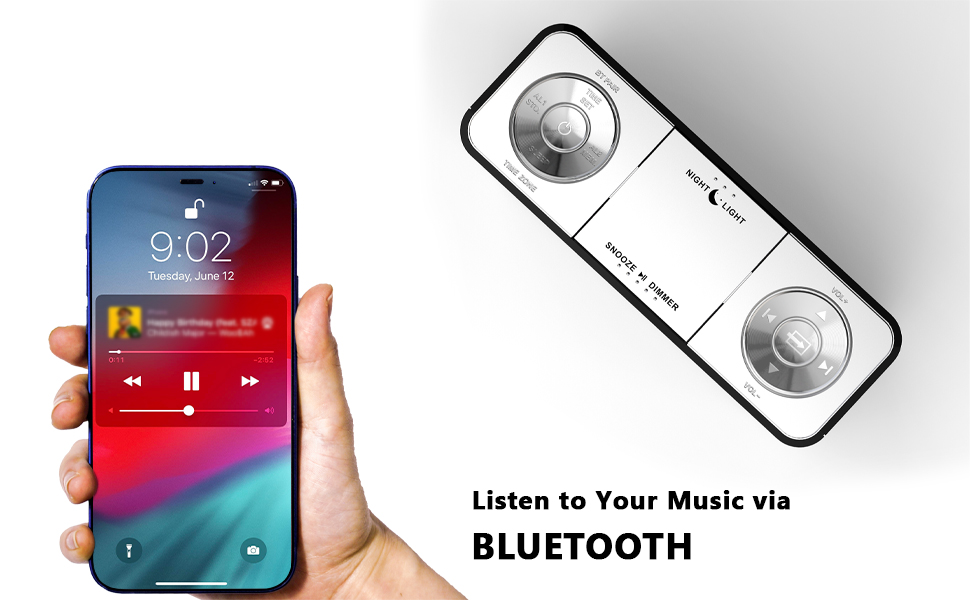
Figure 7: Night light feature.
- Sakatu GAUEKO ARGIA button to activate or adjust the two-level night light.
5.7 USB kargatzeko ataka
Charge your mobile devices conveniently.
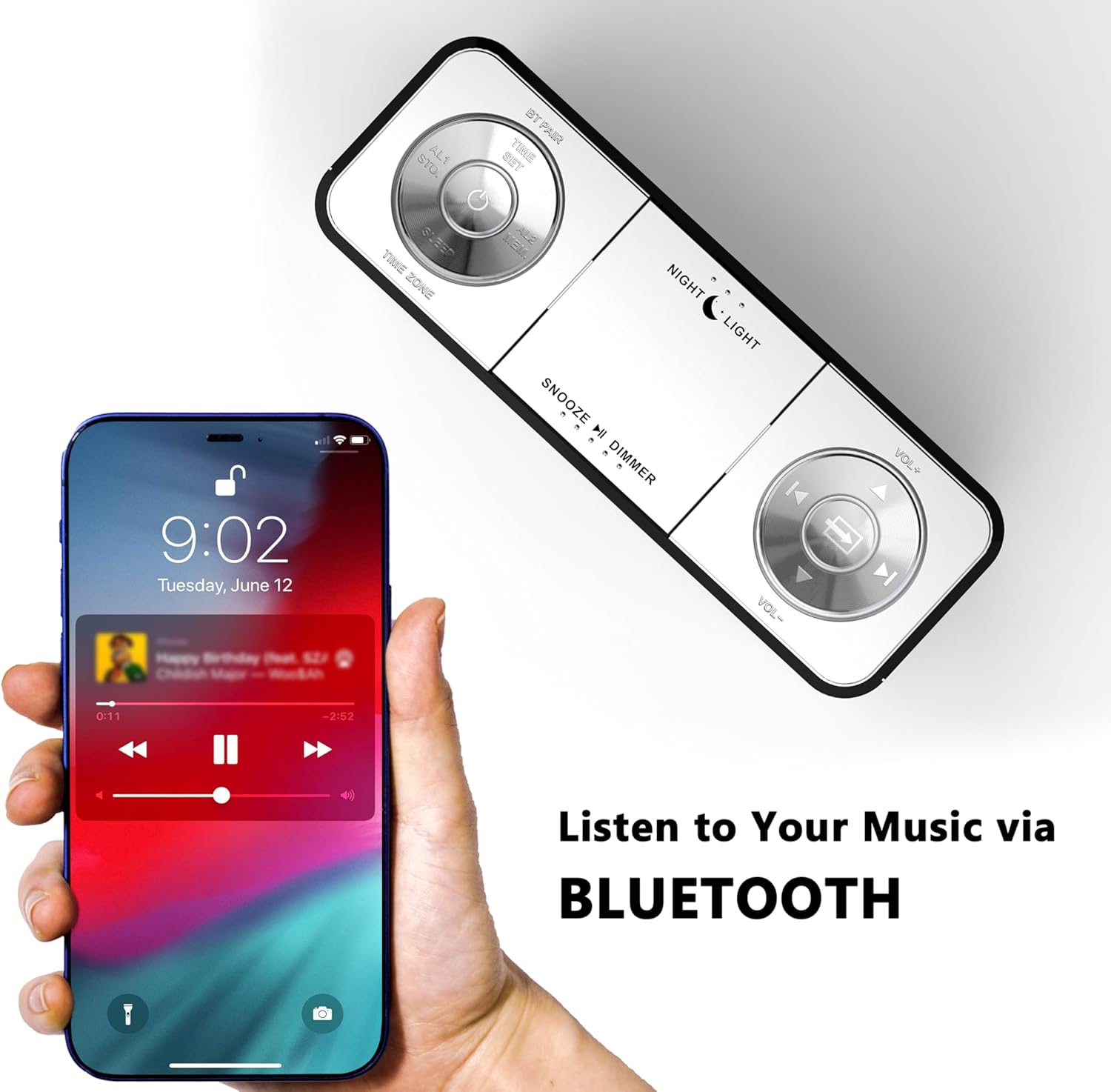
Figure 8: USB charging ports in use.
- The clock radio includes one USB Type-A and one USB Type-C charging port (2.1A 5V total output).
- Connect your mobile phone, tablet, or other USB-powered devices to these ports for charging.
6. Mantentzea
- Garbiketa: Garbitu unitatea zapi leun eta lehor batekin. Ez erabili garbitzaile edo disolbatzaile urratzailerik.
- Potentzia deskonexioa: Deskonektatu korronte-egokitzailea hormako entxufetik unitatea denbora luzez erabiliko ez baduzu.
- Lekua: Place the clock radio on a stable, flat surface away from direct sunlight, heat sources, and moisture.
7. Arazoak
| Arazoa | Kausa posiblea | Irtenbidea |
|---|---|---|
| Erlojuaren pantaila hutsik dago edo ez du funtzionatzen. | No power or power interruption. | Ziurtatu korronte-egokitzailea erlojuan eta funtzionatzen duen entxufe batean ondo konektatuta dagoela. |
| Time/Date is incorrect after power interruption. | No battery backup for settings. | The clock automatically resets time upon power restoration. If manual settings were lost, re-enter them using the TIME SET button or App. |
| Cannot connect to the iTOMA App. | Bluetooth is off on the clock or mobile device; incorrect pairing process. | Ensure Bluetooth is enabled on your mobile device. Press the BT button on the clock to activate pairing mode. Follow App connection steps carefully. |
| FM irratiaren harrera eskasa. | Antena ez dago luzatuta edo seinale eskasa dago eremuan. | Fully extend the external cable antenna. Try repositioning the antenna or the clock radio for better signal. |
| Alarmak ez du jotzen. | Alarm is not set, turned off, or volume is too low. | Verify alarm settings (time, mode, active days) via the clock or App. Ensure alarm volume is set to an audible level. Check the physical alarm switch on the back. |
| USB kargatzeak ez du funtzionatzen. | Gailua ez da bateragarria edo kablea akastuna da. | Ensure your device is compatible with 5V USB charging. Try a different USB cable. Confirm the clock radio is powered on. |
8. Zehaztapenak
| Marka | iTOMA |
| Modelo zenbakia | CKS507 |
| Kolorea | Led Zuria |
| Bistaratzeko mota | LED digitala |
| Produktuaren neurriak | 158 mm x 90 mm (6.22"Z x 3.54"A) |
| Energia iturria | Kable elektrikoa |
| Markoaren materiala | Plastikoa |
| Elementuaren pisua | 1.19 kilo |
| FM maiztasun sorta | 87.5-108 MHz |
| USB kargatzeko irteera | 2.1A 5V (Type-A and Type-C ports) |

9. irudia: Produktuaren neurriak.
9. Bezeroarentzako arreta
For further assistance, troubleshooting, or warranty information, please contact iTOMA customer support.
- Fabrikatzailea: iTOMA
- Lineako laguntza: Refer to the official iTOMA webwebgunean edo produktuaren ontzian emandako harremanetarako informazioan laguntza-kanal eguneratuenak ikusteko.