1. Sarrera
Eskerrik asko erosketagatik.asing the Generic 48 x 24 Inch White Tabletop Standing Desk. This manual provides important information regarding the assembly, operation, maintenance, and troubleshooting of your new desk. Please read this manual thoroughly before assembly and use to ensure safe and proper operation. Keep this manual for future reference.
Segurtasun Informazioa
- Ziurtatu osagai guztiak daudela eta kalterik gabe muntatu aurretik. Ez erabili piezaren bat falta bada edo akastuna bada.
- Muntatu mahaia gainazal leun eta garbi batean, marradurak saihesteko.
- Mantendu haurrak eta maskotak urrun muntaketa bitartean. Pieza txikiek itotzea eragin dezakete.
- Do not overload the desk. Refer to the 'Specifications' section for weight capacity.
- Ensure the desk is stable and level before placing items on it.
- Altuera doitzean, eskuak eta hatzak mugitzen diren piezetatik urrun eduki.
2. Paketearen edukia
Mesedez, egiaztatu ondorengo osagai guztiak zure paketean sartuta daudela:
- Desk Tabletop (White, 48 x 24 inches)
- Desk Legs (2 units)
- Crossbar/Frame Support
- Metal Drawer with Glides
- Crank Handle for Height Adjustment
- Foot Pads/Levelers (4 units)
- Muntaketa-tresneria (torlojuak, azkoinak, Allen giltza)
- Argibide eskuliburua
3. Konfigurazioa eta Muntaketa
Follow these steps to assemble your standing desk. It is recommended to have two people for assembly.
Step 1: Attach Desk Legs to Tabletop
Carefully place the tabletop upside down on a soft, clean surface. Align the desk legs with the pre-drilled holes on the underside of the tabletop. Secure them using the provided screws and Allen wrench.

Image: Desk legs being attached to the tabletop. Ensure all screws are tightened securely.
Step 2: Install Crossbar/Frame Support
Attach the crossbar between the two desk legs. This provides additional stability and support for the desk frame. Use the designated bolts and nuts to secure it firmly.

Image: Detail of the perforated crossbar connecting the desk legs, enhancing structural integrity.
Step 3: Install Metal Drawer
Slide the metal drawer into its designated slot under the tabletop. Ensure the drawer glides are properly aligned and the drawer slides smoothly. Secure any retaining screws if provided.

Image: The integrated metal drawer, shown partially open, providing convenient storage.
Step 4: Attach Crank Handle and Foot Pads
Insert the crank handle into its port on the side of the desk. Attach the adjustable foot pads to the bottom of each desk leg. These pads help level the desk on uneven surfaces and protect your floor.
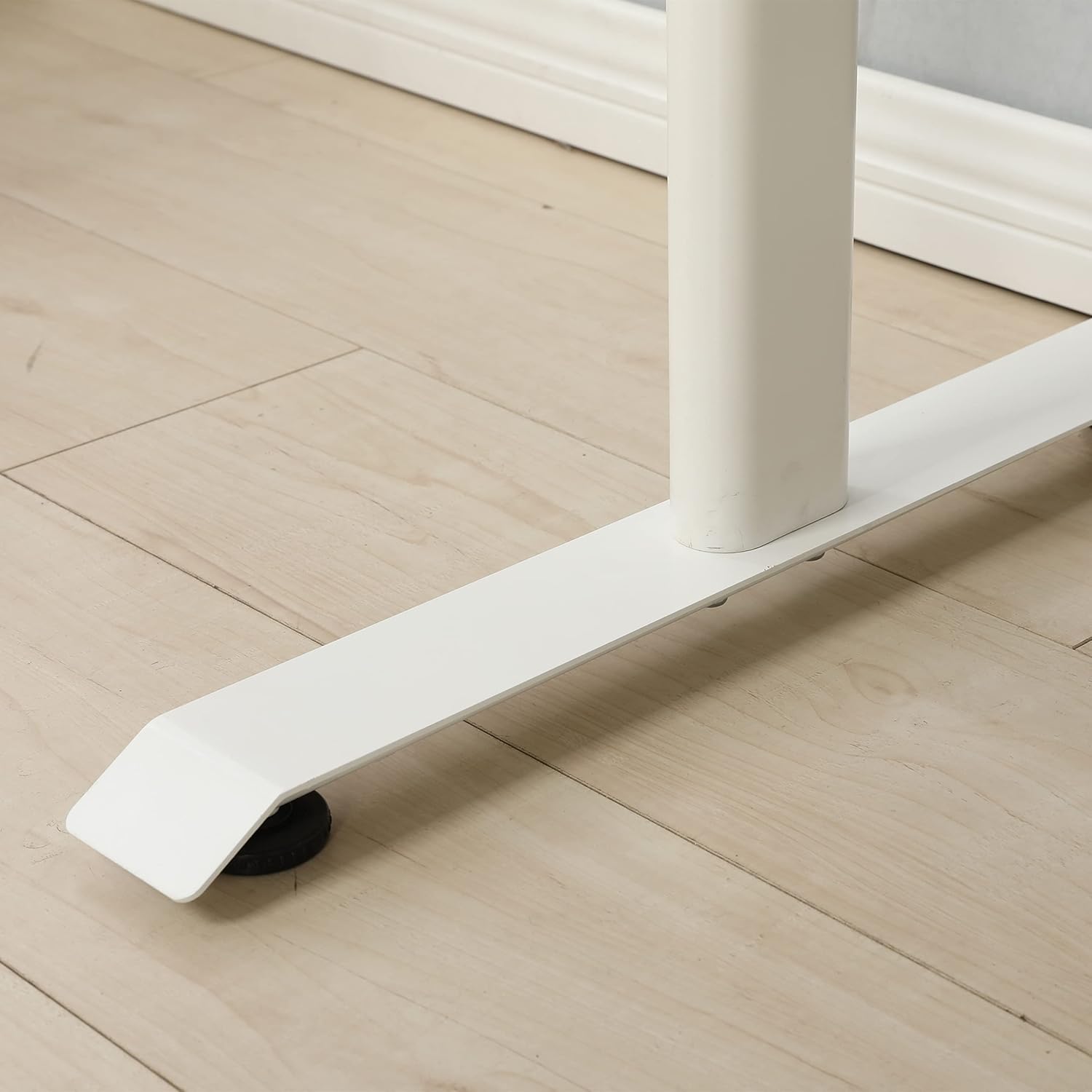
Image: An adjustable foot pad at the base of a desk leg, designed for stability and floor protection.
5. urratsa: Azken egiaztapena
Once assembled, carefully turn the desk upright. Ensure all screws and bolts are tight. Check for stability and adjust the foot pads if necessary to eliminate any wobbling.

Image: The fully assembled standing desk, viewed from the front, ready for use.
4. Funtzionamendu-argibideak
Mahaiaren altuera doitzea
This standing desk features a manual crank system for height adjustment. To change the desk height:
- Locate the crank handle on the side of the desk.
- Insert the crank handle firmly into its port.
- Rotate the crank handle clockwise to raise the desk.
- Rotate the crank handle counter-clockwise to lower the desk.
- Adjust to your desired ergonomic height, whether sitting or standing.
- Remove the crank handle when not in use to prevent accidental adjustments or obstruction.
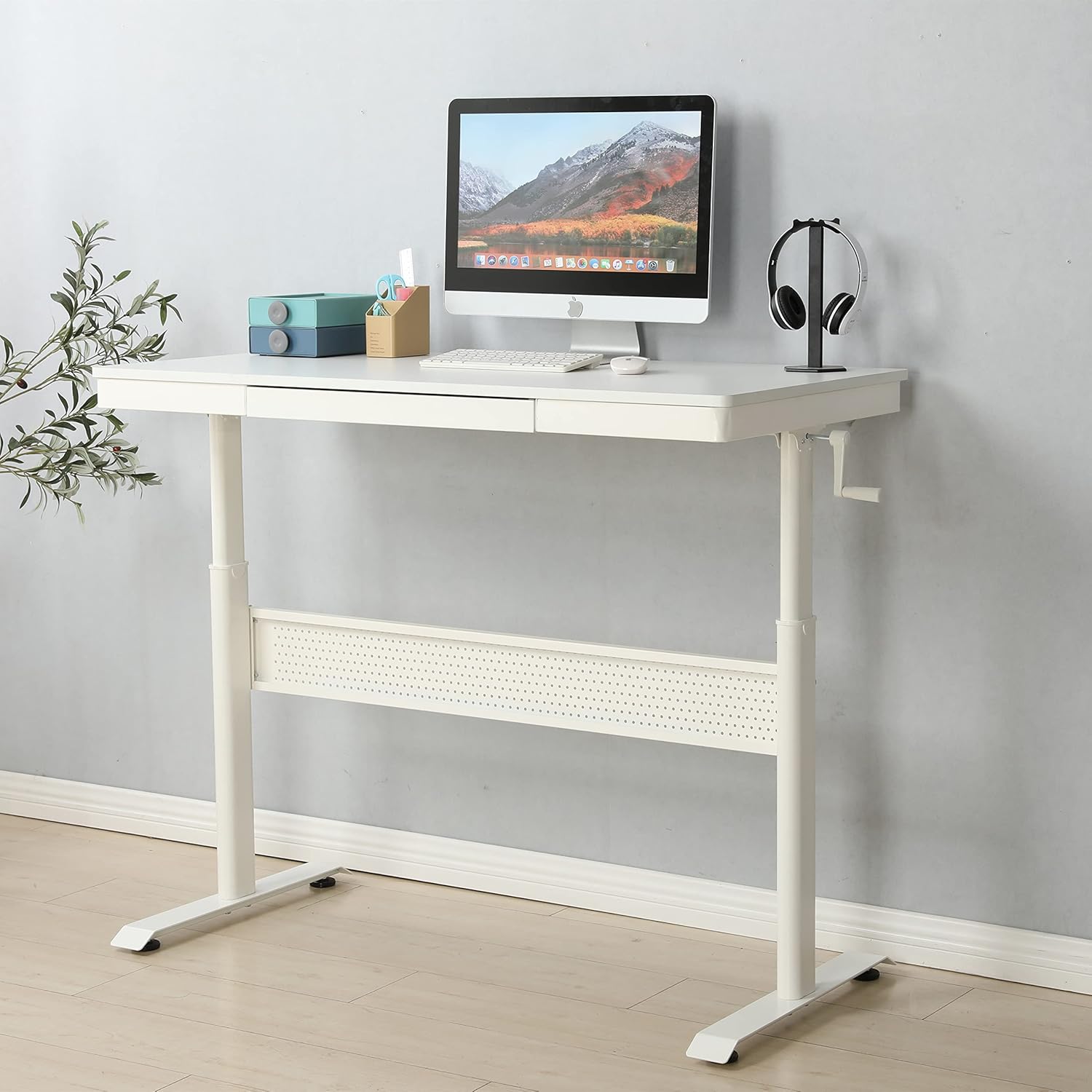
Image: The standing desk with the manual crank handle positioned for height adjustment.
5. Mantentzea
Regular maintenance will help prolong the life and functionality of your standing desk.
- Garbiketa: Garbitu mahaiaren gainazala eta markoa oihal leun eta lehor batekinamp oihal. Saihestu akabera kaltetu dezaketen produktu kimiko gogorrak edo garbitzaile urratzaileak.
- Hardwarearen egiaztapena: Aldian-aldian egiaztatu torloju eta azkoin guztiak ondo estututa daudela ziurtatzeko. Beharrezkoa bada, berriro estutu egonkortasuna mantentzeko.
- Tiraderaren mantentze-lanak: Ensure the drawer glides are free of debris for smooth operation.
- Lubrifikazioa: The height adjustment mechanism is generally maintenance-free. If you notice any stiffness, consult customer support before applying lubricants.
6. Arazoak
Zure mahaiarekin arazorik baduzu, jo ezazu honako arazo eta irtenbide ohikoenei:
| Arazoa | Kausa posiblea | Irtenbidea |
|---|---|---|
| Mahaia dardarka dago. | Loose hardware; uneven floor; uneven foot pads | Check and tighten all screws and bolts. Adjust the foot pads to level the desk on uneven surfaces. |
| Crank handle is stiff or difficult to turn | Mechanism obstruction; excessive weight on desk | Ensure no objects are obstructing the lifting mechanism. Reduce weight on the desk. Contact support if issue persists. |
| Tiradera ez da leunki irristatzen | Debris in glides; misaligned glides | Clean the drawer glides. Check for proper alignment of the drawer and glides. |
If you encounter a problem not listed here or if the suggested solutions do not resolve the issue, please contact customer support.
7. Zehaztapenak
| Ezaugarri | Xehetasuna |
|---|---|
| Marka | Generikoa |
| Modelo zenbakia | home-office-desks |
| Produktuaren neurriak (L x W x H) | 47.24" x 23.62" x 29.52" |
| Kolorea | Zuria |
| Goiko material mota | Altzairu aleazioa |
| Oinarrizko materiala | Altzairu aleazioa |
| Tiradera kopurua | 1 |
| Muntaia Beharrezkoa | Bai |
| Ezaugarri Berezia | Durable, Adjustable Height |
8. Bermea eta Laguntza
This product is offered with a 30-day easy return policy. For any questions, assistance, or to report missing/damaged parts, please contact customer support through the retailer where the product was purchased.
Manufacturer: SeeTruth


