
1. Produktua amaitu daview
The Charmast 20000mAh Power Bank is a portable charging solution designed for convenience and efficiency. It features multiple integrated cables and ports to charge a wide range of devices quickly and safely. Its compact design makes it ideal for travel and daily use.
Ezaugarri nagusiak:
- Kable integratuak: Includes USB-C, Lightning, and Micro-USB cables, eliminating the need to carry extra wires.
- Gailu anitzeko karga: Capable of charging up to 5 devices simultaneously.
- Karga azkarra: Supports 22.5W fast charging with PD3.0 and QC4.0 technologies, charging compatible phones from 0% to 65% in approximately 30 minutes.
- Edukiera handia: A 20000mAh battery provides multiple full charges for most smartphones.
- Diseinu eramangarria: Slim and lightweight (16 x 7.2 x 1.9 cm, 340g) for easy transport.
- Segurtasun Ezaugarriak: Equipped with intelligent protections against overcharge, overvoltage, overcurrent, short circuits, and overheating. Airline-safe.
- Bistaratze digitala: A clear LED display shows the exact remaining battery percentage (%0-100).
Paketearen edukia:
- 1 × Charmast 20000mAh Portable Power Bank
- 1 × Erabiltzailearen eskuliburua (dokumentu hau)
- 1 × Bidaia zorroa

Description: The image displays the Charmast 20000mAh Power Bank next to its white and green retail packaging, illustrating the product as it comes in the box.
2. Initial Setup and Charging the Power Bank
2.1 Lehen erabilera
Before using your Charmast Power Bank for the first time, it is recommended to fully charge it. This ensures optimal battery performance and longevity.
2.2 Bateria eramangarria berriro kargatzea
The power bank can be recharged using various methods. The digital display will show the charging progress.
- Using the Integrated USB-A Cable:
Connect the integrated USB-A cable directly to a USB wall adapter (at least 10W recommended for standard charging, 18W+ for fast charging) or a computer's USB port. Charging time is approximately 12 hours with a standard adapter.

Description: The image illustrates the power bank being recharged using its integrated USB-A cable plugged into a wall adapter. The display shows charging progress, and text indicates a 12-hour charging time with a 10W wall charger.
- Using the Integrated USB-C Cable (Input):
Connect the integrated USB-C cable to a compatible USB-C wall adapter (18W PD/QC recommended for fast charging). Charging time is approximately 6 hours with an 18W PD/QC adapter.

Description: This image shows the power bank being recharged using its integrated USB-C cable, connected to a wall adapter. The display indicates charging, and text highlights a 6-hour charging time with an 18W PD/QC charger.
- Using the Micro-USB Input Port:
Connect a Micro-USB cable (not integrated) to the power bank's Micro-USB input port and a compatible wall adapter (18W QC recommended for fast charging). Charging time is approximately 6 hours with an 18W QC adapter.
- USB-C sarrera ataka erabiliz:
Connect a USB-C to USB-C cable (not integrated) to the power bank's USB-C input port and a compatible wall adapter (18W PD/QC recommended for fast charging). Charging time is approximately 6 hours with an 18W PD/QC adapter.
The LED digital display will show the battery percentaghandituasing during charging. Once it reaches 100%, the power bank is fully charged.
3. Funtzionamendu-argibideak
3.1 Zure gailuak kargatzea
The Charmast Power Bank offers multiple ways to charge your electronic devices.
- Using Integrated Cables:
Pull out the appropriate integrated cable (Lightning for iPhone, USB-C for Android/iPad, Micro-USB for older devices) and connect it directly to your device's charging port. The power bank will automatically begin charging.

Description: This image displays the power bank with its four integrated cables (Lightning, USB-C, Micro-USB, and USB-A) pulled out. A smartphone is shown connected to one of the cables, illustrating direct device charging.
- Using External USB Ports:
The power bank also features additional USB-A and USB-C output ports. Connect your device's charging cable to one of these ports and then to your device. The power bank will detect the connection and start charging.

Description: The image shows the power bank simultaneously charging a smartphone, smartwatch, and wireless earbuds using a combination of its integrated cables and external USB ports, demonstrating its multi-device charging capability.
The power bank can charge up to 5 devices simultaneously using its various outputs. The LED display will show the remaining battery percentage.
3.2 Digital Display Information
The integrated LED digital display provides real-time information about the power bank's battery status. It shows the exact percentage of charge remaining (0-100%).
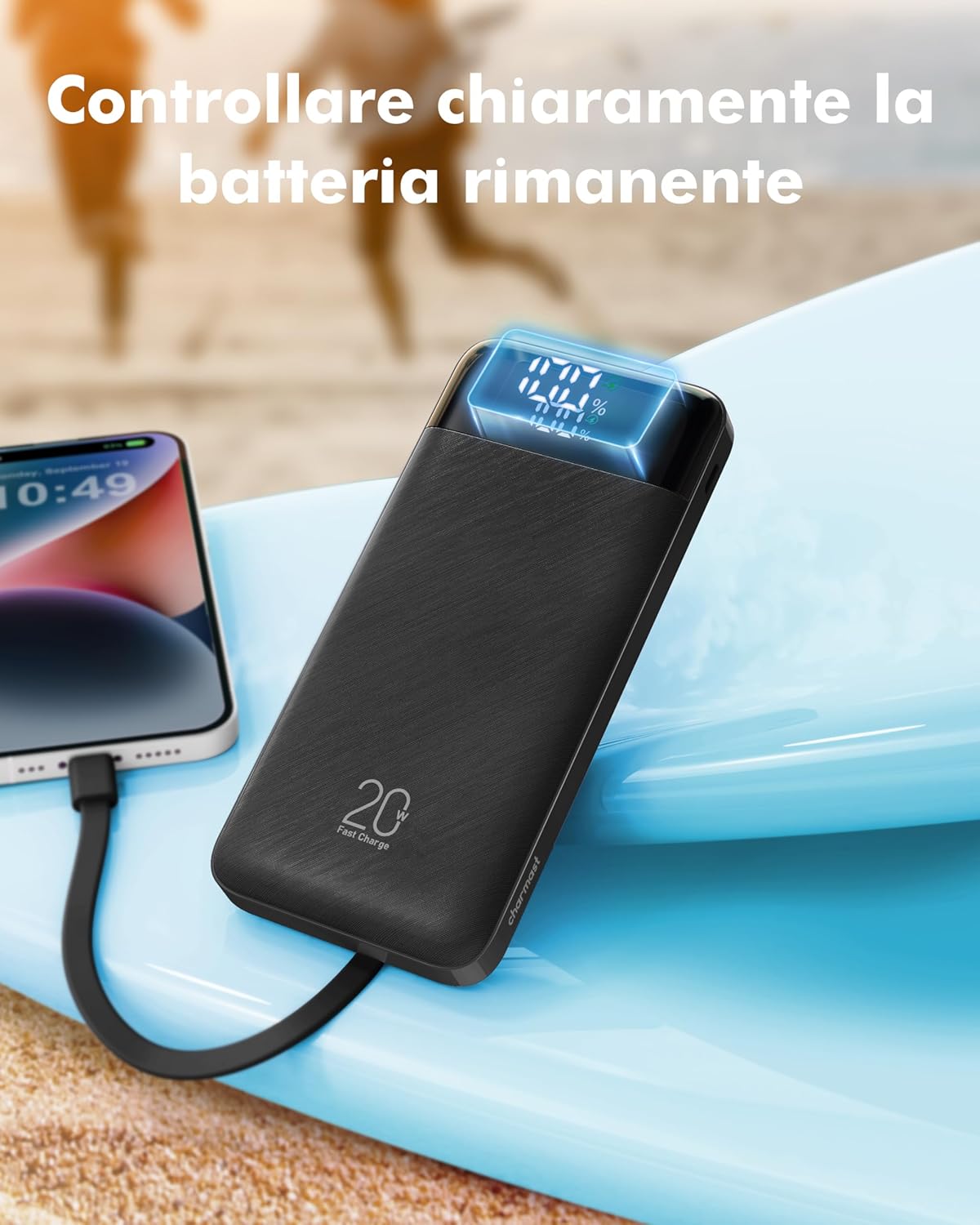
Description: A close-up of the power bank's digital display, clearly showing "100%" battery charge, with a smartphone connected and charging in the background.
4. Mantentzea eta Zainketa
- Mantendu bateria eramangarria uretatik, hezetasunetik eta muturreko tenperaturetatik urrun.
- Saihestu potentzia-bankua erortzea edo eragin gogorrak jasan behar izatea.
- Do not attempt to disassemble, repair, or modify the device. This will void the warranty and may cause safety hazards.
- Garbitu bateria eramangarria zapi lehor eta leun batekin. Ez erabili produktu kimiko gogorrik edo material urratzailerik.
- Store the power bank in a cool, dry place when not in use. For long-term storage, it is recommended to charge it to about 50-70% every three months to preserve battery health.
5. Arazoak
Ohiko arazoak eta irtenbideak:
| Arazoa | Kausa posiblea | Irtenbidea |
|---|---|---|
| Power bankuak ez ditu gailuak kargatzen. |
|
|
| Energia-bankua ez da berriro kargatzen. |
|
|
| Kargatzeko abiadura motela. |
|
|
| Pantaila digitala ez dabil. |
|
|
6. Produktuaren zehaztapenak
| Marka | Xarma |
| Eredua | 20000mAh Power Bankua |
| Bateria Edukiera | 20000 milioiamperora (mAh) |
| Max Battery Power | 20000 milioiamperora (mAh) |
| Kolorea | Beltza |
| Ezaugarri bereziak | Fast charging, Slim design, Integrated cables, Digital display |
| liburukiatage | 3.7 Volt |
| Number of Ports (External) | 2 (USB-A, USB-C) |
| Kable Integratuak | Lightning, USB-C, Micro-USB, USB-A (for self-recharge) |
| Gailu bateragarriak | Redmi Note, Samsung Galaxy S25, S25+, S25 Ultra, S24, S24+, S24 Ultra, S23, S23+, S23 Ultra, Z Fold 6, Z Flip 6, Z Flip 5, A56, A55, A26, A24, A16, iPhone 17/16/15/14/13/12/11 Plus/Pro/Pro Max, iPad series |
| Bateria mota | Litio Polimeroa |
| Elementuaren pisua | 350 gramo |
| Neurriak (L x W x H) | 14.4L x 6.7W x 1.8H cm |
| Fabrikatzailea | Dong guan Utopia-Originality Technology Co., Ltd |
| Jatorrizko Herrialdea | Txina |
7. Bermea eta Laguntza
Your Charmast Power Bank comes with a 12 hilabeteko produktuaren bermea erosketa-datatik aurrera.
In addition to the warranty, Charmast provides lifetime technical assistance produktu honetarako.
If you encounter any issues or have questions regarding your power bank, please contact Charmast customer support through the retailer where you purchased the product or visit the official Charmast webharremanetarako informazioa lortzeko gunea.
Mesedez, gorde zure erosketa-froga berme-erreklamazioetarako.
8. Segurtasun informazioa
- Ez jarri bateria eramangarria suaren edo bero handiaren eraginpean.
- Do not use the power bank in environments with high humidity or near water.
- Mantendu haurren eskura.
- Ez ezazu zirkuitulaburtu power banka.
- Tokiko araudien arabera, bota bateria eramangarria modu arduratsuan. Ez bota etxeko hondakinekin.
- If the power bank swells, leaks, or emits an unusual odor, discontinue use immediately and contact support.
9. Produktuaren bideo erakustaldia
Watch this video for a visual guide on the features and usage of the Charmast 20000mAh Power Bank.
Description: An official product video demonstrating the Charmast 20000mAh Power Bank's features, including its integrated cables, multi-device charging capability, slim design, and portability for outdoor use.