
1. Sarrera
This manual provides essential information for the safe and efficient operation of your GOBOULT Drift+ Smart Watch. Please read it thoroughly before using the device to ensure proper functionality and to understand all features. The GOBOULT Drift+ Smart Watch features a 1.85-inch HD display, Bluetooth calling capabilities, comprehensive health monitoring, and multiple sports modes.

Image 1.1: GOBOULT Drift+ Smart Watch overview.

Image 1.2: Key features of the GOBOULT Drift+ Smart Watch.
2. Zer dago kutxan
Upon opening your GOBOULT Drift+ Smart Watch package, please verify that all the following items are included:
- GOBOULT Drift+ Smart Watch
- Kargatzeko kablea
- Erabiltzailearen eskuliburua (dokumentu hau)
- Berme Txartela
3. Konfigurazioa
3.1. Gailua kargatzea
Before initial use, fully charge your GOBOULT Drift+ Smart Watch. Connect the provided charging cable to the charging port on the back of the watch and a standard USB power adapter (not included). The watch typically takes approximately 2.5 hours to fully charge.
3.2. Aplikazioaren instalazioa eta parekatzea
To unlock the full potential of your smart watch, download and install the companion application on your smartphone. The app is compatible with both iOS and Android operating systems.
- Scan the QR code in the quick start guide or search for the official GOBOULT app in your smartphone's app store (Google Play Store for Android, Apple App Store for iOS).
- Instalatu aplikazioa eta sortu kontu bat edo hasi saioa.
- Ziurtatu Bluetootha gaituta dagoela zure telefonoan.
- Open the GOBOULT app, navigate to the device pairing section, and select your Drift+ Smart Watch from the list of available devices.
- Follow the on-screen prompts on both your watch and smartphone to complete the pairing process.
4. Zure erloju adimenduna erabiltzea
4.1. Pantaila eta nabigazioa
The GOBOULT Drift+ features a 1.85-inch HD display with 500 nits brightness, ensuring clear visibility even in bright outdoor conditions. Navigate through menus and functions by swiping across the touchscreen and using the physical button on the side.
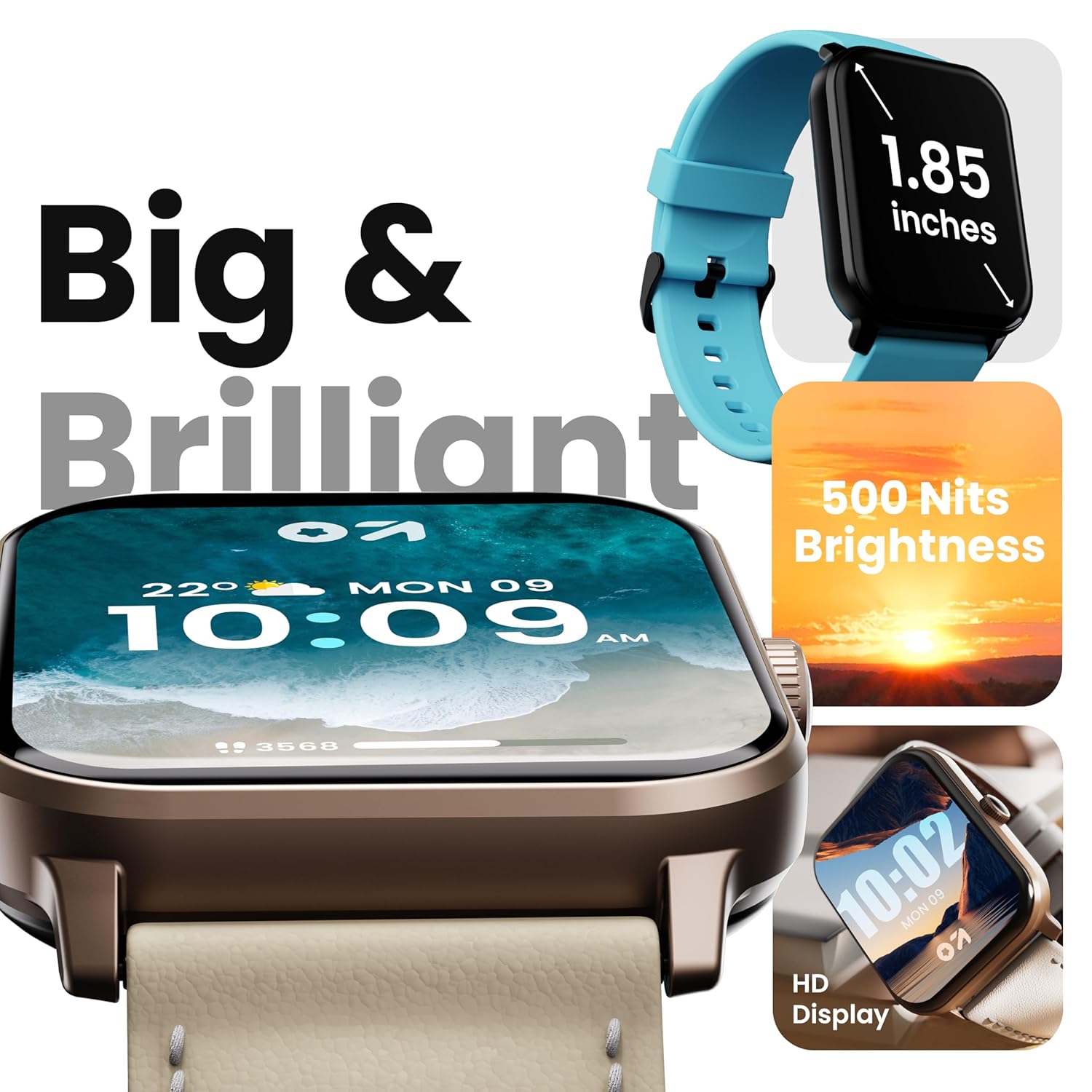
Image 4.1: High-definition display of the Drift+ Smart Watch.
4.2. Bluetooth bidezko deiak
The smart watch supports seamless Bluetooth calling with a built-in speaker and microphone. Once paired with your smartphone, you can answer, reject, or make calls directly from your wrist.
- Deiak erantzutea: When an incoming call is received, tap the green icon on the watch screen.
- Deiak egitea: Access the dial pad or contact list through the watch interface to initiate a call.

Image 4.2: Bluetooth calling feature in action.
4.3. Osasunaren jarraipena
The Drift+ Smart Watch provides comprehensive health insights through various sensors:
- 24/7 bihotz-maiztasunaren jarraipena: Egun osoan zehar zure bihotz-maiztasuna etengabe kontrolatzen du.
- SpO2 Blood Oxygen Tracking: Odoleko oxigeno saturazio mailak neurtzen ditu.
- Odol-presioaren kontrola: Odol-presioaren estimazioak ematen ditu.
- Emakumezkoen hilekoaren zikloaren jarraipena: Helps track and predict menstrual cycles.
- Ura edateko abisuak: Hidratatuta egoteko eskatzen dizu.
- Sedentarioen abisuak: Encourages movement after periods of inactivity.
Note: Health monitoring data is for reference only and should not be used for medical diagnosis or treatment. Consult a medical professional for health-related concerns.

4.3 irudia: Osasunaren monitorizazio funtzioak.
4.4. Kirol Moduak
The watch offers over 100 sports modes to track various physical activities. Select your desired sport from the watch menu to record data such as steps, distance, calories burned, and duration.

Image 4.4: Tracking activity with sports modes.
4.5. Watch Faces and Customization
Personalize your watch with over 150 cloud-based watch faces. You can also create custom watch faces through the companion app to match your style.

Image 4.5: Watch face customization options.
4.6. Smart Notifications and AI Voice Assistant
Receive notifications from your favorite social applications and messages directly on your watch. The integrated AI voice assistant provides hands-free assistance for various tasks.
5. Mantentzea
5.1. Urarekiko erresistentzia (IP68)
The GOBOULT Drift+ Smart Watch is IP68 water-resistant, meaning it is protected against dust and can withstand immersion in water up to 1.5 meters for up to 30 minutes. It is suitable for daily use, such as hand washing or light rain exposure. Avoid using it during swimming, diving, or in hot water/steam environments.

Image 5.1: IP68 water resistance.
5.2. Garbiketa eta Zainketa
Zure erlojuaren itxura eta funtzionaltasuna mantentzeko:
- Garbitu erlojua eta uhala aldizka zapi leun eta lehor batekin.
- Beharrezkoa bada, erabili apur bat damp zapi bat garbitzeko, eta gero ondo lehortu.
- Saihestu produktu kimiko gogorrak, garbitzaile urratzaileak edo disolbatzaileak erabiltzea.
- Kargatzeko kontaktuak garbi eta lehor mantendu.
5.3. Baterien kudeaketa
The GOBOULT Drift+ offers extended battery life:
- Up to 7 days in regular usage mode.
- Up to 2-3 days with heavy Bluetooth calling.
- Up to 25 days in standby mode.
To optimize battery life, consider adjusting screen brightness, limiting background app refresh, and disabling unnecessary notifications.

Image 5.2: Battery life details.
6. Arazoak
If you encounter issues with your GOBOULT Drift+ Smart Watch, refer to the following common solutions:
| Arazoa | Irtenbide posiblea |
|---|---|
| Erlojua ez da pizten | Ziurtatu erlojua guztiz kargatuta dagoela. Konektatu kargagailura gutxienez 30 minutuz. |
| Ezin da telefonoarekin parekatu | Ensure Bluetooth is enabled on your phone and watch. Restart both devices. Make sure the watch is within range of your phone. Check if the app is updated. |
| Osasun-datu zehaztugabeak | Ziurtatu erlojua eskumuturrean ondo estututa dagoela, ez gehiegi estututa ez gehiegi solte. Garbitu erlojuaren atzealdeko sentsorea. Saihestu gehiegizko mugimendua neurketak egiten ari zaren bitartean. |
| Jakinarazpenak ez dira jaso | Check app permissions on your phone to ensure notifications are allowed. Verify that notifications are enabled within the GOBOULT app settings. Ensure the watch is connected via Bluetooth. |
| Bluetooth deien arazoak | Ensure the watch is properly connected for calls (sometimes a separate Bluetooth connection is needed for audio). Check volume settings on both watch and phone. |
7. Zehaztapenak
| Ezaugarri | Xehetasuna |
|---|---|
| Marka | GOBOULT |
| Ereduaren izena | Drift+ |
| Elementuaren eredu-zenbakia | 8906133851347 |
| Bistaratzeko tamaina | 1.85 hazbete |
| Distira | 500 nit |
| Uraren Erresistentzia | IP68 |
| Konektibitatea | Bluetooth 5.1 |
| Sistema eragileen bateragarritasuna | iOS, Android |
| Bateria mota | Litio Polimeroa |
| Bateria kargatzeko denbora | 2.5 ordu |
| Bateriaren batez besteko iraupena | 7 Days (normal usage) |
| Elementuaren pisua | 38 g |
| Dakarten osagaiak | Erloju adimenduna, kargatzeko kablea, erabiltzailearen eskuliburua, berme txartela |
8. Bermea eta Laguntza
Your GOBOULT Drift+ Smart Watch comes with a standard manufacturer's warranty. Please refer to the included Warranty Card for specific terms, conditions, and duration of coverage. For technical support, service, or warranty claims, please contact GOBOULT customer service through the contact information provided on the warranty card or the official GOBOULT webgunea.
Manufacturer: Exotic Mile Private Limited, Boult Audio, B-67 Wazirpur Industrial Area, New Delhi 110052