Sarrera
Thank you for choosing the Generic Wireless Bluetooth Keyboard with Touchpad. This ultra-slim, portable keyboard is designed for seamless connectivity with your tablets, smartphones, and laptops running iOS, Android, or Windows operating systems. This manual provides essential information for setup, operation, maintenance, and troubleshooting to ensure optimal performance.
Kutxan dagoena
- 1 x Haririk gabeko Bluetooth teklatua
- 1 x USB Charging Cable (No Charger)
- 1 x Erabiltzailearen eskuliburua

Image: The Wireless Bluetooth Keyboard connected to a tablet, ready for use.
Produktuaren Ezaugarriak
- Bateragarritasun zabala: Compatible with iOS, Android, and Windows tablets, smartphones, and laptops. Note: Not compatible with Mac OS.
- Integrated Multi-Touch Trackpad: Features a sensitive and precise touchpad for navigation and control, eliminating the need for an external mouse.
- Bateria kargagarria: Built-in battery provides over 130 days of standby time on a single charge (2-3 hours charging time) and includes an automatic sleep mode for power saving.
- Ultra-Slim & Portable Design: Compact size (9.56 x 6.85 x 0.23 inches) and lightweight (0.49 lb) for easy transport during travel or business trips.
- Bluetooth 5.1 konexioa: Ensures a stable wireless connection with a working distance of up to 33 feet.
- Idazketa erosoa: Ergonomic design with scissors-key construction provides a laptop-like typing experience, reducing finger fatigue.
- Eranskin magnetikoa: The aluminum alloy bottom allows for magnetic attachment to compatible iPad cases.
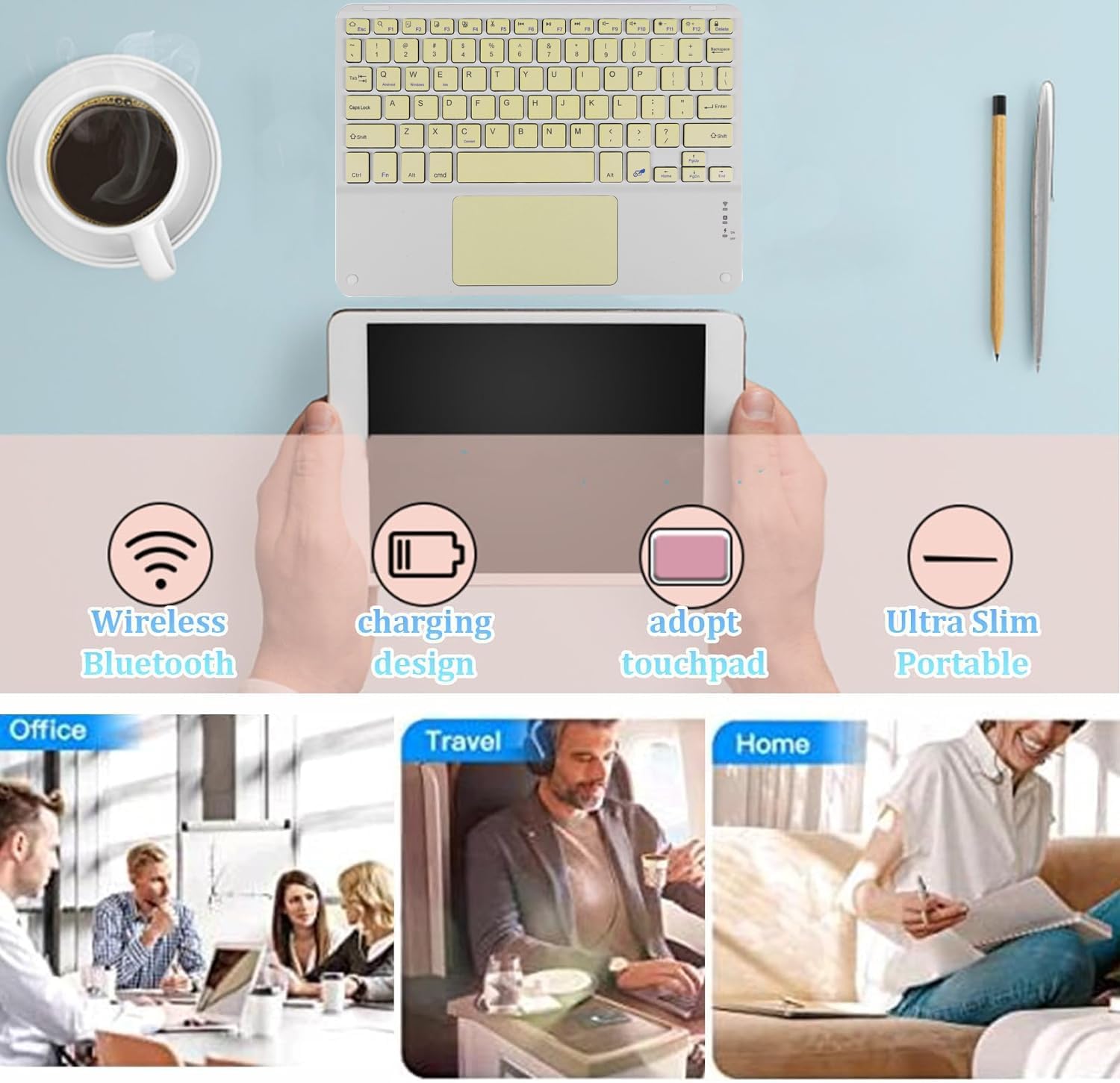
Irudia: Gainetikview of the keyboard's main features and versatile usage environments.
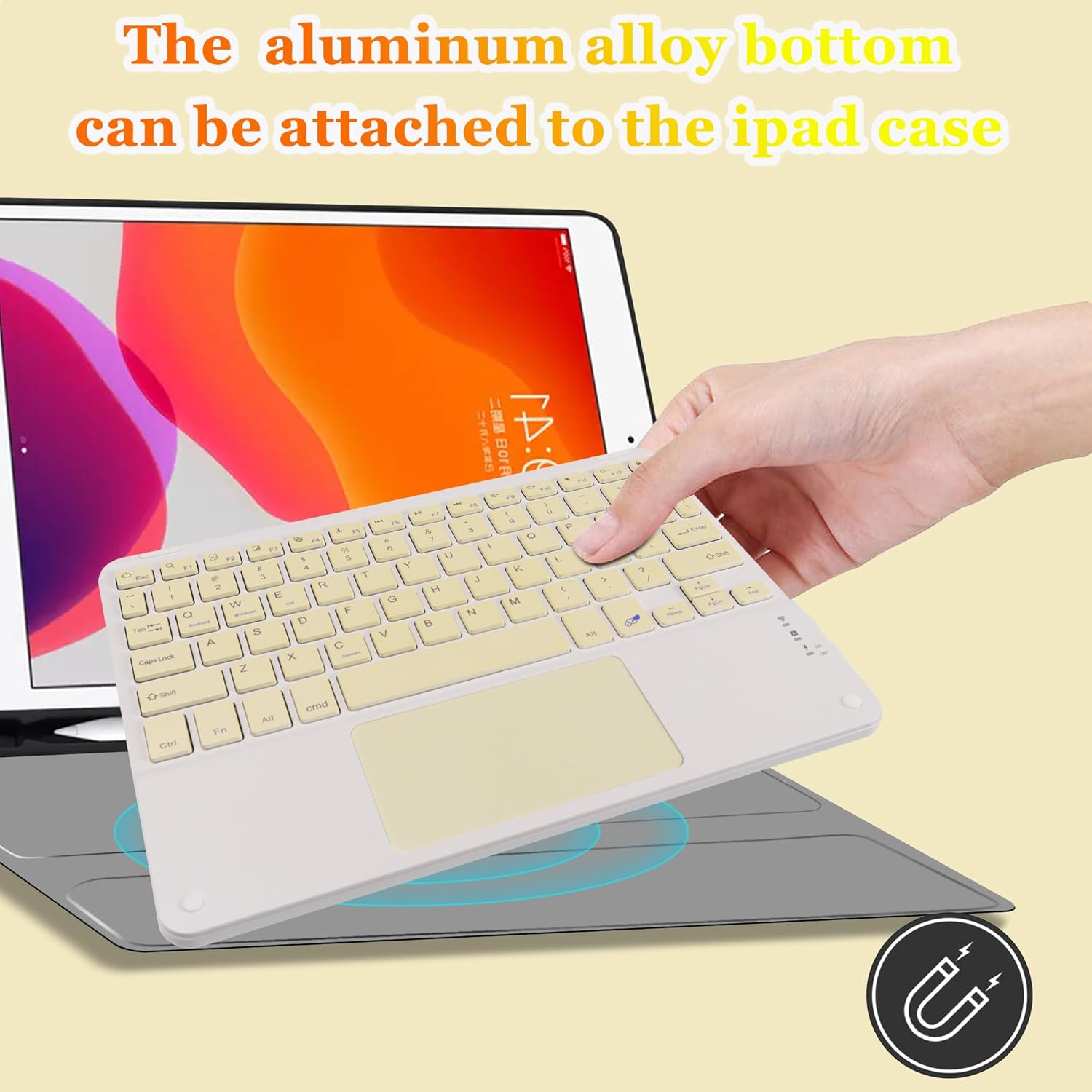
Image: Demonstrating the magnetic attachment feature of the keyboard to a tablet case.

Image: Detail of the keyboard's keys and the comfortable typing experience provided by its design.
Konfigurazio Argibideak
Follow these steps to connect your Wireless Bluetooth Keyboard to your device:
- Piztu: Bilatu ON/OFF etengailua teklatuan eta irristatu 'ON' posiziora.
- Aktibatu Bluetooth parekatzea: Sakatu FN + C keys simultaneously. The Bluetooth indicator light on the keyboard will begin to flash, indicating it is in pairing mode.
- Gaitu Bluetooth zure gailuan: On your tablet, smartphone, or other Bluetooth-enabled device, go to the Bluetooth settings and turn on Bluetooth.
- Bilatu Gailua: Your device will search for available Bluetooth devices. Look for a device named "Bluetooth Keyboard" in the list.
- Konektatu: Click on "Bluetooth Keyboard" on your device's screen. Your device may prompt you to enter a code displayed on the screen; type this code on the keyboard and press Sartu konexioa osatzeko.
Once connected, the Bluetooth indicator light on the keyboard will stop flashing and remain solid or turn off, depending on the keyboard model, indicating a successful connection.

Image: The keyboard demonstrating its wide compatibility with Windows, Android, and iOS devices.
Funtzionamendu-argibideak
Ukipen-panela erabiliz
The integrated multi-touch touchpad allows for intuitive navigation without a separate mouse. Use standard gestures for pointing, clicking, and scrolling. Refer to your device's operating system settings for specific touchpad gesture configurations.
- Hatz bakarreko ukitu: Ezkerreko klik baten moduan funtzionatzen du.
- Bi hatzekin ukitzea: Eskuineko botoiarekin klik egitea bezala funtzionatzen du.
- Bi hatzekin korritzea: Drag two fingers up or down to scroll content.

Image: A hand interacting with the keyboard's built-in multi-touch trackpad.
Teklatua kargatzen
The keyboard features a built-in rechargeable battery. When the battery is low, the indicator light will signal. Use the provided USB charging cable to recharge the keyboard.
- Connect the small end of the USB charging cable to the keyboard's charging port.
- Konektatu USB kablearen mutur handiena USB elikatze-iturri batera (adibidez, ordenagailuko USB ataka, USB hormako egokitzailea).
- Kargatzeko adierazlearen argia piztuko da kargatzen ari den bitartean eta itzali egingo da guztiz kargatzen denean.
- Karga osoak 2-3 ordu behar izaten ditu normalean.
Mantentzea
Zure teklatuaren iraupena eta errendimendu optimoa bermatzeko, jarraitu mantentze-jarraibide hauek:
- Garbiketa: Erabili zapi leun, lehor eta lihorik gabeko bat teklatuaren gainazala garbitzeko. Zikinkeria egoskorra bada, garbitu pixka bat.ampGarbitu zapi bat urarekin edo garbiketa-soluzio leun batekin. Saihestu gehiegizko hezetasuna.
- Biltegiratzea: Denbora luzez erabiltzen ez duzunean, gorde teklatua leku fresko eta lehor batean, eguzki-argitik eta muturreko tenperaturetatik babestuta.
- Saihestu likidoak: Do not expose the keyboard to liquids. In case of accidental spills, immediately power off the keyboard and allow it to dry completely before reuse.
- Kontuz maneiatu: Saihestu teklatua erortzea edo kolpe gogorren eraginpean jartzea, barneko osagaiak kaltetu baititzake.
Arazoak konpontzea
Teklatuarekin arazoak badituzu, jo ezazu ohiko irtenbide hauetara:
- Teklatua ez da konektatzen:
- Ziurtatu teklatua piztuta eta guztiz kargatuta dagoela.
- Ziurtatu Bluetootha gaituta dagoela zure gailuan.
- Put the keyboard back into pairing mode (FN + C) and re-attempt connection.
- Forget the "Bluetooth Keyboard" device from your device's Bluetooth settings and try pairing again.
- Ensure the keyboard is within the 33-foot operating range of your device.
- Giltzak ez dute erantzuten:
- Check if the keyboard battery is low and recharge it.
- Reconnect the keyboard to your device.
- Berrabiarazi teklatua eta konektatutako gailua.
- Touchpad Not Working Correctly:
- Ensure your device's operating system supports external touchpads and that touchpad functionality is enabled in settings.
- Clean the touchpad surface to remove any dirt or debris.
- Berriro konektatu teklatua.
- Atzerapena edo deskonexioak:
- Murriztu teklatuaren eta gailuaren arteko distantzia.
- Saihestu maiztasun berean funtzionatzen duten beste haririk gabeko gailuen interferentziak.
- Ziurtatu teklatua guztiz kargatuta dagoela.
Zehaztapenak
| Ezaugarri | Xehetasuna |
|---|---|
| Produktuaren neurriak | 9.64 x 7.08 x 0.2 hazbete (24.48 x 17.98 x 0.5 cm) |
| Elementuaren pisua | 8.6 ontza (243.8 gramo) |
| Konektibitate Teknologia | Bluetooth 5.1 |
| Gailu bateragarriak | iOS, Android, Windows Tablets, Smartphones, Laptops (Not Mac OS) |
| Ezaugarri bereziak | Lightweight, Portable, Built-in Trackpad |
| Bateria | 1 litio ioizko bateria (barne) |
| Kargatzeko Denbora | 2-3 ordu |
| Egonean Denbora | 130 egun arte |
| Materiala | Plastic (with aluminum alloy bottom) |
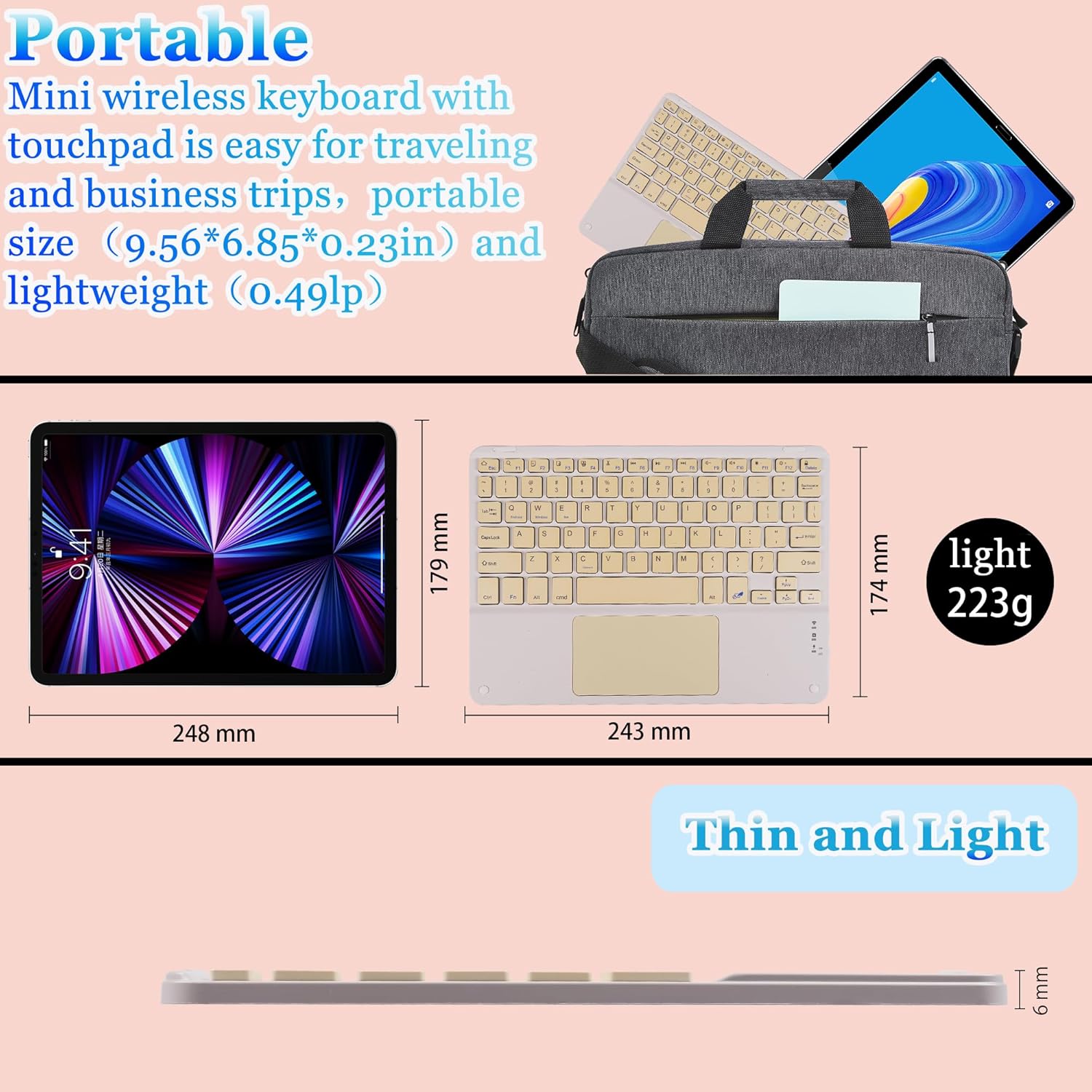
Image: Visual representation of the keyboard's dimensions and lightweight design.
Bermea eta Laguntza
Produktu honek fabrikatzailearen berme estandarra du. Bermearen xehetasun zehatzak lortzeko, kontsultatu erosketarekin batera datorren dokumentazioa edo jarri harremanetan saltzailearekin.
If you require further assistance, technical support, or have questions not covered in this manual, please contact the seller or manufacturer through your purchase platform. Please have your product model number (B0CS63W1NC) and purchase date ready when contacting support.