
1. Sarrera
Thank you for choosing the Micool BT-X Bluetooth V5.3 Clip-On Wireless Headphones. This manual provides essential information for setting up, operating, and maintaining your headphones to ensure optimal performance and longevity. Please read this manual thoroughly before first use and retain it for future reference.
2. Paketearen edukia
- Micool BT-X Wireless Headphones (Left and Right)
- Kargatzeko kaxa
- USB-C kargatzeko kablea
- Erabiltzailearen eskuliburua
3. Produktua amaitu daview
The Micool BT-X headphones are designed for comfort and high-quality audio, featuring an open-ear design with earhooks. They incorporate Bluetooth 5.3 technology for stable connections and 28mm speakers for clear stereo sound and powerful bass. Four integrated microphones enhance call clarity by reducing ambient noise.

Image: Micool BT-X Headphones and Charging Case

Image: Internal structure highlighting the 28mm neodymium magnetic horn for enhanced sound quality.

Image: User demonstrating clear call functionality with Micool BT-X headphones, featuring 4 microphones for noise cancellation.
4. Getting Started: First Use and Pairing
4.1 Hasierako konfigurazioa
Before first use, ensure you remove the charging protection insulation film from both earbuds. This film prevents charging during shipping.
Video: Demonstrates removing the charging protection insulation film and initiating Bluetooth pairing for first-time use.
4.2 Bluetooth parekatzea
- Ensure the headphones are fully charged and the insulation film has been removed.
- Open the charging case lid. The headphones will automatically enter Bluetooth pairing mode, indicated by a green light flashing intermittently on the earbuds.
- Zure gailuan (telefono adimenduna, tableta, ordenagailu eramangarria), gaitu Bluetooth-a.
- Bilatu available Bluetooth devices and select 'Micool BT-X' from the list.
- Once connected, the green light on the earbuds will stop flashing, indicating successful pairing.
The headphones will automatically reconnect to the last paired device when removed from the charging case and within range.
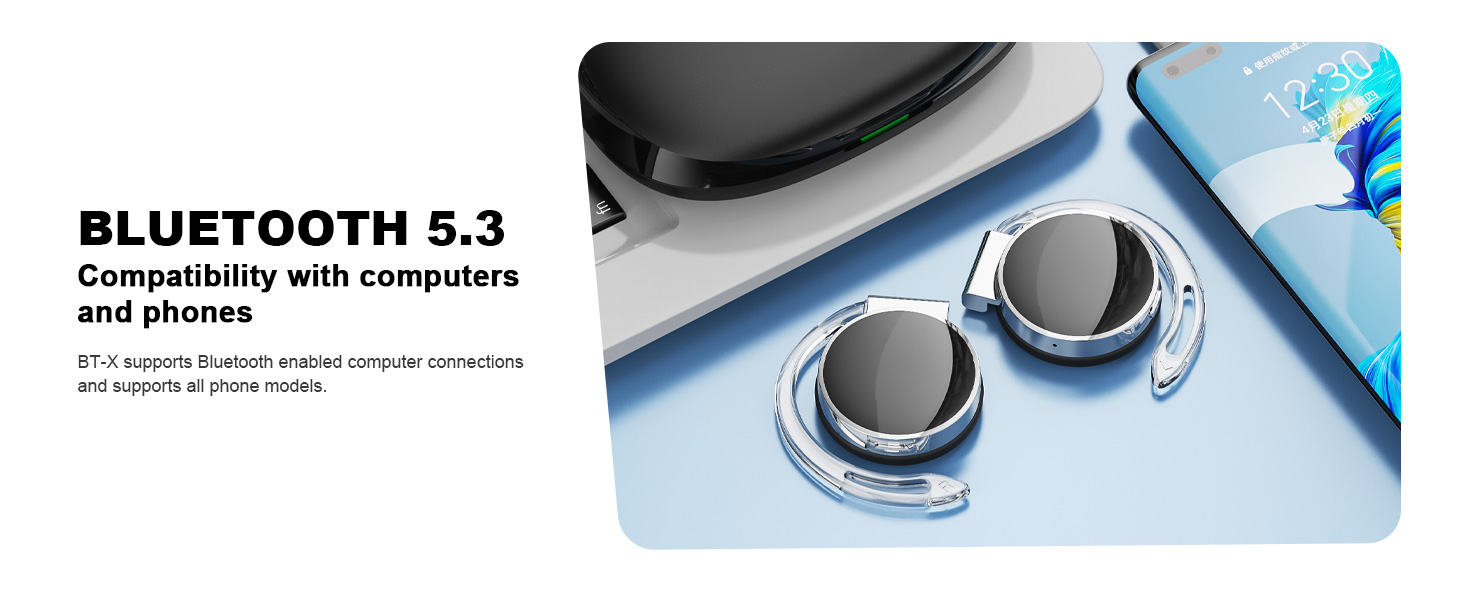
Image: Micool BT-X headphones demonstrating compatibility with various devices including laptops and smartphones via Bluetooth 5.3.
5. Entzungailuak janztea
For optimal sound and comfort, wear the headphones correctly as shown below:

Image: Step-by-step guide on how to wear the Micool BT-X headphones.
- 1. urratsa: Separate the earhooks at a 30-degree angle.
- 2. urratsa: Rotate the earhook along the inside of your ear to the bottom.
- 3. urratsa: Press the headphones gently until they feel secure on your ears.
- 4. urratsa: Adjust for a comfortable and stable fit. The sponge earmuffs are designed for comfort during extended wear.
6. Funtzionamendu-argibideak
The Micool BT-X headphones feature multi-function buttons on each earbud for easy control.
6.1 Musika Kontrola
- Erreproduzitu/Pausatu: Sakatu behin entzungailuetako edozeinetako funtzio anitzeko botoia.
- Hurrengo abestia: Sakatu bi aldiz eskuineko entzungailuko funtzio anitzeko botoia.
- Aurreko abestia: Sakatu bi aldiz ezkerreko entzungailuko funtzio anitzeko botoia.
- Bolumena igo: Triple press the multi-function button on the right earbud.
- Bolumena jaitsi: Triple press the multi-function button on the left earbud.
6.2 Deien kontrola
- Deia erantzun/amaitu: Sakatu behin entzungailuetako edozeinetako funtzio anitzeko botoia.
- Deia baztertu: Sakatu eta eutsi entzungailuetako edozeinetako funtzio anitzeko botoia 2 segundoz.
6.3 Ahots laguntzailea
- Aktibatu Ahots Laguntzailea: Sakatu eta eutsi entzungailuetako edozeinetako funtzio anitzeko botoia 3 segundoz.
7. Kargatzea
The Micool BT-X headphones offer extended battery life with their charging case.
- Headphone Battery Life: Up to 15 hours of music playback on a single full charge.
- Total Battery Life with Case: The charging case provides approximately 3 additional full charges, extending total listening time up to 42 hours.
- Kasua kargatzea: Connect the provided USB-C cable to the charging port on the case and a power source. The battery indicator on the case will show the charging status and remaining battery capacity.
- Entzungailuak kargatzea: Jarri entzungailuak kargatzeko zorroan. Automatikoki hasiko dira kargatzen.

Image: Visual representation of the extended battery life for Micool BT-X headphones and their charging case.
8. Zehaztapenak
| Ezaugarri | Zehaztapena |
|---|---|
| Marka | Micool |
| Modelo zenbakia | BT-X |
| Bluetooth bertsioa | 5.3 |
| Konektibitate Teknologia | Haririk gabekoa |
| Belarrien Kokatzea | Belarrian |
| Bateriaren batez besteko bizitza | 15 Hours (Headphones), 42 Hours (with Charging Case) |
| Kontrol mota | Ahots kontrola |
| Kontrol-metodoa | Ukitu, Ahotsa |
| Audio kontrolatzaile mota | Gidari dinamikoa (28 mm-ko bozgorailuak) |
| Mikrofonoak | 4 (with Noise Cancelling) |
| Gailu bateragarriak | Telefono mugikorrak, tabletak, ordenagailu eramangarriak, mahaigaineko ordenagailuak |
9. Arazoak
- Ezin da gailuarekin parekatu:
Ensure the headphones are charged and the insulation film is removed. Turn off Bluetooth on other nearby devices. Restart your device and try pairing again. If issues persist, reset the headphones (refer to manufacturer's website for specific reset instructions if not in manual). - Ez dago soinurik edo bolumen baxurik:
Check the volume levels on both your device and the headphones. Ensure the headphones are properly connected to your device. Try playing audio from a different application or device. - Etengabeko konexioa:
Ensure there are no obstructions between the headphones and your device. Stay within the Bluetooth range (up to 10 meters). Avoid environments with strong electromagnetic interference. - Entzungailuak ez dira kargatzen:
Verify the USB-C cable is securely connected to both the charging case and the power source. Ensure the headphones are correctly seated in the charging case. Check the charging case's battery level.
10. Segurtasun informazioa
- Ez jarri entzungailuak edo kargatzeko zorroa muturreko tenperaturen, hezetasunaren edo likidoen eraginpean.
- Avoid dropping, impacting, or disassembling the product.
- Erabili emandako kargatzeko kablea edo USB-C kable ziurtatu bat soilik kargatzeko.
- Clean the headphones with a soft, dry cloth. Do not use harsh chemicals.
- Bolumen altuan denbora luzez entzuteak entzumen-kalteak eragin ditzake. Egokitu bolumena maila seguru batera.
- Be aware of your surroundings when using headphones, especially in traffic or hazardous situations.
11. Bermea eta Laguntza
Micool products come with a standard warranty. For detailed warranty information, product support, or service inquiries, please refer to the official Micool webgunea edo jarri harremanetan bezeroarentzako arreta-zerbitzuarekin zure erosketa plataformaren bidez.
Micool is committed to providing 24-hour after-sales service for all purchased items.
Webgunea: Visit the Micool Store on Amazon