1. Sarrera
Welcome to the T800 Ultra Smartwatch user manual. This guide provides comprehensive instructions for setting up, operating, and maintaining your new smartwatch. The T800 Ultra seamlessly blends advanced technology with a timeless design, offering a sophisticated and functional experience. It features a larger, brighter display, deep water resistance, video control assistant, fast wireless charging, Bluetooth connectivity, and NFC capabilities.
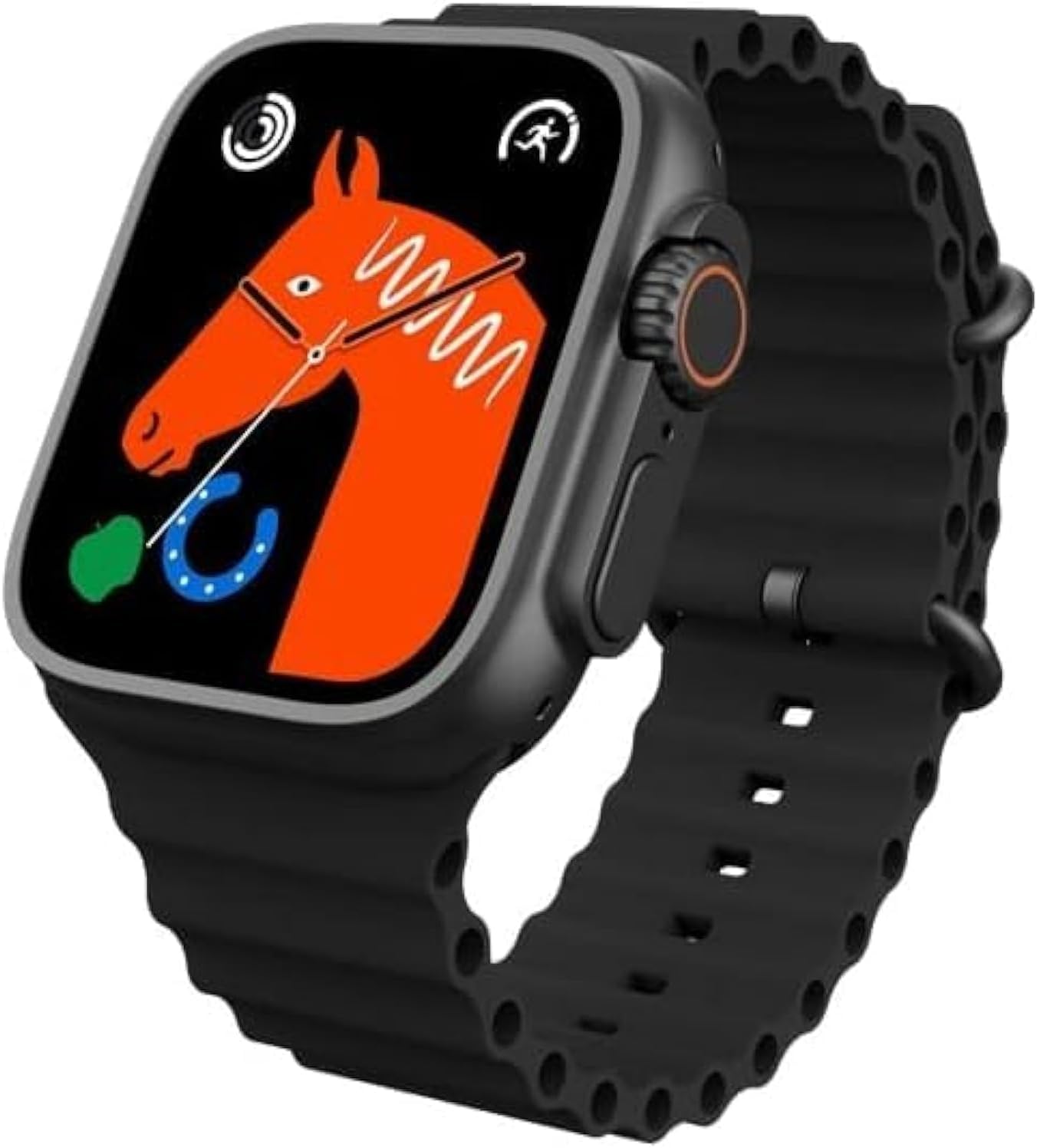
Figure 1: T800 Ultra Smartwatch, front view pantailarekin.
2. Segurtasun informazioa
- Ez jarri gailua tenperatura altuen edo eguzki-argiaren eraginpean denbora luzez.
- Saihestu gailua erortzea edo kolpe gogorren eraginpean jartzea.
- Mantendu gailua eremu magnetiko indartsuetatik urrun.
- Kalteak saihesteko, erabili emandako kargatzeko kablea eta egokitzailea soilik.
- While water-resistant, avoid prolonged submersion or use in hot water (e.g., hot showers, saunas).
- Ez saiatu gailua zuk zeuk desmuntatzen edo konpontzen. Jarri harremanetan bezeroarentzako laguntza eskatzeko.
3. Produktua amaitu daview
The T800 Ultra Smartwatch features a sleek design with a responsive touch screen and physical buttons for easy navigation. Key components include:
- Pantaila: Large, bright, and customizable digital screen.
- Koroa/Botoia: Nabigaziorako eta hautaketarako.
- Alboko botoia: For quick access to functions.
- Bihotz-taupadaren sentsorea: Located on the back for health monitoring.
- Kontaktuak kargatzeko: Haririk gabeko kargatzeko.
4. Konfigurazioa
4.1. Gailua kargatzea
Before first use, fully charge your T800 Ultra Smartwatch. The device supports fast wireless charging.
- Jarri erloju adimenduna haririk gabeko kargatzeko oinarrian.
- Ensure the charging contacts on the watch align with the charging area on the pad.
- Erlojuaren pantailak kargatze-egoera adieraziko du. Karga oso batek normalean 2 ordu inguru behar ditu.
4.2. Piztu/Itzali
- Pizteko: Sakatu eta eutsi alboko botoiari pantaila piztu arte.
- Itzaltzeko: Sakatu eta eutsi alboko botoiari, eta ondoren hautatu "Itzali" pantailan.
4.3. Zure telefonoarekin parekatzea
To unlock the full potential of your T800 Ultra, pair it with your smartphone via Bluetooth.
- Download the companion app (check the watch manual or packaging for app name, typically found via QR code on the watch or in the box) from your smartphone's app store.
- Gaitu Bluetootha zure telefonoan.
- Open the companion app and follow the on-screen instructions to add your device.
- On your T800 Ultra, navigate to the Bluetooth settings and ensure it is discoverable.
- Select your T800 Ultra from the list of available devices in the app to complete pairing.
5. Funtzionamendu-argibideak
5.1. Interfazea nabigatzea
The T800 Ultra features an intuitive touch interface and physical buttons for seamless interaction.
- Irristatu gora/behera: Joan menuetan eta jakinarazpenetan zehar.
- Irristatu ezkerrera/eskuinera: Widget edo ezarpen azkar desberdinetara sartu.
- Sakatu: Hautatu elementu bat edo ireki aplikazio bat.
- Prentsa Koroa: Itzuli hasierako pantailara edo sartu aplikazioen zerrendara.
- Sakatu alboko botoia: Typically for power options or a customizable shortcut.
5.2. Erloju-aurpegiak pertsonalizatzea
Personalize your T800 Ultra with a variety of dynamic watch faces to match your style and mood.
- From the home screen, press and hold the watch face.
- Irristatu ezkerrera edo eskuinera eskuragarri dauden erloju-esferak arakatzeko.
- Tap on a watch face to select it. Some watch faces may offer further customization options (e.g., complications, colors) which can be adjusted by tapping the 'Edit' icon.

2. irudia: Adibamples of customizable watch faces on the T800 Ultra.
5.3. Bluetooth bidezko deiak
With Bluetooth calling, you can manage calls directly from your wrist.
- Ensure your watch is paired with your smartphone.
- When an incoming call arrives, you can answer or reject it directly on the watch screen.
- You can also dial numbers or access your phone's contact list from the watch to initiate calls.

Figure 3: Bluetooth calling interface on the T800 Ultra.
5.4. Osasunaren eta egoera fisikoaren jarraipena
The T800 Ultra is equipped with advanced sensors to monitor your health and fitness metrics.
- Bihotz taupadaren jarraipena: The watch continuously monitors your heart rate. Access the Heart Rate app on the watch to view denbora errealeko datuak eta joera historikoak.
- Urratsaren jarraipena: The built-in pedometer tracks your daily steps, distance, and calories burned.
- Loaren jarraipena: Wear the watch to bed to track your sleep patterns, including deep sleep, light sleep, and wakefulness. View detailed analysis in the companion app.
- Kirol anitzeko modua: Select from various sports modes (e.g., running, cycling, basketball) to track specific workouts with detailed metrics.
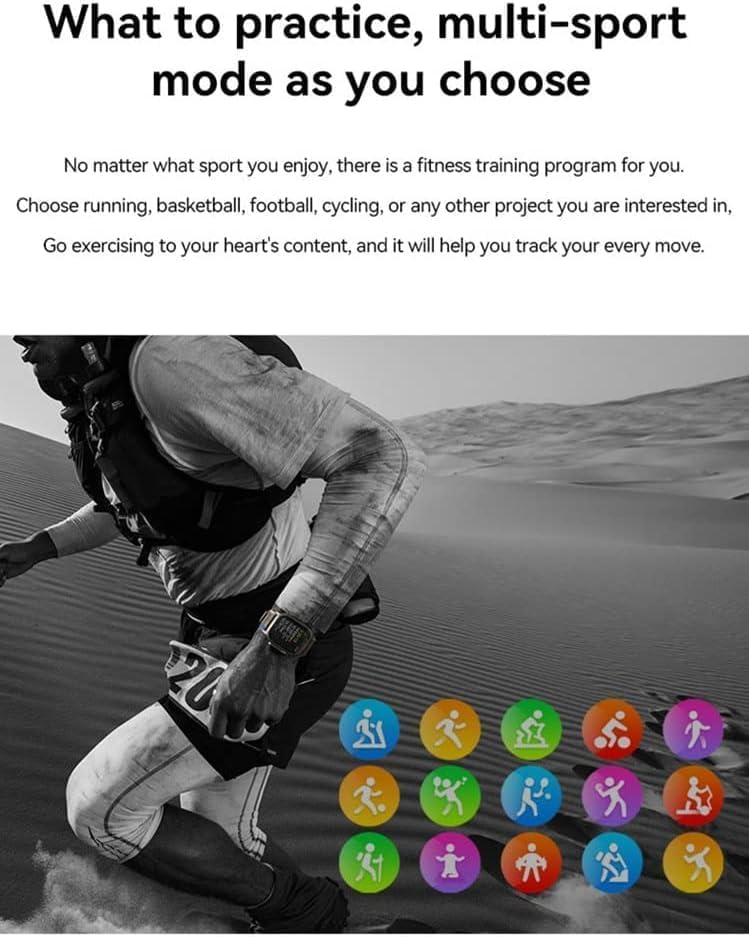
Figure 4: Heart rate and sleep tracking features.
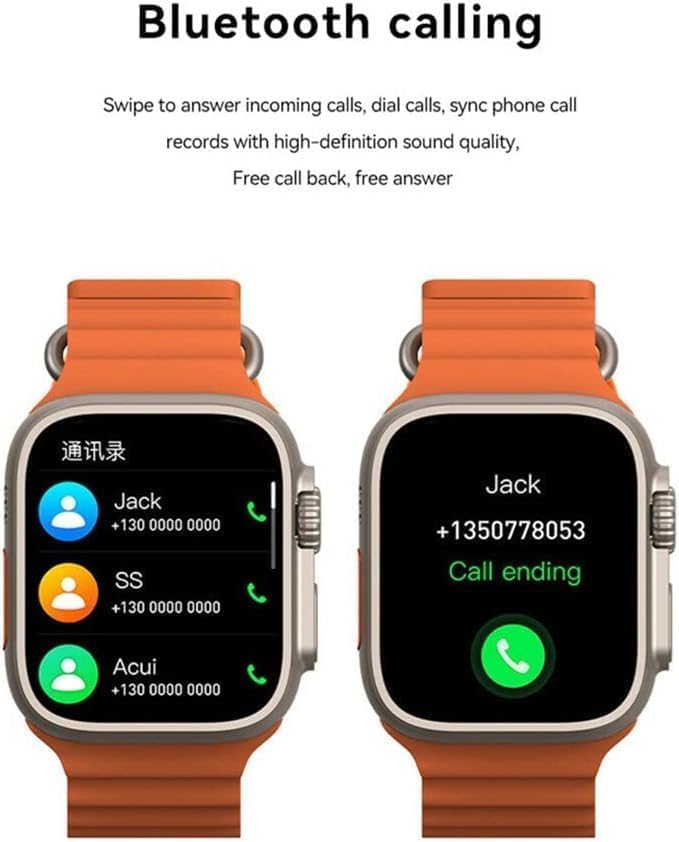
Figure 5: Multi-sport mode selection.
5.5. NFC funtzionaltasuna
The T800 Ultra supports NFC for convenient access control and other compatible functions.
- The NFC feature allows for simulation of company/community access cards.
- To use, simply lift your wrist with the watch near a compatible NFC reader.
- Refer to the companion app for setup and management of NFC functions.
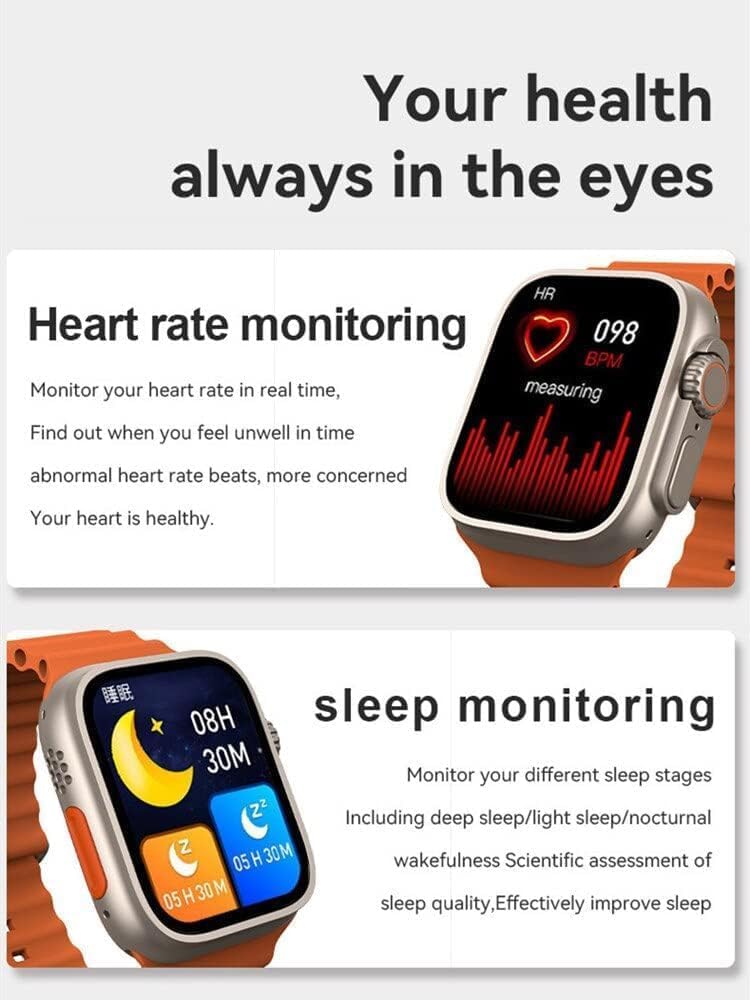
Figure 6: NFC functionality for access control.
6. Mantentzea
- Garbiketa: Garbitu erlojua eta uhala aldizka zapi leun eta lehor batekinamp oihal. Saihestu produktu kimiko gogorrak edo material urratzaileak erabiltzea.
- Uraren erresistentzia: The T800 Ultra is water-resistant. However, it is not suitable for diving or high-pressure water activities. Dry the watch thoroughly after exposure to water.
- Biltegiratzea: Denbora luzez erabiltzen ez baduzu, gorde erlojua leku fresko eta lehor batean.
7. Arazoak
| Arazoa | Balizko Kausa / Irtenbidea |
|---|---|
| Erlojua ez da pizten. | Battery might be depleted. Charge the watch for at least 30 minutes. If still unresponsive, perform a hard reset (refer to specific device instructions or contact support). |
| Ezin da telefonoarekin parekatu. | Ensure Bluetooth is enabled on both devices. Make sure the watch is in pairing mode. Restart both the watch and smartphone. Check the companion app for specific pairing steps. |
| Bateriaren iraupen laburra. | High screen brightness, frequent notifications, continuous heart rate monitoring, or GPS usage can drain the battery faster. Adjust settings to optimize battery life. Ensure the watch is fully charged. |
| Screen is scratched or damaged. | While the watch features a scratch-resistant sapphire crystal bezel, extreme impacts can still cause damage. This is typically not covered under standard warranty. |
| Watch is unresponsive or frozen. | Try restarting the watch by pressing and holding the side button. If that doesn't work, perform a forced restart (consult the companion app or manufacturer's webgunea argibide zehatzetarako). |
8. Zehaztapenak
| Ezaugarri | Xehetasuna |
|---|---|
| Ereduaren izena | T800 Ultra |
| Marka | Generikoa |
| Sistema eragilea | Android |
| Konektibitate Teknologia | Bluetootha |
| Haririk gabeko komunikazio estandarra | Bluetootha |
| Ezaugarri bereziak | Activity Tracker, GPS, NFC |
| Bateriaren zelulen konposizioa | Litio ioia |
| Elementuaren forma | Biribila |
| Elementuaren neurriak (LxWxH) | 22.2 x 8 x 4.2 cm |
| Elementuaren pisua | 150 gramo |
| Beharrezko bateriak | 1 Unknown (Included) |
9. Bermea eta Laguntza
This product comes with a standard manufacturer's warranty. Please refer to the warranty card included in your product packaging for specific terms and conditions.
For technical support, troubleshooting assistance, or warranty claims, please contact the retailer or manufacturer directly. Contact details can usually be found on the product packaging or the manufacturer's official webgunea.
For further assistance, you may also visit the product's Amazon page: Amazonen produktuen orria