

1. Sarrera
This manual provides comprehensive instructions for the installation, operation, and maintenance of your CORSAIR iCUE Link RX120 120mm PWM Fan. Designed to integrate into the iCUE LINK ecosystem, this fan delivers efficient cooling performance with advanced features.
The CORSAIR iCUE Link RX120 fan is engineered for superior airflow, operating at speeds up to 2,100 RPM while maintaining low noise levels. Its patent-pending iCUE LINK technology allows for seamless connection with other iCUE LINK components using a single cable, connecting to an iCUE LINK System Hub (sold separately). Key features include a fan blade constructed from premium Liquid Crystal Polymer for durability, CORSAIR AirGuide Technology for focused cooling, and a Magnetic Dome bearing for extended longevity and quiet operation, including a Zero RPM mode for silent performance under low loads.
2. Produktua amaitu daview
2.1. Ezaugarri nagusiak
- PWM Controlled Speeds: Adjustable fan speeds up to 2,100 RPM via iCUE LINK, providing up to 74.2 CFM airflow.
- High Static Pressure: Achieves 4.38mm-H2O static pressure, ideal for pushing air through high-density radiators.
- iCUE LINK Connectivity: Utilizes iCUE LINK bridge connectors for direct fan-to-fan connection, simplifying cable management with a single cable to an iCUE LINK System Hub (sold separately).
- Liquid Crystal Polymer Construction: Fan blades are made from durable, glass fiber-reinforced Liquid Crystal Polymer for rigidity, reduced vibration, and enhanced performance.
- CORSAIR AirGuide Technology: Anti-vortex vanes direct airflow for concentrated cooling of critical components.
- Magnetic Dome Bearing: Minimizes friction for high longevity and low noise operation.
- Zero RPM modua: Enables virtual silence at low thermal loads.

Irudia: Xehetasun zehatza view of the CORSAIR RX120 fan, highlighting its high static pressure capabilities, RPM range, AirGuide Technology, and Zero RPM mode.

Image: A close-up illustrating the Liquid Crystal Polymer construction of the fan blades, emphasizing durability and performance.
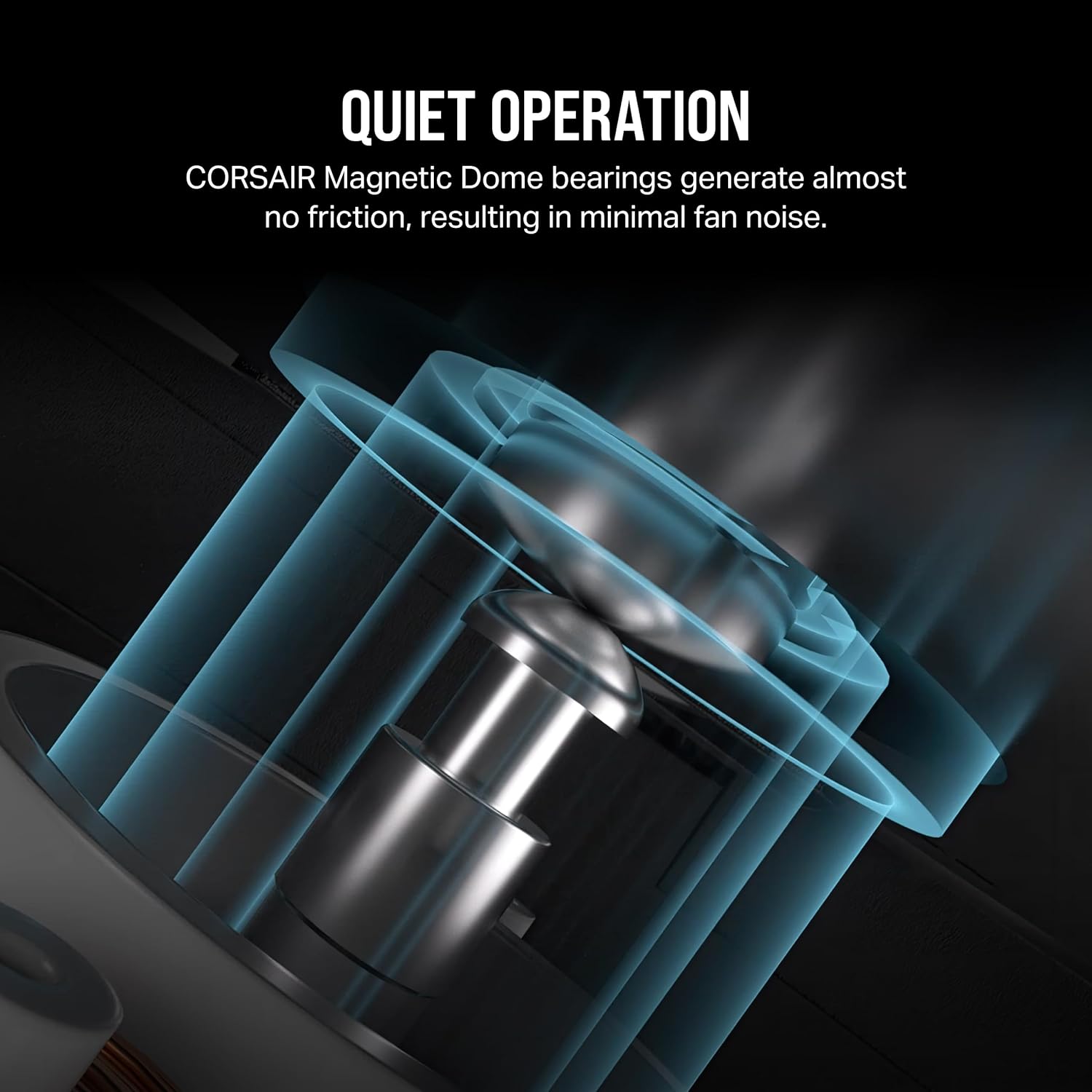
Irudia: Diagrama batek erakusten duasing the Magnetic Dome bearing technology, designed for minimal friction and quiet operation.
2.2. Paketearen edukia
The CORSAIR iCUE Link RX120 120mm PWM Fan package typically includes:
- 1x CORSAIR iCUE Link RX120 120mm PWM Fan
- Mounting Screws (QuikTurn screws for easy installation)
- iCUE LINK Bridge Connectors

Image: The CORSAIR iCUE Link RX120 fan shown alongside its retail packaging, highlighting the product and its box.
3. Konfigurazioa eta instalazioa
Proper installation is crucial for optimal performance and longevity of your fan. Ensure your system is powered off and disconnected from the power source before proceeding.
3.1. Sistemaren eskakizunak
- An available 120mm fan mount in your PC case or radiator.
- CORSAIR iCUE LINK System Hub (sold separately or included with RX Starter Kits) for iCUE LINK functionality.
- Compatible operating system for CORSAIR iCUE software.
3.2. Instalazio fisikoa
- Muntatzeko kokapena prestatu: Identify the desired 120mm fan mounting location within your PC case or on your radiator. Ensure adequate clearance for the fan and its cables.
- Muntatu haizagailua: Position the fan in the desired orientation (e.g., intake or exhaust). Use the provided QuikTurn mounting screws to secure the fan to the case or radiator. The QuikTurn screws are designed for quick and secure installation.

Image: Illustration of CORSAIR's QuikTurn screws, demonstrating their ease of use for fan installation compared to traditional screws.
- Connect to iCUE LINK Ecosystem:
- If installing multiple iCUE LINK fans, use the included iCUE LINK bridge connectors to daisy-chain them together.
- Connect the last fan in the chain to an available port on your iCUE LINK System Hub using a single iCUE LINK cable (System Hub and cable sold separately).

Image: Visual representation of how iCUE LINK devices, including fans, connect in a chain to a central iCUE LINK System Hub.
Note: The iCUE LINK System Hub is essential for the fan's functionality and software control.
4. Funtzionamendu-argibideak
The CORSAIR iCUE Link RX120 fan's operation is primarily managed through the CORSAIR iCUE software, which allows for precise control and monitoring.
4.1. CORSAIR iCUE Software
- Deskargatu eta instalatu: Download the latest version of CORSAIR iCUE software from the official Corsair webgunea (www.corsair.com/icue). Install the software on your PC.
- Fan abiadura kontrola: Within iCUE, you can set custom fan curves, fixed RPMs, or utilize predefined profiles to control the fan speed (300-2,100 RPM). This allows for balancing cooling performance and noise levels.
- Zero RPM modua: Enable Zero RPM mode for the fan to stop spinning entirely when temperatures are low, providing silent operation. The fan will automatically resume spinning when temperatures rise.
- Jarraipena: iCUE software provides real-time monitoring of fan speed and other relevant system parameters.

Image: The CORSAIR iCUE software interface, demonstrating its capability to fine-tune fan speeds and manage system cooling.
5. Mantentzea
Regular maintenance helps ensure optimal performance and extends the lifespan of your CORSAIR iCUE Link RX120 fan.
- Hautsa kentzea: Periodically inspect the fan blades and housing for dust accumulation. Use compressed air or a soft brush to gently remove dust. Ensure the fan is powered off and disconnected before cleaning.
- Kableen kudeaketa: Ensure all iCUE LINK cables are securely connected and routed to prevent interference with other components or airflow.
- Errodamenduen ikuskapena: While the Magnetic Dome bearing is designed for longevity, listen for any unusual noises during operation that might indicate an issue.
Do not attempt to lubricate the fan bearing, as it is a sealed unit designed for maintenance-free operation.
6. Arazoak
If you encounter issues with your CORSAIR iCUE Link RX120 fan, refer to the following common troubleshooting steps:
6.1. Fan Not Spinning
- Egiaztatu konexioak: Ensure the iCUE LINK cable is securely connected to the fan and the iCUE LINK System Hub.
- Power to System Hub: Verify that the iCUE LINK System Hub is receiving power from your power supply.
- iCUE Software Settings: Open CORSAIR iCUE software and check the fan speed settings. Ensure Zero RPM mode is not active if you expect the fan to spin at all times.
- Sistemaren karga: If Zero RPM mode is enabled, the fan may not spin under low system loads. Increase system load to check if the fan activates.
6.2. Zarata gehiegi
- Hauts-pilaketa: Clean the fan blades and housing to remove any dust or debris that might be causing imbalance or obstruction.
- Muntaketa: Ensure the fan is securely mounted and not vibrating against the case or radiator.
- iCUE Software Settings: Adjust fan speed settings in CORSAIR iCUE software to a lower RPM. Higher RPMs naturally produce more noise.
- Oztopoak: Check for any cables or objects that might be interfering with the fan blades.
6.3. Poor Cooling Performance
- Aire fluxuaren norabidea: Verify that the fan is oriented correctly for your desired airflow (intake or exhaust).
- iCUE Software Settings: Increase fan speeds in CORSAIR iCUE software to provide more airflow.
- Hauts-iragazkiak: If applicable, clean any dust filters in your PC case that might be restricting airflow.
- System Hub Connection: Ensure the iCUE LINK System Hub is properly connected and recognized by iCUE software to allow full control over fan performance.
7. Zehaztapenak
Detailed technical specifications for the CORSAIR iCUE Link RX120 120mm PWM Fan (Model: CO-9051009-WW).
| Ezaugarri | Zehaztapena |
|---|---|
| Modelo zenbakia | CO-9051009-WW |
| Fan Tamaina | 120 mm x 120 mm x 25 mm |
| Neurriak | 4.72 x 4.72 x 0.98 hazbete |
| Pisua | 5.92 ontza |
| Kontrol-estiloa | PWM |
| Energia konektore mota | 4-Pin (iCUE LINK) |
| liburukiatage | 12 voltio (DC) |
| Hozteko metodoa | Fan |
| Gailu bateragarriak | Desktop, Radiator, Graphic Cards |
| RPM sorta | 300 - 2100 bira/min |
| Biraketa-abiadura maximoa | 2100 RPM |
| Air Flow Capacity (Max) | 74.2 CFM |
| Presio estatikoa | 0.12mm - 4.38mm H₂O |
| Noise Level (Min-Max) | 10 - 36 dBA |
| Errodamendu mota | Magnetic Dome Bearing |
| Materiala | Liquid Crystal Polymer (reinforced with glass fiber) |
| UPC | 840006680833 |

Image: A visual summary of the CORSAIR RX120 fan's dimensions and key performance specifications.
8. Bermea eta Laguntza
CORSAIR products are designed for reliability and performance. For warranty information and technical support, please refer to the official Corsair webgunea.
- Bermea: This product is covered by Corsair's limited warranty. Details regarding warranty duration and terms can be found on the Corsair support page.
- Laguntza teknikoa: For assistance with installation, troubleshooting, or product inquiries, visit the Corsair support portal: support.corsair.com.
- Sareko baliabideak: Additional resources, including FAQs, drivers, and software updates, are available on the Corsair webgunea.
For returns or exchanges, please consult the retailer's return policy where the product was purchased. Amazon offers a 30-day return/replacement policy for this item.