
1. Sarrera
The PNI PMR R70 PRO is a portable PMR446 radio designed for reliable communication. This device operates on the 446 MHz frequency band, offering 16 channels and 99 PC programmable channels. It features 50 CTCSS tones and 166 DCS tones for enhanced privacy and interference reduction. With an IP67 rating, the radio is protected against dust and water immersion, making it suitable for various environments. No license is required for operation in most European Union countries.
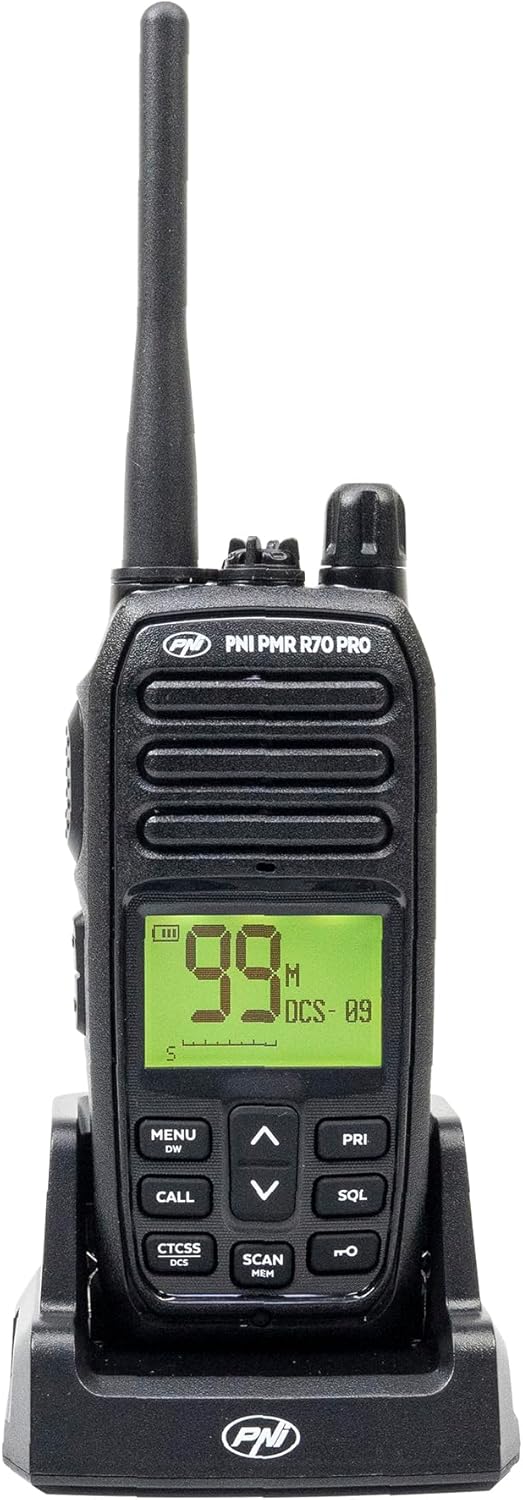
1.1. irudia: Aurrealdea view of the PNI PMR R70 PRO portable radio, showing the display and control buttons.
2. Paketearen edukia
Egiaztatu behean zerrendatutako elementu guztiak zure paketean sartuta daudela:
- PNI PMR R70 PRO Radio Unit
- Antena
- 1800 mAh-ko bateria
- Mahaigaineko kargagailua
- Gerriko Klipa
- Erabiltzailearen Gida
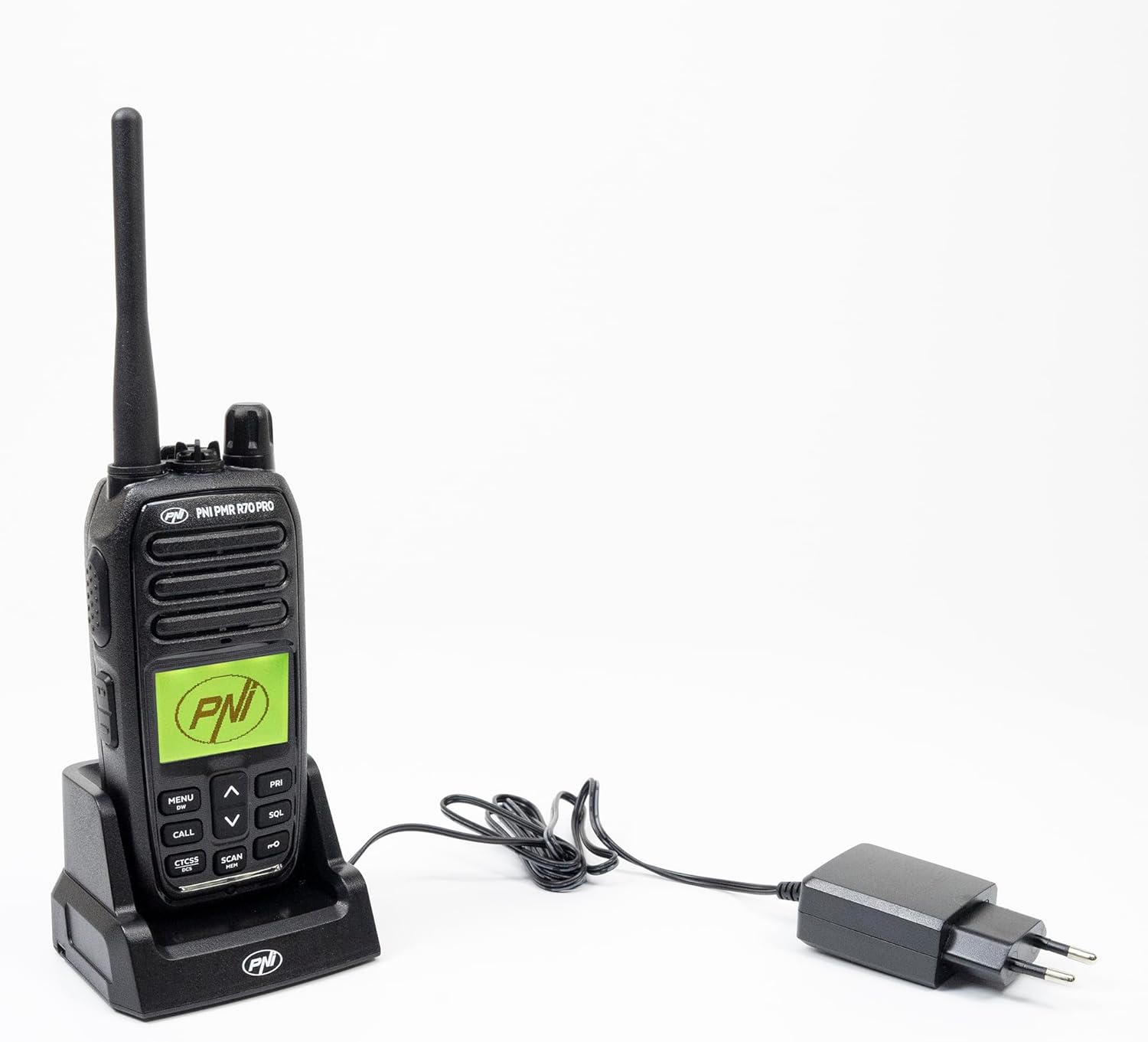
Image 2.1: All components included in the PNI PMR R70 PRO package: radio, antenna, battery, desktop charger, and belt clip.
3. Konfigurazioa
3.1 Bateriaren instalazioa
- Ziurtatu irratia itzalita dagoela.
- Bilatu bateriaren konpartimentuaren estalkia irratiaren atzealdean.
- Unscrew the retaining screw and carefully remove the cover.
- Insert the 1800 mAh battery into the compartment, ensuring the contacts align correctly.
- Jarri bateriaren konpartimenduaren estalkia eta lotu torlojuarekin.

3.1. irudia: Atzekoa view of the PNI PMR R70 PRO radio with the battery compartment open, showing the battery and its connection.
3.2 Bateria kargatzea
- Connect the desktop charger to a power outlet.
- Place the radio unit into the charging cradle. Ensure the charging contacts on the radio align with those on the charger.
- The charging indicator light on the charger will illuminate, typically red for charging and green for fully charged.
- Karga oso batek normalean ordu batzuk behar izaten ditu. Ez kargatu bateria gehiegi.
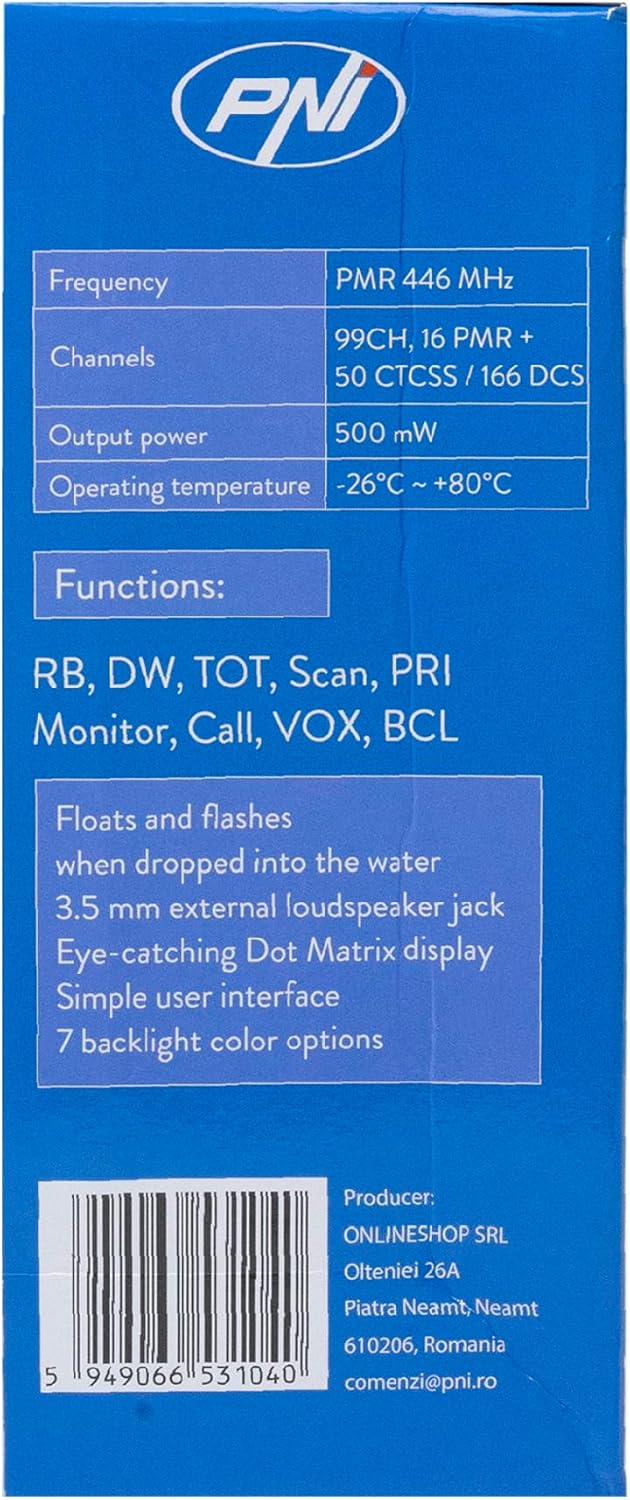
Image 3.2: The PNI PMR R70 PRO radio placed in its desktop charging cradle, connected to a power adapter.
4. Funtzionamendu-argibideak
4.1 Piztu/Itzali
To power on the radio, rotate the power/volume knob clockwise until you hear a click. To power off, rotate the knob counter-clockwise until it clicks.
4.2 Bolumenaren doikuntza
Biratu pizteko/bolumenaren botoia erlojuaren orratzen noranzkoan bolumena igotzeko eta erlojuaren orratzen kontrako noranzkoan jaisteko.
4.3 Kanalaren hautaketa
Erabili GORA (^) eta BEHERA (v) arrow buttons on the front panel to select one of the 16 available channels. The selected channel number will be displayed on the screen.
4.4 Igortzea eta jasotzea
- Transmititzeko: Press and hold the Push-To-Talk (PTT) button located on the side of the radio. Speak clearly into the microphone. Release the PTT button to stop transmitting.
- Jasotzeko: Ziurtatu PTT botoia ez duzula sakatuta. Irratiak automatikoki jasoko ditu seinaleak hautatutako kanalean.
4.5 Ezaugarri bereziak
- CTCSS/DCS tonuak: The radio supports 50 CTCSS (Continuous Tone-Coded Squelch System) and 166 DCS (Digitally Coded Squelch) tones. These tones help filter out unwanted conversations on the same channel. Refer to the full user guide for programming instructions.
- Eskaneatze funtzioa: Activate the scan function to monitor all active channels. The radio will stop on an active channel until the transmission ends.
- Dual Watch (DW): This feature allows the radio to monitor two channels simultaneously.
- Roger Beep: An audible tone emitted when the PTT button is released, signaling the end of your transmission.
- Teklatuaren blokeoa: Ezarpenetan ustekabeko aldaketak saihesten ditu.
- PC Programmable Channels: The radio supports 99 PC programmable channels. This requires a specific programming cable (PNI - PSR70) and software.

Image 4.1: The PNI PMR R70 PRO radio connected to a laptop via a programming cable for channel and feature customization.
5. Mantentzea
5.1 Garbiketa
Garbitu irratia leun batekin, damp oihal. Ez erabili produktu kimiko gogorrik edo garbitzaile urratzailerik. Ziurtatu irratia lehor dagoela erabili edo kargatu aurretik.
5.2 Urarekiko erresistentzia (IP67)
The PNI PMR R70 PRO is rated IP67, meaning it is fully protected against dust ingress and can withstand immersion in water up to 1 meter for 30 minutes. While robust, avoid unnecessary exposure to water and ensure all covers (e.g., battery cover, accessory port cover) are securely closed before exposing the radio to water.

Image 5.1: The PNI PMR R70 PRO radio with water droplets, illustrating its IP67 water resistance feature.
6. Arazoak
If you encounter issues with your PNI PMR R70 PRO radio, consider the following common troubleshooting steps:
- Potentziarik gabe: Ziurtatu bateria behar bezala instalatuta eta guztiz kargatuta dagoela. Egiaztatu pizteko/bolumen botoia piztuta dagoela.
- Ezin da transmititu edo jaso: Verify that you are on the correct channel. Check if the PTT button is functioning. Ensure the antenna is securely attached.
- Audio kalitate eskasa: Adjust the volume. Ensure the microphone and speaker are not obstructed. Move to an area with fewer obstructions for better signal.
- Irte laburra: Obstacles like buildings and terrain can significantly reduce range. Operate in open areas for maximum range. Ensure the battery is fully charged.
- Teklatuak ez du erantzuten: Check if the keypad lock feature is activated. Deactivate it if necessary.
For persistent issues, consult the comprehensive user guide or contact customer support.
7. Zehaztapenak
| Ezaugarri | Zehaztapena |
|---|---|
| Marka | PNI |
| Modelo zenbakia | PNI-R70-PRO |
| Maiztasun barrutia | 446.00625 ~ 446.19375 MHz |
| Kanal kopurua | 16 (PMR), 99 PC Programmable |
| Irteera Potentzia | 0.5 W |
| CTCSS tonuak | 50 |
| DCS Tones | 166 |
| Nazioarteko Babesteko Balorazioa | IP67 (Dustproof, Submersible up to 1m for 30 min) |
| Bateria | 1800 mAh (included) |
| Bateriaren batez besteko iraupena | 18 ordu |
| liburukiatage | 7.4 voltio (DC) |
| Gehienezko irismena | Up to 10 Kilometers (open space) |
| Funtzionamendu-tenperatura | -26 °C ~ +80 °C |
| Produktuaren neurriak (L x W x H) | 6P x 13L x 4A zentimetro |
| Elementuaren pisua | 225 gramo |
| Ezaugarri bereziak | Digital Display, Rechargeable, Roger Beep, Submersible, Keypad Lock |
8. Bermea eta Laguntza
8.1 Bermearen informazioa
The PNI PMR R70 PRO radio comes with a 2 urteko bermea erosketa-datatik aurrera. Berme honek erabilera normalaren pean fabrikazio-akatsak estaltzen ditu. Gorde erosketaren egiaztagiria berme-erreklamazioetarako.
8.2 Bezeroarentzako laguntza
For technical assistance, troubleshooting, or warranty service, please contact your retailer or the manufacturer's customer support. Refer to the contact information provided in your purchase documentation.