
1. Sarrera
Thank you for choosing the Zeblaze Crystal 3 Smartwatch. This manual provides essential information for setting up, operating, maintaining, and troubleshooting your device. Please read it carefully to ensure proper use and optimal performance.
2. Produktua amaitu daview
The Zeblaze Crystal 3 is a versatile smartwatch designed for fitness tracking and daily use. It features a vibrant HD color display and high-precision sensors to monitor various health metrics.
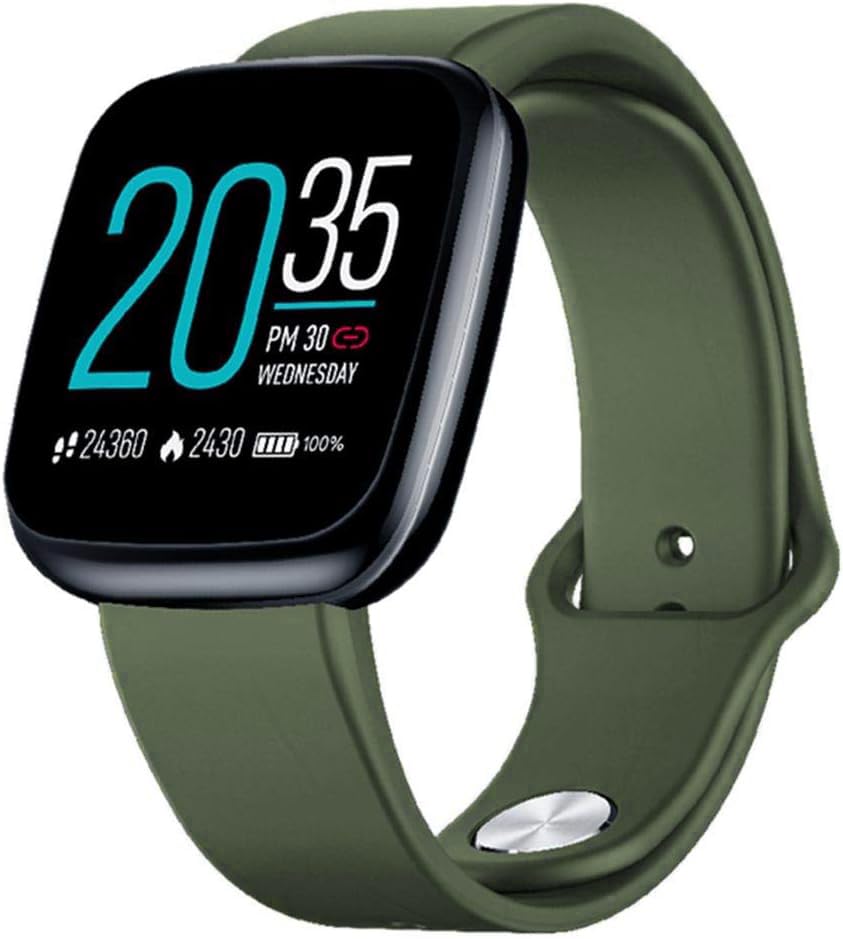
Image: Zeblaze Crystal 3 Smartwatch, showing the main display and green strap.
Ezaugarri nagusiak:
- 1.3-inch HD Color Screen: A vibrant IPS display with 240x240 pixel resolution for clear visuals.
- Doitasun handiko sentsoreak: Equipped with a heart rate sensor, proximity sensor, and accelerometer for accurate data collection.
- IP67 Urarekiko Erresistentzia: Designed to withstand daily water exposure, such as splashes and rain.
- Bateriaren iraupen luzea: Up to 7 days of use on a single 2-hour charge, thanks to its 200 mAh battery.
- Jardueren jarraipena: Monitors steps, distance, calories burned, and supports various sports modes.
- Osasunaren jarraipena: Includes heart rate and sleep tracking.
- Smartphone bateragarritasuna: Works with Android 4.4 or newer and iOS 8.0 or newer devices.
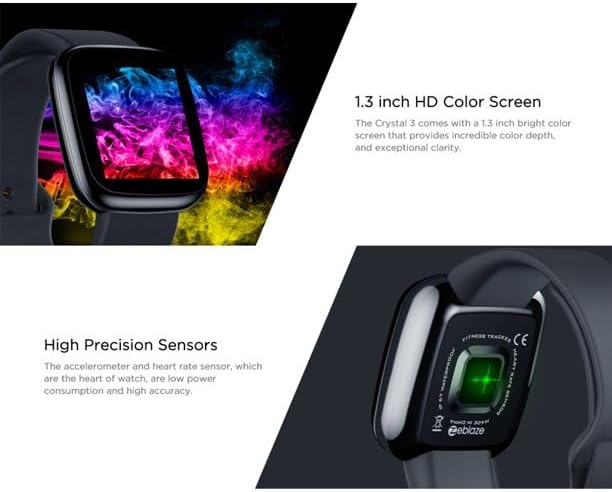
Image: Close-up of the 1.3-inch HD color screen and the high-precision heart rate sensor on the back of the watch.
3. Konfigurazioa
3.1 Erloju adimenduna kargatzea
Before first use, fully charge your Zeblaze Crystal 3. Connect the charging cable to the watch's charging port and a USB power source (e.g., computer USB port or a 5V/1A USB adapter). A full charge typically takes about 2 hours.
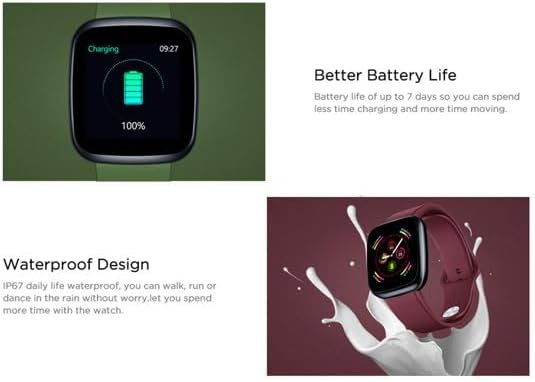
Image: Illustration showing how to connect the smartwatch to a USB port for charging.
3.2 Aplikazioaren instalazioa eta parekatzea
- Deskargatu aplikazioa: Bilatu the official Zeblaze companion app on your smartphone's app store (Google Play Store for Android or Apple App Store for iOS).
- Sortu kontua: Ireki aplikazioa eta jarraitu pantailako argibideei kontu bat sortzeko edo saioa hasteko.
- Parekatu gailua: Ensure Bluetooth is enabled on your smartphone. In the app, navigate to the device pairing section and select "Zeblaze Crystal 3" from the list of available devices. Confirm the pairing request on both your phone and the smartwatch.
- Profile Konfigurazioa: Osatu zure profesional pertsonalafile within the app to ensure accurate tracking of health and fitness data.
4. Funtzionamendu-argibideak
4.1 Oinarrizko nabigazioa
- Esnatzeko pantaila: Altxa eskumuturra edo sakatu alboko botoia pantaila esnatzeko.
- Irristatu gora/behera: Sartu jakinarazpenetara edo ezarpen azkarretara.
- Irristatu ezkerrera/eskuinera: Navigate through different functions and widgets (e.g., heart rate, activity data, weather).
- Sakatu: Hautatu elementu bat edo berretsi ekintza bat.
- Prentsa luzea: On the main watch face, long press to change watch faces.
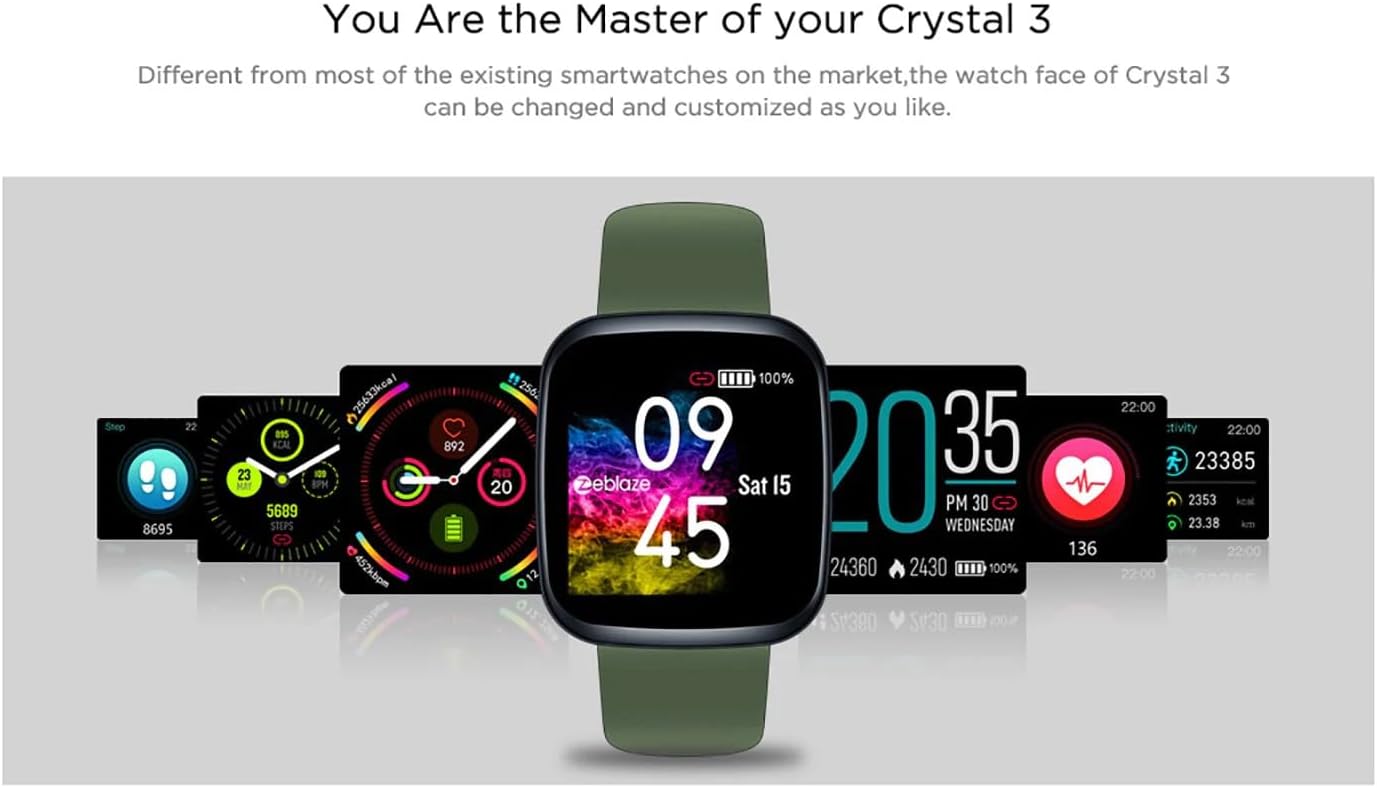
Image: The Zeblaze Crystal 3 displaying different customizable watch faces and data screens.
4.2 Jardueren jarraipena
Erloju adimendunak automatikoki jarraitzen ditu zure eguneroko urratsak, distantzia eta erretako kaloriak. Egin dezakezu view this data directly on the watch or in more detail within the companion app.
4.3 Bihotz-taupadak kontrolatzea
The built-in heart rate sensor continuously monitors your heart rate. Ensure the watch is worn snugly on your wrist for accurate readings. View your current and historical heart rate data in the app.
4.4 Loaren jarraipena
Wear the smartwatch to bed to track your sleep patterns. The device records sleep duration and quality, which can be reviewed in the app to help you understand and improve your sleep habits.
5. Mantentzea
5.1 Gailua garbitzea
Regularly clean your smartwatch and strap to prevent skin irritation and maintain functionality. Use a soft, damp oihal bat erabili pantaila eta uhala garbitzeko. Saihestu produktu kimiko gogorrak edo material urratzaileak erabiltzea.
5.2 Urarekiko erresistentzia (IP67)
The Zeblaze Crystal 3 is IP67 water-resistant, meaning it is protected against dust and can withstand immersion in water up to 1 meter for up to 30 minutes. It is suitable for daily use, such as washing hands, rain, or light splashes. Ez da gomendagarria igeri egitea, ur beroarekin dutxatzea edo murgiltzea.

Image: Illustration highlighting the waterproof design of the Zeblaze Crystal 3 Smartwatch.
5.3 Bateria zaintzea
- Saihestu tenperatura muturrekoak, bateriaren iraupena murriztu baitezakete.
- Ez utzi gailua denbora luzez guztiz deskargatuta.
- Erabili emandako kargatzeko kablea edo baliokide ziurtatu bat soilik.
6. Arazoak
6.1 Gailua ez da pizten
- Ziurtatu gailua guztiz kargatuta dagoela. Konektatu kargagailura gutxienez 30 minutuz.
- Saiatu alboko botoia sakatuta edukitzen 10-15 segundoz berrabiarazteko.
6.2 Ezin da telefonoarekin parekatu
- Make sure Bluetooth is enabled on your phone and the smartwatch is within range.
- Berrabiarazi zure telefonoa eta erloju adimenduna.
- Egiaztatu aplikazioa azken bertsiora eguneratuta dagoen.
- Forget the device from your phone's Bluetooth settings and try pairing again through the app.
6.3 Inaccurate Heart Rate/Activity Data
- Ziurtatu erlojua eskumuturrean ondo eramaten duzula, ez gehiegi estutzen ez gehiegi soltetzen.
- Garbitu erlojuaren atzealdeko sentsorea.
- Update the smartwatch firmware via the companion app if an update is available.
7. Zehaztapenak
| Ezaugarri | Xehetasuna |
|---|---|
| Marka | Zeblaze |
| Ereduaren izena | Kristal 3 |
| Bistaratzea | 1.3 hazbeteko IPS koloretako pantaila |
| Ebazpena | 240*240 pixel |
| Sentsoreak | Heart Rate Sensor, Proximity Sensor, Accelerometer |
| Uraren Erresistentzia | IP67 |
| Bateria Edukiera | 200 mAh |
| Kargatzeko Denbora | Gutxi gorabehera. 2 ordu |
| Bateriaren iraupena | 7 egun arte |
| Bateragarritasuna | Android 4.4+ / iOS 8.0+ |
| Neurriak | 4.05 x 3.55 x 1.2 cm (1.59 x 1.39 x 0.47 hazbete) |
| Pisua | 27 gramo (0.95 ontza) |
| Konektibitatea | Bluetooth (for app pairing), USB (for charging) |
| Ezaugarri bereziak | Activity Tracker, Heart Rate Monitor, Sleep Monitor |
8. Bermea eta Laguntza
For warranty information and customer support, please refer to the documentation included with your purchase or visit the official Zeblaze website. If you encounter any issues not covered in this manual, please contact Zeblaze customer service for assistance.


