
Sarrera
This manual provides essential information for the installation, operation, maintenance, and troubleshooting of the Cisco Catalyst C9300L-24P-4X-E Network Essentials Switch. This device is designed for enterprise-grade access, offering 24 Gigabit PoE+ ports and four 10 Gbps SFP+ uplinks for robust network connectivity.
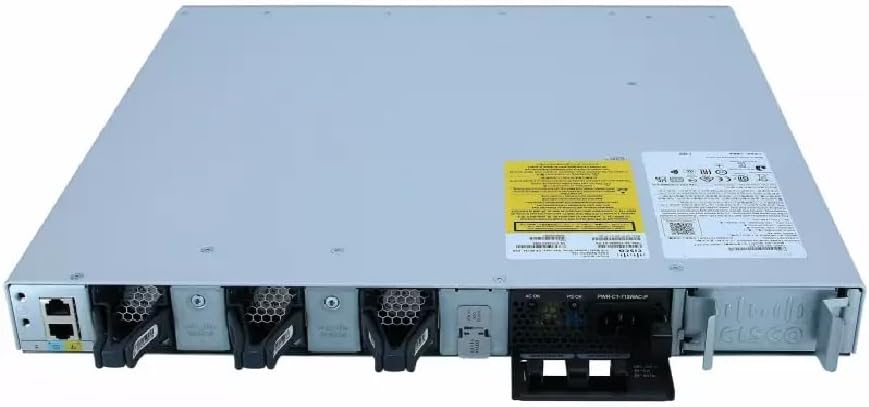
This image displays the rear panel of the Cisco Catalyst C9300L-24P-4X-E switch, highlighting the various ports, cooling fans, and the power supply unit.
Segurtasun Informazioa
Jarraitu segurtasun neurri hauek ekipamenduari lesioak eta kalteak saihesteko:
- Ziurtatu lurrera behar bezala konektatuta dagoela korrontea konektatu aurretik.
- Do not operate the switch in wet or excessively humid environments.
- Erabili onartutako elikatze-kableak eta osagarriak soilik.
- Ziurtatu aireztapen egokia gehiegi berotzea saihesteko.
- Deskonektatu energia mantentze-lan edo instalazio prozedurak egin aurretik.
Paketearen edukia
Egiaztatu zure paketeak elementu hauek dituela:
- Cisco Catalyst C9300L-24P-4X-E Switch
- Elikatze kablea
- Rack muntatzeko kita (aplikagarria bada)
- Kontsolaren kablea (RJ-45 to DB-9)
- Dokumentazioa (Hasierako Gida Azkarra, Segurtasun Informazioa)
Deskribapen fisikoa
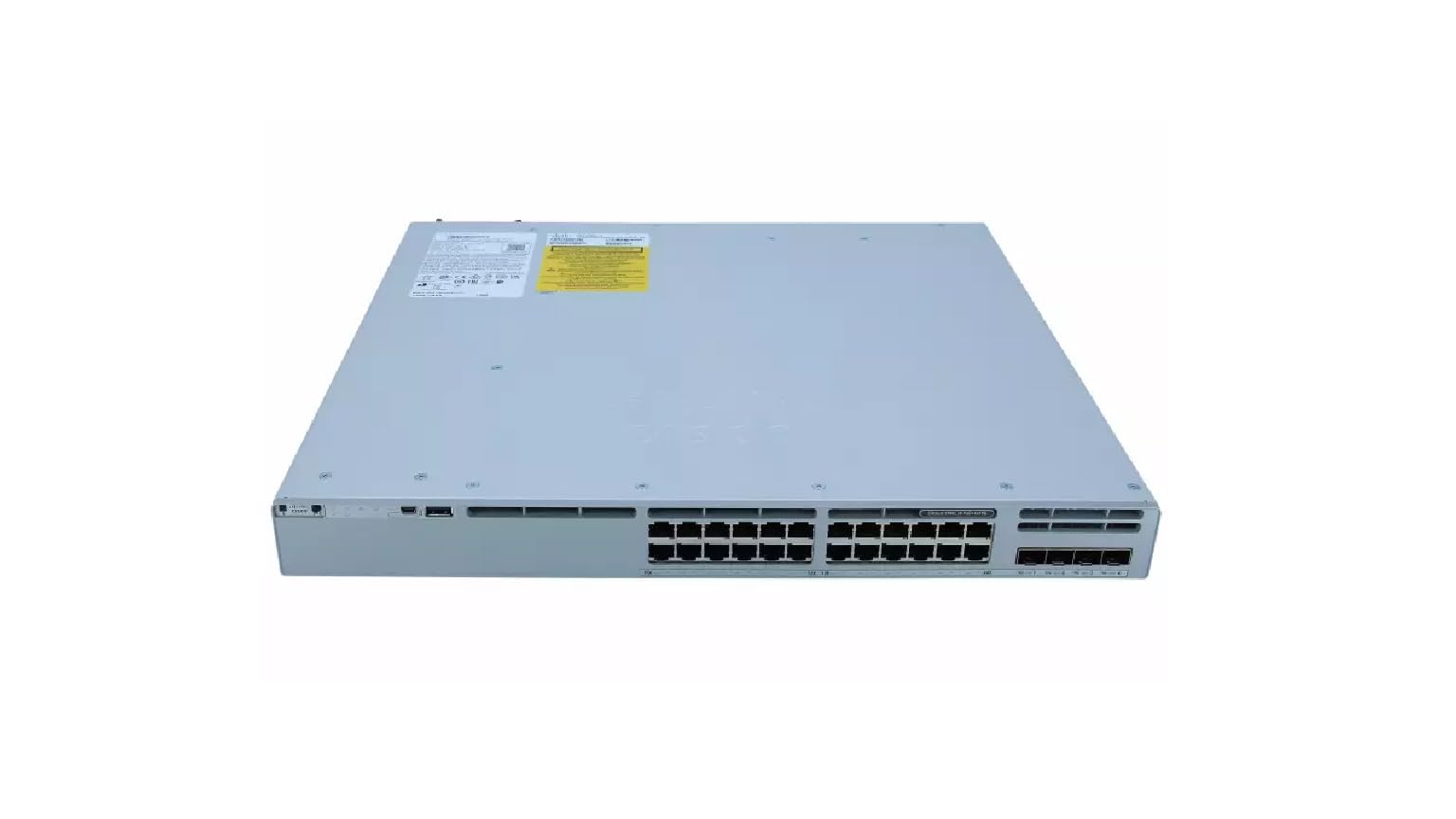
The Cisco Catalyst C9300L-24P-4X-E switch features a robust design for network deployments. The rear panel includes:
- 24 Gigabit Ethernet PoE+ Ports: For connecting network devices and providing power over Ethernet.
- 4x 10Gbps SFP+ Uplink Ports: For high-speed connections to the distribution or core layer.
- Kontsolaren ataka: For command-line interface access.
- USB atakak: Izan ere file management and system configuration.
- Modular Power Supply Bay: For installing power supply units.
- Hozteko zaleak: For thermal management.
Xehetasun bat view of the rear panel of the Cisco Catalyst C9300L-24P-4X-E switch, illustrating the 24 Gigabit PoE+ ports, four 10Gbps SFP+ uplink ports, and the modular power supply bay.
Konfigurazioa
1. Desontziratzea eta ikuskatzea
Carefully remove the switch from its packaging. Inspect the device for any signs of physical damage. If damage is found, contact your supplier immediately.
2. Etengailua muntatzea
The switch can be mounted in a standard 19-inch equipment rack or placed on a desktop.
- Rack-Mount instalazioa: Attach the provided rack-mount brackets to the sides of the switch using the screws. Secure the switch into the rack using appropriate rack screws.
- Mahaigaineko instalazioa: Ensure the surface is flat, stable, and allows for adequate ventilation around the switch. Attach the rubber feet (if provided) to the bottom of the switch.
3. Potentzia konektatzea
Insert the power cord into the AC power connector on the rear of the switch. Connect the other end of the power cord to a grounded electrical outlet. Ensure the power supply is properly seated in its bay.
4. Sare konexioak
- PoE+ portuak: Connect Ethernet cables from your network devices (e.g., IP phones, access points, surveillance cameras) to the 24 Gigabit PoE+ ports. These ports will provide both data connectivity and power.
- SFP+ goranzko loturako atakak: Insert compatible SFP+ transceivers into the four 10Gbps SFP+ uplink ports. Connect fiber optic cables from these transceivers to your distribution or core network devices.
- Kontsolaren ataka: For initial configuration or troubleshooting, connect a console cable from your management workstation to the console port on the switch.
Etengailuaren funtzionamendua
1. Hasierako piztea
After connecting power, the switch will automatically power on. Observe the system LED indicators for boot status. The system LED should turn green once the boot process is complete.
2. Oinarrizko konfigurazioa
The Cisco Catalyst C9300L-24P-4X-E runs on Cisco IOS XE. Initial configuration can be performed via the console port using a command-line interface (CLI) or through a web-based graphical user interface (GUI) if enabled. Refer to Cisco's official documentation for detailed configuration guides.
3. LED adierazleak
The switch features various LED indicators to provide status information:
- Sistema LED: Indicates overall system status (e.g., green for normal operation, amber for warning).
- PoE LED: Indicates Power over Ethernet status for the ports.
- Portuaren egoera LEDak: Indicate link status and activity for each network port.
Mantentzea
Regular maintenance ensures optimal performance and longevity of your switch:
- Garbiketa: Aldian-aldian garbitu etengailuaren kanpoaldea oihal leun eta lehor batekin. Ziurtatu aireztapen-irekiduretatik hautsik eta hondakinik gabe daudela. Ez erabili garbitzaile likidorik zuzenean gailuan.
- Firmware eguneraketak: Keep the switch firmware updated to the latest version provided by Cisco. This ensures access to new features, security patches, and performance improvements.
- Ingurumen Kontrola: Mantendu funtzionamendu-ingurunea tenperatura eta hezetasun-tarte jakin batzuen barruan, hardwarearen akatsak saihesteko.
- Kableen kudeaketa: Ensure all cables are neatly organized and properly secured to prevent accidental disconnections or damage.
Arazoak konpontzea
If you encounter issues with your switch, consider the following troubleshooting steps:
- Potentziarik gabe: Verify the power cord is securely connected to both the switch and the power outlet. Check the power source and any circuit breakers. Ensure the power supply unit is correctly installed.
- Sare konexiorik ez: Check the link status LEDs on the affected ports. Ensure Ethernet cables are properly connected and undamaged. Verify connected devices are powered on and functioning correctly.
- PoE gailua ez da pizten: Confirm the PoE+ port is enabled and the device is PoE compatible. Check the PoE budget and ensure it's not exceeded.
- Errendimendu motela: Check for network congestion, duplex mismatches, or errors on ports. Ensure uplink bandwidth is sufficient.
- Accessing the Switch: If unable to access via network, try connecting directly to the console port for CLI access.
Zehaztapenak
| Ezaugarri | Xehetasuna |
|---|---|
| Marka | Cisco |
| Modelo zenbakia | C9300L-24P-4X-E |
| Portu kopurua | 24 Gigabit PoE+ ports, 4x 10Gbps SFP+ uplinks |
| Interfazea | PoE, SFP+ |
| Datuen transferentzia-tasa | 1 Gigabits Per Second (Gigabit Ethernet), 10 Gigabits Per Second (Uplinks) |
| liburukiatage | 240 voltio (AC) |
| Aldatu mota | Managed, Fixed, PoE+, Layer 2 |
| Kaxa material mota | Plastikoa |
| Gailu bateragarriak | Desktop, Laptop, Printer (and other network devices) |
Bermearen informazioa
Produktu hau a 90 eguneko berme mugatua. Please refer to the warranty documentation provided with your purchase for specific terms and conditions. For warranty claims, contact your reseller or the manufacturer's support channels.
Laguntza Teknikoa
For further assistance, technical support, or advanced configuration guidance, please refer to the official Cisco documentation available on their website. You may also contact your authorized Cisco reseller or support provider for specialized assistance.
Cisco laguntza Webgunea: https://www.cisco.com/c/en/us/support/index.html