
NGS Roller Furia 2
NGS Roller Furia 2 Portable Bluetooth Speaker User Manual
Model: Roller Furia 2 | Brand: NGS
1. Sarrera
Thank you for choosing the NGS Roller Furia 2 Portable Bluetooth Speaker. This manual provides essential information for the safe and efficient use of your device. Please read it carefully before use and retain it for future reference.
2. Segurtasun informazioa
- Ez jarri bozgorailua tenperatura altuen edo eguzki-argiaren eraginpean zuzenean.
- Saihestu bozgorailua kolpe gogorrak erortzea edo jasaten.
- Mantendu bozgorailua gailu medikoetatik urrun.
- Ez saiatu bozgorailua zeuk desmuntatzen edo konpontzen. Jarri harremanetan zerbitzu-langile kualifikatuekin.
- Ensure the charging port cover is securely closed when near water to maintain IPX7 waterproofing.
3. Paketearen edukia
Paketeak honako elementu hauek ditu:
- NGS Roller Furia 2 Portable Bluetooth Speaker
- USB motako C kargatzeko kablea
- Erabiltzailearen eskuliburua (dokumentu hau)
4. Produktuaren ezaugarriak
- Bluetooth 5.3 konexioa: Advanced and stable wireless connection for music streaming.
- Soinu indartsua: 30W output for high-quality audio.
- IPX7 iragazgaitza: Can be submerged up to 1 meter for 30 minutes.
- Wireless Wireless Stereo (TWS): Pair two Roller Furia 2 speakers for enhanced sound.
- Erreprodukzio aukera anitz: Bluetooth, USB port, TF card slot, and 3.5mm AUX input.
- Bateriaren iraupen luzea: Up to 9 hours of playback at 50% volume.
- Kontrol integratuak: Easy music control directly from the speaker.
- LED argiak: Party mode with dynamic LED lighting.
5. Kontrolak eta konexioak
Familiarize yourself with the speaker's controls and connection ports.

Image: Top controls and side connection panel of the NGS Roller Furia 2 speaker.
5.1. Goiko Kontrolak
- Pizteko botoia: Press and hold to turn on/off. Short press to play/pause.
- Bolumena igo (+): Bolumena handitu.
- Bolumena jaitsi (-): Bolumena gutxitu.
- Modu botoia: Switch between Bluetooth, AUX, USB, and TF card modes.
- LED argiaren botoia: Change LED light modes or turn off lights.
5.2. Konexio Portuak

Irudia: Xehetasun handikoa view of the connection ports on the NGS Roller Furia 2 speaker, including AUX, USB, and Micro SD slots.
- AUX sarrera (3.5 mm-ko jacka): Konektatu kanpoko audio gailuak 3.5 mm-ko audio kable bat erabiliz.
- USB Sarrera: Connect a USB flash drive for MP3 playback (up to 32GB).
- TF Card Slot (Micro SD): Insert a TF/Micro SD card for MP3 playback (up to 32GB).
- USB motako C kargatzeko ataka: Connect the provided USB-C cable for charging.
6. Konfigurazioa
6.1. Hasierako karga
Before first use, fully charge the speaker. Connect the USB Type-C cable to the speaker's charging port and the other end to a USB power adapter (not included) or a computer's USB port. The LED indicator will show charging status.
6.2. Piztu/Itzali
Eduki sakatuta pizteko botoia (ⓘ) for approximately 3 seconds to turn the speaker on or off.
7. Funtzionamendu-argibideak
7.1. Bluetooth parekatzea
- Piztu bozgorailua. Automatikoki Bluetooth parekatze moduan sartuko da, LED keinukari batek adierazita.
- Gaitu Bluetooth-a zure telefonoan, tabletan edo beste gailu batean.
- Bilatu "NGS Roller Furia 2" in the list of available Bluetooth devices.
- Select it to connect. Once connected, you will hear a confirmation sound, and the LED will stop flashing.
- The speaker will automatically reconnect to the last paired device when turned on, if available.
7.2. Benetako haririk gabeko estereo (TWS) funtzioa
To pair two NGS Roller Furia 2 speakers for a stereo sound experience:
- Ensure both speakers are turned on and not connected to any Bluetooth device.
- On one speaker (this will be the primary speaker), press and hold the TWS button (often indicated by a Wi-Fi-like symbol or two interlocking circles) for 2-3 seconds.
- Lehen mailako bozgorailuak bigarren mailako bozgorailua bilatuko du. Konektatuta dagoenean, baieztapen-soinu bat entzungo duzu.
- Now, connect your Bluetooth device to the primary speaker as described in section 7.1. Both speakers will play audio in stereo.
7.3. Playing Music from USB/TF Card
- Insert a USB flash drive or TF/Micro SD card (with MP3 files) dagokion portuan.
- The speaker will automatically switch to USB/TF card mode and begin playing music. If not, press the Mode button to select the correct input.
7.4. AUX sarrera
- Konektatu 3.5 mm-ko audio kable baten mutur bat (ez dago barne) bozgorailuaren AUX sarrera atakara.
- Connect the other end to the audio output of your external device (e.g., MP3 player, computer).
- The speaker will automatically switch to AUX mode. If not, press the Mode button to select AUX input.
7.5. LED argi moduak
Press the LED Light button to cycle through different light modes or turn the lights off. The speaker features dynamic LED lighting for a party atmosphere.
Video: Demonstrates the NGS Roller Furia series features, including LED lights, TWS pairing, robust design, waterproofing, various connection options, and battery life.
8. Kargatzea
When the battery is low, the speaker will indicate this with an audible alert or LED behavior. Connect the USB Type-C cable to the speaker and a power source to recharge. A full charge takes approximately 3-4 hours. The speaker can be used while charging.
9. Mantentzea
- Garbitu bozgorailua zapi leun eta lehor batekin. Ez erabili garbitzaile edo disolbatzaile urratzailerik.
- Gorde bozgorailua leku fresko eta lehor batean denbora luzez erabiltzen ez duzunean.
- Ensure the charging port cover is sealed when not charging, especially in wet environments.
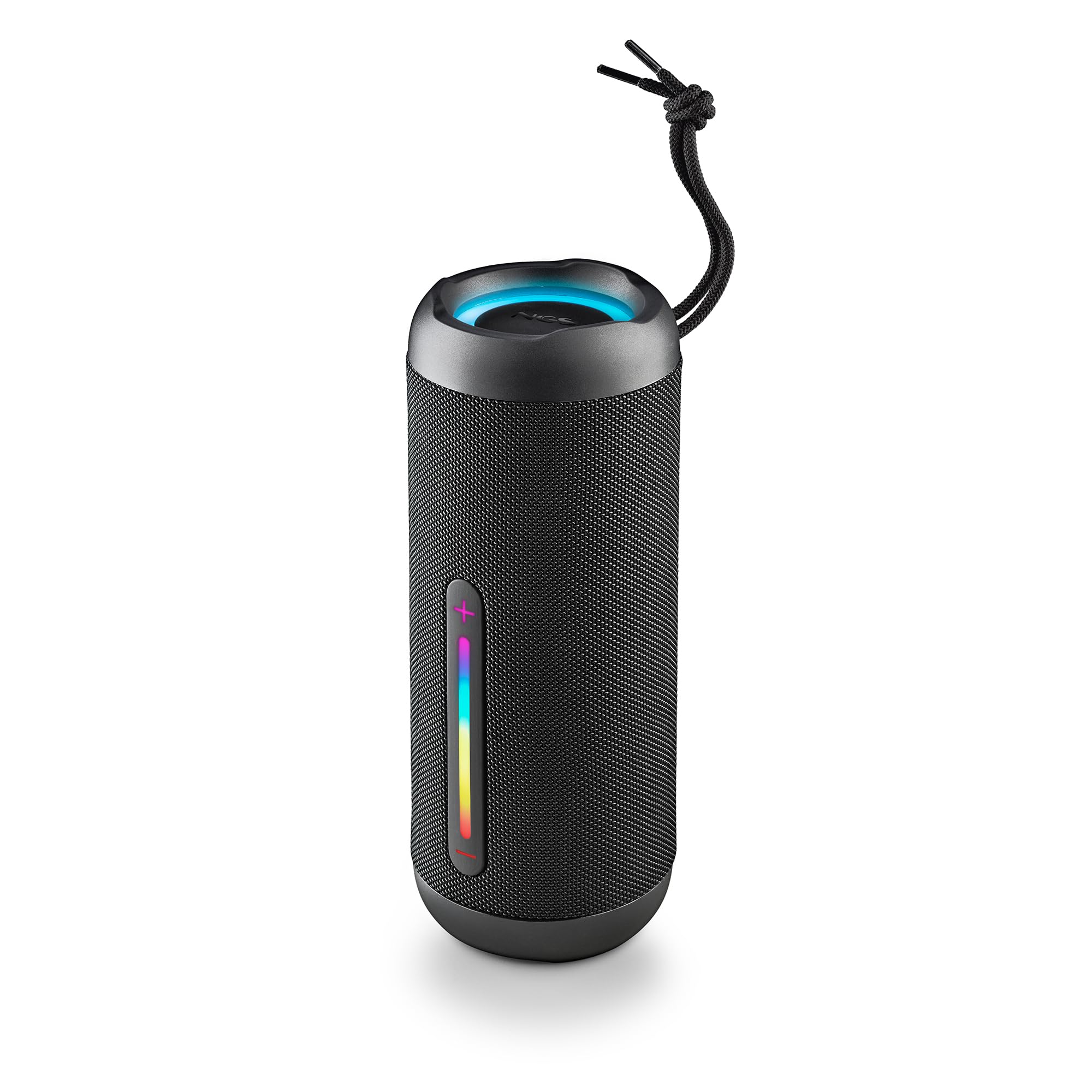
Image: The NGS Roller Furia 2 speaker demonstrating its IPX7 water resistance by being partially submerged in water.
10. Arazoak
| Arazoa | Irtenbide posiblea |
|---|---|
| Bozgorailua ez da pizten. | Ziurtatu bateria kargatuta dagoela. Konektatu energia-iturri batera eta saiatu berriro. |
| Ezin da Bluetooth bidez parekatu. | Ziurtatu bozgorailua parekatze moduan dagoela. Desgaitu eta berriro gaitu Bluetooth-a zure gailuan. Ziurtatu ez dagoela beste gailurik bozgorailura konektatuta. Hurbildu bozgorailura. |
| Soinurik ez. | Check volume levels on both the speaker and your connected device. Ensure the correct input mode (Bluetooth, AUX, USB, TF) is selected. |
| TWS parekatzeak huts egin du. | Ensure both speakers are not connected to any other Bluetooth device before initiating TWS pairing. Try resetting both speakers. |
11. Zehaztapenak
| Ezaugarri | Xehetasuna |
|---|---|
| Ereduaren izena | Roller Furia 2 Black |
| Modelo zenbakia | ELEC-SPK-0871 |
| Marka | NGS |
| Konektibitate Teknologia | Bluetooth 5.3, AUX, USB, TF txartela |
| Bozgorailuaren irteera potentzia | 30 W (RMS) |
| Uraren Erresistentzia Maila | IPX7 (iragazgaitza) |
| Bateria mota | Litio-ioizko 2 (barne) |
| Bateria Edukiera | 7.4V/2500mAh |
| Erreprodukzio-denbora | Gehienez 9 ordu (% 50 bolumenarekin) |
| Bluetooth barrutia | Gehienez 10 metro |
| Neurriak (L x W x H) | 7.4 x 7.4 x 19.4 cm |
| Pisua | 712 gramo |
| Gailu bateragarriak | MP3 Player, Laptop, Projector, Smartphone, Tablet, TV |
12. Bermea eta Laguntza
Produktu hau a 2 urteko berme mugatua erosketa-datatik aurrera. Gorde erosketaren egiaztagiria berme-erreklamazioetarako.
For technical support or warranty inquiries, please visit the official NGS webgunea edo jarri harremanetan zure tokiko saltzailearekin.
Ask a question about this manual
Ask about setup, troubleshooting, compatibility, parts, safety, or missing instructions. Manuals+ will review the question and use this page’s manual context to help answer it.