
1. Sarrera
This manual provides instructions for the proper setup, operation, and maintenance of your Luqeeg Smart Two-Way Voice Intercom System. This wireless intercom system is designed to facilitate communication within homes, offices, or other environments, offering a convenient way to speak with individuals in different rooms or areas without shouting. It is particularly useful for caregivers, families with young children, or individuals requiring assistance.

1. irudia: The intercom system is suitable for diverse applications, including assisting caregivers, monitoring children, and providing peace of mind for pregnant women.
2. Paketearen edukia
Mesedez, egiaztatu behean zerrendatutako elementu guztiak zure paketean sartuta daudela. Elementuren bat falta bada edo hondatuta badago, jarri harremanetan bezeroarentzako arreta-zerbitzuarekin.
- Intercom Unit (2x)
- Charging Base (2x)
- USB Charging Cable (2x)
- Erabiltzailearen eskuliburua (dokumentu hau)
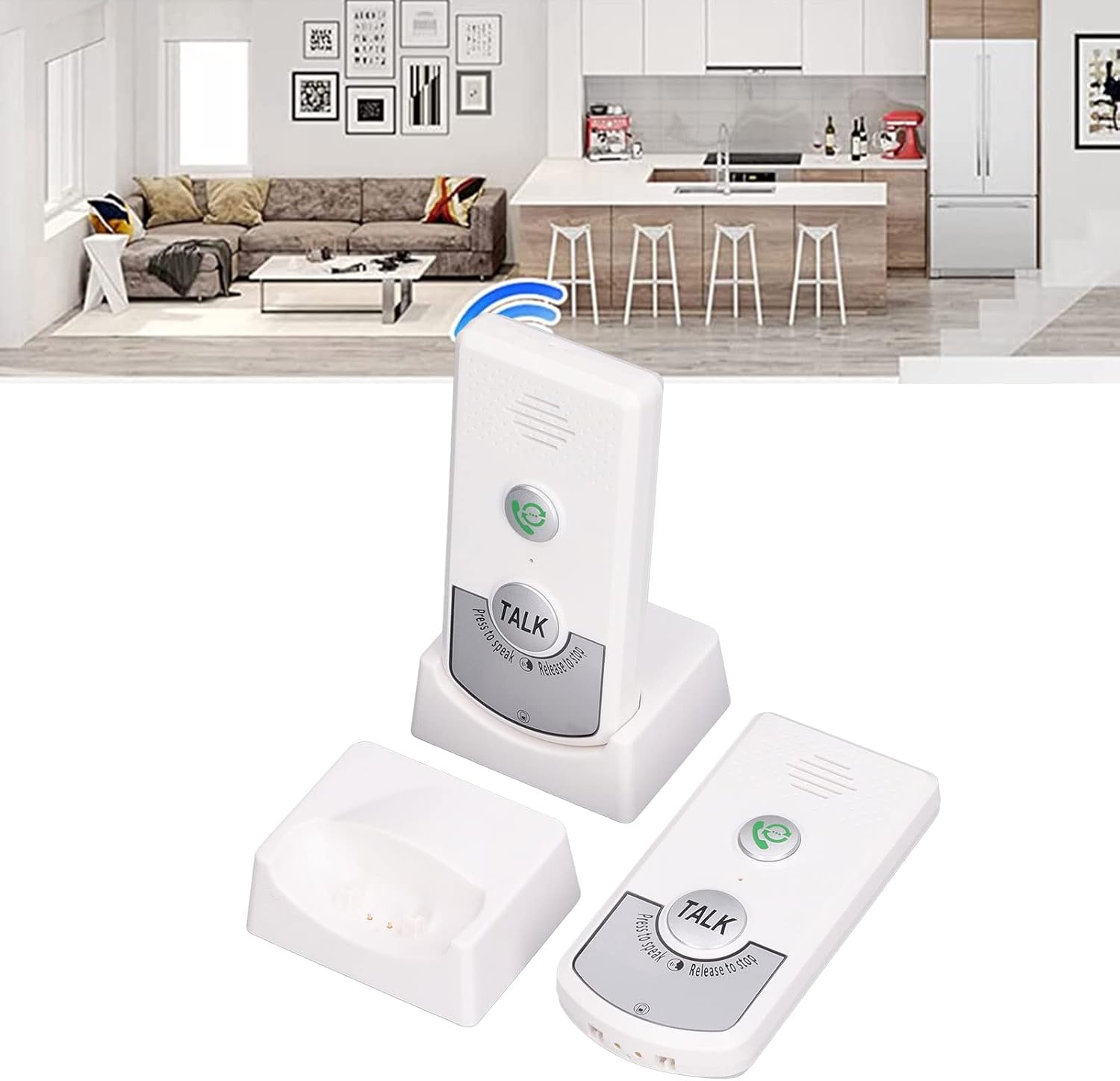
2. irudia: Contents of the Luqeeg Smart Two-Way Voice Intercom System package.
3. Produktua amaitu daview
Familiarize yourself with the components and controls of your intercom unit.

3. irudia: Aurrealdea view of the intercom unit, highlighting key controls.
- Deitzeko botoia: Press to initiate a call to the other intercom unit.
- HITZ EGITEKO botoia: Press and hold to speak, release to listen.
- Hizlaria: Outputs audio from the other unit.
- Mikrofonoa: Captures your voice during communication.
- Bolumen kontrola: Adjusts the speaker volume (3 levels).
- Channel Switch (A/B): Selects the communication channel.
- Kargatzeko ataka (USB-C): Located on the back/bottom for power input.
- Argi adierazlea: Provides status information (e.g., charging, low battery, call status).

4. irudia: Atzekoa view of the intercom unit, showing the charging port and information label.
4. Konfigurazioa
Follow these steps to set up your intercom system for first use.
- Kargatu unitateak: Connect each intercom unit to its charging base using the provided USB cables and a compatible USB power adapter (not included). The indicator light will show charging status. A full charge provides up to 48 hours of endurance.
- Hautatu kanal bat: Each unit has a channel switch (A or B). Ensure both intercom units are set to the same channel (e.g., both on 'A' or both on 'B') for them to communicate.
- Lekua: Place the intercom units in desired locations within your home or facility. Consider areas where communication is most needed, such as a living room, bedroom, kitchen, or garage. The system is designed for multi-floor communication.

5. irudia: Example of intercom unit placement for multi-level communication.
5. Funtzionamendu-argibideak
Learn how to use your intercom system for effective two-way communication.
- Dei bat hastea: Press the Call Button (green phone icon) on your unit. The other unit will ring to alert the recipient.
- Hitz egiten: Once the call is established or if you wish to speak directly, press and hold the large "TALK" button. Speak clearly into the microphone.
- Entzumena: Release the "TALK" button to listen for a response from the other unit. The system operates in a push-to-talk, release-to-listen manner.
- Bolumena doitzea: Use the volume control buttons on the side of the unit to increase or decrease the speaker volume to one of the three available levels.
- Dei bat amaitzea: Calls typically end when both parties stop pressing the "TALK" button.

6. irudia: Visual representation of two-way intercom communication.
6. Mantentzea
Proper care ensures the longevity and optimal performance of your intercom system.
- Garbiketa: Garbitu unitateak zapi leun eta lehor batekin. Ez erabili garbitzaile edo disolbatzaile urratzailerik.
- Bateria zaintzea: Recharge the units regularly, approximately every two days, to maintain battery health and ensure continuous operation. Avoid fully depleting the battery frequently.
- Biltegiratzea: Denbora luzez erabiltzen ez dituzunean, gorde unitateak leku fresko eta lehor batean.
7. Arazoak
Atal honetan ohiko arazoen irtenbideak aurkituko dituzu.
| Arazoa | Kausa posiblea | Irtenbidea |
|---|---|---|
| Soinurik ez edo audio kalitate eskasa | Incorrect channel, low volume, out of range, battery low. | Ensure both units are on the same channel (A or B). Adjust volume. Move units closer. Charge batteries. |
| Unitatea ez da pizten | Bateria agortuta dago. | Connect to charging base and charge for at least 30 minutes. |
| Indicator light flashing red | Bateria baxua. | Recharge the unit immediately. |
| Indicator light flashing green | Indoor doorbell (call received). | This indicates an incoming call. Respond by pressing the TALK button. |
| Cannot communicate between units | Different channels selected. | Verify both units are set to the same channel (A or B). |
8. Zehaztapenak
Key technical details of the Luqeeg Smart Two-Way Voice Intercom System.
| Ezaugarri | Xehetasuna |
|---|---|
| Modelo zenbakia | Luqeegdhgx643e9t-12 |
| Elementuaren pisua | 10.8 ontza |
| Paketearen neurriak | 5.51 x 3.54 x 2.76 hazbete |
| Kolorea | Zuria |
| Kanalak | 2 (A and B) |
| Bolumen-mailak | 3 maila erregulagarri |
| Bateria Erresistentzia | Gehienez 48 ordu |
| Kargatzen Voltage | DC5V |
9. Bermea eta Laguntza
For warranty information, please refer to the documentation provided at the time of purchase or contact your retailer. For technical support or further assistance, please contact Luqeeg customer service through their official channels.