
FunFlix
Mini Outdoor Projector 852WH Instruction Manual
Brand: FunFlix
Produktua amaituview
This FunFlix 852WH Mini Outdoor Projector is designed for portable entertainment, supporting 1080P resolution and offering 9500 lumens brightness. Its compact design allows for easy setup and use in various environments, from home theaters to outdoor movie nights. It features multiple connectivity options including HDMI, USB, and AV, making it compatible with a wide range of devices.
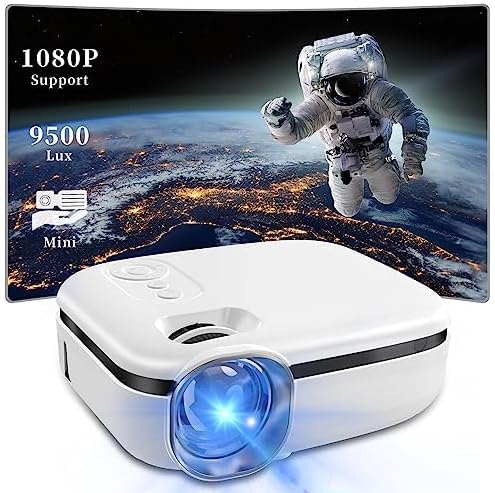
Image: The FunFlix Mini Outdoor Projector, showcasing its compact size and a vibrant projected image with 1080P support and 9500 Lux brightness.
Konfigurazio Gida
1. Kutxa ireki eta kokapena
Carefully remove all components from the packaging. Place the projector on a stable, flat surface. Ensure there is adequate ventilation around the projector to prevent overheating.
2. Energia-konexioa
- Konektatu korronte-egokitzailea proiektorearen elikatze-sarrera atakara.
- Entxufatu korronte-egokigailua entxufe elektriko estandar batean.
3. Sarrerako gailuak konektatzea
The projector supports multiple input sources. Choose the appropriate cable for your device (HDMI, USB, or AV).

Image: The projector highlighting its versatile connectivity options, including AV, USB, and HDMI ports, for connecting various devices like laptops, gaming consoles, and smartphones.
- HDMI: Connect your laptop, game console, TV stick, or other HDMI-enabled device to the projector's HDMI port.
- USBa: Sartu USB unitate bat USB atakan multimedia erreproduzitzeko files zuzenean.
- OF: Use the provided AV cable to connect older devices like DVD players.
4. Initial Power On and Focus Adjustment
- Sakatu proiektorearen edo urrutiko agintearen pizteko botoia pizteko.
- Adjust the focus ring on the lens until the projected image appears clear and sharp.
5. Keystone zuzenketa
If the projected image appears trapezoidal (wider at the top or bottom), use the keystone correction dial to adjust it to a rectangular shape.

Image: Illustration of the projector's ±15° vertical keystone correction feature, showing how to adjust the image shape using a dedicated dial for a perfectly rectangular display.
6. Adjusting Projection Size
The projection size can be adjusted by moving the projector closer to or further from the screen/wall. The projector supports screen sizes from 35 to 270 inches.
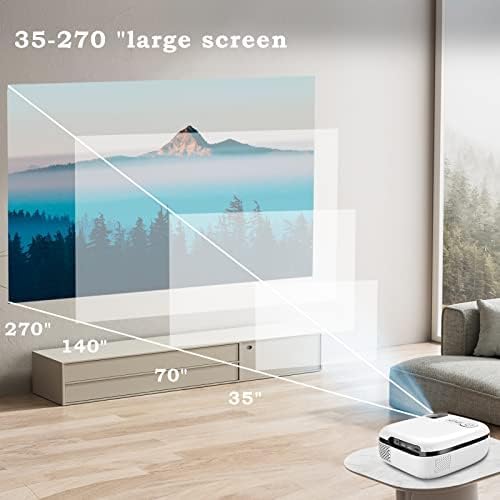
Image: A visual representation demonstrating the projector's capability to produce large screen sizes, ranging from 35 inches up to 270 inches, depending on the projection distance.
Funtzionamendu-argibideak
1. Piztu/Itzali
- Piztu: Sakatu pizteko botoia proiektorearen edo urrutiko agintearen.
- Itzali: Sakatu berriro pizteko botoia. Berretsi itzaltzea eskatzen bazaizu.
2. Iturriaren hautaketa
Use the "Source" button on the projector or remote control to cycle through available input sources (HDMI, USB, AV).
3. Bolumenaren kontrola
Adjust the volume using the volume buttons on the remote control. The projector features a built-in Hi-Fi speaker for audio output.

Image: The projector positioned in a living room setting, illustrating its integrated Hi-Fi speaker system providing immersive audio for a home cinema experience.
4. Menuen nabigazioa
Use the arrow keys and OK button on the remote control to navigate through the projector's on-screen menu for advanced settings like picture mode, aspect ratio, and sound settings.
Mantentzea
1. Lentea garbitzea
Garbitu proiektorearen lentea astiro-astiro gainazal optikoetarako bereziki diseinatutako zapi leun eta lint-gabe batekin. Ez erabili garbitzaile urratzailerik edo indar gehiegirik, lentea urra baitezake.
2. Dust Prevention
The projector features an enclosed optical system designed to be super dustproof, minimizing dust accumulation on internal components. However, regularly clean the exterior of the projector with a soft, dry cloth to prevent dust from entering ventilation openings.
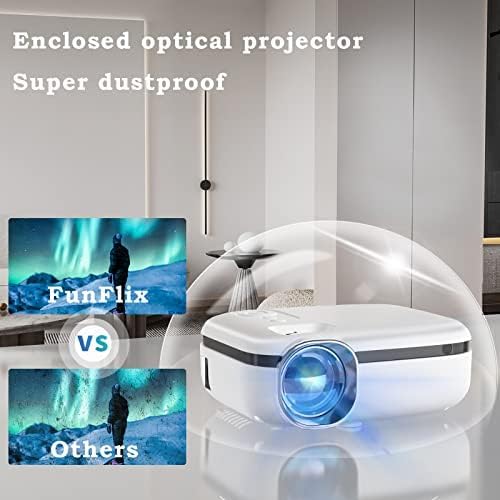
Image: The projector encased in a protective, transparent dome, visually representing its "Super dustproof" enclosed optical design, which helps maintain image clarity by preventing dust ingress.
3. Biltegiratzea
When not in use for extended periods, store the projector in a cool, dry place, away from direct sunlight and extreme temperatures. Consider using the original packaging or a protective case.
Arazoak konpontzeko gida
| Arazoa | Kausa posiblea | Irtenbidea |
|---|---|---|
| Ez da irudirik proiektatuta |
|
|
| Irudia lausoa da |
|
|
| Soinurik ez |
|
|
| Proiektorea ez da pizten |
|
|
Produktuaren zehaztapenak
| Ezaugarri | Xehetasuna |
|---|---|
| Marka | FunFlix |
| Modelo zenbakia | 852WH |
| Distira | 9500 lumen |
| Onartutako Ebazpena | 1080P HD |
| Forma-faktorea | Eramangarria |
| Kolorea | Zuria |
| Produktuaren neurriak | 2.36 x 1.56 x 1.6 hazbete |
| Elementuaren pisua | 2.2 kilo |
| Gailu bateragarriak | Laptop, Gaming Console, Smartphone, TV Stick |
| Konektibitatea | HDMI, USB, AV |
Bermearen informazioa
This product comes with a standard manufacturer's warranty. Please refer to the warranty card included in your product packaging for specific terms, conditions, and duration. Retain your proof of purchase for warranty claims.
Bezeroarentzako Arreta
For technical assistance, troubleshooting beyond this guide, or warranty inquiries, please contact FunFlix customer support. Contact details can typically be found on the product packaging, the official FunFlix website, or the purchase platform.
Ask a question about this manual
Ask about setup, troubleshooting, compatibility, parts, safety, or missing instructions. Manuals+ will review the question and use this page’s manual context to help answer it.