
Sarrera
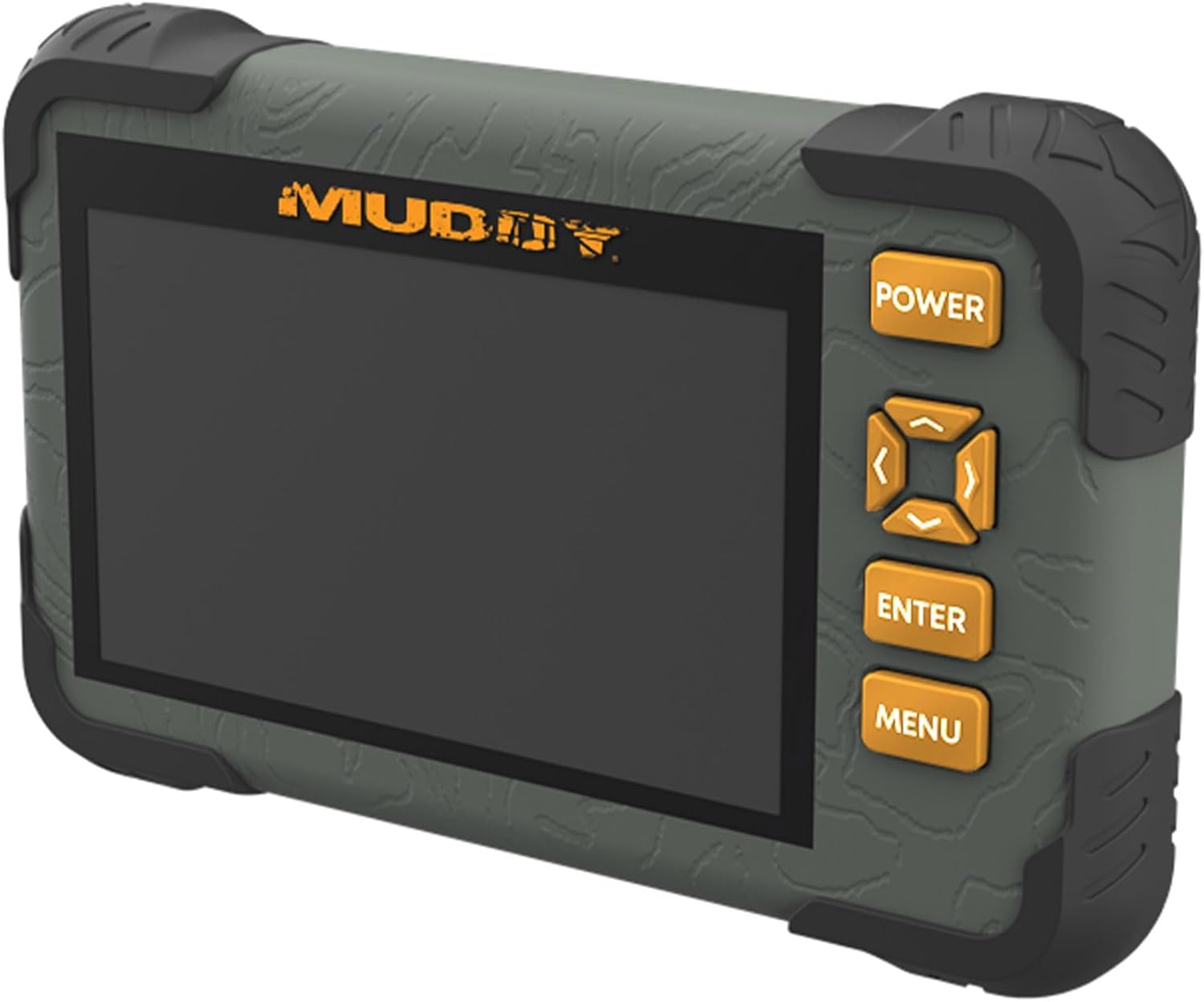
The Muddy CRV3 HD SD Card Viewer is designed for easy viewing of SD card captures with its high-definition, 4.3-inch color LCD screen. This device features durable, water-resistant housing, intuitive menu operation, and adjustable settings for optimal performance in outdoor environments. It supports 1080P video playback for SD cards up to 32GB and is powered by four AA batteries (not included).
Kutxan dagoena
- SD Card Reader/Viewer with 4.3" LCD Screen
- Eskumuturrak Zintzilikarioarentzako
Ezaugarri nagusiak
- 1080P Video Playback: Supports high-definition video playback.
- 4.3 hazbeteko koloretako LCD pantaila: Pantaila garbia eskaintzen du viewkomunikabideak erabiliz.
- Intuitive Menu Operation: Easy-to-navigate menu for user convenience.
- Headphone Jack for Audio: Allows for private audio monitoring.
- Adjustable Brightness & Volume: Customize display and sound levels.
- Image Management: Aukerak View, Transfer, and Delete images.
- Durable Water-Resistant Housing: Built to withstand outdoor conditions.
- Mikro USB zirrikitua: For connectivity and data transfer.
- SD txartelaren zirrikitua: 32 GB arteko SD txartelak onartzen ditu.
- Energia iturria: Operates on 4 AA Batteries (not included).
Konfigurazioa
1. Bateriaren instalazioa
The Muddy CRV3 HD SD Card Viewer requires four (4) AA batteries (not included) for operation. To install batteries:
- Kokatu bateriaren konpartimendua gailuaren atzealdean.
- Turn the locking tab counter-clockwise to unlock and open the battery cover.
- Sartu lau AA pila, konpartimentuaren barruan adierazten den polaritate zuzena (+/-) ziurtatuz.
- Close the battery cover and turn the locking tab clockwise to secure it.
Irudia: Atzealdea view of the Muddy CRV3 HD SD Card Viewer showing the circular locking tab for the battery compartment. The compartment is opened to reveal four AA batteries.
2. SD txartelaren txertatzea
The device supports SD cards up to 32GB. To insert an SD card:
- Locate the SD card slot on the side of the viewer.
- Gently insert the SD card into the slot with the metal contacts facing down until it clicks into place.
- To remove, push the SD card inward until it clicks, then release to eject.

Irudia: Albokoa view of the Muddy CRV3 HD SD Card Viewer highlighting the SD card slot and Micro USB port.
Funtzionamendu-argibideak
1. Piztu/Itzali
- Pizteko: Eduki sakatuta BOTEREA button located on the right side of the device until the screen changes color and the Muddy logo appears. The device will then initialize the SD card and display the main menu.
- Itzaltzeko: Eduki sakatuta BOTEREA button until the "POWER OFF" message appears on the screen, then release.
2. Menuen nabigazioa
The Muddy CRV3 features an intuitive menu system. Use the directional arrow buttons (UP, BEHERA, EZKER, ESKUBINA) to navigate through options. An orange border will highlight the currently selected item.
- Use the directional buttons to move the orange border to your desired menu icon.
- Sakatu SARTU botoia zure hautaketa berresteko.
- Sakatu MENUA button to go back to the previous screen or exit a function.
3. ViewIrudiak eta bideoak
From the main menu, select the appropriate icon to view images or videos stored on your SD card.
- Select the "View Images" icon (typically represented by a picture frame) and press SARTU.
- Use the directional buttons to scroll through thumbnails.
- Sakatu SARTU to view a selected image or play a video in full screen.
- For videos, the device supports 1080P playback. Use the directional buttons for play/pause/fast-forward/rewind if available.
- Irudi txikira itzultzeko view, sakatu MENUA.
4. Kudeatzea Files (View/Transfer/Delete)
The device allows basic file management directly on the viewer.
- Bitartean viewing an image or video, access the options menu (usually by pressing MENUA or a dedicated button) to find options like "Delete" or "Transfer".
- Follow on-screen prompts to perform desired actions. Be cautious when deleting files as this action is often irreversible.
- Transferitzeko files, connect the Micro USB slot to a computer using a compatible cable. The device should appear as a removable drive.
5. Ezarpenak doitzea
From the main menu, select the "Settings" icon (typically a gear symbol) to adjust various parameters.
- Distira: Adjust the screen brightness for better visibility in different lighting conditions.
- Bolumena: Control the audio output volume, especially when using the headphone jack.
- Other settings may include date/time, language, and device information.
Video: A user demonstrates the functions of the Muddy CRV3 HD SD Card Viewer, including navigating menus, viewing images, and adjusting settings.
Mantentzea
- Garbiketa: Use a soft, dry cloth to clean the screen and exterior of the device. Avoid abrasive cleaners or solvents.
- Uraren erresistentzia: The device features durable water-resistant housing. However, it is not designed for submersion. Ensure battery compartment and port covers are securely closed to maintain water resistance.
- Biltegiratzea: When not in use for extended periods, remove batteries to prevent leakage and store the device in a cool, dry place.
Arazoak konpontzea
| Arazoa | Kausa posiblea | Irtenbidea |
|---|---|---|
| Gailua ez da pizten. | Low or dead batteries; incorrectly inserted batteries. | Replace with fresh AA batteries; ensure correct polarity. |
| SD card not detected. | SD card not inserted correctly; incompatible SD card; faulty SD card. | Re-insert SD card until it clicks; ensure card is up to 32GB; try a different SD card. |
| Ezin view irudiak / bideoak. | Ustelduta files on SD card; unsupported file formatua. | Saiatu viewing files on a computer; ensure files are standard image/video formats. |
| No audio from headphone jack. | Volume too low; faulty headphones. | Adjust volume in settings; try different headphones. |
Zehaztapenak
- Ereduaren izena: CRV3 HD SD Card Viewer
- Pantaila: 4.3 hazbeteko koloretako LCD pantaila
- Bideo erreprodukzioa: 1080p
- SD txartelaren euskarria: Gehienez 32 GB
- Konektibitatea: Mikro USBa
- Audioa: Aurikularretarako Jack
- Potentzia: 4 AA bateria (ez daude barne)
- Etxebizitza: Durable, Water-Resistant
- Neurriak (L x W x H): 9.26" x 8.43" x 2.95"
- Fabrikatzailea: GSM Kanpoaldean
- UPC: 888151030974
Bermea eta Laguntza
MUDDY is committed to quality, durability, and functionality. For warranty information or technical support, please refer to the product packaging or visit the official MUDDY webgunea. Gorde erosketa-agiria berme-erreklamazioetarako.