
1. Sarrera
The Hama Bluetooth Audio Adapter Link.it solo (Model 00205321) allows you to upgrade your existing stereo system or active speakers with Bluetooth connectivity. Enjoy high-quality audio content from your mobile phone, tablet, or other Bluetooth-enabled devices. This versatile adapter features a 3.5 mm jack for universal connection, a USB-C port for power, and a microSD slot for direct playback of audio files.
This manual provides essential information for the safe and efficient operation of your device. Please read it thoroughly before use and keep it for future reference.
2. Zer dago kutxan
Mesedez, egiaztatu paketearen edukia elementu guztiak daudela ziurtatzeko:
- 1x Hama Bluetooth Audio Adapter "Link.it solo"
- 1x USB Power Cable (USB-A to USB-C, 0.24 m)
- 1x Audio Cable (3.5 mm jack to 3.5 mm jack, 0.42 m)
- 1x Erabiltzailearen eskuliburua
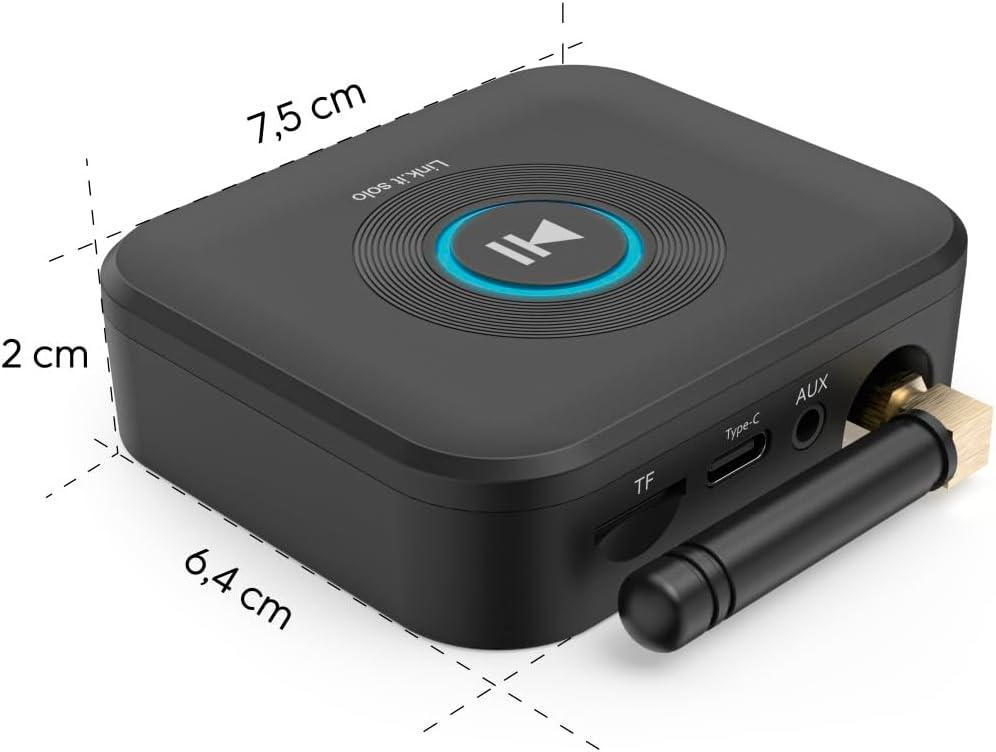
Image: The Hama Bluetooth Audio Adapter Link.it solo shown alongside its included USB-A to USB-C power cable and 3.5mm jack to 3.5mm jack audio cable.
3. Produktuaren ezaugarriak
- Bluetooth konexioa: Seamlessly stream audio from your smartphone, tablet, or other Bluetooth devices to your stereo system or active speakers.
- Universal Audio Output: Connects to audio systems via a standard 3.5 mm AUX jack.
- MicroSD zirrikitua: Play playlists and audiobooks directly from a microSD card (up to 64 GB) in excellent sound quality.
- USB-C elikadura iturria: Conveniently powered via USB-C, allowing connection to a USB port on a power strip, stereo system, or an external power supply.
- Gailu anitzeko parekatzea: Supports connection of two mobile phones simultaneously, with automatic reconnection to previously paired devices.
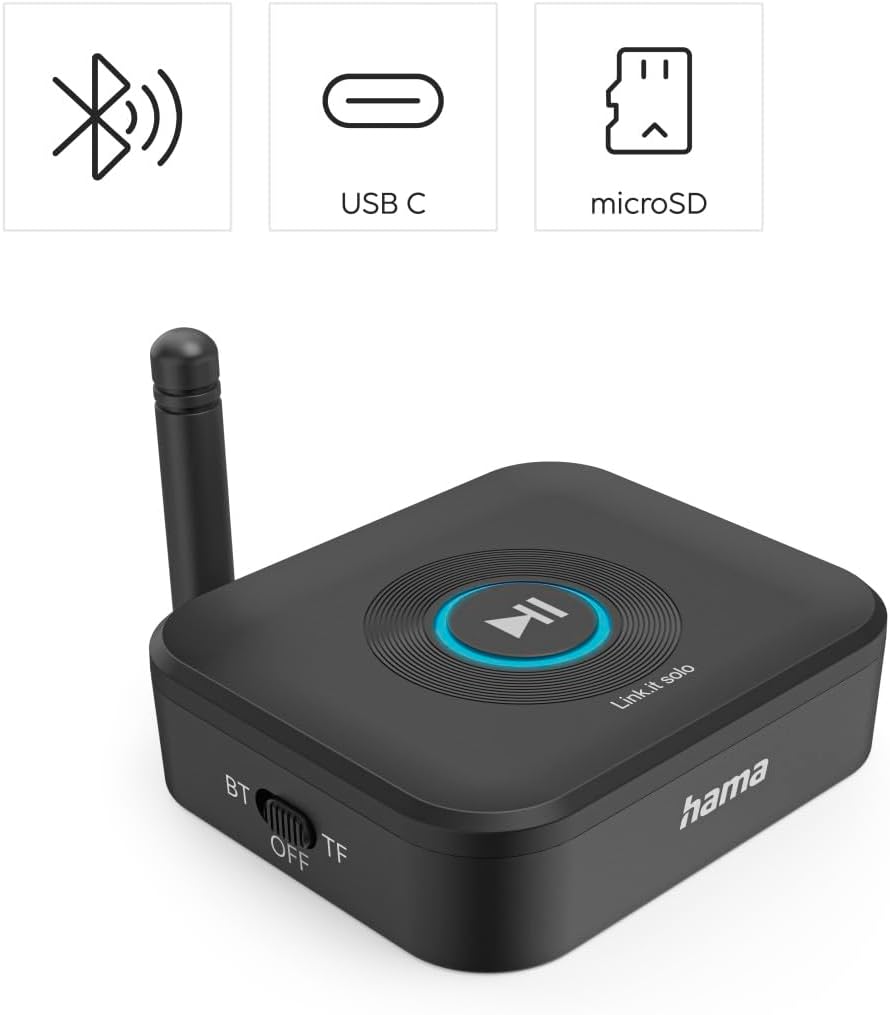
Irudia: Goitik behera view of the Hama Bluetooth Audio Adapter Link.it solo, highlighting its key features: Bluetooth connectivity, USB-C power input, and a microSD card slot. The central play/pause button is also visible.
4. Segurtasun informazioa
Mesedez, errespetatu segurtasun jarraibide hauek:
- This device uses radio frequency and may interfere with other wireless devices.
- Ez jarri gailua muturreko tenperatura edo hezetasunera.
- Do not use the device if operating instructions are not fully understood.
- Dispose of plastic responsibly.
- To avoid data loss, only use microSD cards that are formatted and supported by your device.
5. Konfigurazioa
5.1 Potentziara konektatzea
- Connect the supplied USB-A to USB-C cable to the Type-C port on the adapter.
- Plug the USB-A end of the cable into a suitable USB power source (e.g., a USB port on your stereo system, a USB wall adapter, or a power strip with USB ports). The adapter requires 5 Volts (DC).
5.2 Audio-sistema batera konektatzea
- Connect one end of the supplied 3.5 mm jack audio cable to the AUX port on the Bluetooth adapter.
- Connect the other end of the 3.5 mm jack audio cable to the AUX input (or similar audio input) on your stereo system or active speakers.
- Ensure your stereo system or speakers are set to the correct input source (e.g., AUX, Line In).

Image: A user connecting the 3.5mm audio cable from the Hama Bluetooth adapter to the AUX input of a stereo receiver, demonstrating the audio connection setup.
5.3 Bluetooth parekatzea
- Once powered on, the adapter will automatically enter Bluetooth pairing mode, indicated by a blinking light on the device.
- On your mobile phone, tablet, or other Bluetooth device, go to the Bluetooth settings and enable Bluetooth.
- Bilatu available devices. The Hama Bluetooth adapter should appear in the list (e.g., as "Link.it solo").
- Select the adapter to pair. Once paired, the indicator light on the adapter will become solid.
- The adapter supports connecting two mobile phones simultaneously. Pair the second device following the same steps.
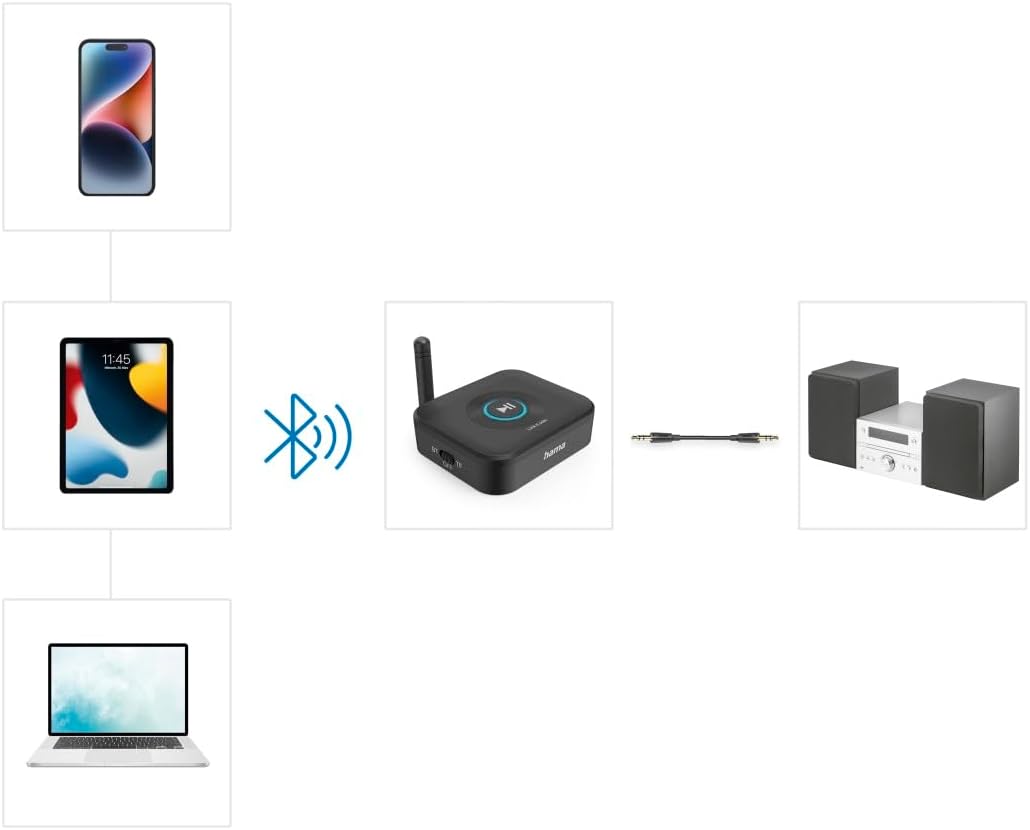
Image: A visual representation of how various devices like smartphones, tablets, and laptops can connect wirelessly via Bluetooth to the Hama adapter, which then transmits audio to a stereo system via a wired connection.
5.4 MicroSD txartel bat sartzea
- Locate the TF (microSD) slot on the side of the adapter.
- Gently insert a formatted microSD card (up to 64 GB) into the slot until it clicks into place.
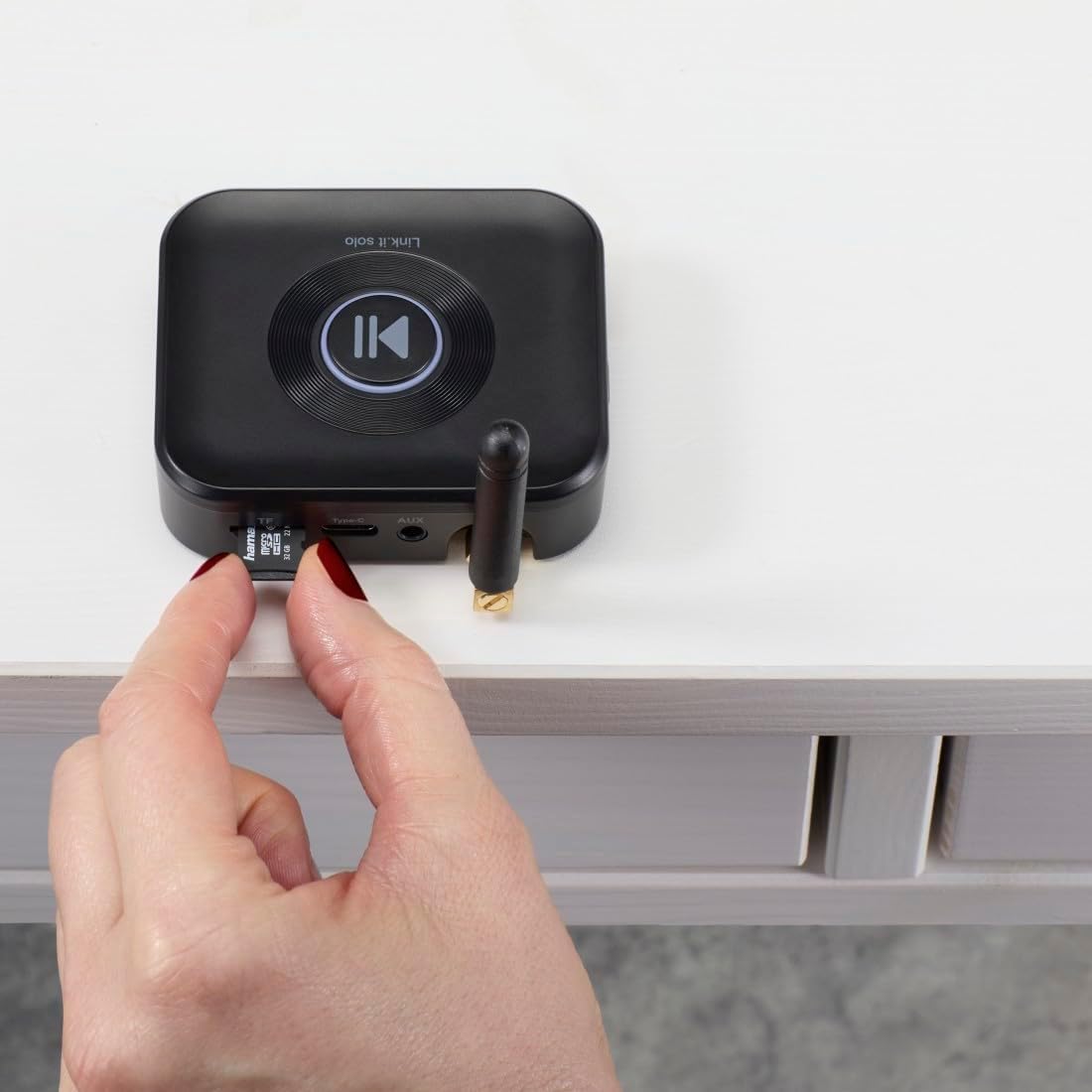
Image: A close-up of a hand inserting a microSD card into the designated TF slot on the side of the Hama Bluetooth Audio Adapter.
6. Funtzionamendua
6.1 Bluetooth audio erreprodukzioa
- Ensure the adapter is powered on and successfully paired with your Bluetooth device.
- Start playing audio on your connected device (e.g., music app, streaming service).
- The audio will be transmitted wirelessly to the adapter and then played through your connected stereo system or speakers.
- Use the controls on your connected device to manage playback (play, pause, skip tracks, volume). The large central button on the adapter can also be used for play/pause functionality.

Image: A setup showing both a smartphone and a tablet simultaneously connected to the Hama Bluetooth adapter, which is then linked to a stereo system, illustrating the multi-device playback capability.
6.2 MicroSD txartelaren erreprodukzioa
- Sartu audioa duen microSD txartel bat files into the TF slot (refer to Section 5.4).
- The adapter will automatically detect the microSD card and begin playing audio files.
- Use the central button on the adapter for play/pause control.
7. Mantentzea
To ensure the longevity and optimal performance of your Hama Bluetooth Audio Adapter, follow these maintenance guidelines:
- Garbiketa: Use a soft, dry, lint-free cloth to clean the device. Do not use abrasive cleaners, solvents, or strong detergents.
- Biltegiratzea: Gorde gailua leku fresko eta lehor batean, eguzki-argitik eta muturreko tenperaturetatik babestuta.
- Manipulazioa: Saihestu gailua erortzea edo kolpe gogorrak jasan.
- Hezetasuna: Mantendu gailua uretatik eta hezetasun handietatik urrun.
8. Arazoak
If you encounter issues with your Hama Bluetooth Audio Adapter, refer to the following common problems and solutions:
| Arazoa | Kausa posiblea | Irtenbidea |
|---|---|---|
| Argindarrik ez / Gailua ez da pizten | USB power cable not connected properly or power source is faulty. | Ensure the USB-C cable is securely connected to both the adapter and a working USB power source. Try a different USB port or power adapter. |
| Ezin da Bluetooth bidez parekatu | Adapter not in pairing mode; Bluetooth off on source device; device too far. | Ensure the adapter's indicator light is blinking (pairing mode). Turn Bluetooth off and on again on your source device. Move the source device closer to the adapter. |
| Ez dago soinu irteerarik | Audio cable not connected; incorrect input selected on stereo; volume too low. | Verify the 3.5 mm audio cable is securely connected to both the adapter and your stereo system. Select the correct AUX/Line In input on your stereo. Increase volume on both the source device and the stereo system. |
| MicroSD card not playing | Txartela ez da behar bezala sartu; formatu bateraezina; txartelaren edukiera handiegia. | Reinsert the microSD card firmly. Ensure the card is formatted correctly and contains supported audio file types. Use a microSD card up to 64 GB. |
| Etengabeko Bluetooth konexioa | Interference; device too far; low battery on source device. | Move the adapter and source device away from other wireless devices. Ensure the source device is within range (typically up to 10 meters). Charge your source device if its battery is low. |
9. Zehaztapenak
| Ezaugarri | Xehetasuna |
|---|---|
| Ereduaren izena | 00205321 |
| Marka | Hama |
| Konektibitate Teknologia | Bluetootha |
| Energia iturria | Kabledun Elektrikoa (USB-C) |
| liburukiatage | 5 voltio (DC) |
| Materiala | Plastikoa |
| Kolorea | Beltza |
| Onartutako multimedia mota | Bluetooth, MicroSD |
| Audio Sarrera | 3.5 mm AUX |
| Audio irteera modua | Estereoa |
| Kanal kopurua | 2 |
| Gailu bateragarriak | Speaker, HiFi System, Smartphone, Tablet, TV |
| Kontrol-metodoa | Sakatu botoia |
| Elementuaren pisua | 84.26 gramo |
Image: The Hama Bluetooth Audio Adapter Link.it solo displaying its physical dimensions: 7.5 cm in length, 6.4 cm in width, and 2 cm in height.
10. Bermea eta Laguntza
Warranty information for your Hama Bluetooth Audio Adapter Link.it solo is typically provided with your purchase documentation or can be found on the official Hama website. For technical support, troubleshooting assistance beyond this manual, or warranty claims, please refer to the contact information provided by Hama or your retailer.
Gorde erosketaren egiaztagiria bermearen ondorioetarako.


